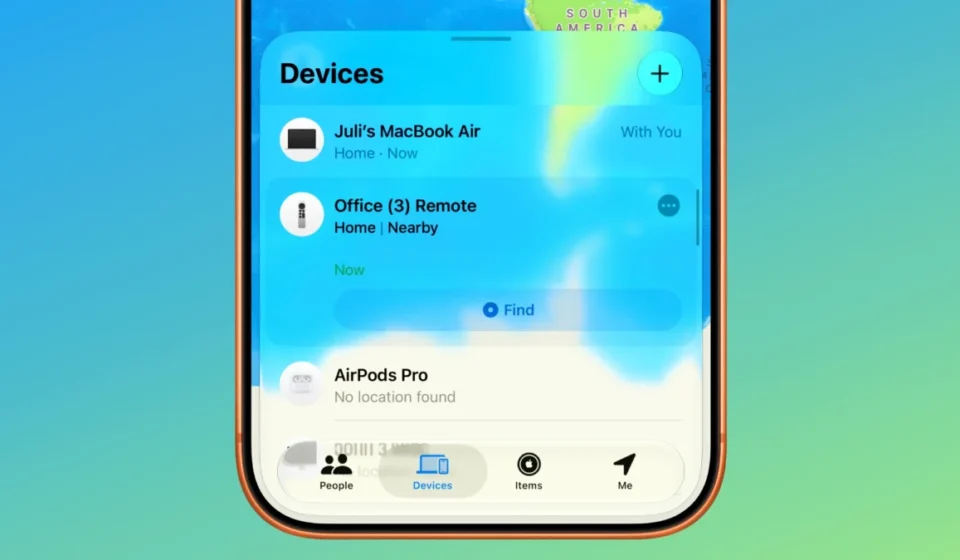

The integration of second- and third-generation Siri Remotes into Apple’s Find My network marks a significant enhancement for Apple TV users, offering a more robust and intuitive solution for locating misplaced accessories. This feature, rolled out with iOS 27.2 and tvOS 27.2, allows these once elusive remotes to be tracked directly within the Find My application, a capability previously unavailable for these specific models.
Prior to this update, users had a limited method for locating a lost Siri Remote. Since the advent of iOS 17, an option existed to ping the remote using the Apple TV Remote widget accessible through the iPhone’s Control Center. While this provided a means to generate a sound from the remote, it lacked the comprehensive tracking and location mapping features inherent to the Find My app. This made the process of finding a lost remote a more cumbersome and less precise endeavor, often relying on the audible cue alone in the immediate vicinity.
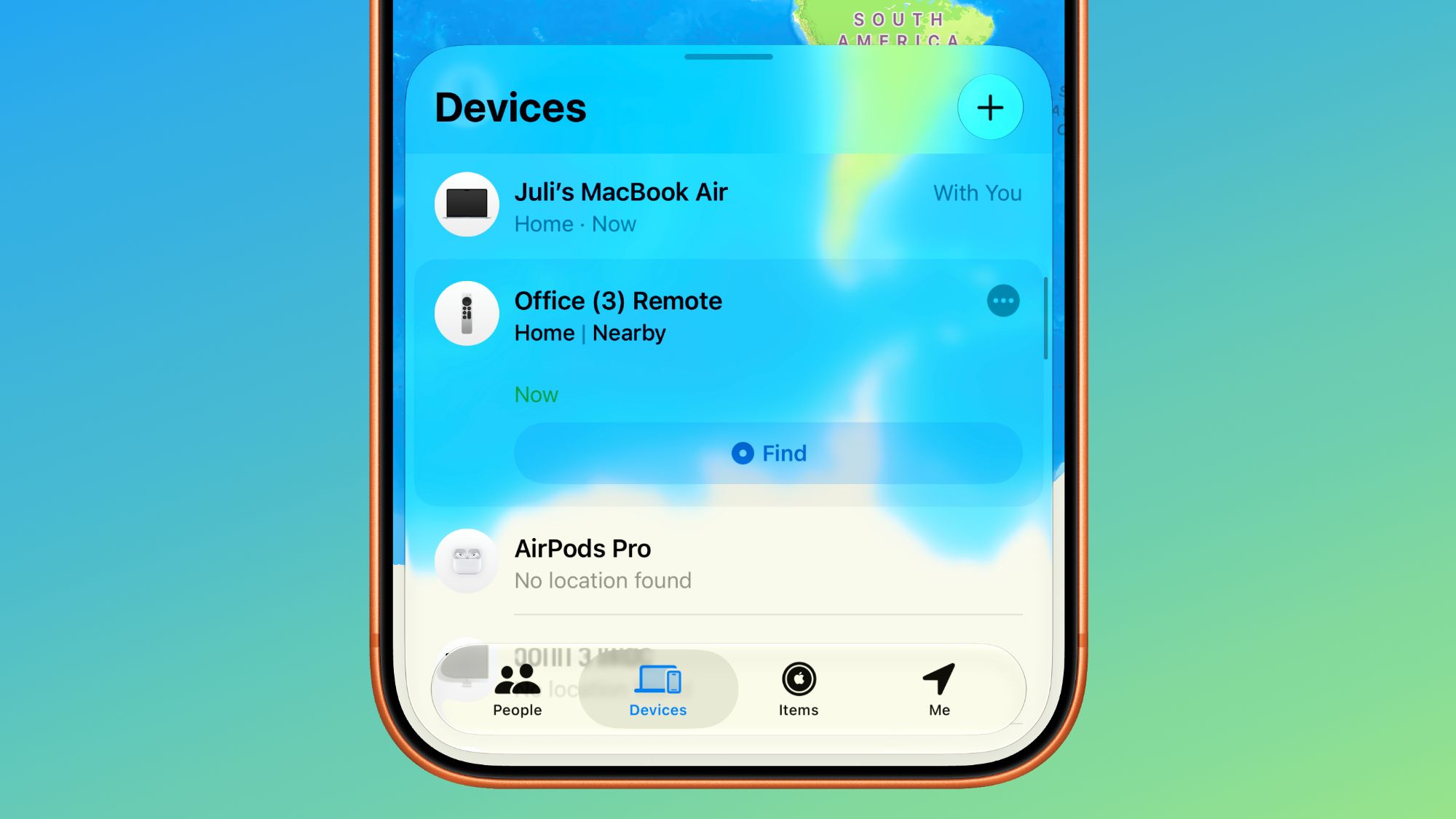
The new implementation seamlessly integrates supported Siri Remotes into the Find My app, positioning them alongside other Apple devices such as iPhones, iPads, Macs, and AirPods. This unification provides a single, centralized hub for all tracked Apple devices, significantly streamlining the user experience. Users can now view the last known location of their Siri Remote on a map, play a sound to help pinpoint its physical whereabouts, and, for newer models, potentially leverage Precision Finding capabilities.
A Shift in Locate Functionality: From Basic Ping to Comprehensive Tracking
The evolution of the Siri Remote’s findability can be traced back to Apple’s increasing focus on device ecosystem integration and user convenience. The initial introduction of the "ping" function via the Control Center widget in iOS 17 represented a step towards addressing the common frustration of losing the small, easily misplaced remote. However, the limitations of this approach became apparent, particularly when the remote was not within audible range or was obscured by household items.
The Find My app, introduced in 2010 as "Find My iPhone," has progressively expanded its scope to encompass a wider array of Apple products and accessories. The integration of AirTags in 2021 further solidified its position as a central pillar of Apple’s anti-loss strategy. By extending this powerful network to the Siri Remote, Apple is not only enhancing the utility of its existing Apple TV hardware but also reinforcing the value proposition of its broader product ecosystem.
Underlying Technology and Hardware Considerations
The ability for older Siri Remotes to appear in the Find My app is contingent on their internal hardware capabilities. While the specific technical details of the second- and third-generation Siri Remotes are not publicly detailed in the same way as larger devices, it is understood that they possess the necessary Bluetooth connectivity and potentially a dedicated chip that allows them to communicate with the Find My network. This communication likely involves broadcasting a secure, anonymized signal that can be detected by other Apple devices in proximity, which then relays the location data back to the owner’s Find My account.
It is important to note that the functionality available to older remotes may differ from that of newer models. The upcoming fourth-generation Apple TV 4K, as announced, is slated to feature a redesigned Siri Remote with an integrated speaker for audio cues and the advanced Precision Finding technology. Precision Finding, powered by the U1 chip found in newer iPhones and AirTags, provides directional guidance to the lost item, offering a more sophisticated and accurate locating experience. This distinction highlights Apple’s tiered approach to feature rollout, often leveraging newer hardware advancements for enhanced capabilities.
The Road to Integration: A Timeline of Enhancements
The journey towards integrating the Siri Remote into the Find My app can be viewed as a progression of Apple’s commitment to device findability:
- Pre-iOS 17: Locating a lost Siri Remote was a manual process, relying on searching by sight and sound.
- iOS 17: Introduction of the Apple TV Remote widget in Control Center, enabling users to play a sound from the remote. This provided a basic audible alert but lacked location tracking.
- tvOS 27.2 and iOS 27.2: The pivotal update that brings supported Siri Remotes (second- and third-generation) into the Find My app, offering map-based location tracking and the potential for advanced finding features on newer iterations.
- Future (with Fourth-Generation Apple TV 4K): Enhanced Siri Remote with speaker and Precision Finding, further elevating the ease of locating misplaced accessories.
The announcement regarding Find My support for the second-generation Siri Remote and later models was made in conjunction with the unveiling of the fourth-generation Apple TV. This foresight from Apple indicates a strategic plan to ensure long-term usability and support for its accessories, aligning them with its overarching device management strategy.
User Experience and Implications of the Update
The inclusion of Siri Remotes in the Find My app is a welcome development for a substantial segment of Apple TV users. The convenience of being able to quickly locate a lost remote without extensive searching can significantly reduce user frustration. This update addresses a common pain point, especially in households with multiple users or where the remote is prone to being misplaced under cushions or in other overlooked areas.
The Find My app’s interface is designed to be user-friendly, and the addition of Siri Remotes maintains this standard. Users will see their remotes listed among their other devices, with options to play a sound or view their last known location. This consistent experience across Apple’s device ecosystem makes it easier for users to adapt to new features.
From an analysis perspective, this move by Apple can be seen as a strategic effort to:
- Enhance Customer Satisfaction: By solving a common user problem, Apple improves the overall experience with its Apple TV product line.
- Reinforce Ecosystem Lock-in: Integrating accessories more deeply into the Find My network makes users more reliant on Apple’s ecosystem for device management and security.
- Prepare for Future Hardware: The groundwork laid with this software update ensures that future Siri Remote iterations will seamlessly integrate with the Find My network and potentially leverage new hardware capabilities.
- Data-Driven Insights: The aggregated data from Find My usage could provide Apple with valuable insights into how users interact with and misplace their accessories, potentially informing future product design.
Requirements and Implementation Details
To benefit from this new functionality, users must ensure their devices are running the latest compatible software. Specifically, iOS 27.2 needs to be installed on the user’s iPhone or iPad, and tvOS 27.2 must be installed on their Apple TV. After updating the tvOS, there might be a brief waiting period for a new firmware update to be delivered to the Siri Remote itself. This firmware update is crucial for enabling the remote to communicate with the Find My network. Users should keep their Apple TV connected to the internet and powered on during this period to facilitate the firmware download and installation.
The success of this feature relies on the underlying network of Apple devices that anonymously contribute to the Find My network. The more Apple devices in a given area, the more robust and accurate the location data for lost items will be. This distributed network effect is a cornerstone of Apple’s Find My technology.
Broader Context: Apple’s Smart Home Ambitions
This update to the Siri Remote’s findability arrives at a time when Apple is reportedly bolstering its smart home offerings. Recent leaks and rumors suggest the upcoming unveiling of new Apple TV hardware, alongside a dedicated smart home hub and an updated HomePod Mini. The announcement of the fourth-generation Apple TV 4K earlier in October, featuring an A19 chip, enhanced Siri AI support, and an updated Siri Remote with Find My integration, underscores Apple’s continued investment in the living room and broader home automation space.
The inclusion of advanced features like Precision Finding in the new Siri Remote not only aids in locating the remote itself but also hints at a more integrated smart home experience. The ability to precisely locate devices within the home could have implications for future smart home controls and interactions. As Apple aims to position itself as a central player in the connected home, ensuring that all its accessories are easily manageable and locatable becomes increasingly important. This Siri Remote update is a clear step in that direction, demonstrating a commitment to user experience that extends beyond core functionality to the practicalities of daily use.