





Android Auto Unveils Intuitive UI Redesign with Focus on Side-Navigation and Enhanced Touch Controls.

The in-car infotainment landscape is undergoing a significant transformation, with user interface (UI) design emerging as a critical factor in both driver safety and overall user experience. Google’s Android Auto platform is at the forefront of this evolution, and a recent update, identified in version 18.2.664604-release, introduces a series of intuitive design enhancements that prioritize accessibility and ease of use through a prominent shift to side-based navigation. This redesign marks a strategic move by Google to refine the interaction model for in-vehicle systems, making core functionalities more reachable and less distracting for drivers.
A New Paradigm in In-Car Navigation
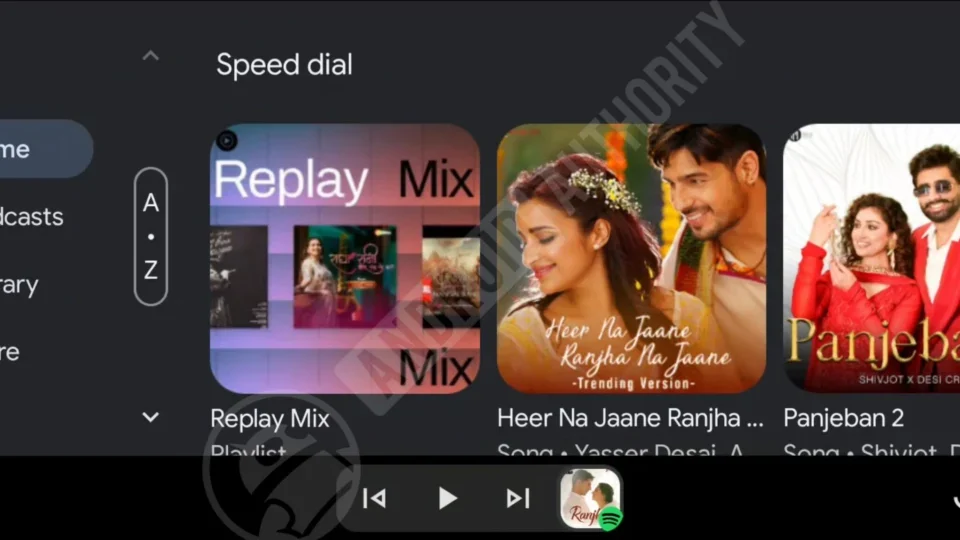
The most striking change arriving with this update is the migration of navigation options from the top of the screen to a convenient list positioned along one side. This ergonomic adjustment is particularly impactful in the confined and dynamic environment of a vehicle cabin, where reaching across a wide display can be cumbersome and potentially hazardous. Previously, users of popular media applications like Spotify and YouTube Music, along with essential system utilities such as the dialer, were required to stretch or shift their focus to interact with controls located at the furthest edges of their car’s screen. The new side-aligned layout directly addresses this challenge, bringing all primary navigation elements within a more accessible reach, typically closer to the driver.
For instance, what was once a series of horizontal tabs or icons at the top of the Spotify interface, requiring extended arm movements, now appears as a vertical stack of larger, more distinct buttons or menu items on the side. This change, while potentially reducing the sheer density of information displayed simultaneously, significantly increases the size and legibility of individual interactive elements. The trade-off is deliberate: fewer, but larger, targets mean quicker recognition and more accurate touch input, crucial for minimizing eyes-off-road time. This design philosophy extends beyond media consumption, with reports confirming a similar transition for Amazon Music and, notably, Android Auto’s built-in dialer, underscoring a comprehensive commitment to this new interaction model across diverse application types.
Enhanced Media Playback Experience
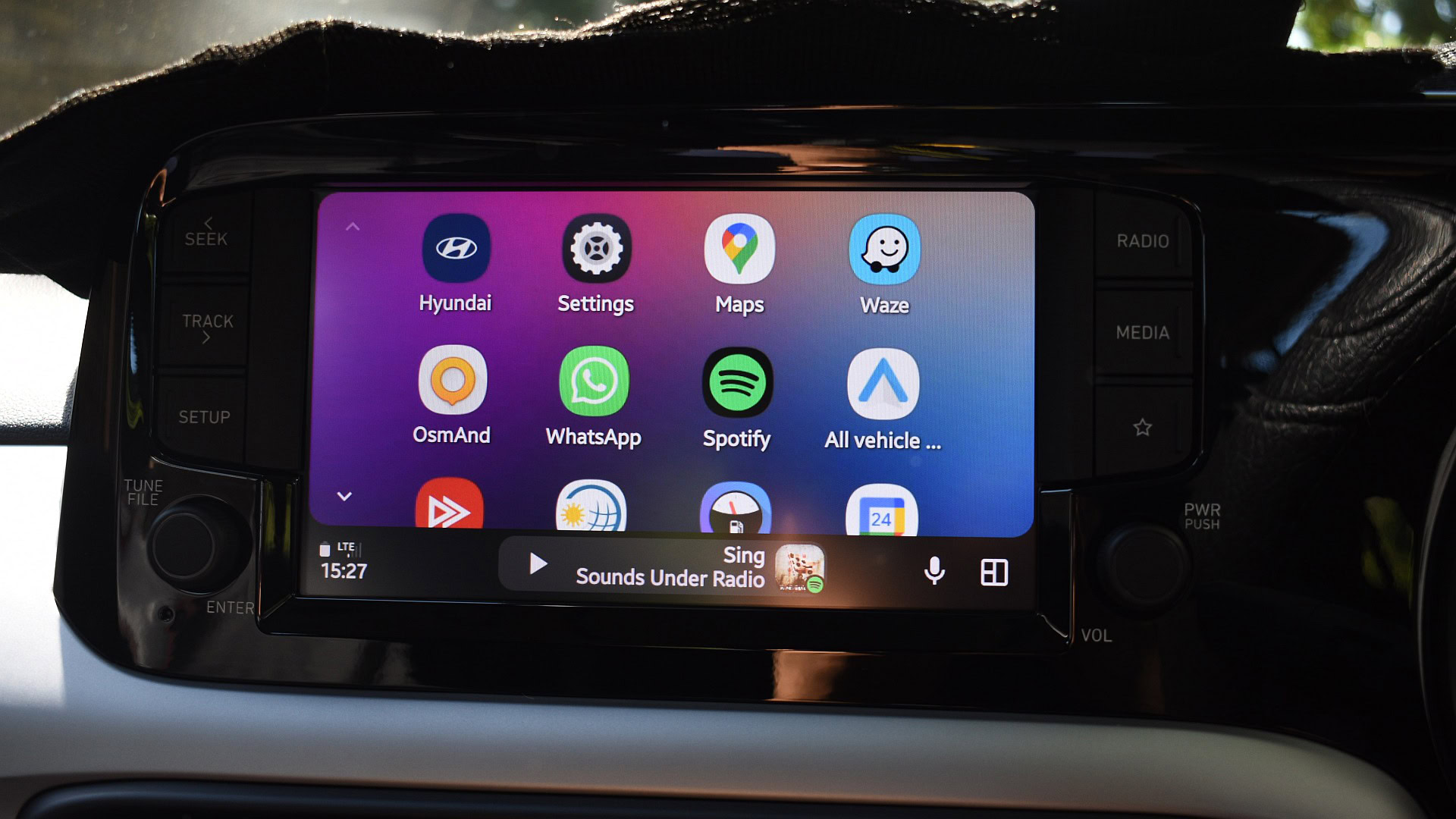
Beyond the core navigation overhaul, the update also brings refined visual elements, particularly evident in media applications. A prominent new "now-playing" bar is being rolled out, featuring enlarged album art and clearly visible playback controls. This enhancement transforms the media playback experience from a functional utility into a more engaging and visually rich interface. The increased size of album artwork allows for quicker identification of currently playing content, while the larger playback controls (play/pause, skip, rewind) ensure that essential functions are immediately accessible with minimal glance time. This subtle yet impactful change contributes to a more fluid and enjoyable in-car entertainment experience, aligning with the broader trend of bringing rich multimedia experiences into the automotive environment without compromising safety.
Contextualizing Google’s Automotive Vision
This UI refresh is not an isolated event but rather a logical progression within Google’s overarching strategy for Android Auto. The platform has undergone several iterations since its inception, each building upon the previous to offer a more seamless and integrated experience. A significant milestone was the "Coolwalk" redesign, which introduced a multi-panel dashboard layout, allowing users to view navigation, media, and communication information simultaneously. The current side-navigation update can be seen as an evolution of this adaptive design, further optimizing the interface for diverse screen geometries and driver preferences.
Google has consistently signaled its ambition to deepen its integration into the automotive ecosystem. Earlier this year, in the lead-up to major developer conferences like Google I/O, the company teased a "big evolution" for Android Auto. These previews highlighted upcoming features such as new widgets, expanded application support, and a UI designed for greater flexibility across varying vehicle screen dimensions and aspect ratios. While the specific side-navigation tweak may not have been explicitly showcased in those early previews, its implementation aligns perfectly with the stated goals of creating a more adaptive, intuitive, and safer in-car experience. It reflects Google’s commitment to Material Design principles, particularly Material You, which emphasizes adaptable layouts, personalized aesthetics, and universal accessibility across different device types and user needs. In the automotive context, this translates to interfaces that fluidly adjust to display size and orientation, providing a consistent yet optimized experience whether in a compact car or a vehicle with an expansive widescreen display.
Implications for Driver Safety and User Experience
The primary motivation behind such a significant UI redesign in an automotive context is undeniably driver safety. Distracted driving remains a leading cause of accidents worldwide. By minimizing the physical reach required to interact with the infotainment system and by enlarging touch targets, Google is actively working to reduce cognitive load and eyes-off-road time for drivers. Studies by organizations like the National Highway Traffic Safety Administration (NHTSA) consistently highlight that even brief glances away from the road can have severe consequences. A more intuitive and ergonomic interface, therefore, is not merely a convenience but a crucial safety enhancement. The side-navigation model, by bringing controls closer to the driver’s natural line of sight and reach, inherently reduces the potential for distraction.
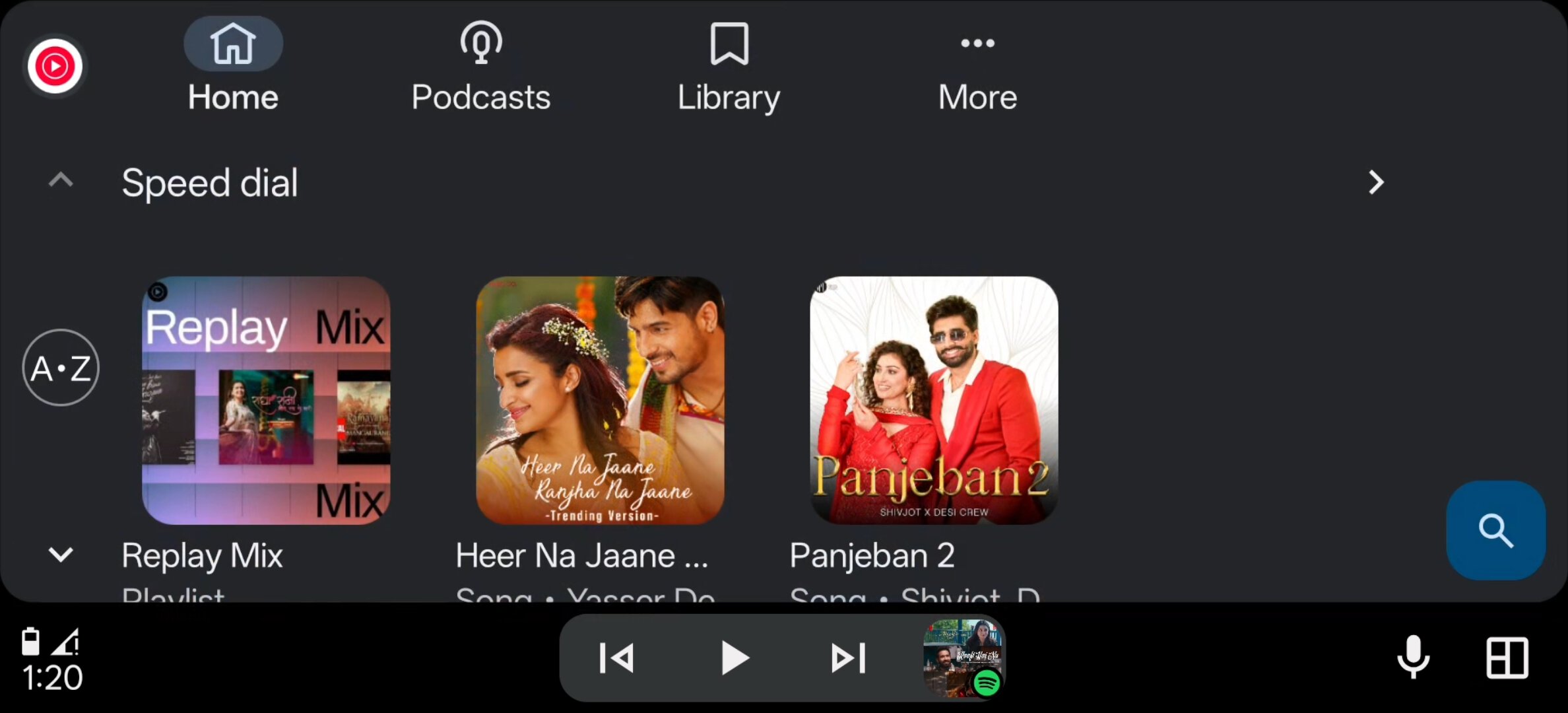
Furthermore, this design choice also addresses accessibility concerns. Drivers with varying physical capabilities or those operating the system in challenging conditions (e.g., on bumpy roads, in bright sunlight) will find the larger, more conveniently placed controls easier to manipulate. The increased prominence of album art and playback controls also means that essential information can be assimilated more quickly, allowing drivers to focus more on the road ahead. User feedback, historically, has often pointed to the difficulties of interacting with small, distant on-screen elements while driving. This update represents a direct response to such pain points, indicating a data-driven approach to improving the user experience based on real-world driving scenarios.
Broader Industry Impact and Future Outlook
The continuous refinement of Android Auto’s interface has significant implications for the broader automotive industry. As car manufacturers increasingly integrate advanced infotainment systems, the competition for the "digital cockpit" experience intensifies. Google, with its Android Auto and Android Automotive OS platforms, is setting a high bar for user-centric design and technological innovation. This puts pressure on traditional automakers to either adopt these advanced third-party solutions or invest heavily in developing equally compelling in-house systems. The seamless integration and consistent user experience offered by Android Auto are powerful differentiators in a market where technology is becoming as important as engine performance or interior comfort.
For app developers, this UI shift necessitates an adaptation of their existing Android Auto applications to conform to the new layout guidelines. While Google typically provides extensive documentation and tools to facilitate such transitions, it underscores the dynamic nature of developing for evolving platforms. However, the long-term benefit for developers is access to a more engaged and safer user base, potentially leading to increased app usage and satisfaction.
Looking ahead, this update signals a clear trend towards more adaptive, personalized, and seamlessly integrated in-car experiences. As vehicles become increasingly connected and autonomous capabilities advance, the role of the infotainment system will only grow. Google’s focus on touch-first, voice-first interactions, coupled with an adaptable UI, positions Android Auto as a leading contender in defining the future of in-vehicle technology. The ability of the system to flexibly adapt across diverse hardware configurations, from small integrated screens to expansive dashboard-spanning displays, is paramount. This update, therefore, is not just about moving buttons; it’s about strategically preparing the platform for the next generation of automotive interiors and user expectations.
In conclusion, the latest Android Auto UI update, with its emphasis on side-aligned navigation and enhanced media controls, represents a thoughtful and strategic enhancement. It underscores Google’s commitment to improving driver safety and convenience by making the in-car digital experience more intuitive and less distracting. This evolution, building upon previous innovations and aligning with broader Material Design principles, positions Android Auto strongly within the competitive landscape of automotive technology and sets a precedent for future developments aimed at creating a truly seamless and safe connected driving experience. As vehicles become extensions of our digital lives, the quality of their interfaces will increasingly define their overall value and appeal.