Samsung Browser Set to Revolutionize Mobile Multitasking with Multiple Window Support in One UI 9.

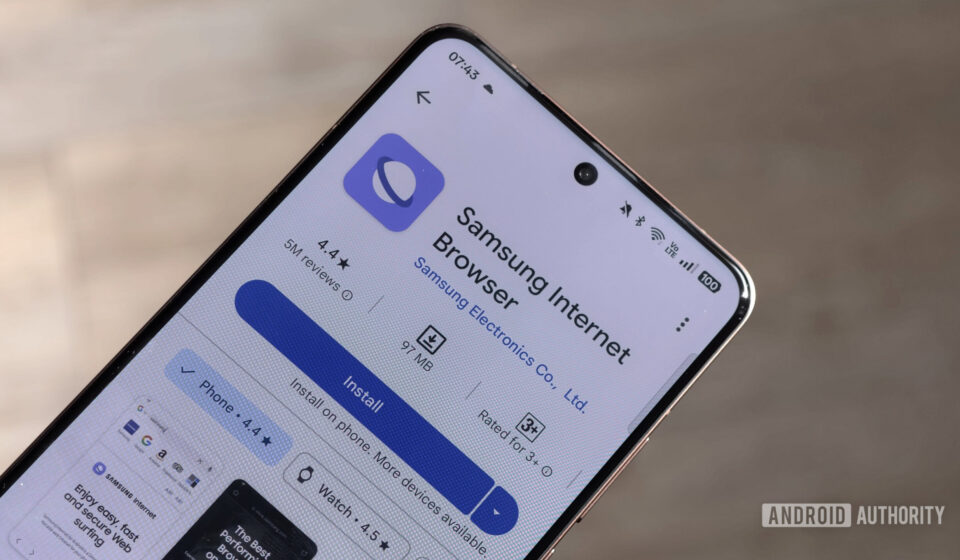
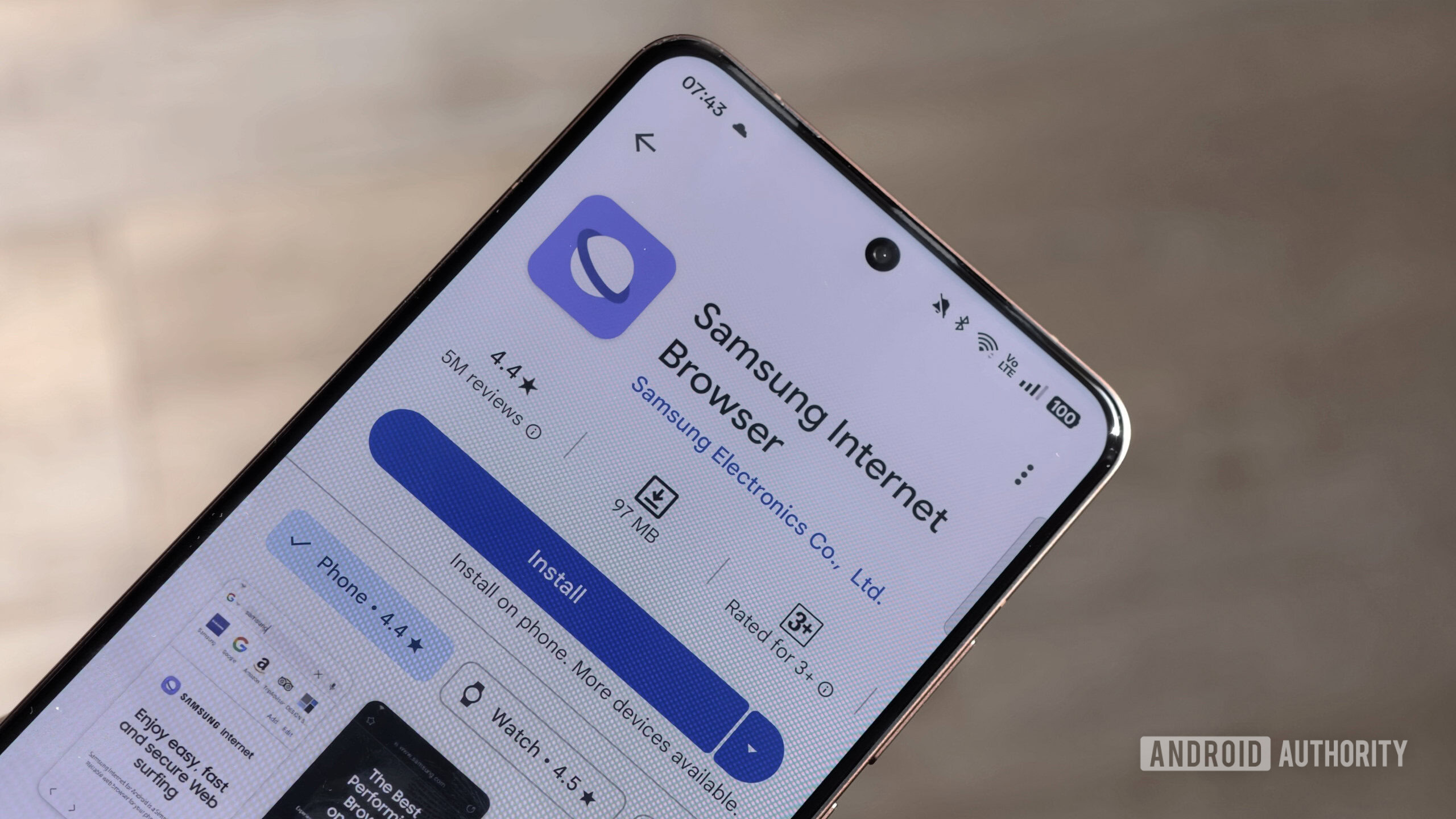
Samsung, a dominant force in the global smartphone market, is reportedly making significant strides in enhancing its proprietary Android web browser, recently rebranded from "Samsung Internet" to the more straightforward "Samsung Browser." This strategic renaming is merely one facet of a broader evolution, as the company appears poised to introduce a groundbreaking multitasking feature: support for multiple browser windows running simultaneously. This development, closely tied to the forthcoming One UI 9, signals a concerted effort by Samsung to elevate the mobile browsing experience, particularly for users of its increasingly sophisticated hardware, including foldable devices and large-screen tablets.
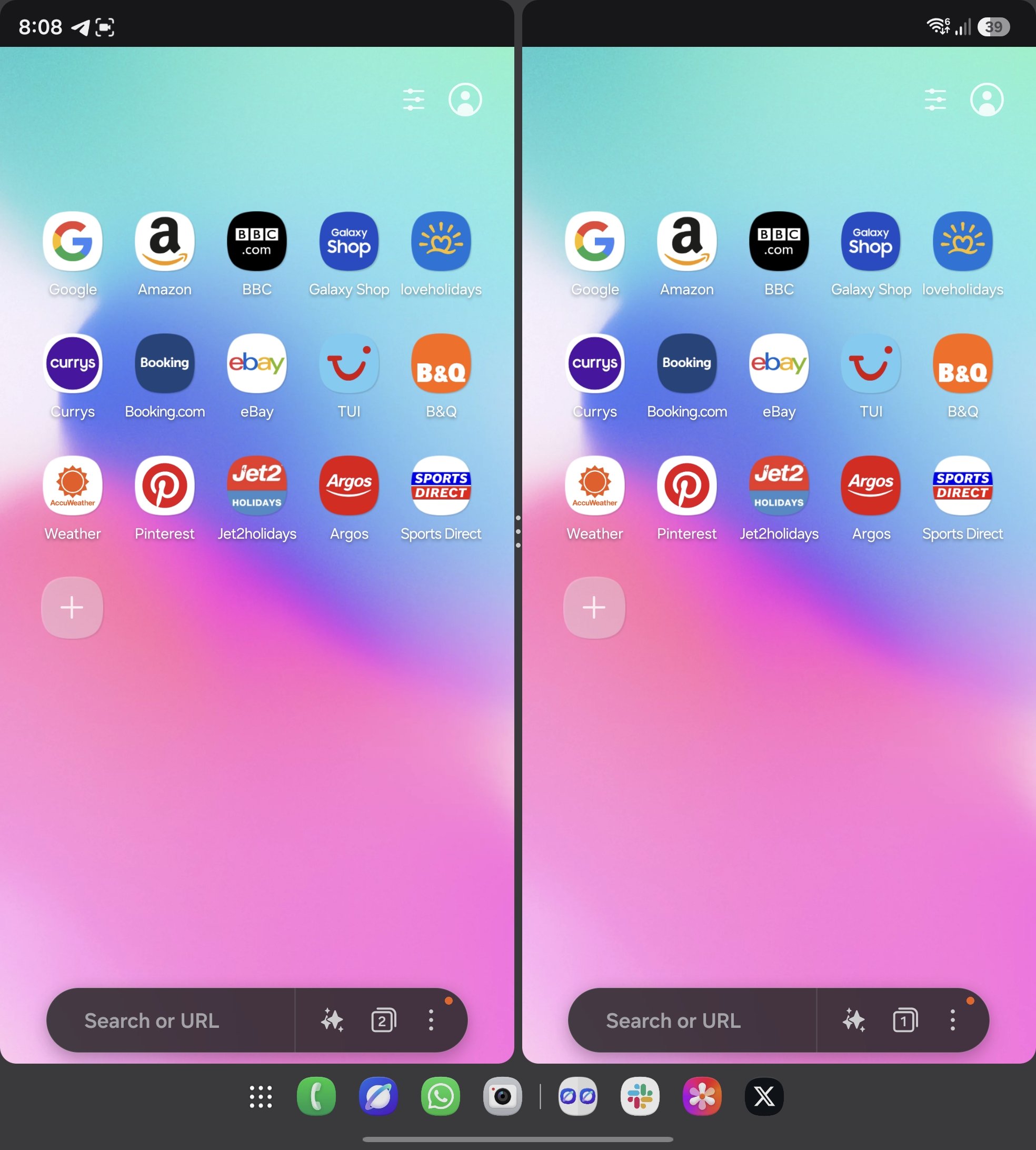
According to a comprehensive hands-on report from SammyGuru, an upcoming iteration of Samsung Browser, integrated with the One UI 9 software update, will enable users to open and manage separate browser windows concurrently. This innovation moves beyond the conventional tab-based browsing paradigm, offering a more desktop-like multitasking environment. Instead of confining all browsing activity to a single application instance, where users must navigate between tabs within that instance, the new feature allows for truly independent browser windows. These windows can be manipulated, resized, and arranged alongside other applications or even other browser windows, promising a significant boost in productivity and user convenience. The report notably demonstrated this capability on both a pre-release version of the Galaxy Z Fold 7 and a Galaxy S21 FE, underscoring that this functionality is not exclusively tailored for the unique form factors of foldables but is designed to benefit a wider array of Samsung devices. On larger displays, such as those found on tablets or unfolded foldables, this could translate into a dramatically more efficient workflow, eliminating the constant need to switch between tabs or even different applications to cross-reference information.
The Evolution of Samsung’s Web Browser: A Strategic Imperative
To fully appreciate the significance of this upcoming feature, it is crucial to understand the historical context and strategic importance of Samsung’s web browser. For years, "Samsung Internet" has served as the default browser on Galaxy devices, carving out a substantial niche in a market largely dominated by Google Chrome. Despite Chrome’s ubiquitous presence as the default browser on most Android devices, Samsung has consistently invested in developing and refining its own browser, which has garnered a loyal user base.
Initially launched as a pre-installed application, Samsung Internet expanded its reach by becoming available on the Google Play Store, allowing users of non-Samsung Android devices to download and experience its unique features. This move underscored Samsung’s ambition to position its browser as a competitive alternative, not just a system default. Over time, Samsung Internet gained a reputation for its emphasis on privacy and security, offering built-in ad blockers, tracking protection, and a secure web browsing mode. Features like the video assistant, which enhances media playback, and a highly customizable user interface with dark mode options, further differentiated it from its rivals.
The decision to maintain and continuously develop a proprietary browser, despite the availability of a robust alternative like Chrome, is deeply rooted in Samsung’s broader ecosystem strategy. By controlling the browsing experience, Samsung can ensure tighter integration with its hardware and software ecosystem, One UI. This allows for optimized performance, better battery life management, and the implementation of exclusive features that leverage Samsung’s unique hardware capabilities, such as those found in its DeX desktop experience or its foldable phones. Furthermore, a proprietary browser provides Samsung with valuable user data and insights, enabling them to tailor services and features more effectively for their customer base, thereby enhancing overall user retention and loyalty within the Galaxy ecosystem. The recent rebranding to "Samsung Browser" can be seen as a move towards simplicity and brand consistency, making the product name more intuitive and aligning it more closely with its core function, potentially signalling a renewed focus on its identity as a standalone application rather than just a component of the "Internet" experience.
Deep Dive into the Multiple Window Functionality
The introduction of multiple browser windows marks a pivotal shift in how users will interact with web content on Samsung devices. Historically, mobile operating systems have struggled to replicate the nuanced multitasking capabilities of desktop environments. While Android has long supported split-screen and pop-up views, these often treat applications as monolithic entities. The ability to open multiple instances of the same application, specifically a web browser, represents a more granular and powerful form of multitasking.
Mechanism and User Experience: The SammyGuru report provided glimpses into how this feature might operate. On a device like the Galaxy Z Fold 7, the expansive inner display would naturally lend itself to such functionality. Users could potentially open two or more distinct browser windows, each displaying a different website, side-by-side or arranged in various configurations. This could be invaluable for tasks requiring cross-referencing information, such as comparing product specifications across different e-commerce sites, researching multiple topics simultaneously, or keeping a video playing in one window while browsing articles in another.
Crucially, the demonstration on the Galaxy S21 FE indicates that this feature is not restricted to foldables. On standard smartphone displays, while screen real estate is more limited, the multiple window support could still offer significant advantages. Users might be able to launch a secondary browser window in a floating pop-up view, allowing quick access to a reference page without fully leaving their primary browsing session or another application. This flexibility would empower users to tailor their multitasking approach based on the device and the task at hand. The underlying mechanism would likely involve leveraging Android’s existing window management APIs, but with Samsung’s custom One UI optimizations to ensure a smooth and intuitive user experience.
Benefits and Target Audience: The primary benefit of this feature is an undeniable boost in productivity. For power users, students, researchers, and professionals who frequently juggle multiple web pages, the ability to manage separate browser windows will be transformative. Imagine a scenario where a user is conducting academic research, needing to consult several sources simultaneously. Instead of constantly switching between tabs within one browser instance, they can have each source open in its own window, easily viewable and manipulable. Similarly, online shoppers could compare products from different retailers in distinct windows, while content creators might keep a reference guide open in one window and their publishing platform in another.
This feature particularly shines on devices with larger screens, such as Samsung’s Galaxy Tab series or the aforementioned Galaxy Z Fold line. These devices are designed for enhanced productivity, and a browser capable of true multi-window operation aligns perfectly with their intended use case, bridging the gap between mobile and desktop computing experiences.
Comparison with Existing Multitasking: While Android has offered split-screen and pop-up views for years, these typically allow for running different applications side-by-side or running one application in a floating window. The innovation here is the ability to run multiple independent instances of the same application – the web browser – each with its own state and set of tabs. This mirrors the behavior of desktop operating systems like Windows or macOS, where users routinely open several browser windows. This level of control within a single application significantly enhances the mobile multitasking paradigm, making it more robust and user-centric.
One UI 9 Integration and Anticipated Rollout
The tight integration of this new browser functionality with One UI 9 underscores its significance as a core system enhancement rather than a minor app update. One UI, Samsung’s proprietary Android skin, plays a crucial role in defining the user experience across Galaxy devices, offering a distinct visual language, unique features, and performance optimizations. Tying the multiple window support to One UI 9 suggests that it will be deeply embedded within the operating system’s framework, ensuring seamless operation and compatibility with other One UI features.
Timeline and Release Cycle: Major One UI updates typically follow a predictable annual cycle. Android versions are usually released by Google in late summer, with Samsung subsequently adapting it for its devices and rolling out One UI updates in late fall or early winter for its flagship models, followed by a phased rollout to other eligible devices throughout the subsequent year. Given that One UI 9 is the successor to One UI 8 (which itself would follow Android 15), its official rollout is still several months away, likely in late 2025 or early 2026. This extended development window provides Samsung with ample time to refine the multiple window feature, gather feedback, and ensure its stability and performance across a diverse range of hardware.
Beta Programs: Before a widespread public release, Samsung often conducts extensive beta programs for its major One UI updates. Enthusiastic users and developers typically get an opportunity to test pre-release versions of the software and provide feedback. It is highly probable that the multiple window feature, along with other One UI 9 enhancements, will undergo such beta testing, allowing Samsung to iron out any bugs and optimize the user experience based on real-world usage.
It is important to note, as with all features spotted in pre-release or developmental builds, that the functionality and implementation details are subject to change before the final public release. Samsung may tweak, refine, or even modify aspects of the feature based on internal testing and strategic decisions. However, the early demonstration serves as a strong indicator of Samsung’s direction and commitment to enhancing its browser’s capabilities.
Other Noteworthy Features in the Pipeline
Beyond the headline-grabbing multiple window support, the SammyGuru report also hinted at other intriguing developments within the same build of Samsung Browser, showcasing Samsung’s broader vision for its internet application.
Ask AI (Beta): The presence of an "Ask AI" feature, now appearing with a "beta" label, confirms earlier reports of Samsung’s intent to integrate artificial intelligence directly into its browser. This aligns perfectly with the industry-wide trend of embedding AI capabilities into everyday applications, particularly web browsers. Major competitors like Google Chrome are integrating Gemini, and Microsoft Edge leverages Copilot to offer AI-powered assistance for browsing tasks.
For Samsung Browser, "Ask AI" could potentially offer a range of functionalities:
- Content Summarization: Quickly condensing lengthy articles or web pages into key points.
- Information Extraction: Pulling out specific data or answers from complex web content.
- Content Generation: Assisting users in drafting emails, social media posts, or replies based on the page content.
- Translation and Explanation: Providing instant translations or simplifying complex terminology found on a webpage.
- Smart Search and Recommendations: Offering more intelligent search results or related content based on browsing history and context.
The "beta" label signifies that this feature is still under active development and refinement. It suggests that Samsung is collecting data and feedback to improve its AI models and ensure the feature delivers a valuable and reliable experience. This move is a clear indication of Samsung’s commitment to its "Galaxy AI" initiative, aiming to weave artificial intelligence seamlessly into its entire ecosystem of devices and services.
Cross Device Resume (Toggle): The discovery of a debug setting labeled "Enable Cross Device Resume" offers a tantalizing glimpse into future cross-device integration. While the report notes that this option doesn’t appear to be functional yet, its mere presence indicates a planned feature that could significantly enhance the multi-device experience for Samsung users.
The potential functionality of "Cross Device Resume" is likely to mirror features found in other tech ecosystems, such as Apple’s Handoff or Google Chrome’s robust tab synchronization. This would allow users to seamlessly pick up their browsing session from one Samsung device on another. For example, a user browsing on their Galaxy phone could instantly continue on their Galaxy Tab or even a Samsung Windows laptop (via integration with Samsung Flow or similar utilities). This capability would strengthen the cohesion of Samsung’s device ecosystem, making transitions between different form factors effortless and improving overall user convenience. It signifies Samsung’s ongoing effort to create a truly unified and interconnected experience across its diverse product portfolio.
Broader Implications and Market Impact
These forthcoming updates to Samsung Browser carry significant implications for both Samsung’s strategic positioning and the broader mobile browsing landscape.
Competitive Edge: By introducing advanced multitasking features like multiple windows and integrating cutting-edge AI, Samsung is actively differentiating its browser from competitors, particularly Google Chrome. While Chrome benefits from its vast ecosystem and default status, Samsung is leveraging its hardware and One UI expertise to offer a tailored, enhanced browsing experience that Chrome, as a more universal Android application, may not be able to replicate with the same depth of integration. This could be a powerful tool for retaining existing Samsung users and potentially attracting new ones who prioritize productivity and a cohesive ecosystem experience.
Enhancing User Productivity and Experience: The shift towards more sophisticated multitasking capabilities directly addresses a growing demand for desktop-like productivity on mobile devices. As smartphones and tablets become increasingly powerful, and form factors like foldables offer expanded screen real estate, users expect more from their mobile software. Samsung Browser’s multiple window support caters directly to this need, empowering users to be more efficient and productive on their devices, thereby enhancing the overall value proposition of Samsung hardware.
Strengthening the Samsung Ecosystem: The "Cross Device Resume" feature, even in its nascent stage, highlights Samsung’s long-term strategy of building a robust and interconnected ecosystem. Similar to how Apple leverages iCloud and Handoff to create seamless experiences across iPhones, iPads, and Macs, Samsung is investing in features that make switching between Galaxy phones, tablets, smartwatches, and potentially even PCs a fluid experience. A highly integrated browser is a cornerstone of such an ecosystem, fostering greater user loyalty and making it harder for users to switch to competing brands.
The Future of Mobile Browsing: These developments also reflect a broader trend in mobile computing: the blurring lines between mobile and desktop experiences. As mobile hardware becomes more capable, and user interfaces evolve, the expectation for sophisticated multitasking, advanced AI assistance, and seamless cross-device continuity will only grow. Samsung, with these planned updates, is positioning itself at the forefront of this evolution, demonstrating its commitment to pushing the boundaries of what’s possible on mobile devices. This continuous innovation helps to drive the industry forward, potentially inspiring other developers and manufacturers to explore similar advanced features in their own browsers and applications.
Conclusion
Samsung’s quiet yet impactful efforts to evolve its proprietary web browser, culminating in a rebrand to "Samsung Browser" and the anticipated introduction of multiple window support in One UI 9, mark a significant moment in mobile browsing. Coupled with the development of an "Ask AI" feature and the groundwork for "Cross Device Resume," these updates underscore Samsung’s strategic commitment to enhancing user productivity, strengthening its device ecosystem, and differentiating its software experience in a highly competitive market. While One UI 9 and its associated browser features are still some months away, the early glimpses provided by SammyGuru paint a clear picture of Samsung’s ambition: to deliver a mobile browsing experience that is not only powerful and secure but also deeply integrated, intelligently assisted, and truly versatile, especially for the expanding capabilities of modern Galaxy devices. These innovations promise to redefine how users interact with the web on their Samsung devices, pushing the boundaries of mobile multitasking and user convenience into a new era.