Discerning Value: A Comprehensive Review of Enduring Premium Android Applications

In the sprawling and often overwhelming landscape of the Android application ecosystem, where millions of free applications vie for user attention, the decision to invest in paid software often represents a deliberate choice for enhanced functionality, superior user experience, or critical utility. While the allure of "free" is undeniable, a growing segment of discerning Android users recognizes that certain premium applications offer a level of polish, specialized features, and dedicated developer support that justifies a monetary investment. This article explores a curated selection of such applications, dissecting their unique value propositions and the enduring benefits they offer in an increasingly complex digital environment.
The Evolving Landscape of Android Applications: Free vs. Premium
The Android platform has historically championed an open-source ethos, leading to an explosion of applications, many of which are offered at no direct cost to the user. This "freemium" model, often supported by advertising or in-app purchases for additional features, has become the dominant paradigm. However, this model frequently introduces compromises, such as intrusive advertisements, limitations on core functionality, or data collection practices that raise privacy concerns. In contrast, paid applications, or those offering a one-time purchase for a "Pro" or "Premium" version, often represent a commitment from developers to deliver a high-quality, ad-free experience, prioritizing user satisfaction over monetization through secondary means. This shift in developer focus frequently translates into more robust features, cleaner interfaces, and a greater emphasis on privacy and performance. Users, in turn, are increasingly willing to pay for software that genuinely enhances their daily digital interactions, providing solutions that native Android functionalities or free alternatives often fall short of delivering.
Stellarium Plus: Navigating the Cosmos with Precision
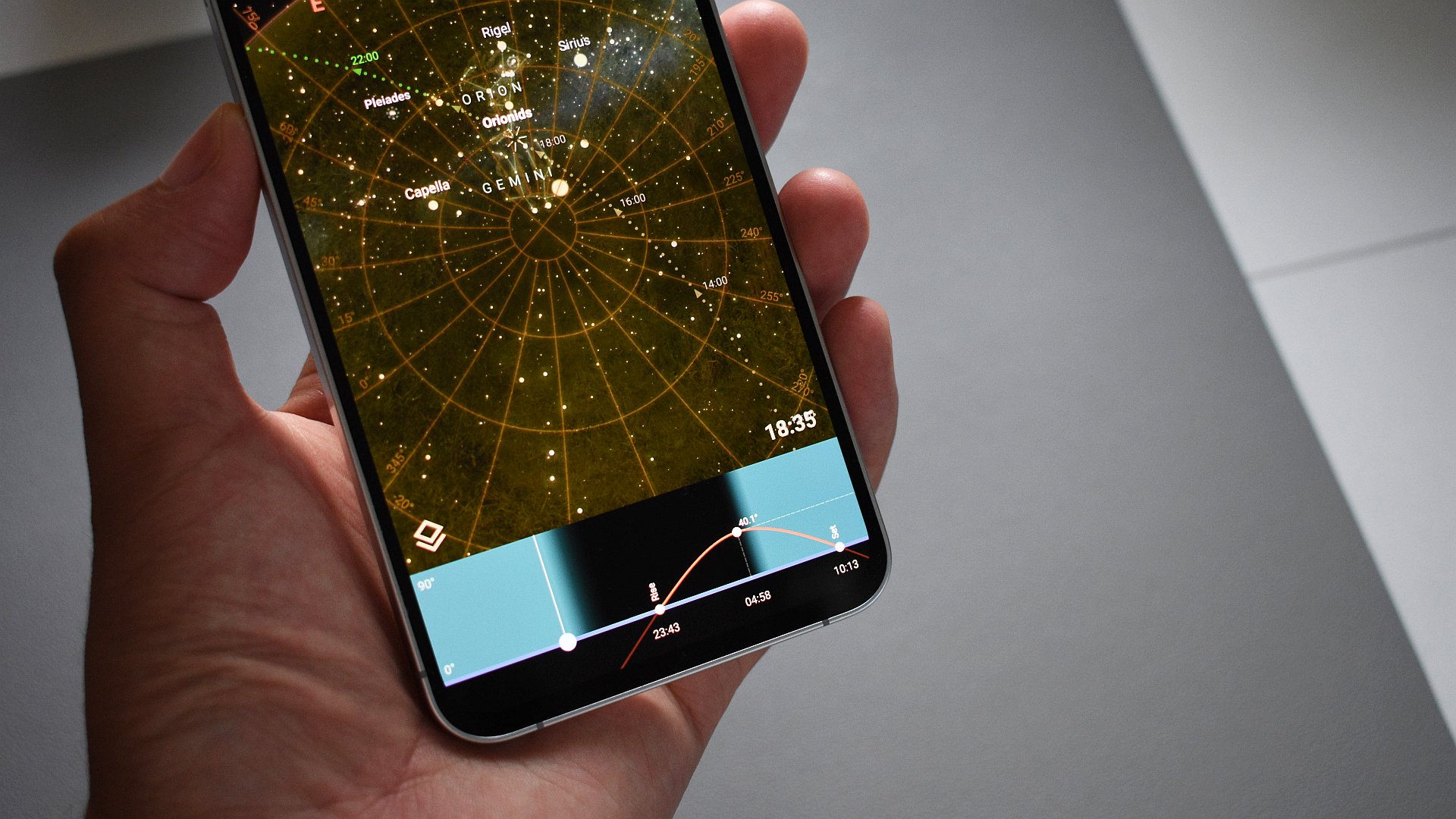
Stellarium, originally a revered desktop planetarium software, has successfully transitioned to mobile, offering an unparalleled digital sky guide. Its mobile counterpart, particularly the Stellarium Plus version, elevates the stargazing experience far beyond rudimentary constellation apps. This application meticulously charts the apparent positions of celestial objects visible from Earth, including planets, stars, meteors, nebulae, and galaxies. The interface is not only visually stunning but also highly informative, allowing users to tap on constellations to reveal detailed artistic overlays, historical descriptions, alternative names, and crucial astronomical data such as magnitude (perceived brightness) and actual celestial coordinates.
The "Plus" version significantly enriches this experience by unlocking a broader array of digital Tours, which guide users through prominent aspects of the night sky, explaining phenomena and historical context. Crucially, it integrates an advanced calendaring feature that predicts the probable positions and magnitudes of celestial objects for future viewing, making it an invaluable tool for amateur astronomers and educators alike. Furthermore, the ability to choose preferred "sky cultures" allows for a personalized and culturally rich exploration of astronomical nomenclature. Stellarium Plus distinguishes itself by offering a robust, scientifically accurate, and aesthetically pleasing portal to the universe, justifying its premium status through depth of content and educational value that is largely unmatched by free alternatives. Its enduring appeal lies in its commitment to both scientific accuracy and user accessibility, making complex astronomical data digestible and engaging.
Buzzkill: Reclaiming Control Over Digital Notifications
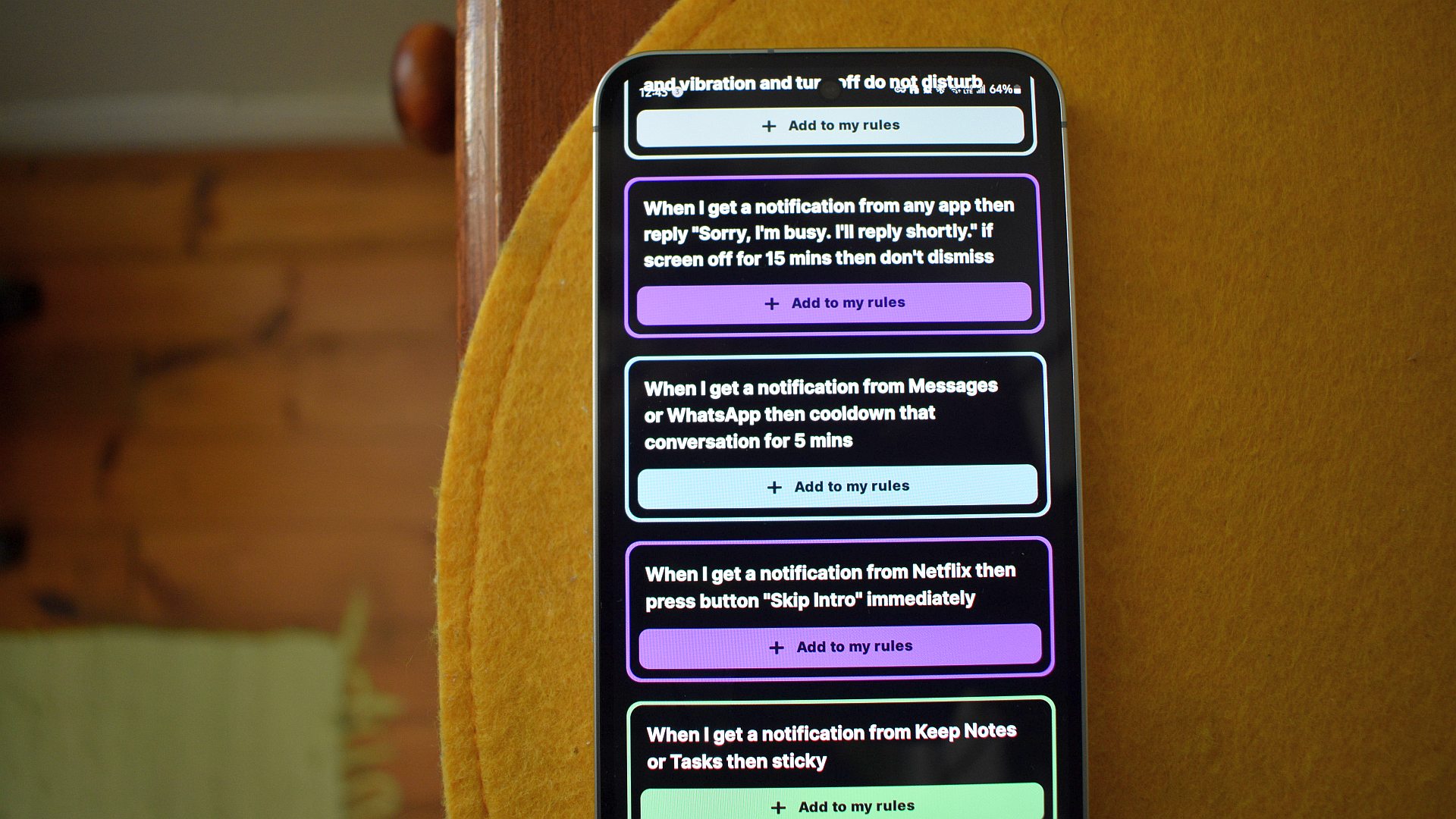
In an era of perpetual digital connectivity, smartphone notifications can quickly transition from helpful alerts to overwhelming distractions. Buzzkill emerges as an essential paid application designed to empower users with granular control over their notification streams, addressing a critical gap in native Android’s notification management capabilities. Unlike the often-limited options provided by default Android settings, Buzzkill allows users to create highly specific rules and "recipes" triggered by a wide array of conditions.
For instance, a user can configure Buzzkill to automatically silence spam messages from unknown numbers, ensuring uninterrupted focus. Conversely, it can be set to override ‘Do Not Disturb’ for urgent communications from specific contacts, delivering a custom sound and vibration pattern. This level of customization extends to preventing notification "ping-pong" from hyperactive group chats by setting rules to only alert for the first message within a specified timeframe. Since its inception, Buzzkill has consistently received updates, reflecting the developer’s commitment to refining and expanding its feature set. This continuous improvement, coupled with its profound impact on reducing digital fatigue and enhancing productivity, makes Buzzkill a prime example of a paid app whose benefits far outweigh its one-time purchase cost. Its local processing of rules also ensures user privacy, as notification data never leaves the device, a significant advantage over cloud-based automation tools.
Key Launcher Pro and Octopi Launcher Pro: Redefining Home Screen Interaction
Android launchers are foundational to the user experience, dictating how users interact with their devices. While many free launchers exist, Key Launcher Pro and Octopi Launcher Pro exemplify how premium offerings can dramatically rethink this interaction for specific user needs.
Key Launcher Pro offers a radical departure from traditional grid-based launchers by adopting a T9 keypad-based home screen. This design, initially perceived as counter-intuitive by some, proves remarkably efficient for rapid app searching and launching. Its intelligent design hides a wealth of features, including "Super Shortcuts" accessible behind each key, a dedicated Focus Mode to minimize distractions, and a specialized widget screen. The "Pro" version unlocks the full suite of these functionalities, transforming the home screen into a highly efficient, minimalist command center. Its appeal lies in optimizing speed and accessibility, particularly for users who prioritize swift navigation and a clutter-free interface. The rapid search capability and customizable shortcuts significantly reduce the time spent sifting through app drawers.
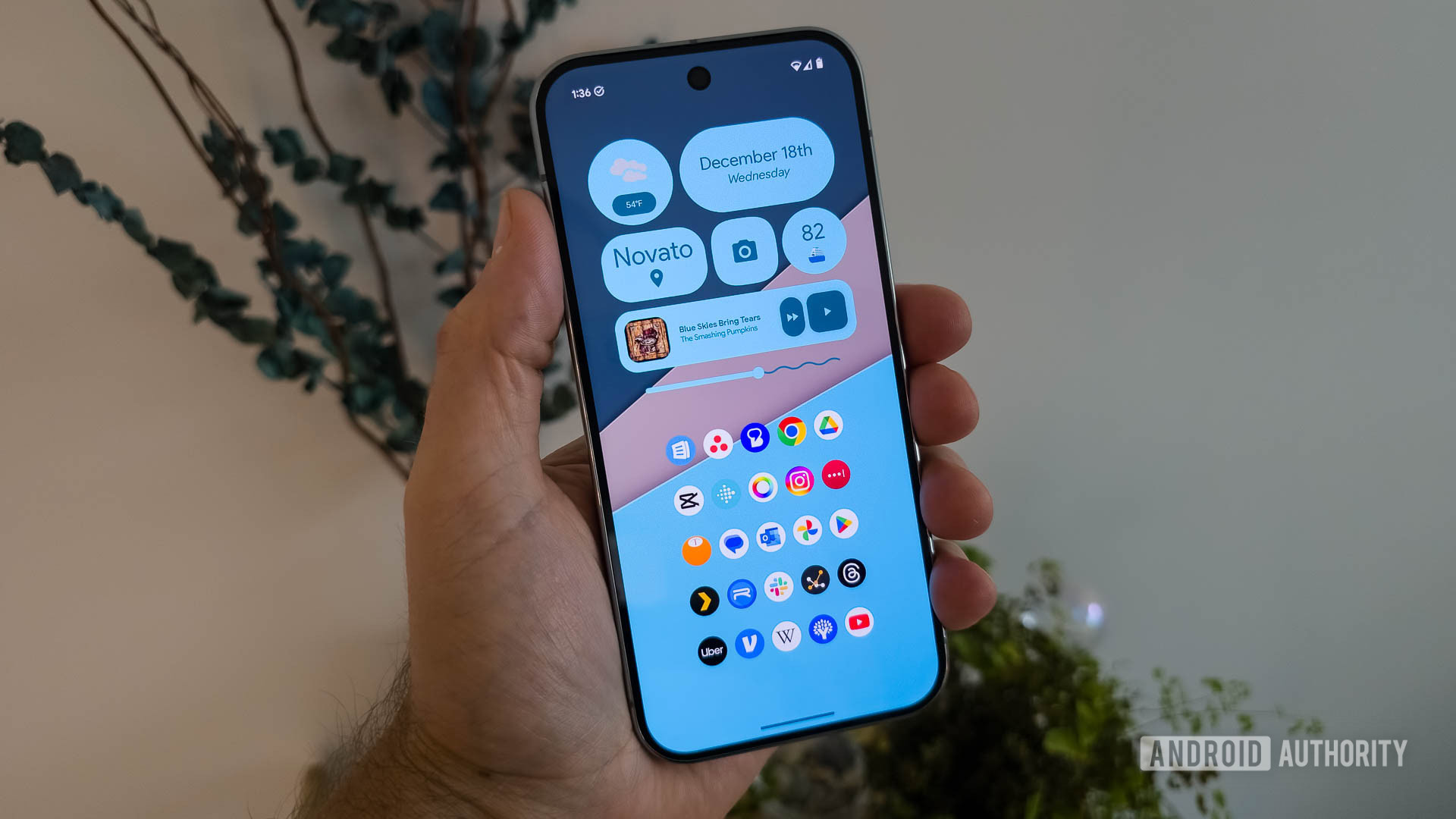
Octopi Launcher Pro, on the other hand, is specifically engineered for the burgeoning market of multi-screen devices, such as foldable phones. Recognizing the unique challenges and opportunities presented by varying screen sizes and orientations, Octopi allows for a custom layout for each screen and orientation, including distinct arrangements of apps and widgets. This unprecedented flexibility means a user could design a streamlined, communication-focused layout for the cover display, a media-centric setup for the unfolded screen in landscape mode, and a productivity-focused workspace for portrait mode. This level of adaptability is virtually nonexistent in stock launchers or most free alternatives. Octopi’s continuous updates and dedicated development for a niche but growing market underscore its value as a premium investment for foldable device owners, enabling a truly optimized and personalized multi-screen experience. Both launchers demonstrate that innovation in user interface design, especially when tailored to specific hardware or interaction philosophies, commands a premium.
KWGT Pro: Unlocking Unprecedented Widget Customization
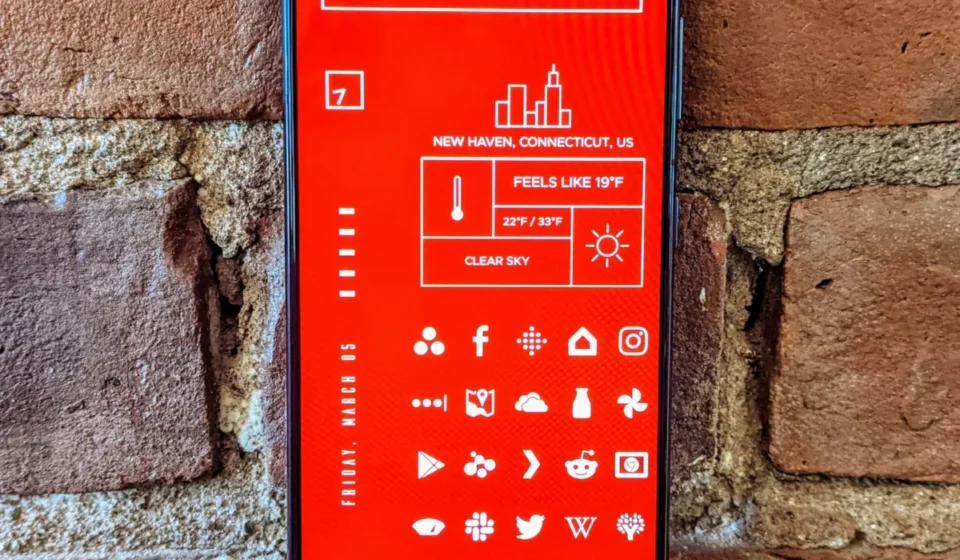
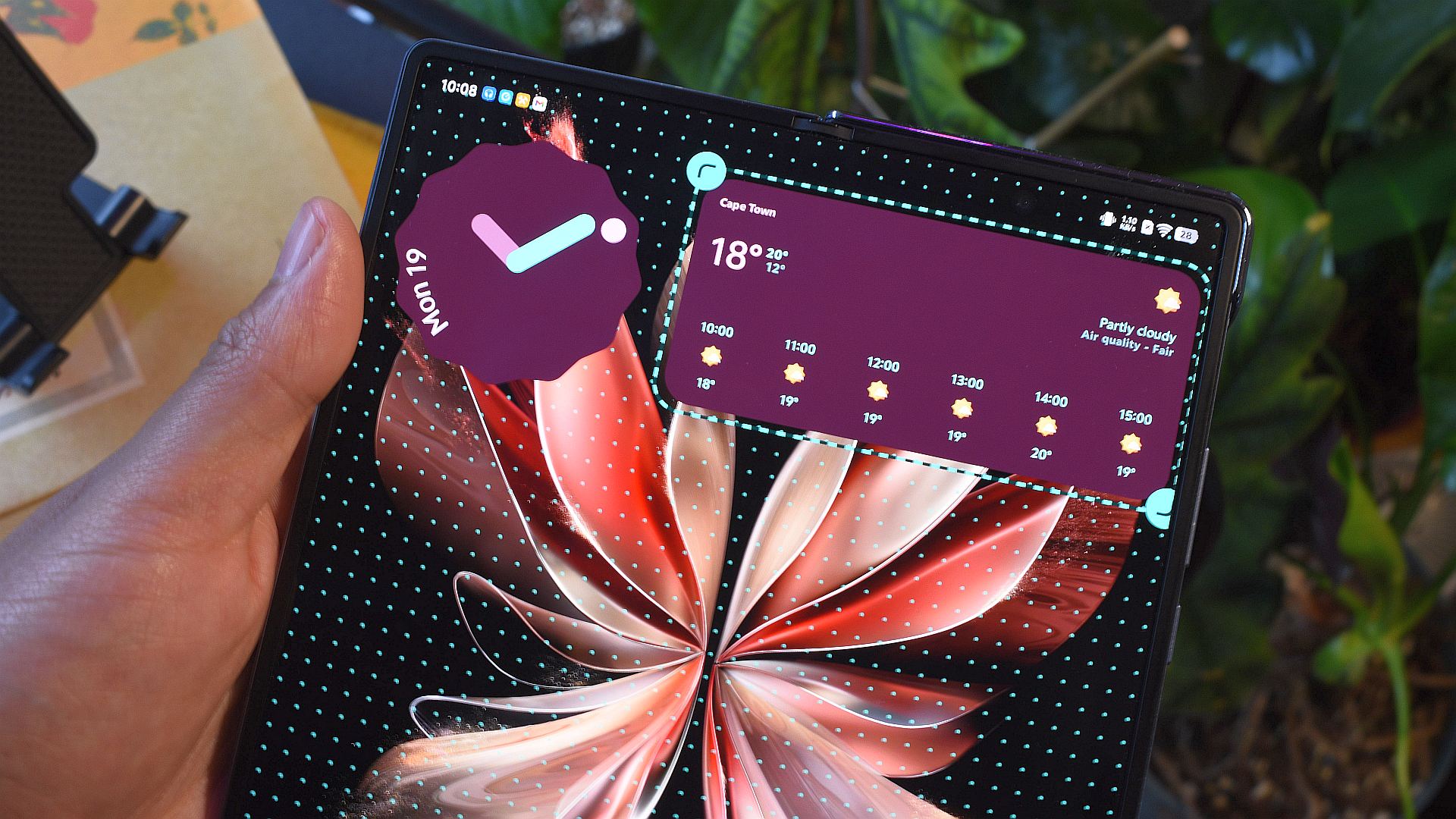
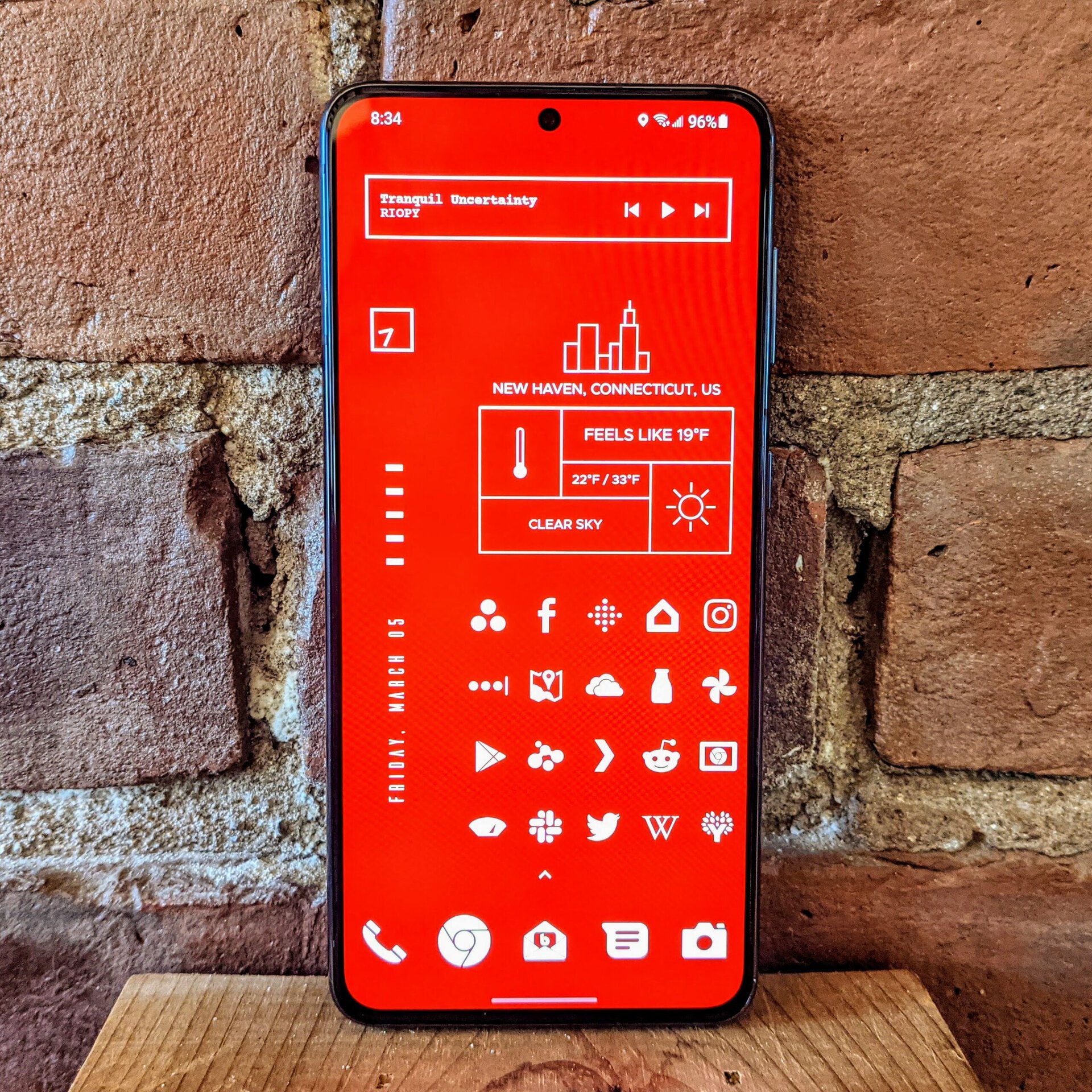
KWGT (Kustom Widget Maker) has been a cornerstone of Android customization for over a decade, predating many of the advanced native widget capabilities now integrated into the operating system. Despite the evolution of Android, KWGT remains an indispensable tool for users who desire unparalleled control over their device’s aesthetics and information display. Essentially, KWGT is a sophisticated widget creation tool that allows users to design highly personalized widgets from scratch. If an idea for a widget can be conceptualized, KWGT provides the tools to bring it to life, from dynamic clocks and weather displays to interactive music players and system monitors.
The KWGT Pro unlocker app is crucial for accessing its full potential. While the base KWGT app allows for creation, the Pro version enables the installation of third-party widget packs created by a vibrant community of designers. This opens up an almost infinite repository of pre-designed, professional-grade widgets, allowing users to completely overhaul the visual theme of their device with unique, cohesive designs. Furthermore, the Pro version unlocks advanced features necessary for complex widget development and integration. KWGT’s enduring relevance lies in its open-ended nature; it’s not just a collection of widgets but a powerful engine for creative expression, allowing users to craft an Android interface that is truly their own. The investment in KWGT Pro is an investment in limitless aesthetic and functional customization, supporting a platform that fosters digital artistry within the Android community.
Tropical Hurricane Tracker: Essential Preparedness and Real-Time Safety
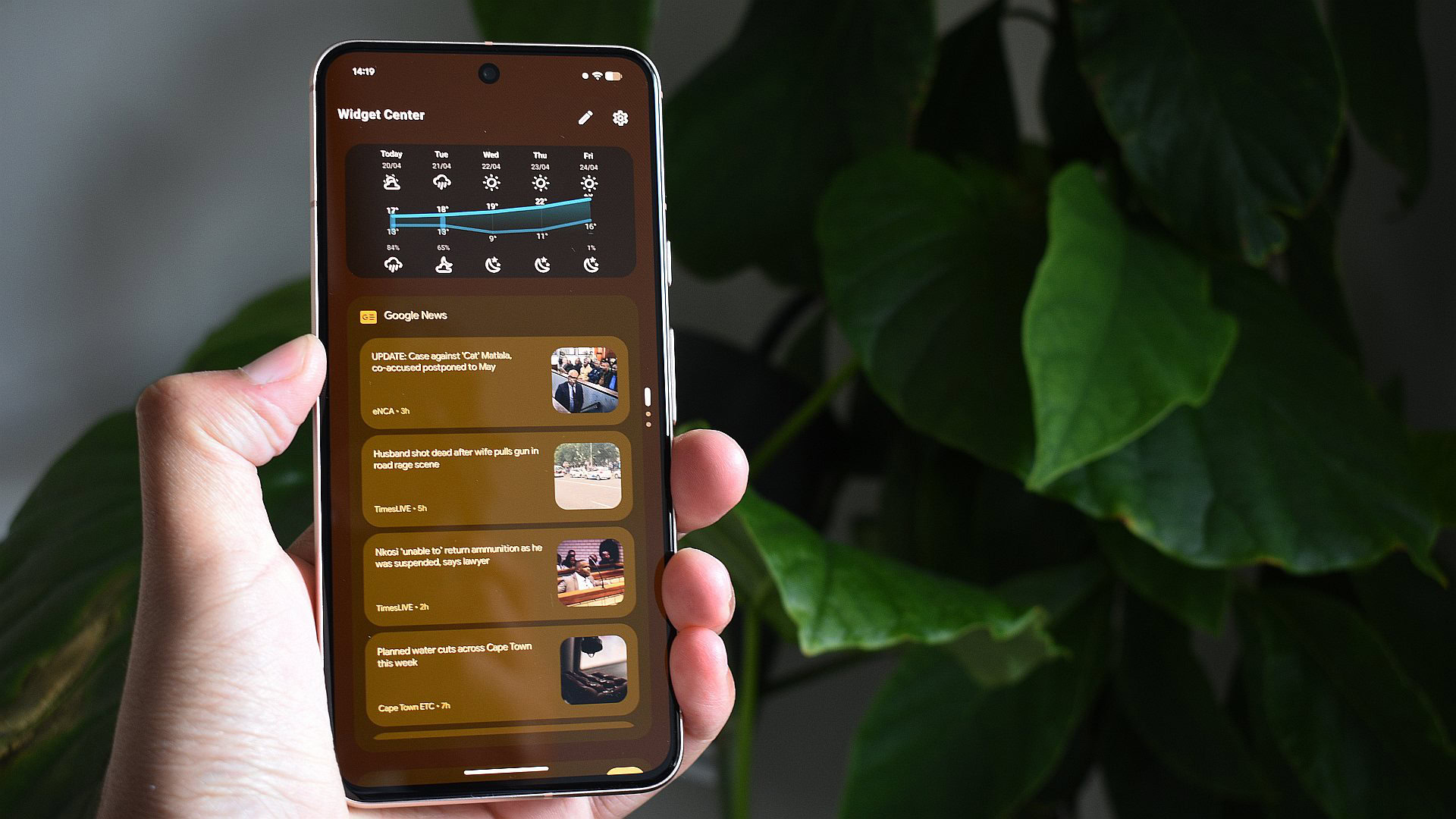
For individuals residing in or frequently traveling through hurricane-prone regions, the Tropical Hurricane Tracker application transcends convenience to become a critical safety tool. This premium app delivers the latest tropical weather details, warnings, and advisories directly to the user’s device with near-immediate updates as they are released by authoritative bodies such as NOAA (National Oceanic and Atmospheric Administration) and NWS (National Weather Service). This real-time information flow is paramount during rapidly developing weather events, allowing users to make timely decisions regarding safety and evacuation.
Beyond tracking U.S. storm activity, the app also includes information for other global basins, extending its utility to a broader international audience. While a free, ad-supported version exists, the developer strongly encourages purchasing the ad-free version. In situations where critical weather updates are necessary, the absence of distracting advertisements ensures that vital information is delivered without interruption or delay. The small investment for the ad-free version not only enhances the user experience during stressful periods but also directly supports the developer in maintaining and improving a service that can genuinely impact lives and property. This app exemplifies a category of paid software where the premium is justified by the vital nature of the information and the peace of mind it provides.
PeakFinder: An Augmented Reality Guide to Mountain Landscapes
PeakFinder offers a uniquely specialized, yet wonderfully executed, application for outdoor enthusiasts and travelers in mountainous regions. It leverages the smartphone’s camera, GPS, and an extensive offline database to identify surrounding mountain peaks, transforming a panoramic view into an interactive educational experience. By simply pointing the device at the horizon, PeakFinder overlays the names and heights (above sea level) of visible peaks onto a live camera feed, presented in an elegant, sketch-like aesthetic.
The remarkable accuracy of PeakFinder, even in remote areas with limited connectivity, is a testament to its robust offline database and sophisticated algorithms. Its ability to correctly identify obscure peaks across diverse global terrains, as evidenced by its functionality in regions like South Africa, highlights its technical prowess. While it caters to a niche audience—hikers, mountaineers, and scenic tourists—for those who frequently find themselves amidst mountain ranges, PeakFinder is an invaluable companion. It enriches the experience of observing natural landscapes, providing instant geographical context and a deeper appreciation for the surrounding topography. Its premium price is justified by its highly specialized functionality, offline capabilities, and consistently accurate performance, making it a definitive example of an app that does one thing exceptionally well.
Hermit Premium: The Privacy-Focused Web App Enabler
In a digital age increasingly concerned with privacy and resource efficiency, Hermit Premium stands out as a unique browsing solution that transforms web pages into lightweight, standalone "Lite Apps." Unlike traditional browsers that bundle multiple web experiences, or full-fledged native apps that often come with extensive permissions and background processes, Hermit offers a granular approach to web content consumption.
The core premise of Hermit is to create isolated web apps for frequently visited sites. This "sandboxing" approach is particularly beneficial for services like Facebook, which are known for their extensive user tracking. By creating a Hermit Lite App for the Facebook mobile site, users can access the same features as the native app but within a contained environment, significantly mitigating privacy concerns and reducing resource consumption. The premium version of Hermit expands these capabilities dramatically, offering an editable ad blocker, support for multiple profiles within sandboxed environments, and the ability to integrate userscripts for further customization. For power users, privacy advocates, or those with older devices struggling with resource-heavy native apps, Hermit Premium offers an elegant solution that prioritizes control, efficiency, and data security. It fills a critical void for users seeking a more mindful and secure way to engage with the web, making its premium features a worthwhile investment.
Moon+ Reader Pro: The Ultimate Customizable E-Reading Experience
For avid readers on Android, Moon+ Reader Pro is more than just an e-book reader; it is a highly customizable digital library and reading environment. While many devices come with basic e-readers, Moon+ Reader Pro offers an unparalleled suite of options for personalizing the reading experience, from intricate adjustments to font styles, sizes, line spacing, and page-turn animations, to comprehensive tweaks for the home screen bookshelf design.
Beyond aesthetic customization, the app excels in its functional features. For students, researchers, or anyone who frequently annotates text, its robust highlighting and annotation tools are invaluable. The integrated blue light filter is a lifesaver for those who spend extended periods reading on screens, reducing eye strain and improving sleep quality. The "Pro" version further enhances this rich feature set by adding dedicated PDF editing tools, seamless support for online and Calibre libraries for easy content management, and even more granular control over reading gestures and shortcuts. Moon+ Reader Pro supports a vast array of e-book formats, ensuring compatibility with virtually any digital book. Its comprehensive feature set, combined with its dedication to reader comfort and productivity, firmly establishes it as a premium application that elevates the digital reading experience to an art form.
SuperDisplay: Transforming Android Devices into High-Performance External Monitors
SuperDisplay represents a significant technical achievement and a highly practical utility for professionals and creatives, enabling Android tablets and phones to function as low-latency, high-performance external monitors for Windows PCs. While other apps attempt similar functionality, SuperDisplay stands out for its remarkably low latency, delivering a display mirroring experience that feels almost indistinguishable from a purpose-built monitor. This fluid performance is critical for tasks requiring precise input, such as graphic design, digital art, or detailed coding.

The application boasts straightforward connectivity options, supporting both wired (USB) and wireless (Wi-Fi) connections, offering flexibility depending on user preference and environment. While SuperDisplay is undeniably the most expensive application on this list, its value proposition is clear: it effectively extends the utility of existing Android hardware, potentially saving users the cost of purchasing a dedicated portable monitor. For individuals who frequently work on the go or require an additional screen for productivity, SuperDisplay transforms an often underutilized tablet into a powerful extension of their desktop workspace. The investment is justified by the seamless experience, the high level of performance, and the practical utility it brings to a multi-device workflow.
Tasker: The Apex of Android Automation
Regarded by many as an Android legend, Tasker is the quintessential automation tool, empowering users to create complex, context-aware routines and automations long before native features like Samsung’s Routines or Google Pixel’s Modes became commonplace. Its power lies in its unparalleled flexibility and depth, allowing users to define intricate "profiles" based on a myriad of triggers (time, location, app state, device events) and then execute a vast array of "tasks" (changing settings, launching apps, sending messages, interacting with other apps).
Tasker does come with a notable learning curve, demanding a degree of patience and technical understanding to master its full capabilities. However, for those willing to invest the time, the rewards are immense. Users can automate almost any aspect of their Android device, from simple tasks like silencing the phone upon entering a specific location to complex sequences involving multiple third-party applications and conditional logic. Its extensive support for plugins and a robust, active community further enhance its utility, providing resources and shared "recipes" for inspiration and problem-solving. Given its profound impact on device efficiency and personalization, Tasker is remarkably affordable, and a week-long trial allows prospective users to explore its vast potential before committing to a purchase. Tasker is not just an app; it’s a powerful programming environment for your phone, offering a level of control and customization that is unmatched, making it an indispensable tool for any serious Android power user.

The Broader Impact of Supporting Premium Software
The commitment to purchasing and utilizing premium Android applications extends beyond individual user benefit. It actively supports independent developers who prioritize quality, privacy, and niche functionality over the mass-market, ad-driven model. This patronage fosters innovation within the Android ecosystem, encouraging the creation of specialized tools that address specific user needs or push the boundaries of what a mobile device can do. By investing in these applications, users are not just buying software; they are investing in a healthier, more diverse, and user-centric app economy. These apps often represent the pinnacle of their respective categories, offering experiences that are refined, ad-free, and meticulously maintained, ultimately enriching the overall Android experience for those who seek more than the basic functionalities. The enduring value of these investments lies in their ability to transform a smartphone from a generic tool into a highly personalized, efficient, and enjoyable digital companion.