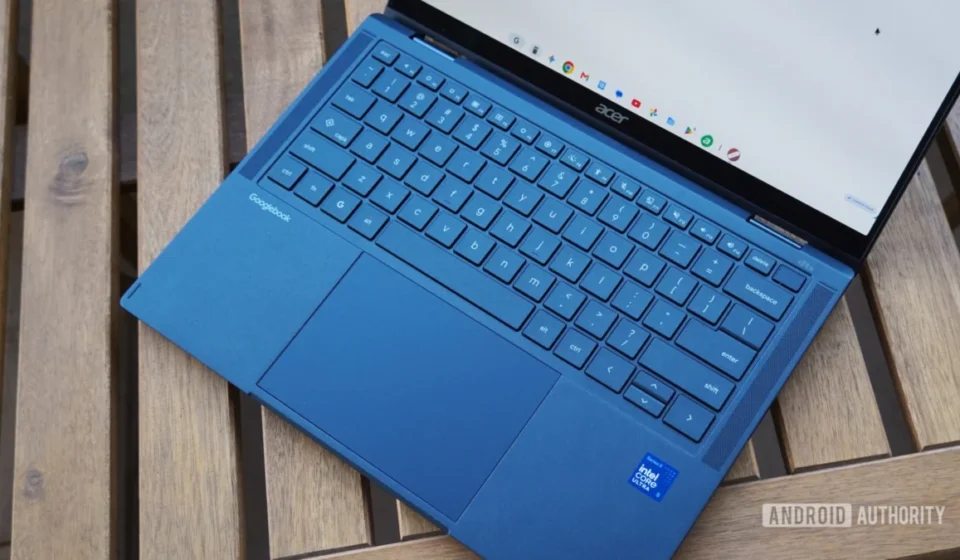
Googlebook’s Ambitious Debut: A Promising Vision Marred by Unfinished Execution and Key Limitations

The highly anticipated launch of Googlebooks, a new category of Android-powered laptops, has been met with a critical reception from early adopters and tech analysts. Designed to bridge the gap between Google’s dominant mobile ecosystem and the traditional laptop form factor, these devices, starting at a premium price point of $899, aimed to carve out a distinct niche in the competitive computing market. However, a comprehensive two-week evaluation of initial models, including the Acer Googlebook 14 and the Dell XPS Googlebook, reveals a platform still in its nascent stages, plagued by significant operational inconsistencies and a user experience that falls short of its ambitious promises.
The Vision and Reality: An Android-Powered Laptop Category Emerges
Google’s foray into the premium laptop space with Googlebooks represents a strategic move to extend the Android operating system beyond smartphones and tablets, offering a more robust, keyboard-and-trackpad-centric computing experience. This initiative follows a long history of Google’s operating system developments, from the web-centric ChromeOS to the expansive Android mobile platform. The underlying intent appears to be leveraging the vast Android app ecosystem and Google’s "Better Together" cross-device functionalities to create a seamless, interconnected digital life for users. Early promotional materials highlighted a "desktop-class Chrome browser with extensions" and powerful hardware, setting high expectations for a truly convergent device.
However, the initial experience for users, as documented by rigorous testing, paints a picture of a product that arrived prematurely. During the first week of intensive use, where Googlebooks were the sole computing devices, tasks that typically required minimal effort on established macOS or Windows platforms frequently became time-consuming ordeals. Basic functionalities exhibited unreliability, or in some instances, failed to operate altogether, leading to frustrating troubleshooting sessions. While a subsequent slew of early Googlebook OS fixes in the second week addressed some of the most glaring issues, the core underlying concerns about the platform’s maturity and readiness for mainstream adoption persist.
A Two-Week Trial: Navigating Initial Hurdles and Incremental Progress
The testing period involved a deep dive into the practicalities of using Googlebooks as daily drivers. The Acer Googlebook 14 was the primary device under scrutiny, supplemented by a Dell XPS Googlebook for comparative analysis. The initial days were characterized by significant friction. The promise of a smooth Android-centric laptop experience quickly gave way to a series of roadblocks, forcing the reviewer to spend excessive time on troubleshooting rather than productive work. This included difficulties in basic app functionality, unexpected system crashes, and a general lack of polish that belied the devices’ premium pricing.
The landscape shifted somewhat in the second week with the deployment of several Googlebook OS updates. These patches brought some relief, resolving critical issues such as tab group functionality, multi-device Chrome sync, and improved Progressive Web App (PWA) reliability. This rapid response from Google indicates an active development cycle and a commitment to addressing user feedback, a positive sign for the platform’s future. Yet, even with these improvements, the experience remained far from the effortless integration and powerful performance expected from a device positioned to compete with established laptop ecosystems. The ongoing need for workarounds and the inherent limitations of the OS continued to underscore its "unfinished" status. A poll conducted among early users, questioning whether Googlebooks were "worth their price point of $899 and up," gathered 212 votes, indicating significant market uncertainty and a strong desire for more justification for the investment.
The "Better Together" Vision: Seamless Integration, but with Significant Constraints
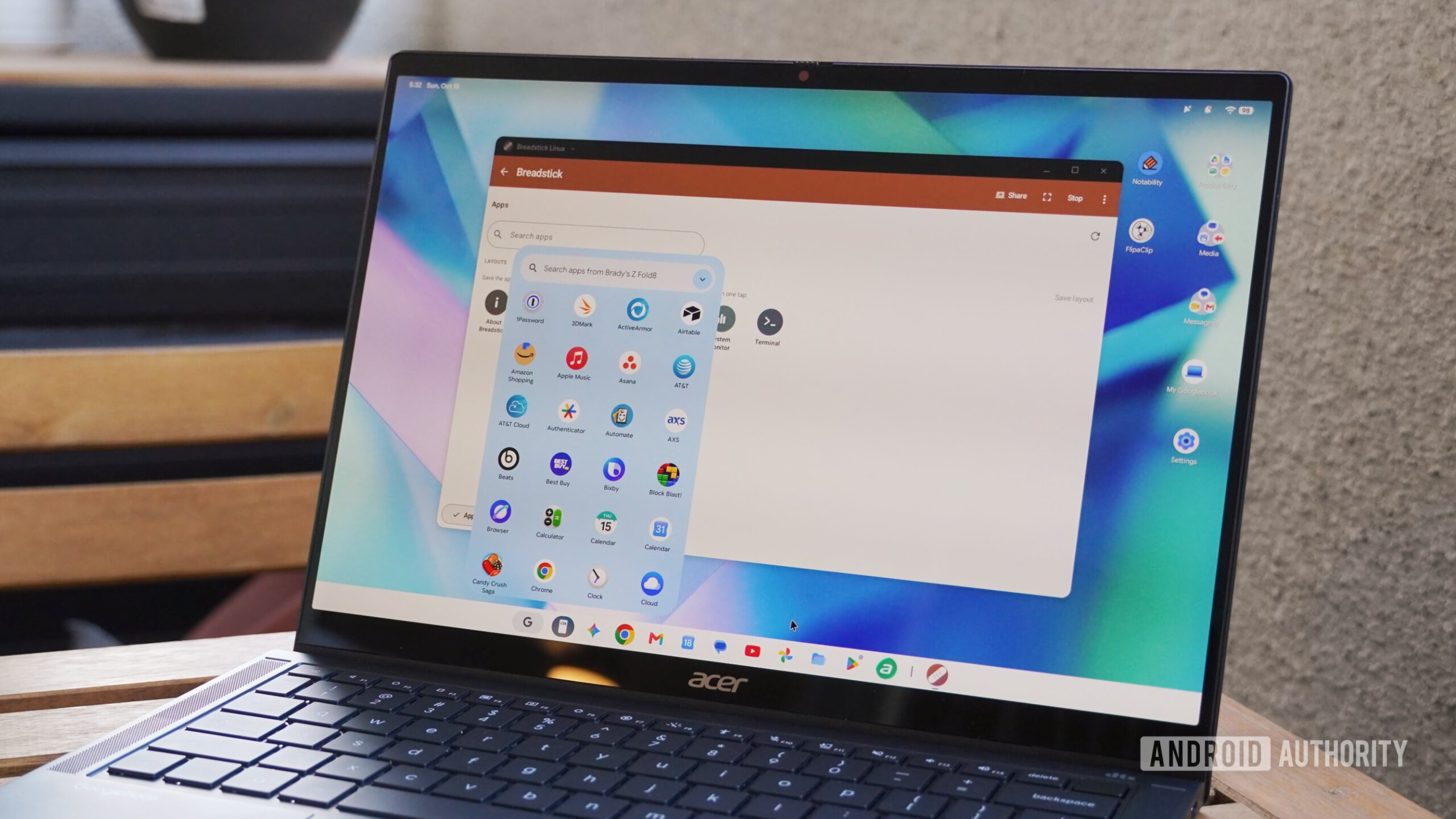
One of the most compelling aspects of the Googlebook proposition is its "Better Together" suite of cross-device features, designed to create a harmonious link between an Android smartphone and the Googlebook laptop. Initially, these features faced significant hurdles, including widespread setup problems and a surprising lack of support for Samsung phones, a major player in the Android market. Fortunately, recent updates have largely rectified these issues, allowing for reliable connectivity with devices like the Pixel 11 Pro Fold and the Samsung Galaxy Z Fold 8.
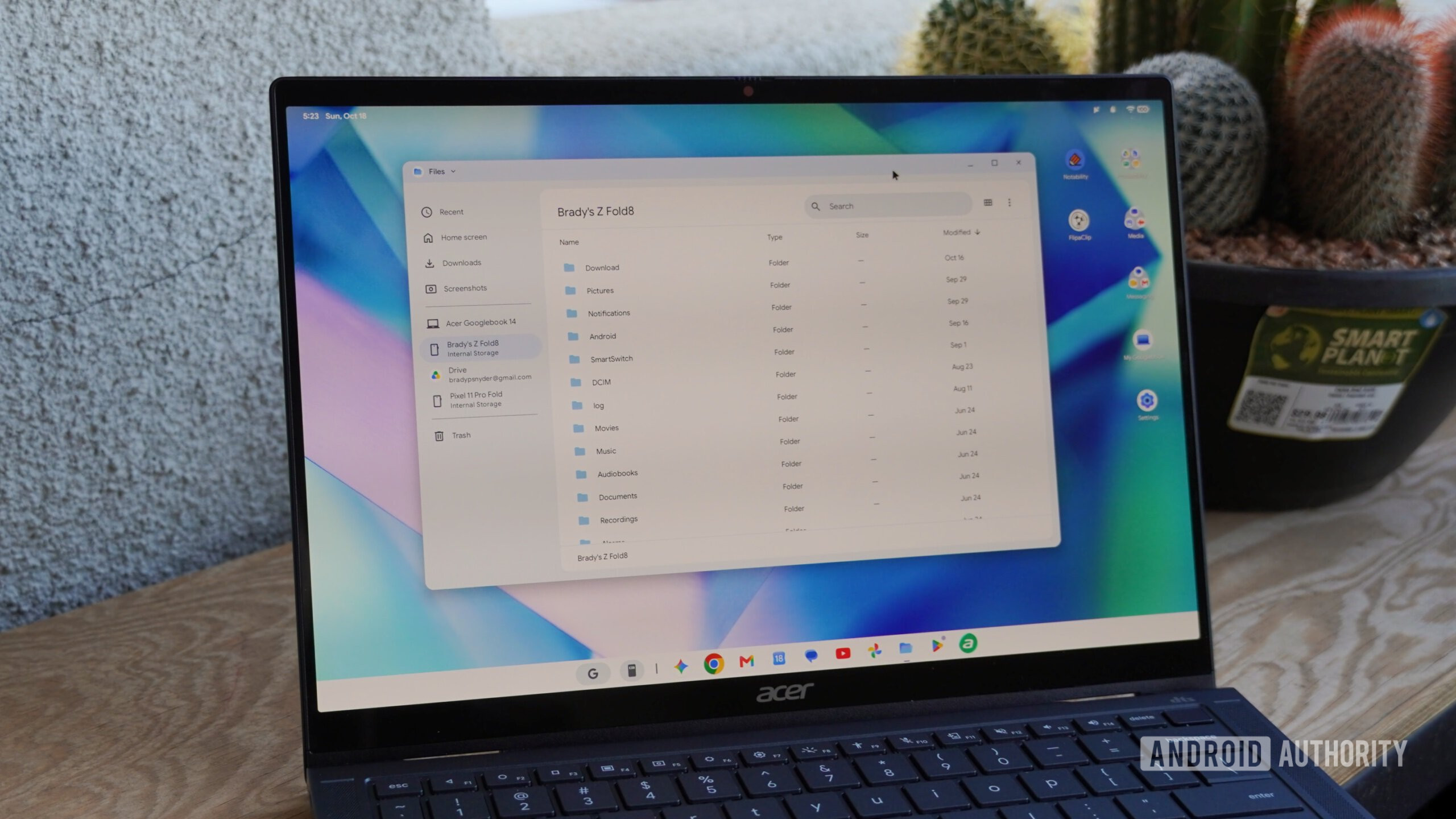
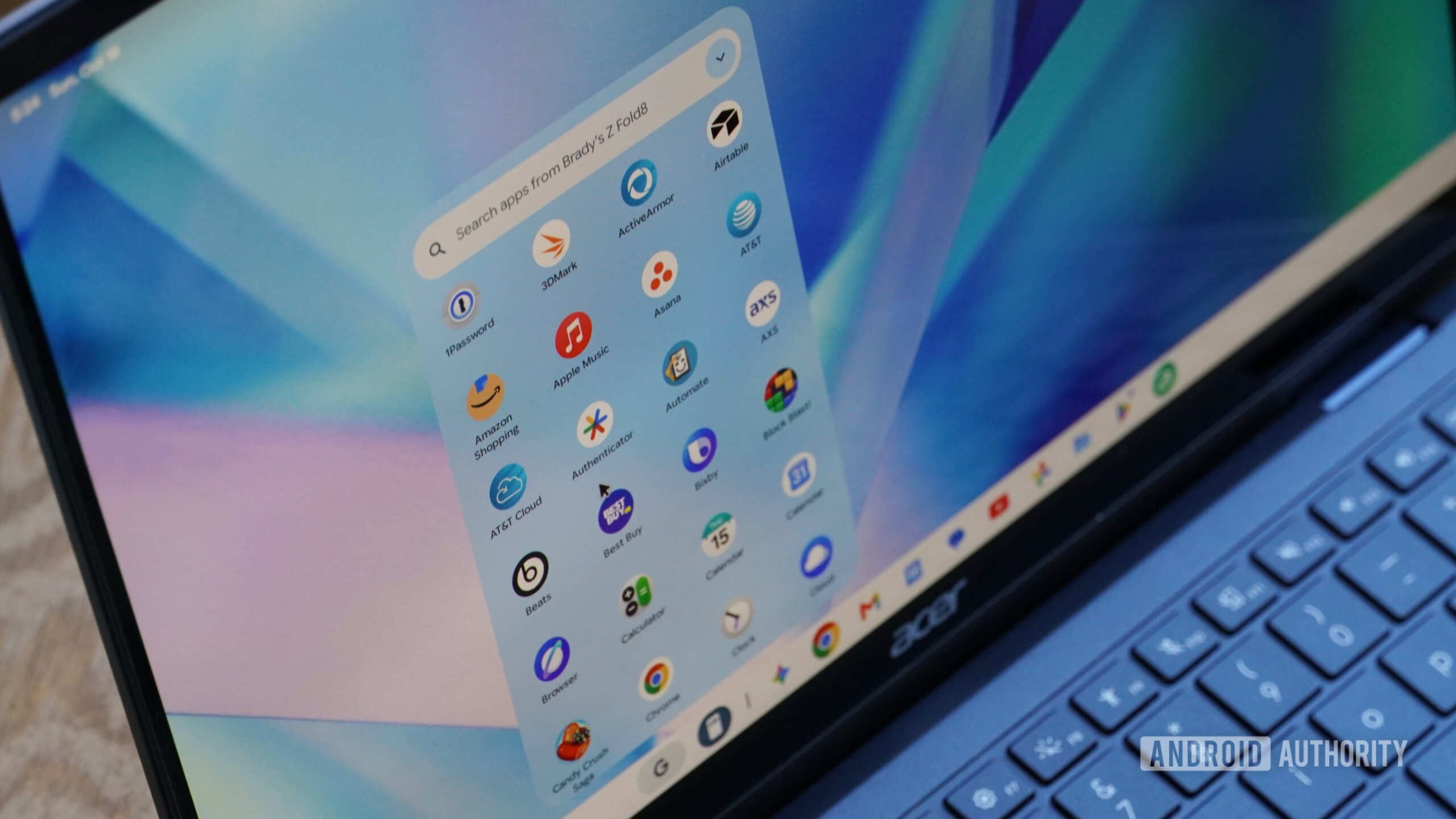
The Quick Access feature, which mirrors the phone’s on-device storage directly within the Googlebook’s Files app, stands out as a genuinely convenient innovation. It enables seamless access to photos, documents, and music from the Android phone, eliminating the need for cumbersome manual transfers or reliance on cloud services for quick file sharing. The ability to connect multiple Android phones, with both a Pixel and a Galaxy Z Fold appearing as distinct data sources, further enhances this utility, particularly for users managing separate personal and work devices. Similarly, Cast My Apps, which streams applications from the Android phone to the Googlebook without requiring local installation, and Continue On, which allows users to seamlessly transition Chrome browsing sessions between devices, represent significant strides in cross-device fluidity. The multi-device support for Cast My Apps, featuring a dropdown menu to select between connected phones and an option to add more, showcases an impressive level of foresight into multi-device user habits.
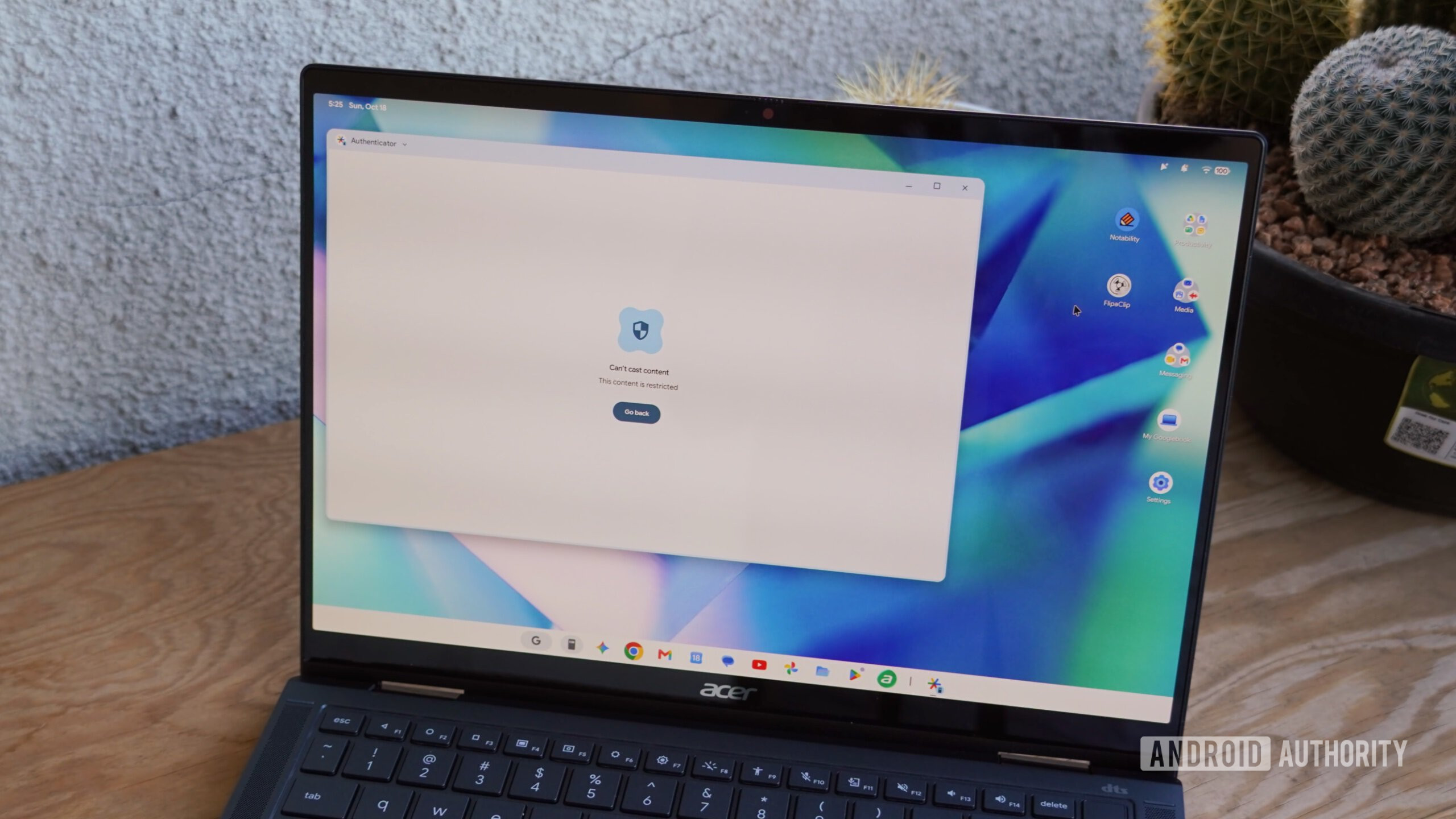
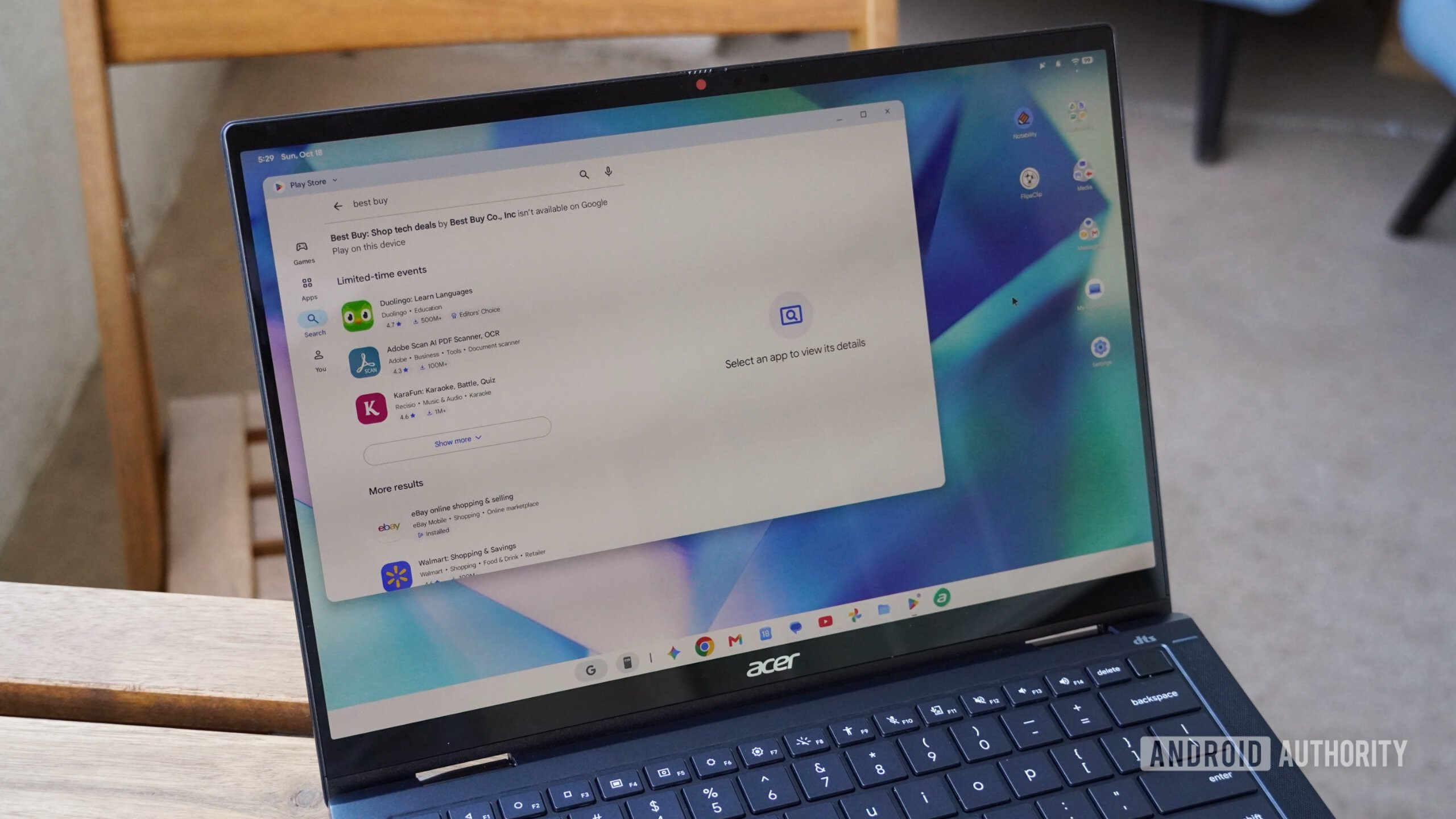
However, the efficacy of "Better Together" is severely hampered by critical limitations. Many essential Android applications, such as the Tesla or Best Buy apps, which are not natively available on Googlebook OS, fail to render correctly when streamed via Cast My Apps, regardless of resizing attempts. More critically, ubiquitous tools like Google Authenticator, vital for two-factor authentication, are neither available on the Play Store for Googlebook OS nor functional through Cast My Apps, forcing users back to their physical phone – a significant break in the "seamless" experience.
The most crushing limitation, however, is the almost complete reliance on a shared Wi-Fi network. While these features function admirably within a home network environment, their utility diminishes drastically in public or enterprise settings where peer-to-peer Wi-Fi sharing is often blocked or where users prefer mobile data over insecure public Wi-Fi. This stands in stark contrast to Apple’s established Apple Wireless Direct Link (AWDL) technology, which facilitates direct peer-to-peer connections for features like AirDrop and iPhone Mirroring, entirely independent of an active wireless network. Until Google implements a similar direct-connection solution, the "Better Together" features will remain tethered to specific network conditions, significantly limiting their practical value for on-the-go productivity and convenience.
Chrome on Googlebook OS: A Desktop-Class Claim vs. Mobile Adaptation
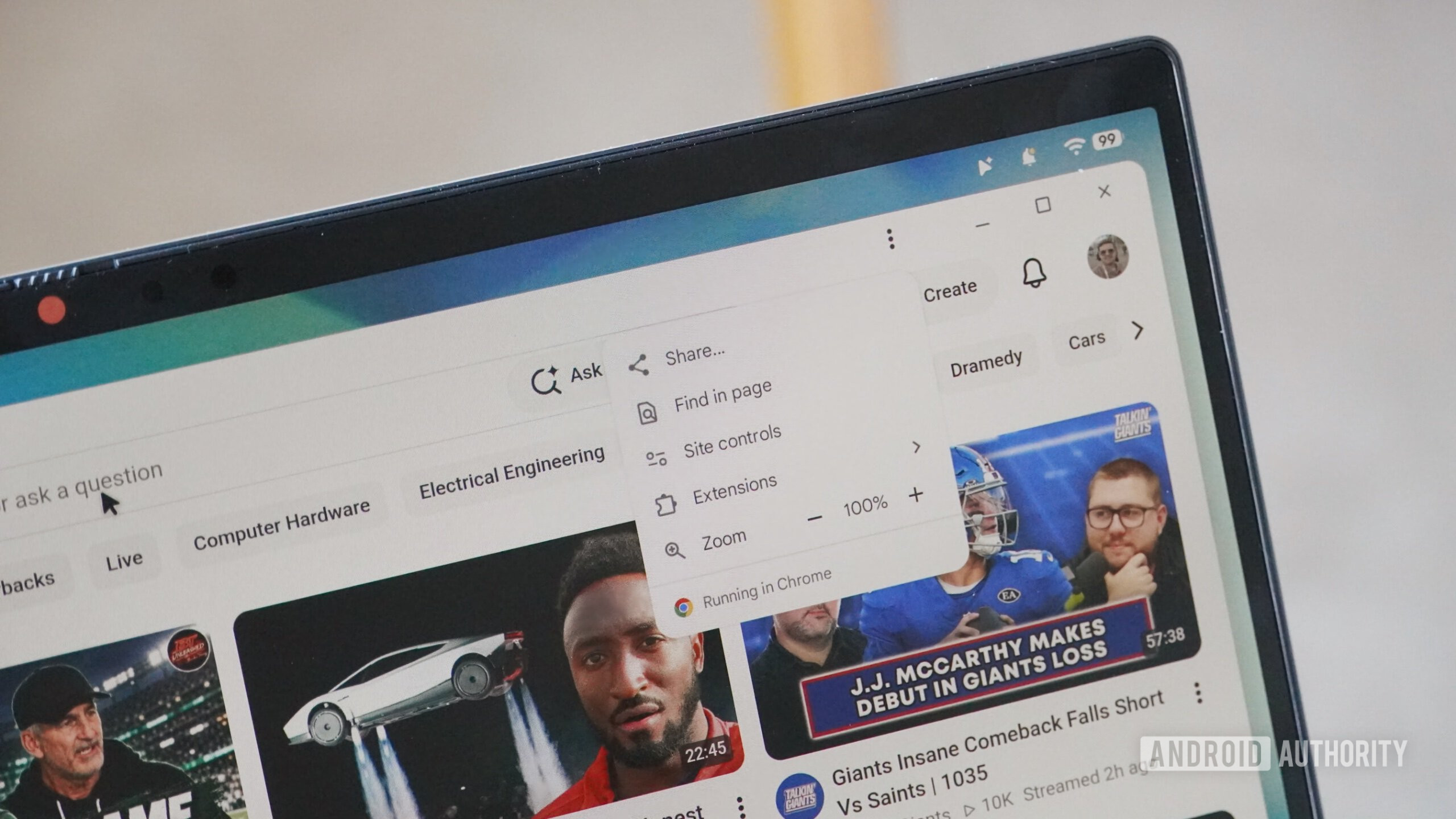
Google’s marketing materials boldly declared Googlebooks as running "the desktop-class Chrome browser with extensions." While technically not a lie, as it uses the term "desktop-class" rather than "desktop version," this nuanced distinction proved misleading for early adopters. The reality is that the Chrome browser on Googlebook OS is an adaptation of the Android mobile application, albeit one enhanced with extension support and a default desktop site rendering mode.
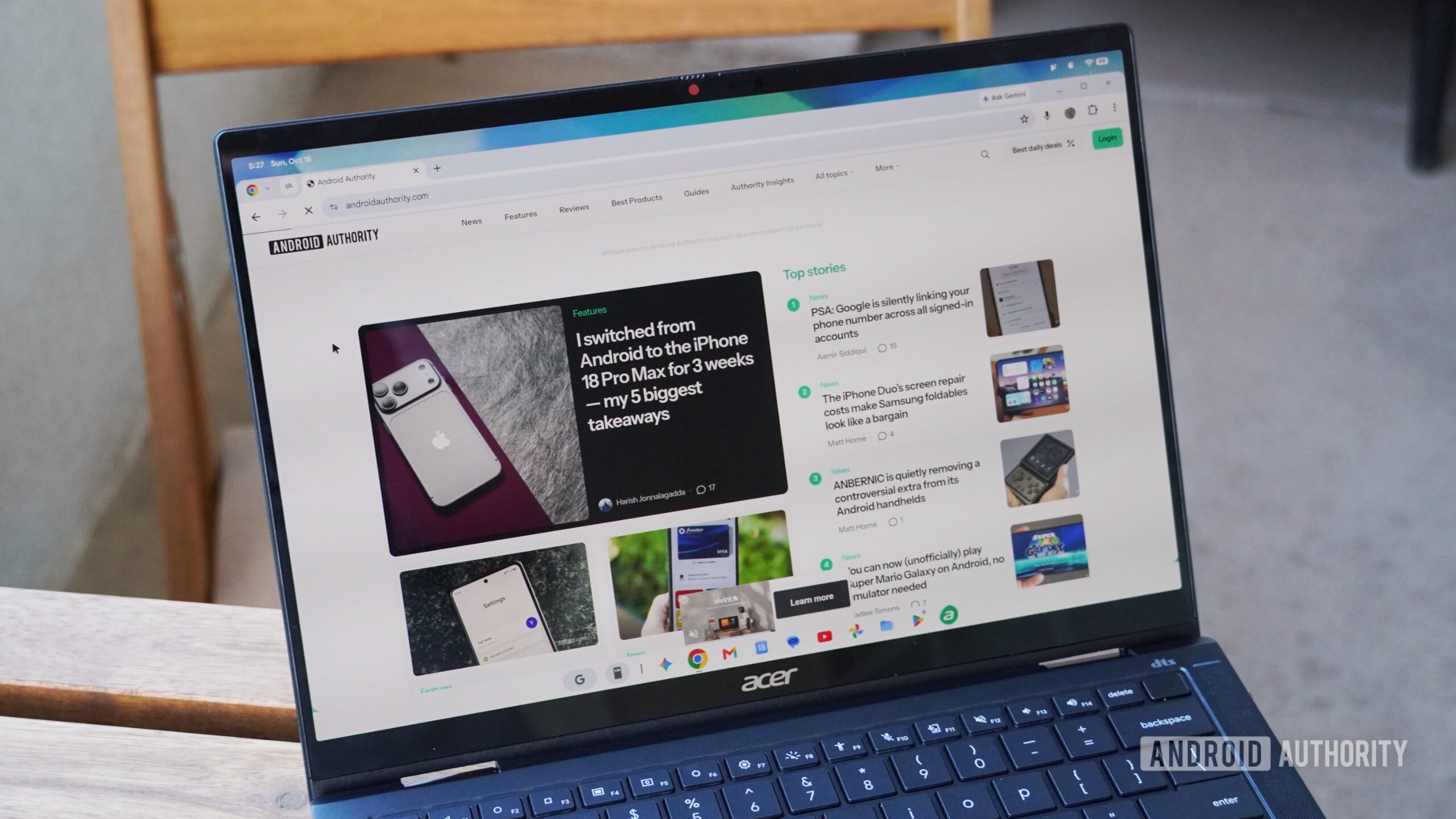
Early in the review period, this adapted Chrome exhibited significant deficiencies, including non-functional tab groups, unreliable multi-device sync, and inconsistent Progressive Web App (PWA) performance. While subsequent software updates addressed these particular bugs, a deeper inspection reveals a browser that is fundamentally different from its macOS, Linux, or Windows counterparts. The absence of multiple Chrome profiles, a standard feature in desktop browsers, and the limited access to advanced Chrome flags and settings within the three-button menu immediately signal its mobile origins to power users. For a laptop priced between $899 and $1,299, this compromised browser experience feels underwhelming. Competing devices like Apple iPads have offered desktop site rendering in Safari for years, and mobile browsers with extension support are not a novel concept. The Googlebook OS version of Chrome, therefore, fails to deliver a truly "desktop-class" experience, making it a difficult sell against established laptops offering full-fledged desktop browsers within the same price bracket.
Hardware Realities: Premium Pricing, Subpar Execution
The hardware component of the Googlebook equation, which one might expect to be a strong suit given Google’s resources and the premium pricing, also presented several disappointments. Testing both the $899 Acer Googlebook 14 and the $999 Dell XPS Googlebook revealed a concerning inconsistency in build quality and feature implementation that falls short of competitors like Apple MacBooks. The Dell XPS Googlebook, a model typically associated with premium construction, suffered from noticeable deck flex and creaking, indicating compromises in its physical integrity. The Acer Googlebook 14, while perhaps more robust, featured a chunky design with conspicuously thick display bezels, detracting from its modern aesthetic.
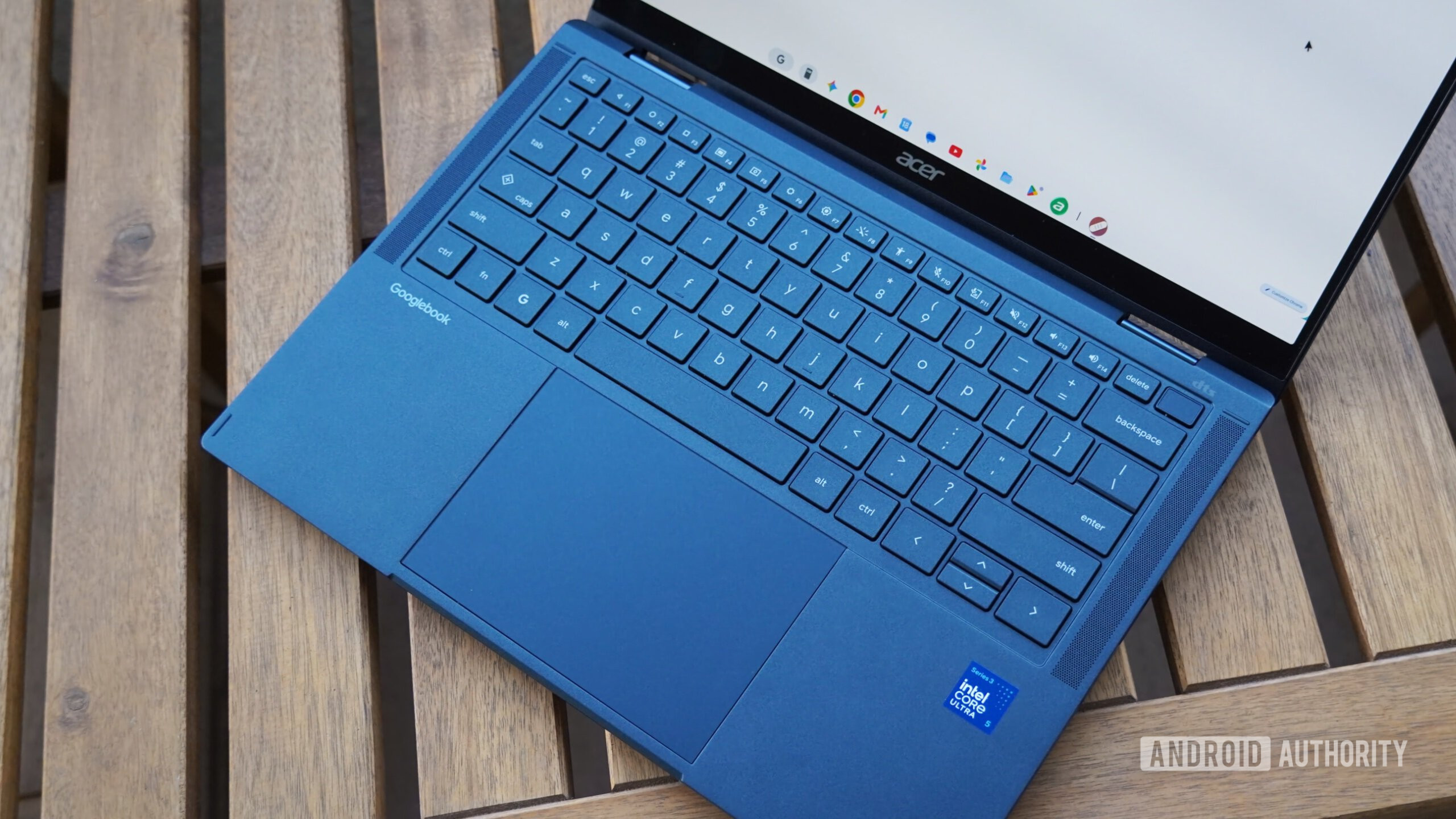
Hardware features were also inconsistent. Both tested models came equipped with mechanical trackpads, a design choice often seen as inferior to the haptic touchpads found on many premium laptops. While some Googlebook models reportedly feature haptic trackpads, their absence on the tested units highlights a lack of uniformity. Furthermore, the fingerprint sensors on both laptops were frequently unreliable, often requiring multiple attempts for authentication and occasionally timing out, forcing users to resort to passcodes. The integrated selfie cameras, a crucial component for modern video conferencing, delivered subpar image quality by 2026 standards.
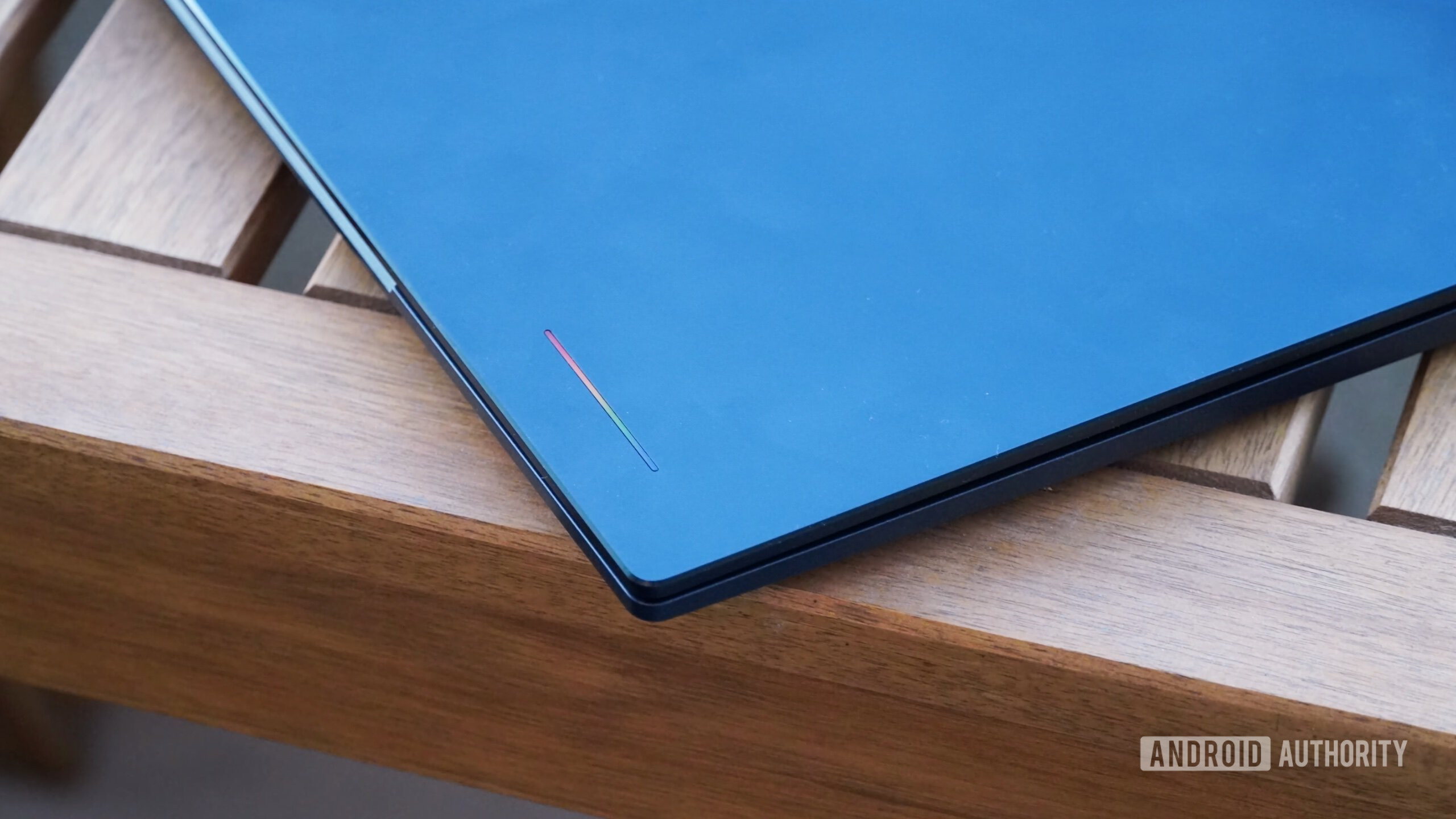
Aesthetic elements, such as the "glowbar" – a stylish, illuminated strip – proved to be functionally negligible. Positioned away from the user, its primary purpose beyond a subtle charging indicator remains unclear, offering little practical benefit. Internally, the performance of the chips also raised concerns. The Qualcomm Snapdragon X Elite-equipped Dell XPS Googlebook, despite its promising specifications for Windows on Arm devices, exhibited overheating issues and loud fan noise under load. Surprisingly, the Intel-powered Acer Googlebook 14, while featuring a more midrange Intel Core Ultra 5 chip, offered a more stable, albeit less powerful, computing experience. This disparity points to potential optimization challenges between Googlebook hardware and the nascent Android software, a problem underscored by the reviewer’s unprecedented need to restart these devices more frequently than their Macs over the course of a year.
The Android App Ecosystem: A Foundation Under Construction
For an "Android-powered laptop," the performance and availability of Android applications on Googlebooks are arguably their most critical differentiator. Yet, this is where the platform faces some of its most significant challenges. A substantial number of commonly used Android apps were simply unavailable for direct installation from the Google Play Store on Googlebook OS. This forces users to rely on the unreliable Cast My Apps feature or resort to web versions, undermining the very premise of an Android laptop.
Google attempts to categorize app compatibility with ratings such as "made for desktop," "optimized for desktop," "compatible with desktop," "better on the website," and "built for mobile." However, this system appears to fall short in practice. Even apps designated "made for desktop," such as the photo editing application Luminar, failed to support basic laptop gestures like pinch-to-zoom or rotate on the trackpad. Professional creative applications from Adobe, such as Photoshop and Lightroom, are reportedly inferior to their iPadOS counterparts, and the latest Premiere app cannot even be installed on Googlebook OS, severely limiting its utility for creative professionals.
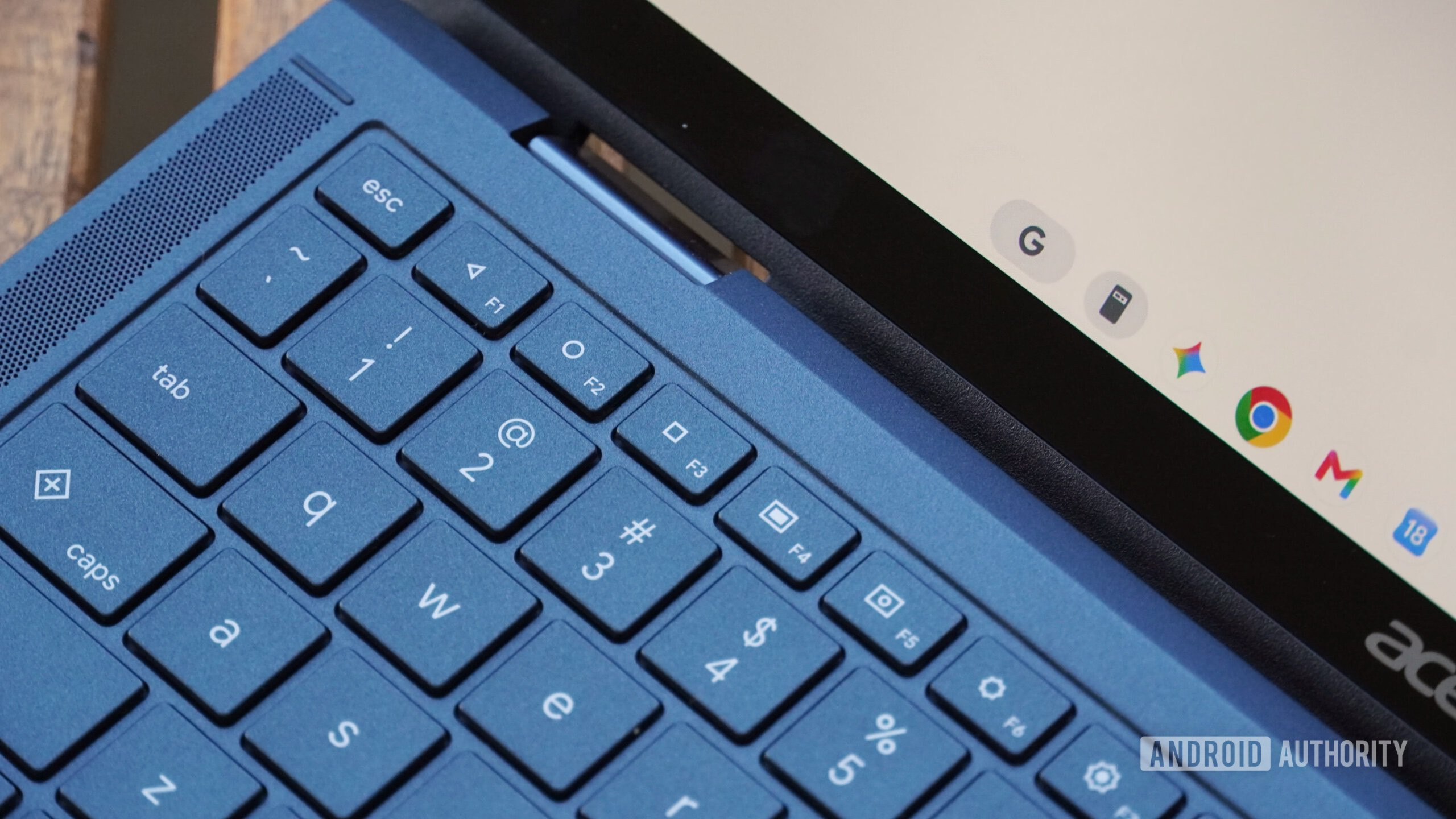
Further compounding the issue, many of Google’s own applications, including the popular YouTube app, often run as Trusted Web Activities (TWAs) rather than native Android applications. While Google asserts this offers the "best experience," it deprives users of the full functionality and performance typically associated with native apps, particularly in tablet mode for convertible Googlebooks. The necessity of including physical function row keys that mimic classic Android navigation buttons on every Googlebook keyboard serves as a stark testament to the current deficiencies in keyboard and trackpad control for many Android applications. This design choice, while a pragmatic workaround, highlights the extensive work still required to adapt the Android app ecosystem for a desktop-like environment. The current state presents a significant hurdle for developers who would need to invest heavily in optimizing their apps for Googlebook OS, adding another layer of fragmentation to the already diverse Android landscape.
Linux Support: A Step Back from ChromeOS
For power users and developers, the ability to run Linux applications often provides a crucial layer of flexibility, especially on platforms with evolving native app ecosystems. ChromeOS has long offered robust Linux container support, allowing users to install and run GUI-based Linux applications seamlessly alongside Chrome and Android apps. In contrast, Linux support on Googlebook OS represents a significant regression.
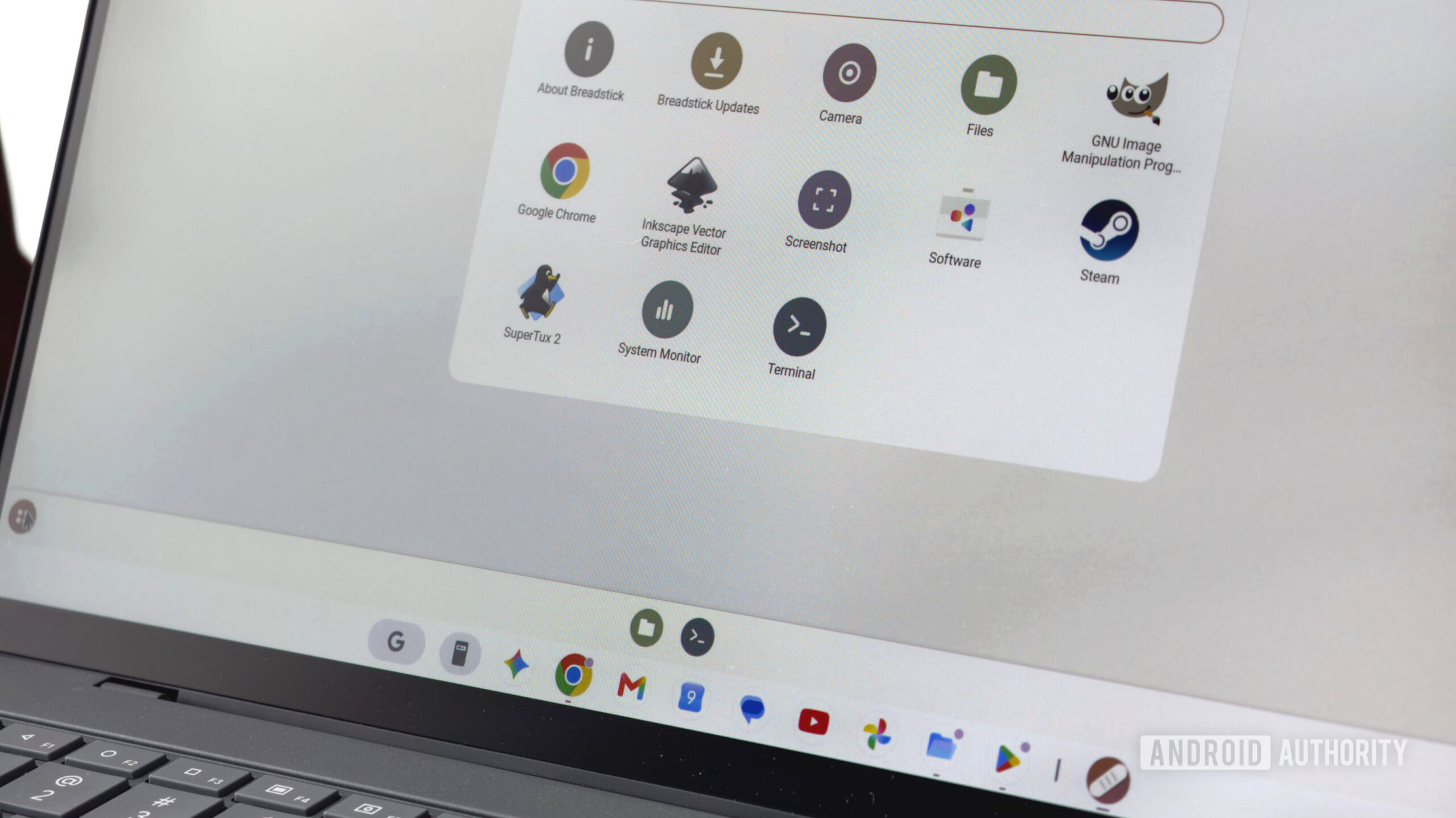
On Googlebooks, Linux applications can only be executed within the Terminal environment. This design choice fundamentally limits their utility, making them suitable primarily for coding and development tasks rather than running graphical user interface (GUI) applications. While it is technically possible to get GUI Linux apps running, the process is far less user-friendly and integrated than on ChromeOS. There is no direct way to save Linux apps to the app drawer or taskbar, forcing users to interact with them through command-line interfaces.
This diminished Linux support is a critical oversight for a platform that struggles with native Android app compatibility. The ability to easily install Linux versions of applications could have provided a vital workaround for the gaps left by unoptimized or unavailable Android apps, offering a more complete computing experience. The current implementation, however, fails to leverage the full potential of Linux as a complementary ecosystem, leaving users with fewer options to customize and expand their Googlebook’s capabilities.
Market Implications and Consumer Outlook
In its current iteration, the Googlebook cannot realistically replace a traditional laptop for most users. The two-week evaluation unequivocally suggests that these devices are an "unfinished product," requiring substantial refinement to justify their premium price point. For consumers with approximately $1,000 to invest in a new laptop, established alternatives like Apple MacBooks or Windows laptops offer a demonstrably more mature, reliable, and performant computing experience.
Furthermore, if a user’s needs align with the core functionalities currently offered by Googlebooks – primarily web browsing, Android app usage, and cross-device integration – a Chromebook might prove to be a more cost-effective solution, often available for half the price. Googlebooks, in their present state, are more akin to premium Android tablets equipped with integrated keyboards and trackpads, sharing the same fundamental compromises as an iPad Pro or a high-end Galaxy Tab Ultra when attempting to function as a primary laptop.
The Googlebook concept holds genuine promise. The vision of a deeply integrated Android computing experience, leveraging the mobile ecosystem’s strengths, is compelling. However, its premature launch has exposed significant deficiencies in software optimization, hardware consistency, and ecosystem integration. For the Googlebook to evolve into a truly competitive and indispensable computing category, Google must commit to extensive development, addressing the fundamental limitations in app compatibility, cross-device functionality, hardware reliability, and OS maturity.
Conclusion: A Promising Concept Awaiting Maturity
The debut of Googlebooks represents a bold, albeit faltering, step for Google into a new computing paradigm. While the "Better Together" features offer glimpses of a highly interconnected future, and the underlying Android OS provides a familiar foundation, the execution falls short of the "desktop-class" experience promised. The inconsistencies in hardware quality, the limitations of the adapted Chrome browser, the fragmented Android app ecosystem, and the regressed Linux support collectively paint a picture of a platform that is simply not ready for prime time.
The current generation of Googlebooks, despite their innovative spirit, cannot be recommended as a primary laptop replacement today. They are an expensive proposition riddled with compromises, asking users to pay a premium for an experience that is demonstrably inferior to established alternatives. For Google, the challenge now lies not in abandoning this ambitious project, but in a sustained, focused effort to refine Googlebook OS, enhance hardware-software integration, and foster a truly optimized app ecosystem. Only then can the Googlebook fulfill its potential and emerge as a compelling choice in the competitive landscape of personal computing.