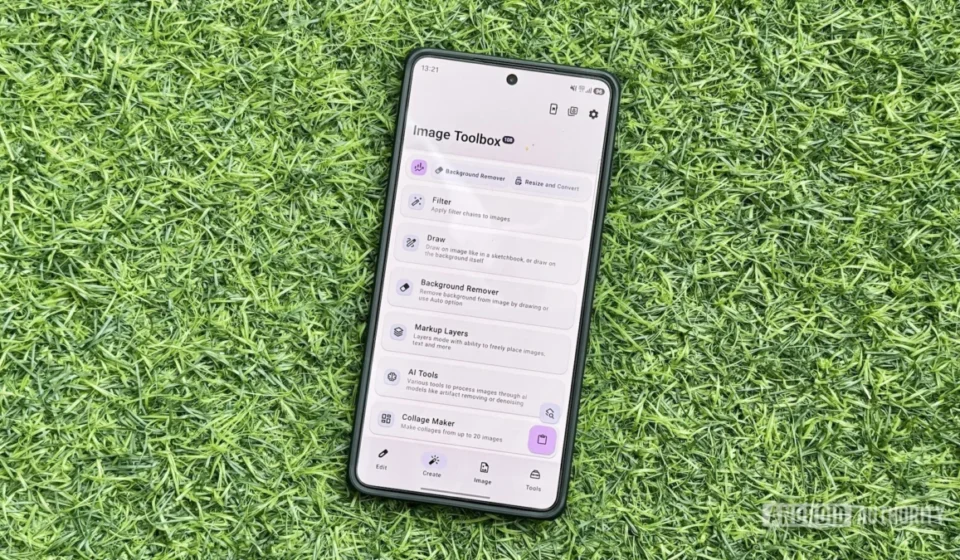
Image Toolbox Emerges as a Comprehensive Solution for Android Media Management, Consolidating Diverse Utility Functions

In an increasingly saturated digital landscape, Android users frequently navigate a plethora of applications, each designed for a singular purpose. This proliferation often leads to device clutter, increased storage consumption, and a fragmented user experience. However, a robust open-source application known as Image Toolbox is rapidly gaining traction as a definitive answer to these challenges, offering a unified platform for dozens of media-related tasks. This "super app" not only streamlines digital workflows but also provides a free, ad-free environment, challenging the conventional model of specialized utility applications.
The Challenge of App Proliferation: A Modern Digital Dilemma
For years, the Android ecosystem has prided itself on the sheer diversity and availability of applications. From photo stitching to PDF manipulation and QR code generation, there has been an app for virtually every conceivable digital task. While this abundance offers unparalleled flexibility, it simultaneously introduces a set of practical drawbacks for the average user. Each new application installed contributes to increased storage usage, demands regular updates, and often requires a fresh learning curve for its interface. The cumulative effect is a fragmented digital experience, where users are constantly switching between different apps to complete interconnected tasks.
This common user journey often begins with the necessity of downloading numerous single-purpose tools. For example, a user might need an app to resize images for social media, another to convert image formats for a project, a third for basic PDF editing, and yet another for generating QR codes. This accumulation, while fulfilling immediate needs, quickly becomes unsustainable. Device performance can suffer, and the mental overhead of managing a diverse app library grows. Industry reports frequently highlight user frustration with excessive app installations, with data suggesting that many smartphone users only regularly engage with a fraction of the apps on their devices. The search for efficiency and minimalism in digital tools has become a significant trend, driving demand for more integrated solutions.
Image Toolbox: A Deeper Dive into its "Swiss Army Knife" Capabilities
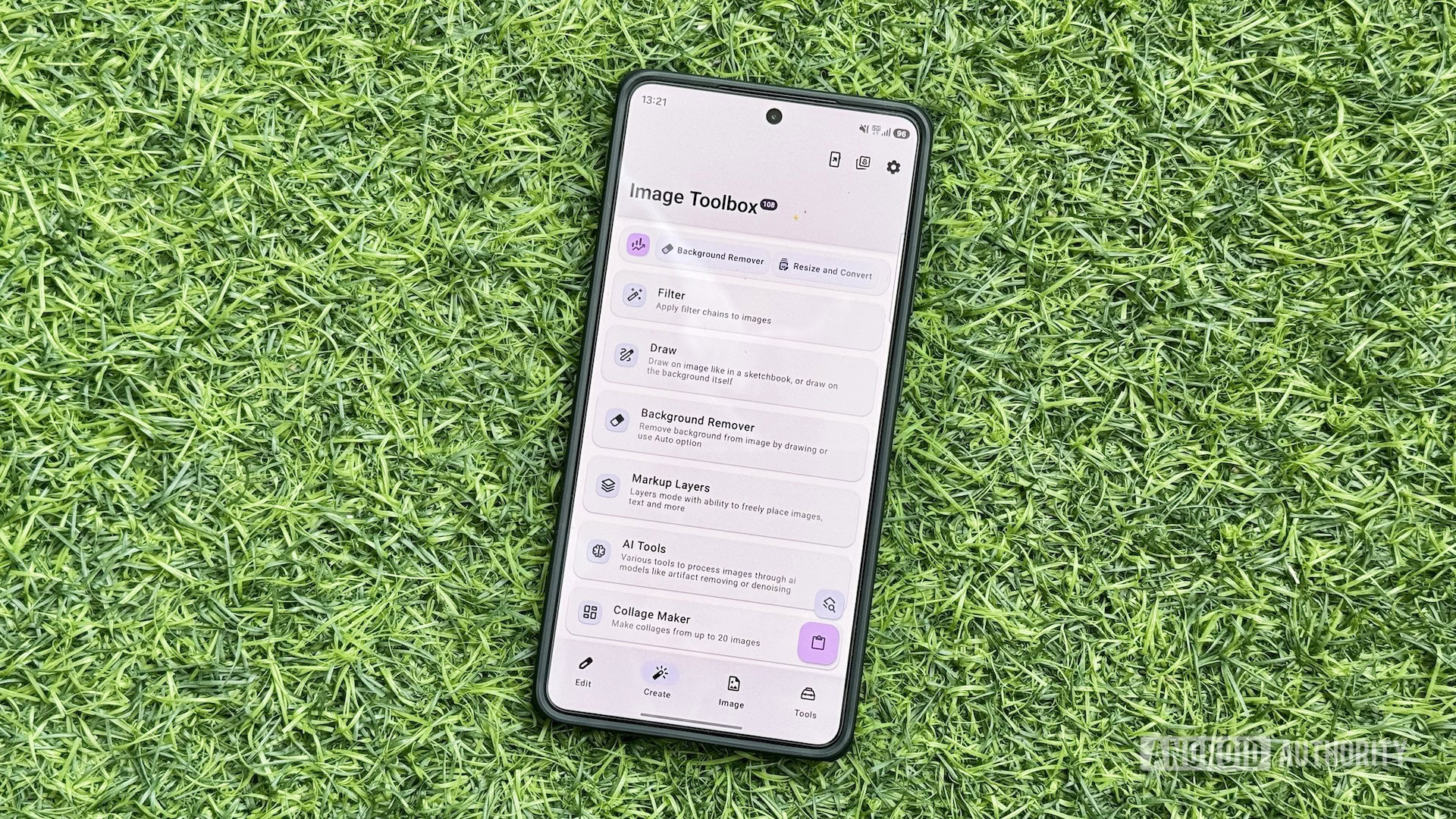
Image Toolbox distinguishes itself by consolidating a vast array of media tools under a single, intuitive roof. Its design philosophy centers on functionality, accessibility, and user-centricity. Crucially, the app is open-source, meaning its code is publicly available for scrutiny and contribution, fostering transparency and trust. Furthermore, its completely free and ad-free nature stands in stark contrast to many commercial alternatives, which often rely on subscriptions or intrusive advertisements. This commitment to a clean user experience is a significant draw for privacy-conscious users and those seeking uninterrupted workflow.
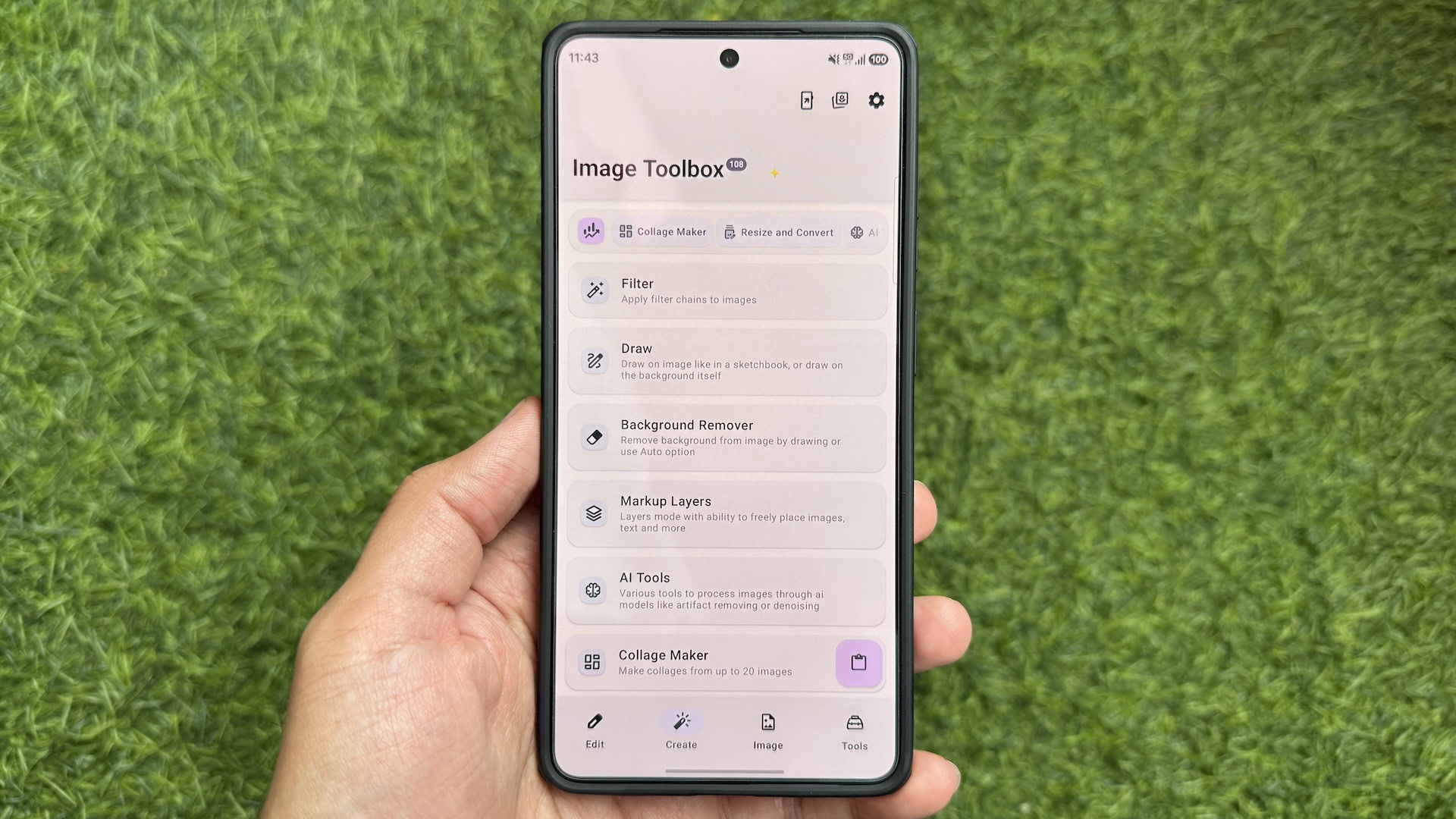
The application’s interface is meticulously designed for ease of navigation. A bottom navigation bar provides access to four primary tabs: Edit, Create, Image, and Tools. This categorical organization ensures that users can quickly locate the specific function they require. For instance, the "Edit" tab houses essential image manipulation tools such as resizing, cropping, and format conversion. The "Create" tab is dedicated to generating new media, while the "Image" tab focuses on broader image-related operations. The "Tools" tab serves as a comprehensive hub for a diverse range of utilities, including document scanning, GIF manipulation, and QR/barcode functionalities.
A key aspect of Image Toolbox’s intelligent design is the logical grouping of related tools. Within the "Tools" tab, for example, selecting "GIF Tools" expands into a submenu offering specific functions like "Images to GIF," "GIF to Images," "GIF to JXL," and "GIF to WEBP." This hierarchical organization prevents the main tabs from becoming overly cluttered while ensuring that users can easily discover and access interconnected features. This thoughtful design significantly contributes to the app’s overall usability and efficiency, mirroring the organizational principles seen in professional desktop suites, but adapted for mobile convenience.
Key Functions and Their Impact on User Workflow
The comprehensive suite of tools within Image Toolbox effectively replaces numerous standalone applications, providing a seamless and efficient workflow for various media-related tasks.
-
Image Resizing and Conversion: This fundamental tool offers precise control over image dimensions, allowing users to input specific width and height values. Beyond simple resizing, it facilitates conversion between various image formats, offering critical compression options to optimize file size without significant quality loss. A particularly useful feature is the ability to preview the final file size before saving, enabling informed decisions. For batch operations, a dedicated "Format Conversion" tool mirrors the functionality, allowing for efficient processing of multiple images simultaneously. This eliminates the need for separate resizer and converter apps, which often come with limitations or advertisements.
-
EXIF Data Management: EXIF (Exchangeable Image File Format) data embedded in photos contains sensitive information such as camera model, date and time, and even GPS coordinates where the photo was taken. The "Delete EXIF" tool in Image Toolbox provides a crucial privacy feature, allowing users to remove all EXIF data by default or selectively remove specific tags. The ability to process multiple images at once for EXIF removal is a significant time-saver, particularly for users sharing images publicly or for professional use where metadata control is essential.
-
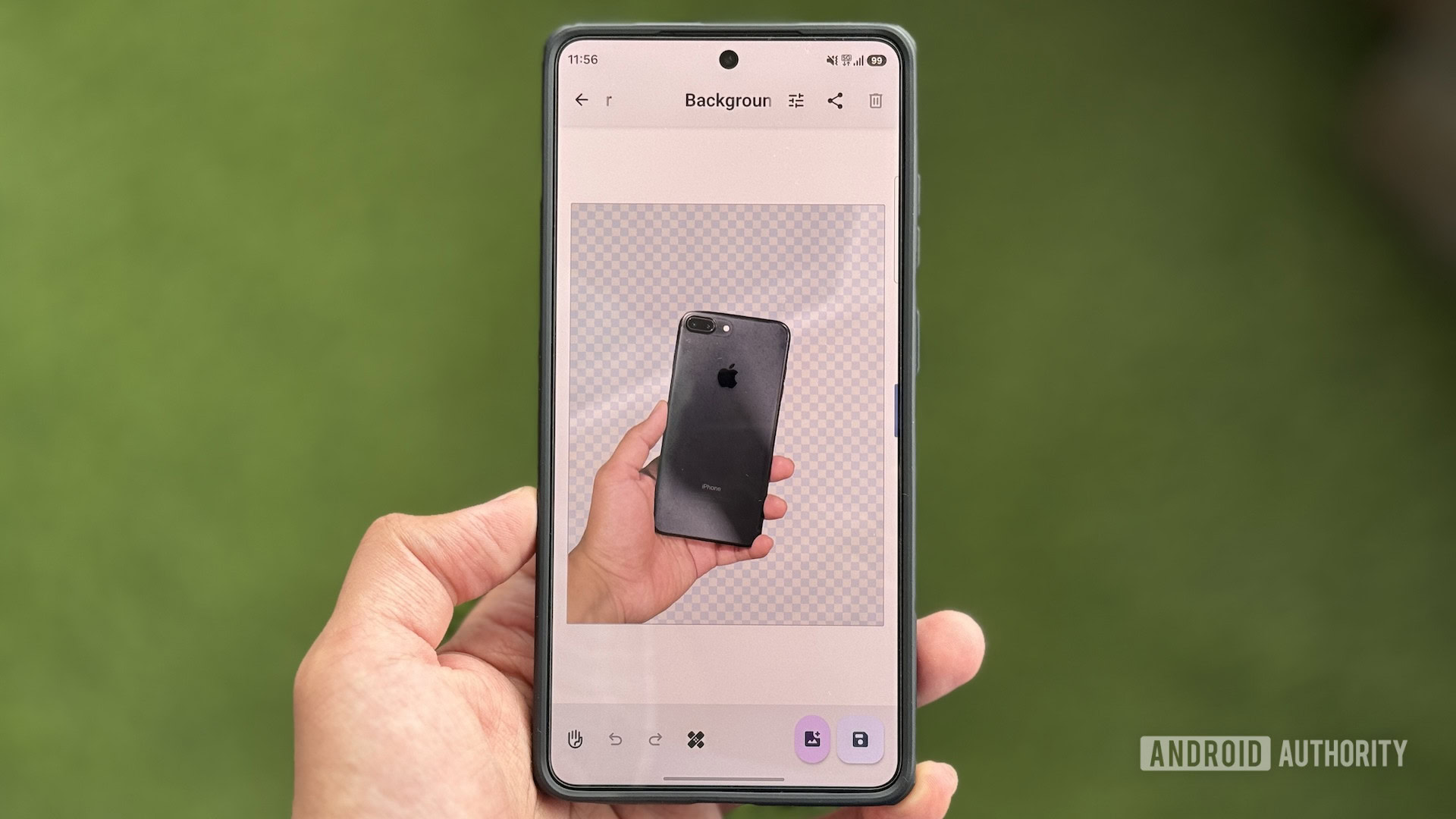
Background Removal: Often requiring specialized software, background removal is a highly sought-after feature. Image Toolbox integrates a capable "Background Remover" tool, offering both automatic and manual modes. The app leverages advanced models such as RMBG, InSPyReNet, and BiRefNet for intelligent automatic object selection, delivering impressive results for quick edits. For more intricate images or situations where automatic detection falls short, the manual mode provides granular control, enhanced by a helper guide for precise manipulation. This feature alone can negate the need for dedicated photo editing apps focused solely on background removal.
-
Comprehensive PDF Editing: PDF files are ubiquitous in professional and academic settings. Image Toolbox’s "PDF Tools" is a powerful module that addresses a wide spectrum of PDF-related tasks. Users can effortlessly create PDFs from collections of images, merge multiple PDF documents, remove unwanted pages, or rearrange existing pages. Beyond structural modifications, the tool offers robust security features like password protection and unlocking, alongside a compression function to reduce file sizes for easier sharing or storage. This integrated PDF solution significantly reduces reliance on third-party PDF editors, which are often subscription-based or feature-limited.
-
Advanced Image Stitching: For creating panoramic views, combining multiple screenshots, or presenting sequential images, an image stitcher is indispensable. The "Image Stitching" tool simplifies this process, allowing users to combine images horizontally or vertically. Users can easily reorder images, adjust spacing between them, and select the desired output format and compression type. This feature is particularly valuable for content creators, journalists, or anyone needing to present visual information coherently from multiple sources.
-
GIF Creation and Manipulation: Animated GIFs are a popular medium for communication and demonstration. Image Toolbox’s "GIF Tools" suite provides functionalities like "Images to GIF," enabling users to convert a series of static images into a dynamic GIF. This is highly beneficial for illustrating processes, creating short animations, or adding engaging content to digital communications.
-
QR Code and Barcode Generation: QR codes have become an integral part of modern interactions, from sharing Wi-Fi credentials to directing users to websites. The "QR & Barcode" tool offers instant generation of QR codes with various templates, including Wi-Fi network details, email addresses, and phone numbers. It also supports simple text-based QR code creation and extensive customization options for aesthetic personalization, making it a versatile tool for both personal and business use.
-
Collage Creation: The "Collage Maker" tool empowers users to combine multiple images into a single, aesthetically pleasing layout. It intelligently suggests appropriate templates, which can then be refined through drag-and-drop image arrangement. Users have control over grid layouts, aspect ratios, background colors, spacing, and corner styles, offering creative freedom without the complexity of professional design software.
Beyond these primary functions, Image Toolbox includes other valuable utilities such as "WEBP Tools" for converting WebP files, "Watermarking" for protecting intellectual property, "Edit EXIF" for correcting metadata, and a "Gradient Maker" for generating custom wallpapers or design elements. This extensive array underscores the app’s commitment to providing a holistic media management solution.
Customization: Tailoring the Toolbox to Individual Needs
A hallmark of a truly powerful utility application is its adaptability to diverse user preferences. Image Toolbox excels in this regard, offering extensive customization options accessible via the Settings tab. Users can personalize various aspects, from the visual theme and tool layout to default save locations and file naming conventions.
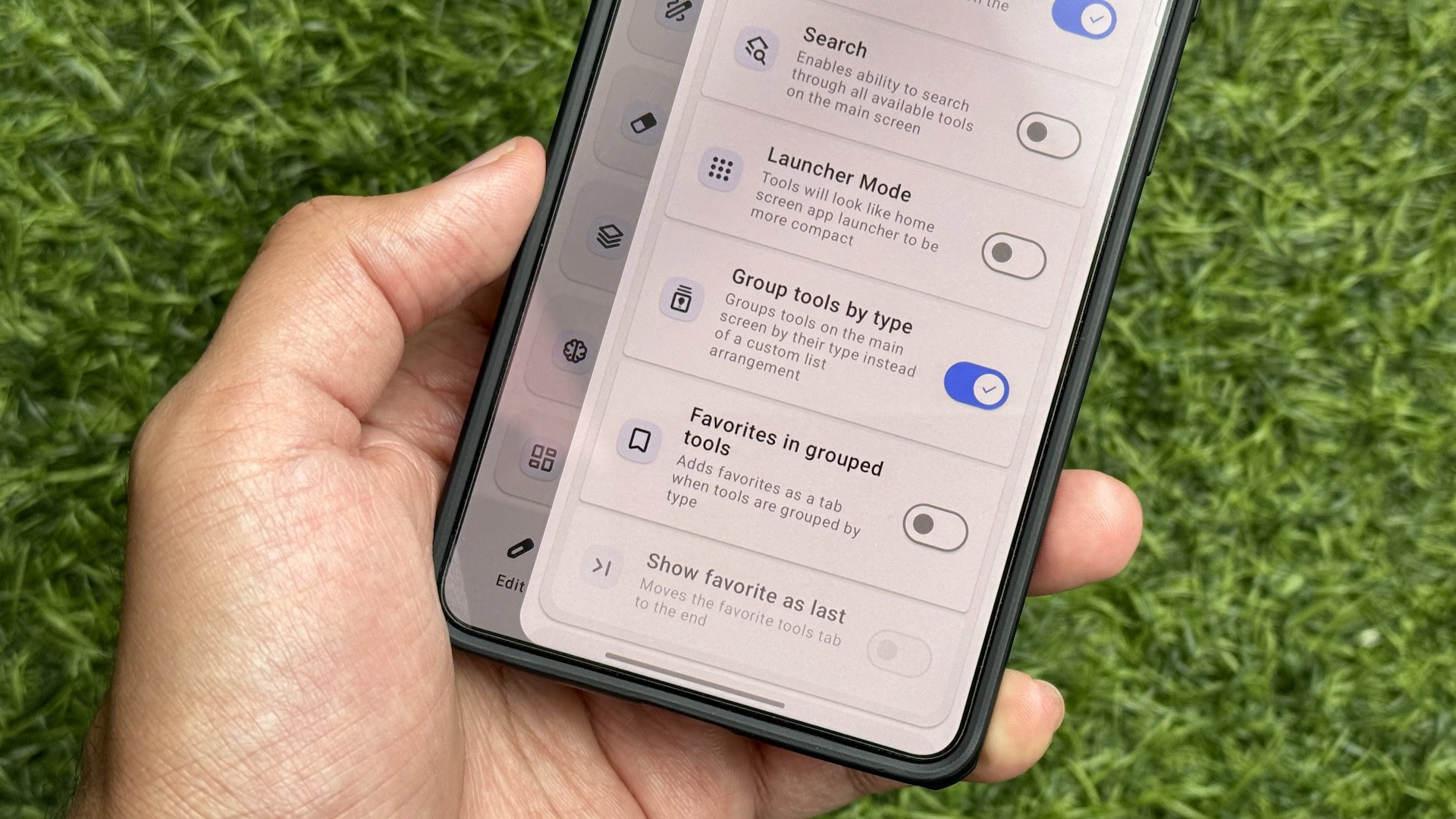
One particularly useful customization is the "Launcher Mode" option under "Tools Arrangement." Enabling this mode transforms the display of tools, making them appear as distinct home screen-like app launchers across all tabs. While this removes tool descriptions, it significantly enhances visual clarity and reduces the need for extensive scrolling through lists, especially for users who frequently use specific tools. Complementing this, the "Search" option adds a floating search button, providing rapid access to any tool within the application, a crucial feature for an app with such a vast feature set.
Output behavior is another area of significant customization. By default, edited files are saved to a generic "Documents/ImageToolbox" folder. However, users can opt for "Save to Original Folder," which stores modified files alongside their source images, simplifying organization. Furthermore, the app allows for granular control over filename settings. Users can enable "Add original filename" and customize prefixes and suffixes. For example, removing the default prefix and adding "image-toolbox" as a suffix makes it immediately clear which files have been processed by the application, a small but significant detail for efficient file management. Exploring the "Settings" tab is highly recommended for all users, as it unlocks the full potential of the app’s adaptable nature.
Broader Implications: The Rise of Super Apps and the Ecosystem
The emergence and increasing popularity of applications like Image Toolbox signal a significant shift in user preferences and market dynamics within the app ecosystem.
-
For Users: The primary beneficiaries are users who gain enhanced efficiency, reduced device storage consumption, and a simplified app management experience. The consistent user interface across all tools reduces cognitive load, allowing users to master a single app rather than learning multiple disparate ones. Furthermore, the ad-free and free nature provides a superior user experience, free from distractions and recurring costs, aligning with a growing demand for privacy-respecting software.
-
For Developers: Image Toolbox, as an open-source project, highlights the power of community-driven development. It presents a challenge to single-purpose app developers, particularly those who rely on monetization through ads or subscriptions for basic utility functions. The success of integrated solutions suggests that the market may be moving towards comprehensive tools, forcing specialized apps to innovate or risk becoming obsolete. However, it also presents an opportunity for developers to contribute to robust open-source projects, gaining visibility and collaborating on widely used software.
-
Market Trends: This trend aligns with the broader concept of "super apps" seen in other regions, where a single application serves a multitude of functions (e.g., messaging, payments, social media). While Image Toolbox is specifically focused on media utilities, its success underscores a global appetite for consolidated digital experiences. Data from app stores increasingly shows that users prioritize apps that offer high utility, efficiency, and a clean user experience, often favoring integrated solutions over a fragmented collection of niche tools. The success of such comprehensive, free, and open-source platforms could also influence how commercial software is developed and priced in the future, pushing for more value-driven offerings.
In conclusion, Image Toolbox stands as a compelling example of how intelligent design, comprehensive functionality, and a commitment to user experience can redefine mobile utility. By effectively replacing a multitude of single-purpose applications, it not only optimizes device performance and storage but also offers a streamlined, ad-free, and highly customizable environment for managing diverse media tasks on Android. Its continued adoption signals a clear preference among users for integrated solutions, positioning Image Toolbox as a robust and indispensable tool in the modern digital toolkit.