ReMarkable Unveils Major Software Update Featuring Advanced Capture Tool and Workflow Enhancements

Oslo, Norway – reMarkable, the Norwegian technology company renowned for its paper-like E-Ink tablets, has rolled out a significant software update designed to augment user productivity and streamline digital note-taking and document interaction. The latest firmware release, version 3.28, introduces a sophisticated capture tool, among other improvements, marking an important step in the evolution of specialized E-Ink devices. This update is poised to significantly enhance the utility of reMarkable tablets for professionals, students, and creative individuals seeking a focused, distraction-free digital environment.
The New Capture Tool: A Paradigm Shift for E-Ink Interaction
Central to the 3.28 update is the introduction of an innovative capture tool, which enables users to select and extract specific content from their screen with unprecedented flexibility. Unlike conventional screenshot functions, reMarkable’s implementation allows for freeform selection, letting users delineate any shape around text, images, or diagrams displayed on their device. This selected content is then immediately copied as an image, ready to be pasted into notes, sketches, or other documents within the reMarkable ecosystem.
The functionality of this tool draws a conceptual parallel to Google’s "Circle to Search" feature in its intuitive, gesture-based activation. However, reMarkable’s application is distinctly tailored for its E-Ink platform, focusing on content manipulation within the device rather than external web searches. Users can activate the capture tool directly from the Selection Tool foldout within the toolbar, then simply draw a circle or any other shape around the desired content using the reMarkable Marker. The captured image can then be effortlessly resized, repositioned, and transferred between different notebooks, providing a seamless workflow for compiling information, annotating documents, or creating visual summaries.
For instance, a student reviewing a PDF textbook can quickly capture a complex diagram or a key paragraph, then paste it directly into their lecture notes for immediate contextual reference. Similarly, a professional analyzing a report can extract crucial data visualizations or architectural blueprints and integrate them into their project outlines without leaving the reMarkable interface. This feature significantly reduces the friction typically associated with integrating visual information into handwritten notes on digital devices, bridging the gap between static documents and dynamic creative work. The ability to manipulate these captured images—moving them freely, resizing them to fit specific layouts—adds a layer of versatility that enhances the device’s utility as a digital workspace.
Enhancing Digital Workflow and Productivity
The introduction of the capture tool addresses a long-standing desire among many reMarkable users for more robust content manipulation capabilities. Prior to this update, transferring visual elements between documents or isolating specific sections of a PDF for note-taking often involved more cumbersome workarounds, such as taking full-page screenshots and then manually cropping them on an external device or through less intuitive in-device tools. The new capture tool streamlines this process, making the reMarkable tablet an even more powerful instrument for focused work.
This feature is particularly impactful for workflows that involve extensive research, document review, and content synthesis. Researchers can effortlessly pull snippets from articles, designers can collect visual inspirations, and project managers can extract key figures from reports, all within the integrated environment of their reMarkable device. The tactile, pen-on-paper feel of the reMarkable, combined with this enhanced digital functionality, aims to offer the best of both worlds: the cognitive benefits of traditional handwriting and the organizational advantages of digital platforms. The ability to directly incorporate external visual data into one’s own handwritten thoughts without distraction reinforces reMarkable’s core philosophy of providing a highly focused, distraction-free creative and productive space.
reMarkable’s Commitment to Iterative Improvement
The release of software version 3.28 underscores reMarkable’s ongoing commitment to refining its user experience through iterative software development. Since its inception, reMarkable has positioned itself as a niche player in the tablet market, eschewing the multi-functional complexity of mainstream tablets in favor of a minimalist, purpose-built approach. Its focus on reading, writing, and sketching on a glare-free E-Ink display has resonated with a growing segment of users seeking to minimize digital distractions and replicate the cognitive benefits of paper.
This update follows a consistent pattern of feature enhancements that have progressively expanded the device’s capabilities while staying true to its core philosophy. Previous updates have introduced features like improved PDF annotation, cloud integration, handwriting conversion, and enhanced organizational tools, all aimed at optimizing the "paper tablet" experience. The company’s support portal details these continuous advancements, providing a transparent chronology of its development roadmap. Each update, including 3.28, is typically rolled out to users automatically or upon manual initiation from the device settings, ensuring widespread access to the latest improvements.
The E-Ink Advantage: Contextualizing reMarkable’s Niche
reMarkable operates within the specialized E-Ink tablet market, a segment distinct from the broader tablet industry dominated by LCD and OLED devices. E-Ink technology, characterized by its electrophoretic display, offers a unique set of advantages: exceptional readability in direct sunlight, minimal eye strain due to the absence of backlighting, and extraordinarily long battery life, often lasting weeks on a single charge. These characteristics make E-Ink devices ideal for extended reading, writing, and annotation sessions, closely mimicking the experience of interacting with physical paper.
However, E-Ink also presents certain limitations, primarily slower refresh rates and the current lack of full-color displays in most mainstream devices, which can impact media consumption or graphically intensive applications. reMarkable has strategically leaned into the strengths of E-Ink, designing a device that excels precisely where E-Ink technology shines: focused reading, writing, and sketching. Its proprietary CANVAS display technology, with its textured surface, provides tactile feedback that enhances the sense of writing on paper, a critical differentiator for many users. The company has successfully cultivated a loyal user base that values this specialized approach over the versatility of general-purpose tablets.
Navigating the Competitive Landscape of Digital Note-Taking
The digital note-taking market is increasingly competitive, encompassing a wide array of devices from general-purpose tablets like Apple’s iPad and Samsung’s Galaxy Tab series to other dedicated E-Ink devices. Competitors in the E-Ink space include products like the Kobo Elipsa, Onyx Boox series, and Amazon’s Kindle Scribe. While these devices also offer E-Ink displays and note-taking functionalities, reMarkable has carved out a distinct identity through its minimalist design, emphasis on a distraction-free experience, and a software ecosystem meticulously crafted around its paper-like interface.
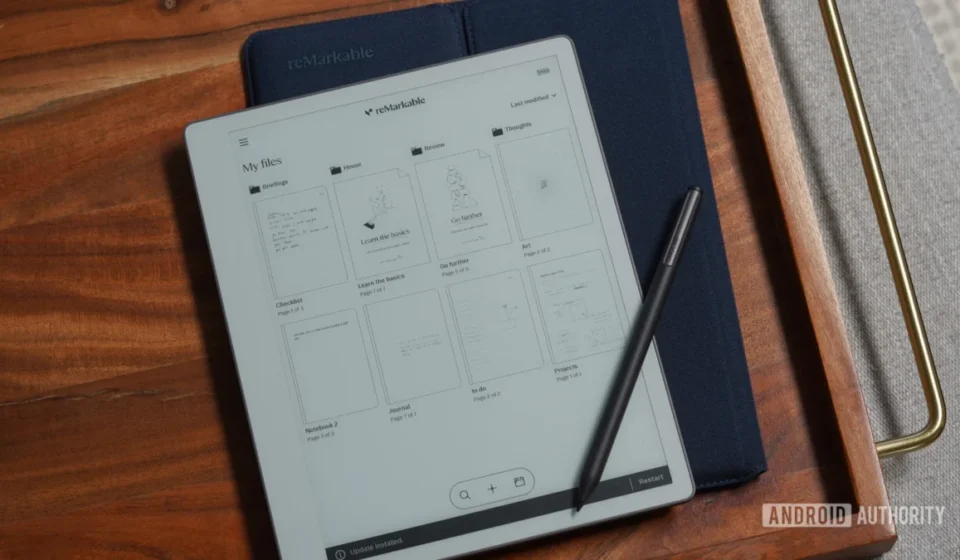
The reMarkable 2, the company’s flagship device, has garnered significant attention for its sleek design, thin profile, and premium build quality. Its software updates, such as 3.28, are crucial for maintaining its competitive edge by continuously enhancing its core functionalities. The introduction of the capture tool directly competes with the robust clipping and annotation features found on more versatile tablets, demonstrating reMarkable’s intent to offer comparable, if not superior, productivity tools within its specialized E-Ink environment. This strategic enhancement helps to justify its premium pricing and reinforces its value proposition as a dedicated tool for deep work, rather than a general media consumption device.
Broader Implications for Productivity and Creativity
The reMarkable 3.28 update, particularly the advanced capture tool, carries significant implications for how users interact with digital content and organize their thoughts. By simplifying the process of extracting and integrating visual information, reMarkable is further empowering its users to create more comprehensive and visually rich notes and documents. This capability is vital in an increasingly information-dense world, where effective synthesis and organization of data are paramount to productivity and learning.
For the creative professional, the ability to seamlessly pull images and diagrams into sketchbooks or brainstorming documents could accelerate idea generation and refinement. For the academic, it transforms the research process, making it easier to compile evidence and construct arguments. For the business user, it streamlines report generation and presentation preparation. The update aligns with a growing trend towards specialized tools that cater to specific user needs, moving beyond the "one-size-fits-all" approach of general computing devices. It reinforces the idea that dedicated hardware and software, optimized for particular tasks, can offer a superior user experience and foster deeper engagement with work.
While the release notes for version 3.28 also detail other general improvements, the capture tool stands out as a flagship enhancement. These additional improvements typically encompass performance optimizations, bug fixes, and minor user interface refinements that collectively contribute to a more stable and responsive user experience. Such incremental enhancements are vital for the long-term satisfaction of a user base that relies on the device for daily tasks.
The Future of Digital Paper
The continuous evolution of reMarkable’s software, exemplified by the 3.28 update, signals a dynamic future for digital paper technology. As E-Ink displays advance, offering faster refresh rates and potentially full-color capabilities, the functionality of devices like reMarkable will only grow. The company’s strategy of focusing on core functionalities and refining the user experience through thoughtful software updates positions it well to capitalize on these technological advancements.
Ultimately, reMarkable aims to offer a compelling alternative to traditional paper and general-purpose tablets by providing a device that minimizes distractions while maximizing creative and productive output. The new capture tool is a testament to this vision, demonstrating how specialized E-Ink tablets can integrate advanced digital capabilities without compromising the fundamental benefits of a paper-like experience. For its users, this update is not just about new features; it’s about a more efficient, integrated, and enjoyable way to engage with their work and ideas in the digital age.