Google’s Cross-Device Ambitions Expand with Discovery of "Cast Trackpad" Feature for Upcoming Googlebook Laptops

The digital frontier of seamless device interaction is poised for a significant expansion as a recent deep dive into Google’s in-development software has uncovered a "Cast trackpad" tool. This feature, found within version 1.0.1283.974003524 of Google’s Cross-Device Services system app, suggests a future where users can leverage their Android smartphones as a sophisticated remote control for other hardware, most notably the highly anticipated Googlebook laptops. This development marks a pivotal step in Google’s ongoing strategy to create a more integrated and intuitive ecosystem, directly challenging established players like Apple in the realm of cross-device functionality.
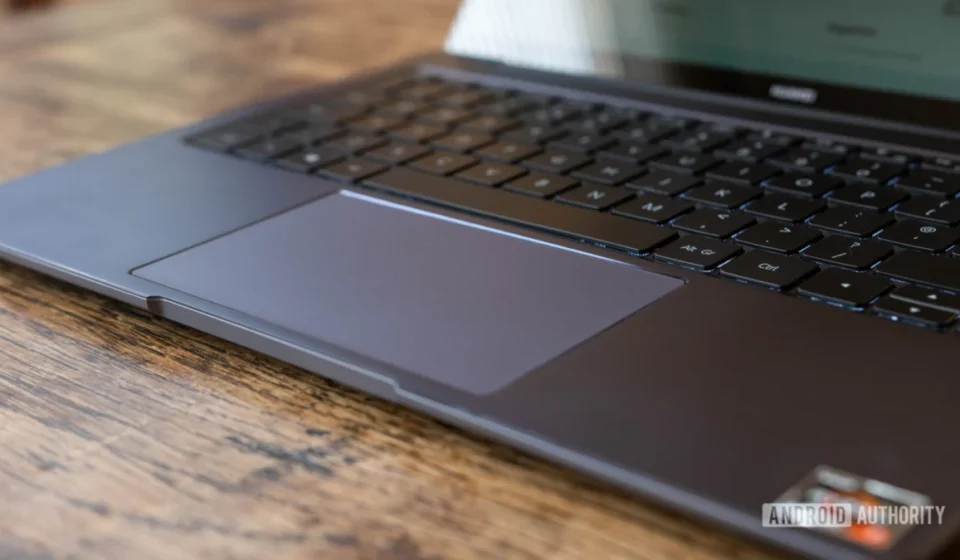
The discovery, stemming from an intricate APK teardown, reveals a tool designed to transform a phone’s touchscreen into a versatile input device for a connected host system. Beyond basic cursor control, the "Cast trackpad" is envisioned to support fundamental gesture controls, allowing users to not only point and navigate but also interact with on-screen elements with a level of precision typically associated with a physical trackpad. Accompanying these gesture capabilities are discrete virtual buttons for common functions such as "back" navigation and volume adjustment, offering a comprehensive control suite. Furthermore, the inclusion of sensitivity settings underscores a commitment to user customization, enabling individuals to fine-tune the responsiveness of the trackpad to their personal preferences, a crucial detail for optimal user experience.
The Strategic Imperative of Googlebooks and Cross-Device Integration
This "Cast trackpad" emerges against the backdrop of Google’s forthcoming Googlebook laptops, which are expected to debut later this year from various manufacturers. Unlike traditional Chromebooks, which are built upon the ChromeOS foundation, Googlebooks are rumored to run a derivative of Android, aiming to bridge the gap between the mobile and desktop computing experience more directly. This strategic pivot signals Google’s intent to offer an alternative laptop platform that leverages the vast Android application ecosystem and user familiarity.
The integration of a "Cast trackpad" perfectly complements another previously reported Googlebook feature: "Cast My Apps." This functionality is designed to allow users to seamlessly access and run applications from their Android phones directly on their Googlebook laptops. When viewed together, "Cast My Apps" and the "Cast trackpad" represent two sides of the same coin, creating a bidirectional flow of control and content between smartphone and laptop. While "Cast My Apps" brings the phone’s software to the laptop, the "Cast trackpad" extends the phone’s hardware capabilities (its touchscreen) to control the laptop. This holistic approach is crucial for establishing a truly unified and fluid user experience across Google’s device spectrum.
The practical applications for such a feature are manifold and immediately evident. Imagine a professional delivering a presentation on a Googlebook connected to a projector. With the "Cast trackpad," they could effortlessly advance slides, navigate through a document, or even switch to a different application, all while moving freely across the room, untethered from the laptop itself. Similarly, for users engaging with media, the phone could become a convenient remote for controlling playback, adjusting volume, or browsing content from a comfortable distance. This enhancement in remote control capabilities elevates the utility of Googlebook devices in both professional and personal settings.
A Broader Timeline of Google’s Cross-Device Endeavors
Google’s pursuit of seamless cross-device experiences is not new but has evolved significantly over the years. Early attempts included features like Android Beam, which allowed for quick data transfer between NFC-enabled devices. This progressed to more robust solutions such as Google Cast, enabling content streaming from mobile devices to larger screens like smart TVs and speakers. More recently, Nearby Share has provided a versatile and reliable method for sharing files between Android, ChromeOS, and Windows devices.
The introduction of Phone Hub on Chromebooks was another significant milestone, offering users a centralized dashboard on their laptops to manage their Android phone’s notifications, check battery life, and even access recent photos without picking up the phone. These incremental advancements demonstrate a clear, long-term vision within Google to break down the barriers between different device types, fostering an environment where devices work in concert rather than in isolation. The "Cast trackpad" represents the next logical step in this continuum, pushing the boundaries of interactive control.
The Competitive Landscape: Apple’s Continuity and Microsoft’s Phone Link
Google’s intensified focus on cross-device integration comes as the industry leader, Apple, has long established a benchmark with its comprehensive "Continuity" features. Apple’s ecosystem, often lauded for its cohesion, offers a suite of functionalities that allow its iPhones, iPads, and Macs to work together seamlessly. Features like Handoff enable users to start an activity on one Apple device and pick it up instantly on another. Universal Clipboard allows copying content on an iPhone and pasting it on a Mac. Sidecar transforms an iPad into a second display for a Mac, while Universal Control enables a single mouse and keyboard to control multiple Apple devices simultaneously, simply by moving the cursor to the edge of the screen.
These offerings have provided Apple with a significant competitive advantage, fostering a strong sense of ecosystem lock-in among its users. The "Cast trackpad" and "Cast My Apps" can be seen as Google’s direct response, an effort to create a comparable, if not superior, level of synergy within its own Android and Googlebook ecosystem. The challenge for Google lies not just in matching functionality but in delivering a consistently smooth and reliable experience across a more diverse range of hardware manufacturers.
Microsoft has also made strides in this area with its "Phone Link" application (formerly "Your Phone"), which facilitates connections between Android smartphones and Windows PCs. This tool allows Windows users to access messages, notifications, photos, and even run Android apps (on select Samsung and Surface Duo devices) directly from their desktop. While primarily focused on bridging Android with Windows, it underscores the industry-wide recognition of the demand for tighter integration between mobile and desktop platforms. Google’s approach with Googlebooks, however, aims for an even deeper native integration, with Android forming the very foundation of the laptop OS.
Technical Nuances and the Nature of APK Teardowns
It is important to contextualize this discovery within the framework of an APK teardown. An APK (Android Package Kit) is the package file format used by the Android operating system for distribution and installation of mobile apps. By deconstructing and analyzing the code within these files, researchers can uncover features that are currently under development, hidden from public view, or not yet officially announced.
The finding within Google’s Cross-Device Services system app, specifically version 1.0.1283.974003524, indicates that this feature is an active work-in-progress. While APK teardowns are highly effective at predicting future functionalities, they come with the inherent caveat that not all discovered features ultimately make it to a public release. Development plans can change, features might be refined, or they could be shelved entirely. However, the level of detail seen in the "Cast trackpad" – including gesture support, dedicated buttons, and sensitivity settings – suggests a mature stage of development, increasing the likelihood of its eventual rollout.
The Cross-Device Services system app itself is a critical component of Google’s strategy. It serves as the backbone for various inter-device communication and functionality, enabling features like Fast Pair, which simplifies Bluetooth pairing, and the aforementioned Nearby Share. Embedding the "Cast trackpad" within this system app highlights its foundational role in Google’s overarching vision for a connected ecosystem, ensuring deep integration at the operating system level rather than as a standalone application.
Implications for User Experience, Ecosystem, and Market Position
Should the "Cast trackpad" feature be fully realized and integrated into Googlebooks, the implications could be far-reaching.
From a user experience perspective, it promises unparalleled convenience and flexibility. The ability to control a laptop from a distance, without needing a separate mouse or trackpad, would be a boon for productivity, presentations, and casual media consumption. It could also enhance accessibility for users who might find traditional input methods challenging, offering an alternative control scheme via their familiar smartphone interface.
For Google’s ecosystem, this development is strategically vital. By fostering seamless interactions between Android phones and Googlebooks, Google can strengthen the appeal of both device categories. It creates a compelling argument for users to remain within the Google ecosystem, much like Apple has achieved with its Continuity features. This "sticky" effect can drive sales of both smartphones and the new Googlebook laptops, solidifying Google’s position in the competitive hardware market.
Furthermore, the introduction of Android-based laptops with such advanced cross-device capabilities could significantly impact the broader computing landscape. It presents a potent alternative to traditional Windows laptops and even Google’s own ChromeOS devices, particularly for users deeply embedded in the Android mobile ecosystem. The vast library of Android applications, combined with a highly integrated control scheme, could attract a new demographic of laptop users looking for a more mobile-centric computing experience. It also opens up new avenues for developers to consider how their Android apps might be controlled or interacted with in a multi-device context.
Anticipated Launch and Future Outlook
With Googlebooks from multiple manufacturers anticipated to launch this fall, the arrival of features like the "Cast trackpad" will be closely watched. Industry analysts and consumers alike will be keen to assess the real-world performance, reliability, and ease of use of these cross-device functionalities. The success of Google’s endeavor will hinge on delivering a smooth, low-latency experience that genuinely enhances productivity and convenience, rather than adding complexity.
Looking ahead, this development also raises questions about Google’s broader ambitions for its Cross-Device Services. Could similar control mechanisms be extended to other Google-powered devices, such as smart displays, smart home hubs, or even future AR/VR platforms? The foundational technology being developed for Googlebooks could serve as a blueprint for a truly ubiquitous control layer across an ever-expanding array of connected devices. The ongoing evolution of Google Assistant and its integration into various devices also suggests a future where voice commands could seamlessly intertwine with touch-based remote control, creating an even more intuitive interaction paradigm.
In conclusion, the discovery of the "Cast trackpad" within Google’s Cross-Device Services system app is more than just a minor technical leak; it represents a significant piece of Google’s puzzle for building a cohesive, multi-device ecosystem. As the launch of Googlebook laptops approaches, this feature underscores Google’s commitment to delivering a seamlessly integrated experience that leverages the ubiquity of the smartphone to enhance the utility and accessibility of its new computing platform, setting the stage for a compelling new chapter in personal computing.