The Dawn of a New Era: iOS 27 Unleashes a Wave of Intelligent Features and Refinements

Apple officially launched iOS 27 this week, marking a significant evolution in the iPhone operating system. While the company emphasized a commitment to stability and bug eradication for this cycle, iOS 27 introduces a plethora of new functionalities, spearheaded by the transformative context-aware Siri, now deeply integrated with generative AI. This update, available as a free download for supported iPhone models, promises to redefine user interaction and enhance daily productivity through a blend of intelligent automation and user-centric design.
The release of iOS 27 follows a period of intense development and testing, with beta versions providing early glimpses into Apple’s strategic direction. This year’s update is not solely focused on artificial intelligence; a broad spectrum of enhancements across core applications and system-level features demonstrates a holistic approach to improving the user experience. The update can be accessed by navigating to Settings > General > Software Update.
Revolutionizing Siri and AI Integration
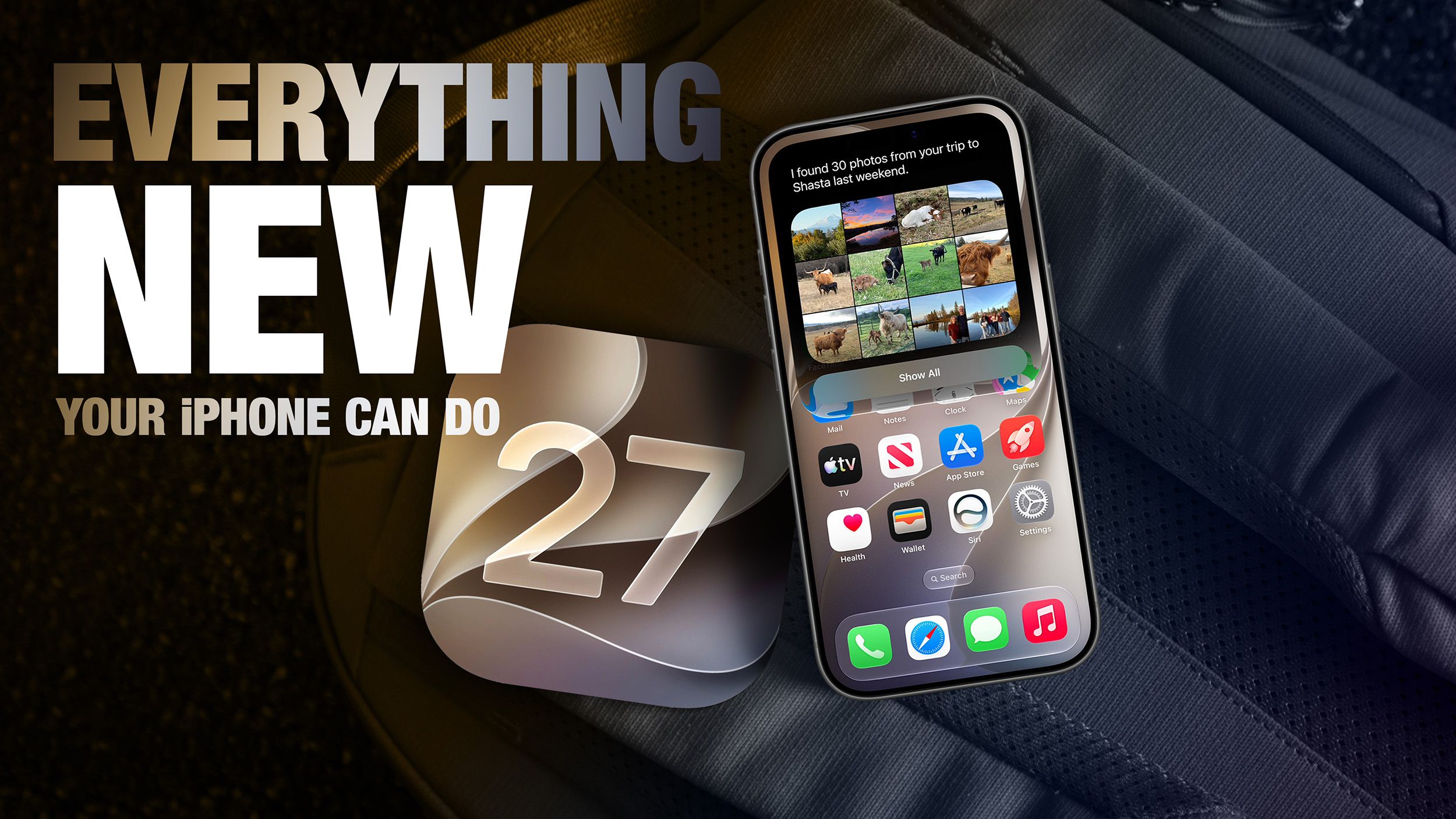
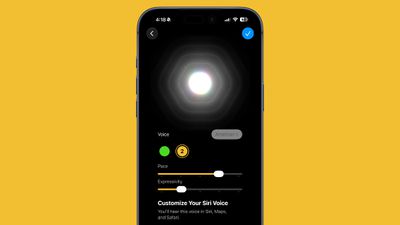
At the forefront of iOS 27’s innovation is the re-imagined Siri. Moving beyond its previous limitations, the new Siri leverages generative AI to offer unprecedented context awareness. This means Siri can now understand and respond to queries with a far deeper comprehension of the user’s current situation, ongoing tasks, and previous interactions. This is made possible by advancements in on-device processing, ensuring privacy while delivering powerful AI capabilities. The integration of Private Cloud Compute further bolsters this, allowing for complex AI tasks to be performed securely and efficiently.
Enhancing Visuals and Personalization
Extend Your Photos and Lock Screen Wallpaper
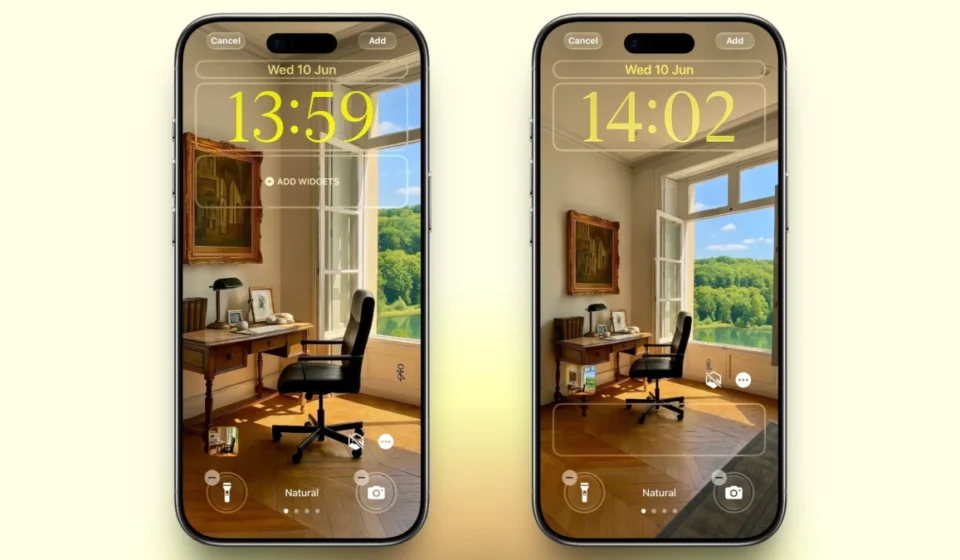
iOS 27 introduces an innovative "Extend" feature for Lock Screen wallpapers and photos within the Photos app. Utilizing Apple Intelligence, this tool intelligently expands an image beyond its original boundaries to seamlessly fill the entire Lock Screen. This addresses common issues where photos are cropped too tightly or don’t match the iPhone’s aspect ratio, generating contextually relevant background details that blend flawlessly with the original image. This eliminates the need for aggressive cropping and ensures a more natural and aesthetically pleasing display.

Make Your Lock Screen Clock More Compact
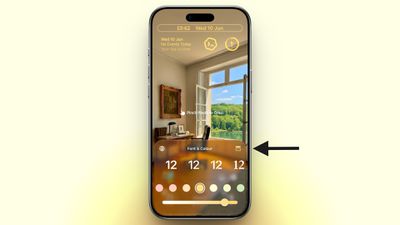
In a move catering to user preference for cleaner interfaces, iOS 27 offers a new compact clock mode for the Lock Screen. Located in the Font & Color panel, this option shifts the time from its traditional prominent position to a smaller format at the top of the screen, alongside the date and widgets. This provides a minimalist aesthetic, allowing wallpapers to take center stage, offering a complete contrast to the expanded clock display introduced in iOS 26.
Generate Photo-realistic Images with Image Playground
The Image Playground app receives a significant overhaul in iOS 27. Previously limited to more stylized outputs, it now boasts a new generative model capable of producing high-quality, photo-realistic images. This advancement is powered by on-device processing and Private Cloud Compute, ensuring user privacy. All generated images are automatically watermarked with SynthID to clearly identify them as AI-created. The app also expands its functionality to include photo-based editing in addition to creation.
Streamlining Productivity and Organization
Organize Your Safari Tabs with Apple Intelligence
Safari on iOS 27 now features intelligent tab organization powered by Apple Intelligence. The browser automatically groups open tabs into thematic collections, simplifying browsing and management. For instance, tabs related to shopping for a new appliance and planning a vacation would be automatically categorized, allowing users to quickly navigate between distinct activities. This feature can be activated by opening Tab View, tapping the three-line icon, and enabling "Automatically Create Topics."
Use Natural Language for Reminder and Calendar Entries
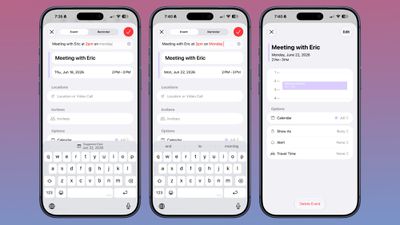
The Reminders and Calendar apps are significantly enhanced by natural language processing in iOS 27. Users can now create entries using conversational language, with Apple Intelligence automatically extracting details such as dates, times, and locations. For example, typing "Pick up Dad at 6 p.m. tonight" will prompt the app to set the reminder accordingly. The Calendar app also benefits from this, intelligently identifying people, dates, and locations as you type, allowing for quick event creation with a tap.
Describe Your Next Shortcut with AI
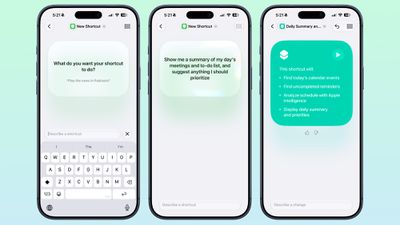
Creating shortcuts has become more intuitive with iOS 27’s natural language interface. Users can now simply describe their desired action or automation, and Apple Intelligence will assemble the necessary steps. This feature simplifies complex tasks, allowing for the creation of personalized automations that can be triggered by various events, such as time of day, location, or system events.
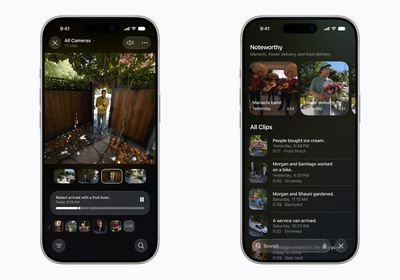
Get AI Summaries of HomeKit Camera Footage (iCloud+ Only)
For iCloud+ subscribers with at least 2TB of storage, iOS 27 introduces AI-powered summaries for HomeKit Secure Video camera footage. The Home app can now generate written summaries of motion alerts, group footage from multiple cameras for a consolidated overview, and identify noteworthy recordings. Natural language search is also supported, making it easier to find specific events.
Auto-Update Your Weak Passwords
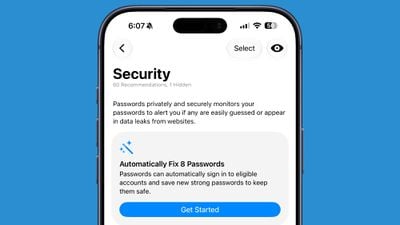
The Passwords app in iOS 27 integrates with Safari to offer an automatic password update feature. For eligible websites, the system can navigate, sign in, and update weak or compromised passwords with a single tap, leveraging Apple Intelligence for a seamless and secure process.
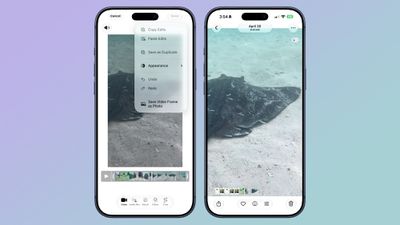
Save a Still From a Video
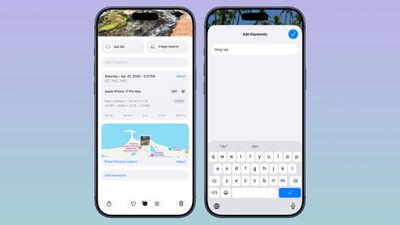
The Photos app now allows users to extract individual frames from videos and save them as standalone photos. This eliminates the need for cumbersome screenshots and cropping, providing a direct and efficient way to capture specific moments from video content.
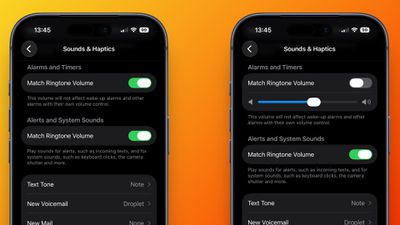
Give Your Alarms Their Own Volume
A new dedicated section for "Alarms and Timers" has been added to the Sounds & Haptics settings. This allows users to decouple alarm and timer volumes from the general ringtone volume, offering greater control over notification levels, particularly for overnight use.
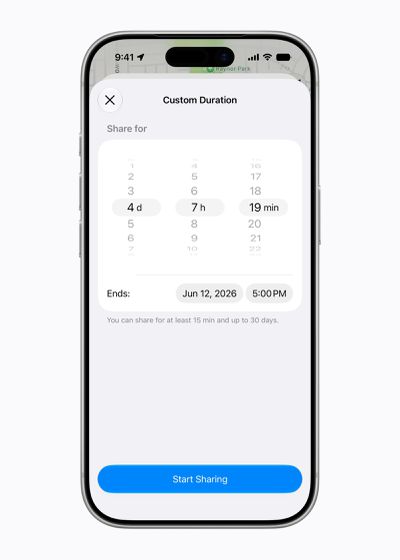
Share Your Location for as Long as You Want
The Find My app in iOS 27 introduces enhanced location sharing options. Beyond the previous presets, users can now set custom durations for location sharing, including specific dates and times for sharing to expire. Additionally, users can pause sharing with specific individuals without notification.
Show Both Camera Views on a FaceTime Call

Supported iPhone models in iOS 27 can now utilize both the front and back cameras simultaneously during FaceTime calls with the new Dual Capture feature. This allows participants to see both the caller’s face and their surroundings, offering a more immersive communication experience.
Get Notified About a Webpage Change
Safari in iOS 27 introduces a "Notify Me" feature that allows users to track specific webpages for changes. This is particularly useful for monitoring product availability, news updates, or any content that users want to be alerted to when it’s modified.
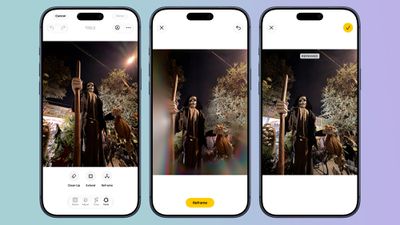
Reframe a Photo with AI
The Photos app gains a "Reframe" feature that utilizes spatial information captured by the iPhone and AI to adjust the perspective and angle of subjects within a photo. This advanced editing capability allows for post-processing adjustments to camera angles, with AI filling in any necessary pixels.
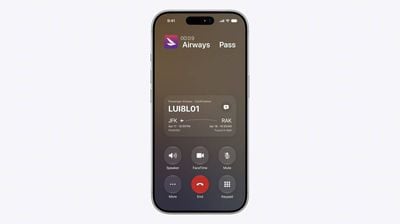
Get Context When on a Call
"Call Context" is a new proactive feature in the Phone app that surfaces relevant information during calls to businesses. For example, when calling an airline, the app can automatically display reservation details from your Mail app, enhancing efficiency and reducing the need for manual information retrieval. This feature operates entirely on-device, prioritizing user privacy.
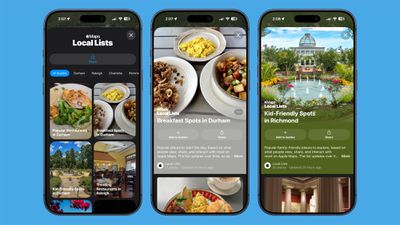
Learn What’s Trending Around You in Maps
Apple Maps introduces a "Local Lists" section in the U.S., providing personalized suggestions for popular and interesting locations based on trending insights in the user’s vicinity. This privacy-focused feature aims to enhance local discovery without compromising user data.

Write With Siri Anywhere You Type
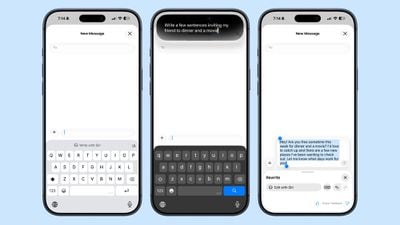
Siri’s Writing Tools have been expanded across iOS 27, enabling users to draft, shorten, rephrase, or change the tone of text in various applications. In Mail and Messages, Siri can even mimic a user’s writing style for more personalized communication, complemented by automatic proofreading.
Enhancements to Communication and Messaging
Inline Reply to Messages From Android Users
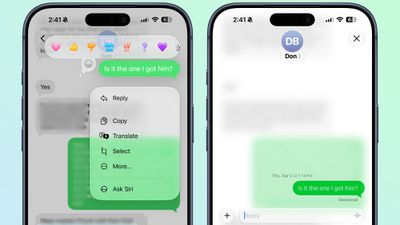
The Messages app in iOS 27 now supports inline replies to messages from Android users (green chat bubbles), a feature previously exclusive to iMessage. This improves the continuity of conversations across different platforms.
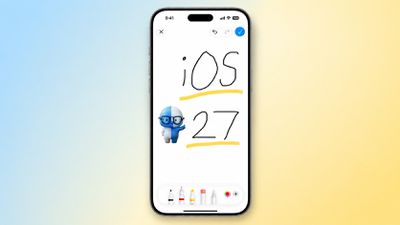
Draw in Messages
Users can now create and send sketches directly within the Messages app using a familiar drawing interface similar to the Markup tool. This adds a fun and expressive layer to digital communication.
Let Failed Messages Resend Themselves
Messages that fail to send in iOS 27 will now automatically retry without user intervention. Each attachment also receives its own progress bar, preventing a single failed item from disrupting the entire conversation.
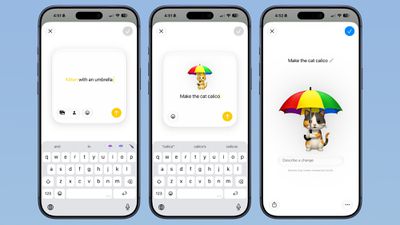
Redo a Genmoji Without Starting Over
The Genmoji creation process has been refined in iOS 27, allowing users to modify existing Genmoji elements rather than regenerating them from scratch. This iterative approach streamlines the creation of personalized emoji.
System-Level Improvements and Utilities
Upgrade Your Wallet Passes
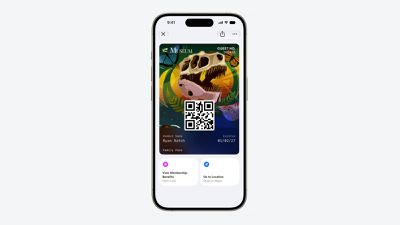
The Wallet app now supports a redesigned pass experience for membership, gift, loyalty, and rewards cards. These passes can feature background images, logos, customizable fields, and quick actions, enhancing their functionality and visual appeal.
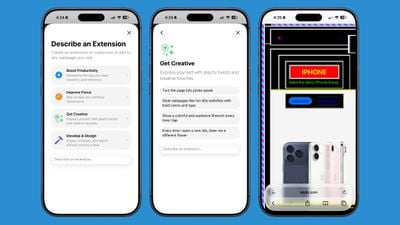
Build a Browser Extension With a Prompt
Safari introduces an AI-powered extension creation feature. Users can describe their desired extension in plain language, and Apple will generate it. Suggested ideas are also provided to inspire users.
Pair Your iPhone With a Treadmill
GymKit support has finally arrived on the iPhone in iOS 27. This allows compatible gym equipment to directly pair with the iPhone for two-way data syncing, a feature previously exclusive to the Apple Watch.
Track Perimenopause in the Health App
The Health app’s Cycle Tracking capabilities have been expanded to include perimenopause and menopause tracking. The app will now notify users when logged cycle patterns suggest perimenopause, and Fitness+ offers matching workouts.
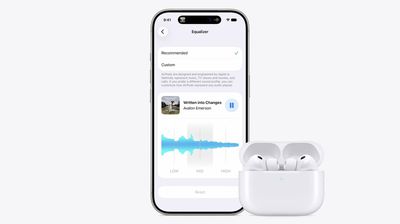
See Rain and Wind Hour by Hour
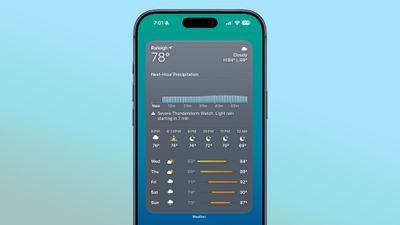
The Weather app in iOS 27 features an updated interface with a new "Highlights" section and toggled views for temperature, precipitation, and wind. This provides at-a-glance hourly forecasts for key weather metrics.
Watch Video in CarPlay While You’re Parked
CarPlay now supports video browsing and playback, but strictly while the vehicle is stationary. If driving begins mid-playback, the content automatically switches to audio-only, prioritizing safety.
Approve Every Website Your Child Visits
Parental Controls in iOS 27 have been significantly enhanced. "Ask to Browse" now requires explicit approval for each new website a child attempts to visit, in addition to existing controls for app downloads and contact additions.
Notice Your Old iPhone Getting Faster
Apple has made significant performance optimizations in iOS 27, benefiting even older devices. Apps launch up to 30% faster, AirDrop transfers are up to 80% quicker, and photo captures appear in libraries significantly faster. The CPU scheduler has also been reworked, and the emoji keyboard is more responsive.
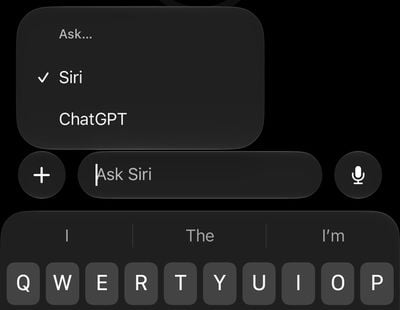
Easily Switch Between Siri and ChatGPT
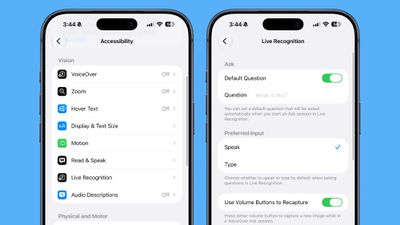
The new Siri app in iOS 27 offers the option to switch between the native Siri AI and ChatGPT. This provides users with flexibility in their AI interactions, though conversation context does not transfer between providers.
Turn a Paper Ticket Into a Wallet Pass
Wallet now features a "Create a Pass" option, allowing users to digitize physical tickets, membership cards, and coupons. This can be done via camera scan or manual input, with customizable templates and designs.
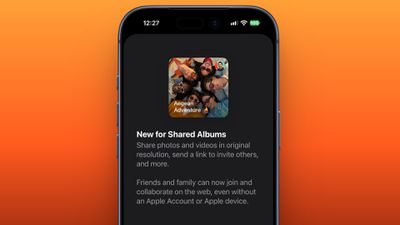
Let Android Friends Into Your Shared Albums
iCloud Shared Albums now support contributions from Android and Windows users via a web browser. Photos and videos can be uploaded at full resolution, with options for album expiration, filtering, and reactions.
Find the Photos You Actually Took
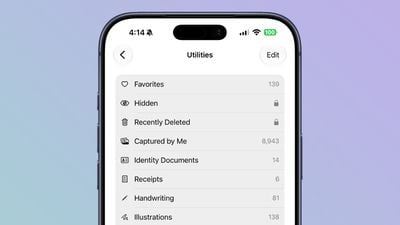
The Photos app in iOS 27 introduces "Utilities" folders: "Captured by Me" aggregates all photos taken with the iPhone camera, excluding screenshots and other imported media, while "Identity Documents" centralizes images of passports and licenses.
Erase Bigger Things From Your Photos
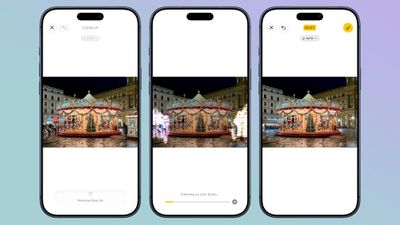
The "Clean Up" tool in the Photos app has been re-engineered to reconstruct backgrounds more effectively, allowing for the removal of larger objects and blemishes in more complex scenes.
Give One Widget a Whole Home Screen Page
iOS 27 introduces an extra-large widget size capable of filling an entire Home Screen page. This expanded format is available for system apps like Calendar, Photos, Music, and Weather, with third-party developers able to implement it as well.
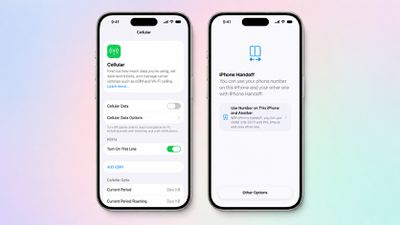
Use One Phone Number on Two iPhones
The new iPhone Handoff feature enables the use of a single phone number across two iPhones, facilitating seamless switching between devices. This feature requires eSIM and carrier support, with initial partnerships including T-Mobile in the U.S. and Deutsche Telekom in Germany.
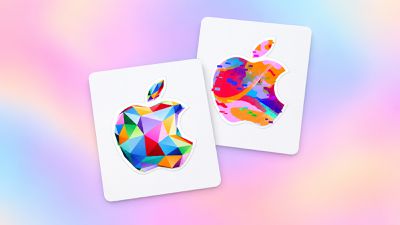
Redeem a Gift Card by Tapping It
Apple gift cards can now be redeemed by simply holding the card against the back of an iPhone, eliminating the need for manual scanning or code entry.

Find the Photos You Actually Took
The Photos app in iOS 27 now includes a "Utilities" folder that specifically gathers images captured by the device’s camera, filtering out screenshots and other non-camera-generated media. This streamlines the process of finding genuine photographs.
Erase Bigger Things From Your Photos
The "Clean Up" tool within the Photos app has been significantly enhanced. It can now reconstruct larger portions of backgrounds, making it more effective for removing unwanted objects from photos with complex backdrops.
Give One Widget a Whole Home Screen Page
iOS 27 introduces an expansive widget size that can occupy an entire Home Screen page. This feature is supported by key Apple applications and is also available to third-party developers.

Let Android Friends Into Your Shared Albums
iCloud Shared Albums now allow contributions from users on Android and Windows devices via a web browser, expanding collaboration capabilities for photo sharing.
Pair Your iPhone With a Treadmill
GymKit support is now available on the iPhone with iOS 27, enabling direct pairing with compatible gym equipment for seamless data synchronization.
Track Perimenopause in the Health App
The Health app’s Cycle Tracking functionality has been extended to include perimenopause and menopause monitoring, offering new insights and notifications.
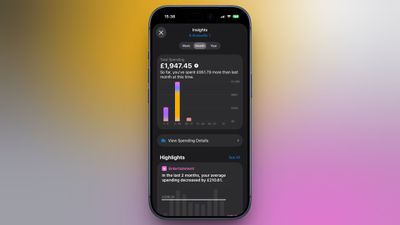
See Rain and Wind Hour by Hour
The Weather app now provides hourly breakdowns for rain and wind, offering more granular and predictive weather information.
Approve Every Website Your Child Visits
Parental Controls have been significantly strengthened, requiring explicit approval for each new website a child accesses.
Notice Your Old iPhone Getting Faster
Performance optimizations in iOS 27 have led to noticeable speed improvements across a range of tasks, even on older iPhone models.
Give Your Alarms Their Own Volume
Users now have independent control over alarm volumes, separate from ringtone settings, providing more flexibility in managing device sounds.
Get Context When on a Call
The "Call Context" feature proactively provides relevant information during phone calls to businesses, streamlining interactions.
Learn What’s Trending Around You in Maps
Apple Maps introduces "Local Lists" to highlight trending and popular locations in a user’s vicinity.
Write With Siri Anywhere You Type
Siri’s writing assistance capabilities are now integrated system-wide, offering text generation and editing across various applications.
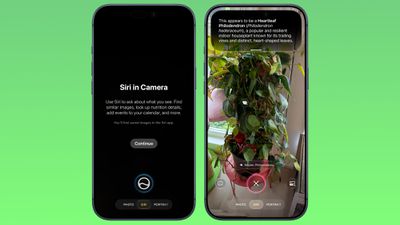
Ask Siri About Whatever’s on Your Screen
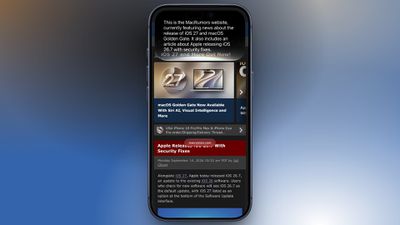
Siri’s on-screen awareness allows it to understand and respond to queries about selected text or images within any app.
Put Siri to Work in Your Inbox
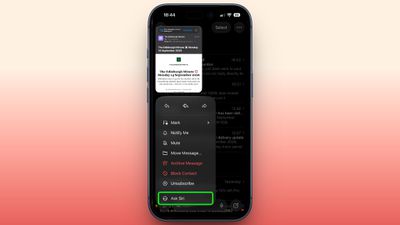
An "Ask Siri" option is now integrated into the Mail app, enabling users to request summaries, extract information, and perform actions on emails.
Swipe Down for Search or Ask
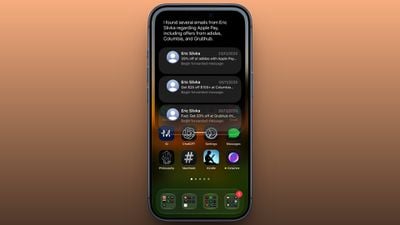
The Home Screen now features a unified "Search or Ask" interface accessible by swiping down, consolidating search functionality with Siri interaction.
Turn a Paper Ticket Into a Wallet Pass
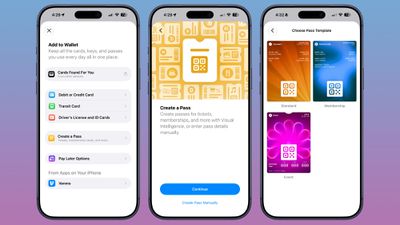
The Wallet app allows users to digitize physical tickets and passes by scanning barcodes or QR codes.
Use One Phone Number on Two iPhones
iPhone Handoff enables the use of a single phone number across two iPhones, offering a more integrated device experience.
Redeem a Gift Card by Tapping It
Apple gift cards can be redeemed simply by holding them near the iPhone, simplifying the redemption process.
Let Android Friends Into Your Shared Albums
Shared Albums now support contributions from non-Apple users via web browser, broadening collaboration.
Find the Photos You Actually Took
The Photos app has new utility folders to help users easily locate photos they’ve captured and manage identity documents.
Erase Bigger Things From Your Photos
The "Clean Up" tool in Photos is now more powerful, capable of removing larger objects and reconstructing backgrounds more effectively.
Give One Widget a Whole Home Screen Page
iOS 27 introduces an extra-large widget size that can fill an entire Home Screen page, offering more immersive widget experiences.
Stop Sending Accidental Voice Messages
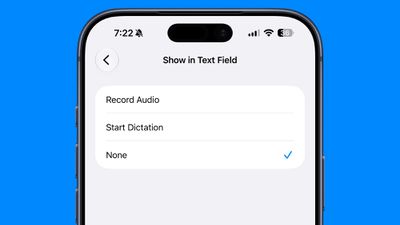
Users can now customize the audio button in the Messages app’s text field, choosing to display record audio, start dictation, or remove it entirely.
Let Failed Messages Resend Themselves
Failed messages in iOS 27 now attempt to resend automatically, and individual attachments have their own progress bars.
Redo a Genmoji Without Starting Over
Genmoji creation allows for iterative adjustments, enabling users to modify existing Genmoji elements instead of starting from scratch.
Pair Your iPhone With a Treadmill
GymKit support is now available on the iPhone, allowing direct pairing with compatible fitness equipment.
Track Perimenopause in the Health App
The Health app expands its Cycle Tracking to include perimenopause and menopause, offering new health insights.
See Rain and Wind Hour by Hour
The Weather app provides detailed hourly forecasts for precipitation and wind.
Watch Video in CarPlay While You’re Parked
CarPlay now supports video playback when the vehicle is stationary, enhancing in-car entertainment options.
Approve Every Website Your Child Visits
Parental Controls require explicit approval for new websites accessed by children.
Notice Your Old iPhone Getting Faster
Performance optimizations in iOS 27 result in faster app launches and improved system responsiveness across devices.
The widespread adoption of these features, particularly those leveraging generative AI and on-device intelligence, signals Apple’s continued commitment to enhancing user privacy and delivering intelligent, personalized experiences. The breadth of these updates suggests a strategic focus on refining core functionalities while pushing the boundaries of what’s possible with mobile operating systems.