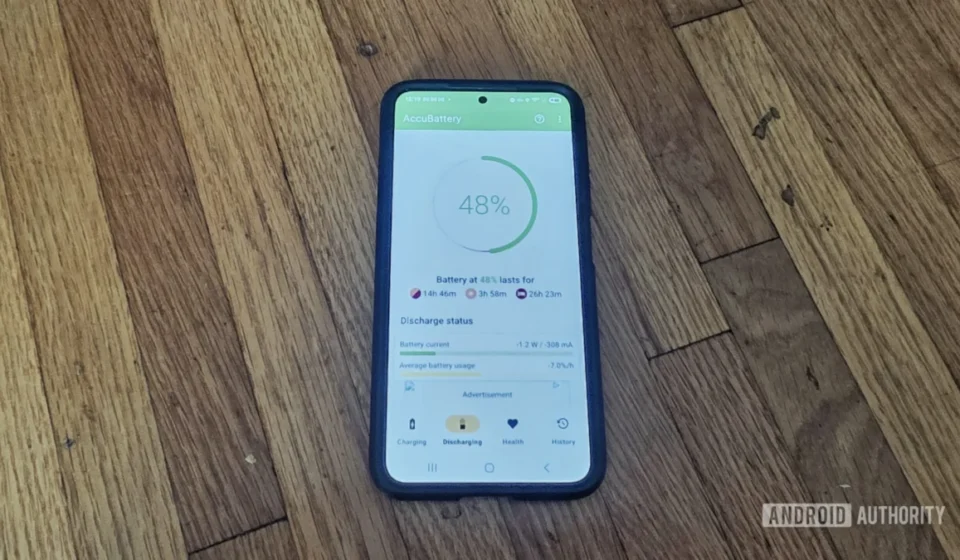
AccuBattery: A Deep Dive into the Enduring Relevance of a Specialized Android Battery Diagnostic Tool

The landscape of Android battery management has undergone a profound transformation over the past decade, shifting from a cluttered field of often ineffective "performance and battery optimizers" to a more sophisticated ecosystem where built-in operating system features increasingly take center stage. Historically, many third-party battery apps promised miraculous improvements, but their methods frequently proved counterproductive, sometimes even exacerbating battery drain or compromising system stability. However, amidst this evolution, a select few applications have carved out a legitimate niche by offering genuine utility. AccuBattery stands as a prime example, distinguishing itself not by making fantastical claims of magical battery fixes, but by providing users with robust diagnostic tools designed to identify and understand the underlying causes of battery strain. This analytical approach, focused on hardware and software diagnostics, sets it apart and justifies its continued recommendation by tech enthusiasts and experts alike, even in an era of increasingly capable native Android battery management utilities.
A Historical Perspective: The Rise and Fall of Battery Optimizers
To truly appreciate AccuBattery’s value, it’s essential to understand the historical context of Android battery management. In the early days of Android, smartphones were plagued by inconsistent battery life, often due to inefficient application management and less optimized operating systems. This created a fertile ground for a plethora of third-party "battery saver" and "task killer" apps. These applications typically promised to extend battery life by aggressively closing background apps, clearing RAM, and adjusting system settings. While seemingly logical, this approach often backfired. Android’s core design, particularly since versions like Ice Cream Sandwich and Jelly Bean, is engineered to manage memory and background processes efficiently. Force-closing apps frequently meant the system had to expend more power to reload them when needed, leading to a net increase in battery consumption and a degraded user experience. Moreover, many of these apps were intrusive, displayed excessive ads, and sometimes even harbored malicious code, further tarnishing the reputation of third-party battery management solutions.
The turning point came with significant advancements in Android itself. Features like Doze (introduced in Android 6.0 Marshmallow), which puts apps into a deep sleep state when the device is stationary, and App Standby, which limits network access for infrequently used apps, drastically improved native power management. Later, Adaptive Battery (Android 9 Pie) and Adaptive Charging (Pixel phones) leveraged machine learning to intelligently manage app usage and charging patterns, further diminishing the need for rudimentary third-party optimizers. These built-in solutions operate at a deeper system level, with privileged access that third-party apps can never fully replicate, allowing for more efficient and less disruptive battery optimization. This evolution has largely rendered the old guard of battery optimizers obsolete, leaving users skeptical of any third-party claims.
AccuBattery’s Distinctive Diagnostic Approach
Unlike its predecessors, AccuBattery positions itself not as an optimizer, but as a sophisticated diagnostic tool. Its primary objective is to provide users with actionable data to understand their device’s battery behavior, identify problematic applications or hardware components, and make informed decisions about charging habits. This is a crucial distinction: instead of attempting to "fix" battery life through automated, often counterproductive interventions, AccuBattery empowers the user with detailed information to diagnose and address issues manually.
The application’s methodology hinges on "pattern recognition over time," a nuanced approach that contrasts with the "factory-calibrated data" typically relied upon by built-in OS tools. While native Android battery monitors access system-level statistics that are inherently calibrated to the device’s specific battery, AccuBattery builds its understanding by observing charging and discharging cycles, current draw, voltage fluctuations, and temperature readings over a period. This longitudinal data collection allows it to construct a personalized profile of the battery’s health and usage patterns, which can sometimes reveal insights missed by the more generalized system reports. For instance, while a phone’s internal diagnostics might report an average discharge rate, AccuBattery delves into how that rate changes under specific conditions—screen on, screen off, in deep sleep, or during particular activities—offering a more granular view.
Data-Driven Insights: Beyond Basic Percentages
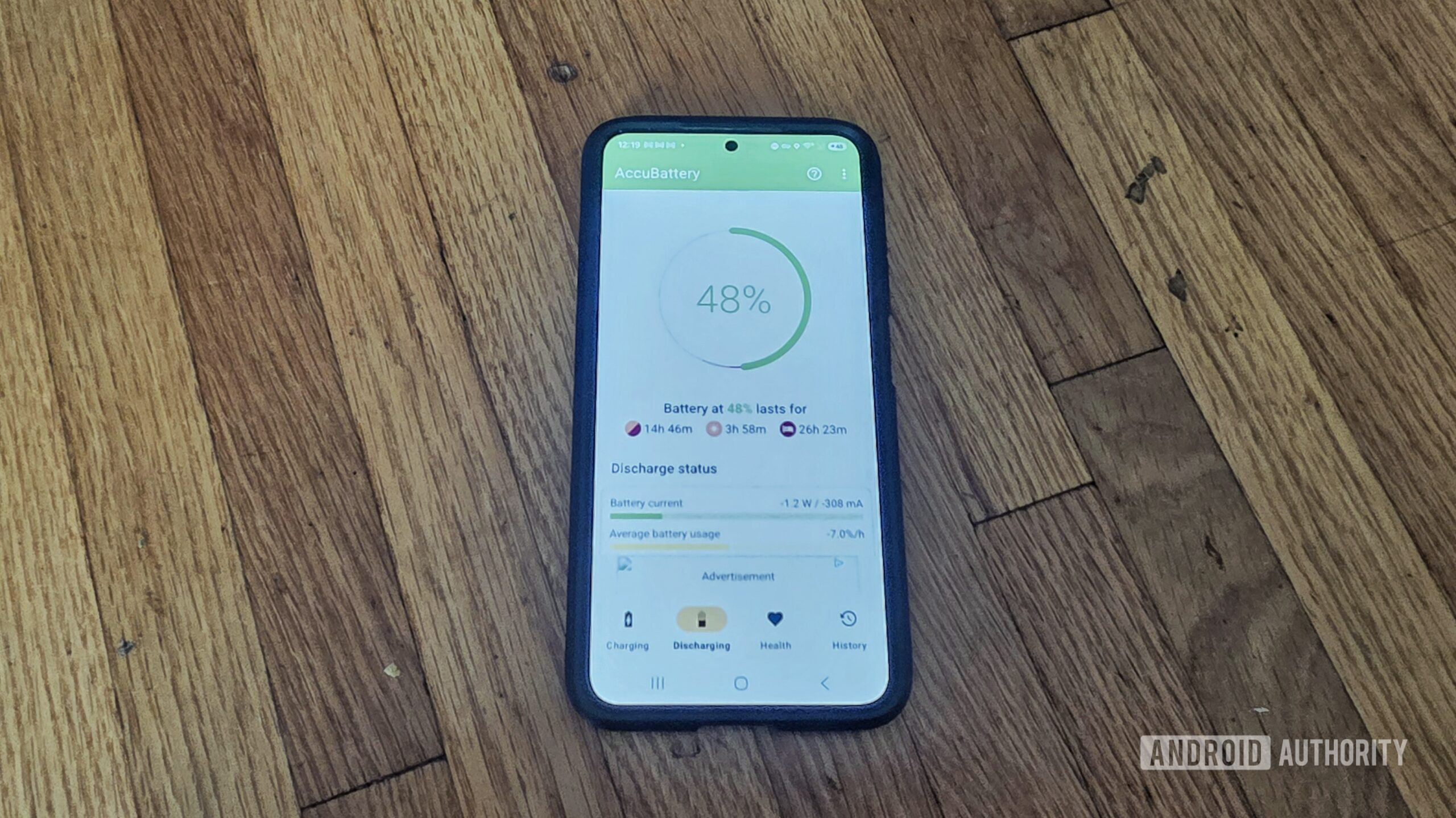
One of AccuBattery’s most compelling features is its ability to provide incredibly detailed statistics that go far beyond the simple percentage breakdowns offered by many built-in tools. Users gain access to metrics such as:
- Estimated Battery Capacity (mAh): AccuBattery attempts to estimate the actual remaining capacity of your battery compared to its design capacity. This is invaluable for understanding battery degradation over time, a critical factor in device longevity. As lithium-ion batteries age, their ability to hold a full charge diminishes. Knowing this capacity allows users to gauge the "health" of their battery and determine if replacement might be necessary.
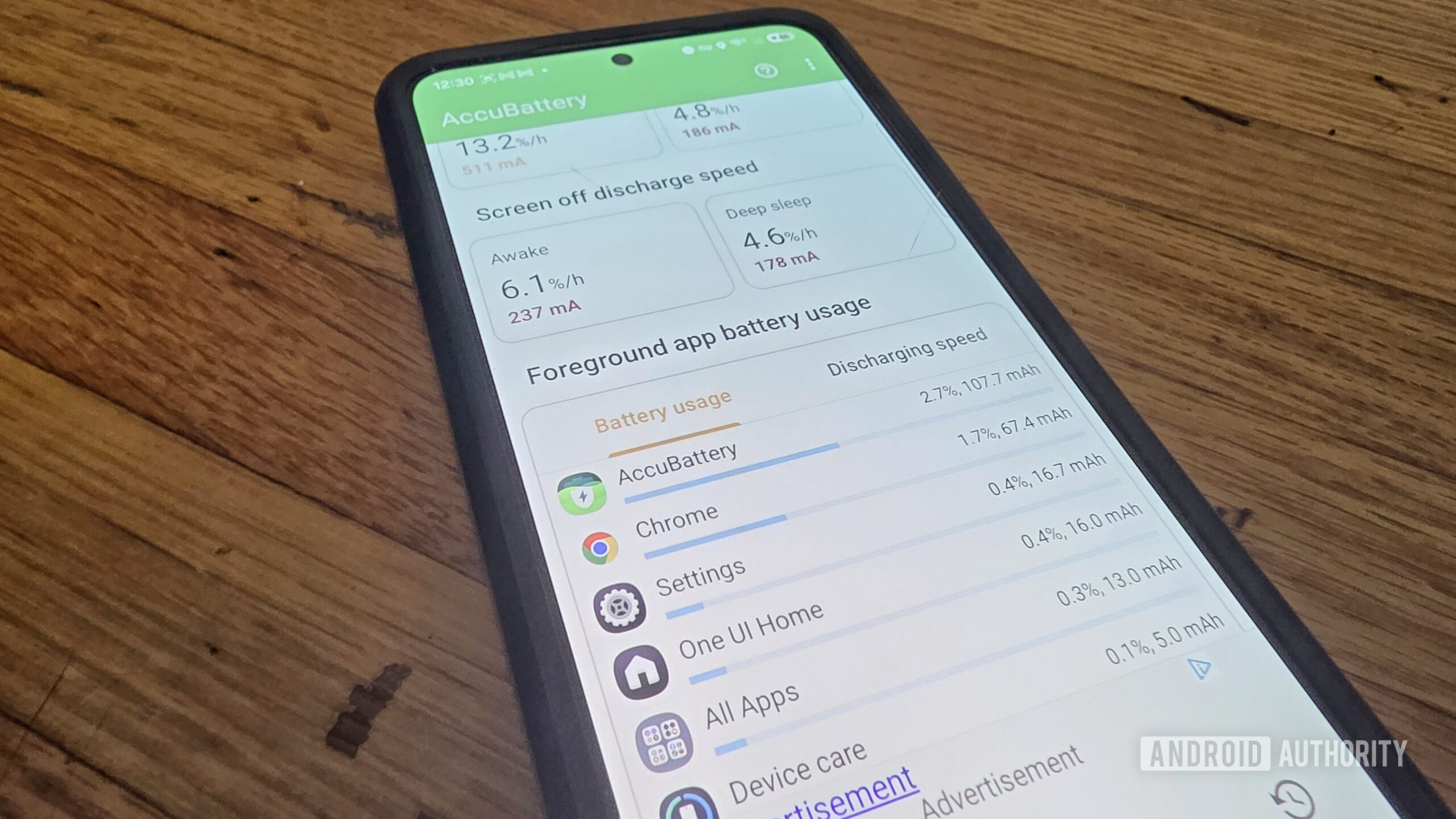
- App-Specific Power Consumption (mAh): While native tools often list apps by percentage of battery drain, AccuBattery provides consumption in milliampere-hours (mAh). This specific measurement offers a more tangible understanding of how much energy each application is drawing, allowing for direct comparison and identification of power-hungry culprits.
- Charging and Discharging Speed (mA): The app monitors the actual current (in milliamps) flowing into or out of the battery. This helps users understand the efficiency of their charging cables and adapters, and detect unusually high discharge rates that might indicate a problem.
- Battery Temperature and Voltage: These are crucial indicators of battery health and safety. High temperatures can accelerate degradation and pose safety risks. Monitoring voltage can also reveal anomalies in the battery’s electrical behavior.
- Screen On/Off and Deep Sleep Usage: AccuBattery breaks down battery drain based on the device’s state. This allows users to determine if excessive drain is occurring while the screen is off (suggesting background app issues or system wake-locks) or during active use (potentially due to demanding apps or screen settings).
This wealth of information transforms battery management from a guessing game into a data-informed process. For power users, developers, or anyone troubleshooting a persistent battery issue, these specifics are invaluable.
Identifying Anomalies: The "Rogue App" Scenario
The practical utility of AccuBattery’s detailed data becomes evident when tackling elusive battery drain issues. Consider a scenario where a user experiences unusual battery drain, but their device’s built-in tools offer no clear explanation, simply showing a generic list of apps with seemingly normal consumption. This is where AccuBattery often shines. The ability to monitor current draw and consumption in mAh, coupled with breakdowns for various device states, can quickly highlight an anomaly. For example, a utility app that is unexpectedly consuming a significant amount of mAh even when the screen is off, or showing an abnormally high current draw, would immediately stand out in AccuBattery’s reports. The original article highlights precisely such a situation, where a "rogue app" was identified by AccuBattery when the Galaxy S24’s native tools failed to pinpoint the problem. This "second opinion" capability underscores the app’s diagnostic strength, providing an alternative data perspective that can be critical for troubleshooting.
Native vs. Third-Party: A Complementary Ecosystem
Modern Android devices, particularly those from leading manufacturers like Samsung and Google, come equipped with increasingly sophisticated built-in battery management features. Samsung’s One UI offers detailed usage statistics and even supplementary tools through its Good Guardian app suite, providing advanced optimization options. Google Pixel phones leverage their Tensor chips and machine learning for features like Adaptive Battery, which prioritizes power for apps you use most, and Adaptive Charging, which controls charging speed overnight to preserve battery health. Given these advancements, one might question the continued relevance of a third-party app like AccuBattery.
OEM Innovations: Samsung, Google, and Others
OEMs have invested heavily in enhancing their battery management solutions. Their integrated tools benefit from deep system access and optimization specific to their hardware. They can seamlessly integrate with the operating system’s power management services, scheduling tasks, throttling background processes, and intelligently adjusting performance profiles. For the average user, these native tools are often more than sufficient. They provide a convenient overview of battery usage, identify major power consumers, and offer basic optimization suggestions without requiring additional downloads or complex configurations. The trend indicates a continuous improvement in these native capabilities, with features becoming more intelligent and proactive.
The Value of a "Second Opinion"
Despite the prowess of native tools, AccuBattery retains its value, particularly for users who require deeper insights or an alternative perspective. As demonstrated in the rogue app scenario, having two distinct data sources can act as a crucial cross-reference. If both tools point to the same issue, it confirms the diagnosis. If they diverge, as in the example, the discrepancies can guide further investigation. AccuBattery’s detailed breakdown of specific metrics (mAh, current, voltage, temperature) provides a level of granularity that native tools often abstract away for simplicity. This makes it an indispensable tool for advanced users, developers, or individuals running older Android versions or less feature-rich generic Android tablets where native battery tools might be rudimentary or non-existent.
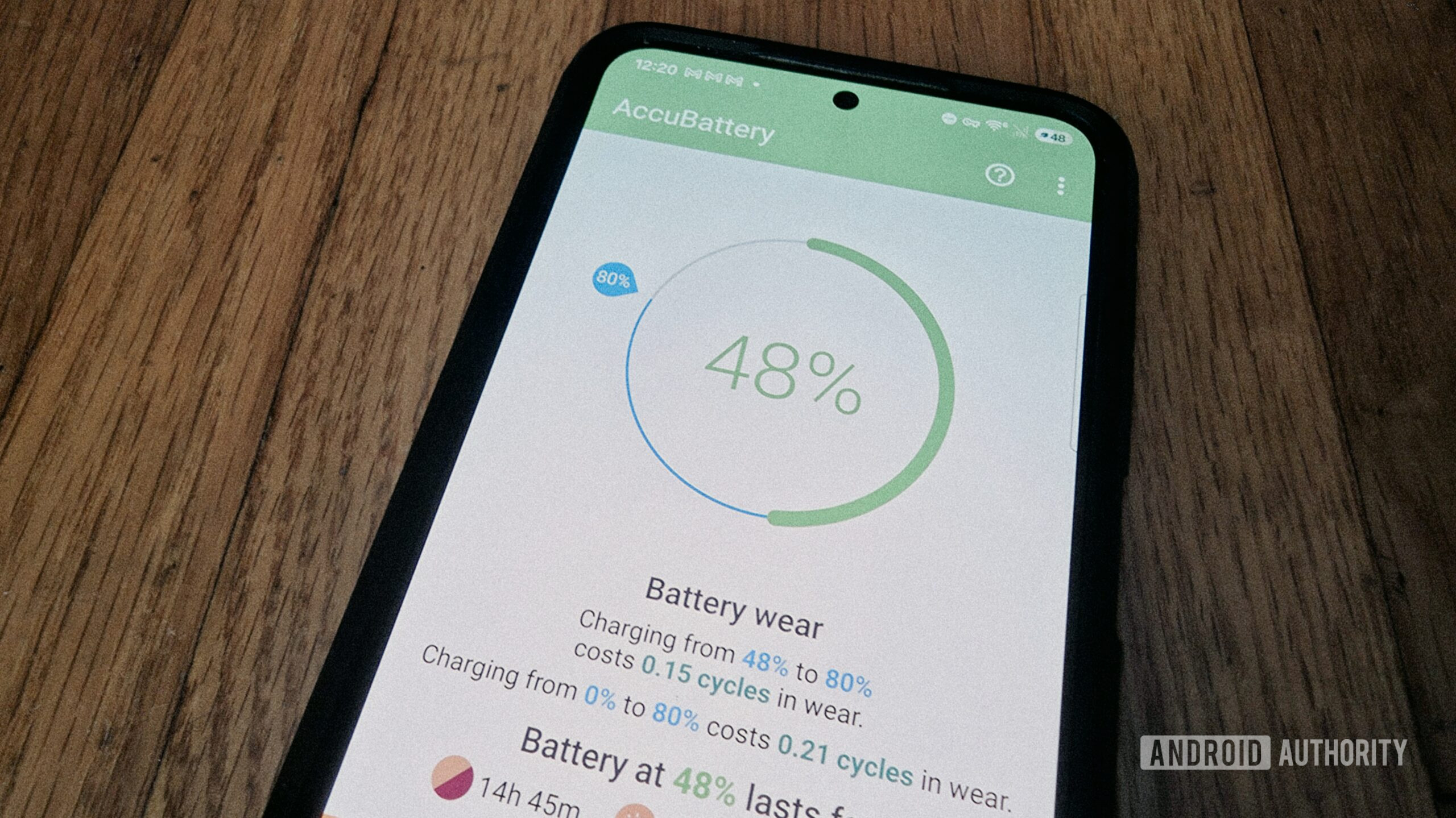
Moreover, the flexibility offered by AccuBattery’s unique features, such as its customizable charge alarm, adds a layer of user control not always present in native solutions. While some OEMs offer limited "protect battery" features that cap charging at 85% or 80%, AccuBattery’s alarm provides a non-intrusive reminder, allowing users to make real-time decisions about whether to unplug or continue charging based on their immediate needs. This balance between battery preservation and practical utility resonates with users who want to extend battery lifespan without rigidly adhering to system-enforced limits.
Proactive Battery Health: The Charge Alarm and Longevity
One of AccuBattery’s most understated yet impactful features is its customizable charge alarm. This functionality allows users to set an alarm to sound when their device reaches a specific charge percentage, typically 80%. This feature directly addresses a key recommendation for extending the lifespan of lithium-ion batteries: avoiding frequent full charges (to 100%) and deep discharges (below 20%).
The Science of Lithium-Ion Batteries and Optimal Charging
Lithium-ion batteries, prevalent in modern smartphones, degrade over time, a process influenced by several factors including the number of charge cycles, exposure to high temperatures, and the depth of discharge/charge. Research and industry best practices suggest that keeping the battery charge between approximately 20% and 80% can significantly extend its overall lifespan. Charging to 100% puts the battery under higher stress (higher voltage), which accelerates degradation. Similarly, letting the battery drop to very low percentages can also be detrimental. While a device’s battery management system will prevent true "overcharging" or "deep discharge" (to protect the battery and user), staying within the optimal range of 20-80% minimizes stress.
Many users are aware of this principle but find it inconvenient to manually monitor their phone’s charge level. This is where AccuBattery’s charge alarm becomes a practical solution. By setting it to 80%, users receive a clear, audible notification, prompting them to disconnect the charger. This simple intervention, if consistently followed, can translate into hundreds of extra charge cycles over the life of the device, ultimately prolonging the battery’s health and the device’s usable lifespan.
Balancing Convenience and Battery Preservation
While some premium Android phones now offer native "protect battery" features that cap charging at a certain percentage, AccuBattery’s alarm provides a more flexible approach. A user might prefer the flexibility to sometimes charge to 100% if they anticipate a long day away from a charger, without having to dive into system settings to disable and re-enable a hard cap. The alarm acts as a reminder, empowering the user to make an informed decision at that moment. This approach acknowledges that while battery longevity is important, practical convenience often takes precedence in daily life. For instance, disabling the alarm at night allows for a full overnight charge when convenience is paramount, while enabling it during the day promotes mindful charging. This user-centric flexibility makes AccuBattery’s charge alarm a valuable tool for those seeking to balance optimal battery care with their real-world usage patterns.
Understanding Limitations: The Pursuit of Perfect Accuracy
Despite its comprehensive feature set and diagnostic capabilities, it is crucial to acknowledge that no third-party battery management solution, including AccuBattery, can offer 100% perfectly accurate, real-time system-level data. This is primarily due to the inherent security architecture of Android, which sandboxes applications and restricts their access to certain low-level system APIs and hardware diagnostics for security and stability reasons. Google designs Android to prevent apps from interfering with each other or the core operating system, which necessarily limits the depth of data any single app can directly extract.
OS Constraints and Data Interpretation
Built-in Android battery tools benefit from direct, privileged access to the kernel and power management unit, allowing them to report factory-calibrated data with a high degree of confidence. AccuBattery, on the other hand, must rely on observing patterns, extrapolating data from accessible metrics, and making estimations. This observational approach, while sophisticated, inherently introduces a degree of estimation and potential for minor inaccuracies compared to direct hardware readings. For example, its estimation of battery capacity might fluctuate slightly as it gathers more data, or its app-specific drain figures might be slightly off compared to what the system internally registers.
However, labeling these as "inaccuracies" might be a mischaracterization. As with fitness trackers that estimate heart rate or GPS watches that approximate location, the goal is not absolute scientific precision in every single reading, but rather the ability to "gauge patterns." The value lies in the trends, the comparative data, and the identification of significant deviations. If AccuBattery consistently reports an app consuming an unusual amount of power, or if the estimated battery health shows a steady decline, these patterns are highly indicative of real issues, even if the precise mAh figure might differ slightly from an internal system log.
Pattern Recognition as a Practical Solution
Ultimately, AccuBattery’s strength lies in its ability to present complex data in an understandable format, allowing users to spot trends and diagnose problems that might otherwise remain hidden. It’s a supplementary tool that provides a different lens through which to view battery performance. While the average user might find their Pixel or Galaxy’s built-in tools sufficient for casual monitoring, those who are "stats nerds," or are actively troubleshooting a persistent battery problem, will find AccuBattery’s detailed, pattern-based insights invaluable. It’s not necessarily about being "massively more accurate" than native tools, but about offering a different, often more granular, perspective that facilitates deeper diagnosis and greater user control.
The Broader Implications: Device Longevity and User Empowerment
The continued relevance of applications like AccuBattery has broader implications beyond individual user convenience. In an era where technological consumption is high and electronic waste is a growing concern, extending the lifespan of mobile devices contributes to environmental sustainability. A healthy battery is often the gating factor for a device’s usable life. By empowering users with tools to monitor and manage their battery health proactively, AccuBattery helps push back against planned obsolescence and encourages a more sustainable approach to smartphone ownership. Users who can identify and resolve battery drain issues, or who adopt optimal charging habits, are less likely to replace their devices prematurely due to perceived "dying" batteries.
Furthermore, AccuBattery fosters a sense of user empowerment. In a world where devices often feel like black boxes, providing transparent, detailed data about a critical component like the battery allows users to take control. This data-driven approach encourages a deeper understanding of how software and hardware interact, demystifying common smartphone issues and enabling more informed decisions about device maintenance, app usage, and charging practices.
Conclusion: AccuBattery’s Enduring Relevance
In conclusion, AccuBattery stands as a testament to the idea that not all third-party battery applications are created equal. While the era of miracle "optimizers" has rightly faded, AccuBattery’s focus on diagnostic data and user empowerment ensures its enduring relevance. It fills a crucial gap for users seeking a "second opinion" or deeper insights beyond what increasingly sophisticated native Android tools provide. Its ability to quantify app-specific drain in mAh, monitor critical battery parameters, and facilitate proactive charging habits through its customizable alarm makes it a powerful asset. For those grappling with inexplicable battery drain, owning older Android devices with limited native tools, or simply wanting a more comprehensive understanding of their device’s power consumption, AccuBattery remains an indispensable application. It underscores the principle that while perfect accuracy may be elusive, the ability to observe, interpret, and act upon patterns is often more than sufficient to make a tangible difference in the life and performance of an Android device.