How to Transform Your Pixel 9a into a Digital Minimalism Powerhouse: A Comprehensive Guide

The modern smartphone, while an undeniable marvel of connectivity and utility, has increasingly become a source of pervasive distraction, often leading to what is colloquially known as "doomscrolling" and chronic attention fragmentation. In response to this digital overload, a growing movement towards digital minimalism has gained traction, with many seeking to reclaim their focus and mental well-being. This pursuit often leads individuals to consider "dumbphones" or dedicated minimalist devices like the Light Phone or Wisephone, which promise essential functionalities without the myriad distractions inherent in a full-featured smartphone. However, the premium price point of these specialized devices, often ranging upwards of $500, presents a significant barrier for many. An alternative, more economical, and increasingly popular approach involves strategically reconfiguring an existing high-end smartphone, such as a Google Pixel 9a, to mimic the calm, focused environment of a minimalist phone. This guide outlines a comprehensive methodology for transforming a standard Android device into a powerful tool for productivity and digital serenity, leveraging existing software capabilities and a selection of curated applications to achieve a distraction-free experience.
The Rise of Digital Minimalism and the "Dumbphone" Allure
The appeal of digital minimalism stems from a societal awakening to the detrimental effects of constant digital engagement. Studies by organizations like the Pew Research Center consistently highlight rising concerns over smartphone addiction, with significant percentages of adults and teenagers reporting feelings of being overwhelmed or distracted by their devices. The average daily screen time for adults can easily exceed four to six hours, much of which is spent on non-essential activities like social media consumption and aimless browsing. This persistent interaction can contribute to increased anxiety, reduced attention spans, and diminished productivity. The "dumbphone" movement, therefore, is not merely a nostalgic embrace of older technology but a deliberate choice to prioritize essential communication and utility over endless content streams and algorithmic feeds designed to maximize engagement.
While dedicated minimalist phones offer a clean slate, their limited functionality can be a drawback for those who still require sophisticated tools like high-quality cameras, secure banking apps, or advanced navigation systems. The Pixel 9a, a device known for its robust performance, excellent camera, and clean Android experience, presents an ideal platform for this transformation. By adopting a minimalist philosophy on an existing device, users can sidestep the additional financial outlay for a new device and also contribute to environmental sustainability by extending the lifecycle of their current hardware. This approach represents a pragmatic middle ground, offering the best of both worlds: the essential capabilities of a modern smartphone combined with the deliberate tranquility of a minimalist device. The journey involves a systematic overhaul of notifications, app usage, home screen aesthetics, and even the core functionalities of indispensable applications, all aimed at reducing cognitive load and fostering a more intentional digital interaction.
Fortifying Against Constant Digital Distraction: A Multi-Layered Approach
The first and arguably most crucial step in cultivating a minimalist phone experience is to establish robust defenses against the incessant "attention pull" that characterizes most modern smartphones. This involves a multi-layered strategy, beginning with fundamental notification management and extending to sophisticated app and ad blocking solutions.
1. Notification Overhaul: Mastering Granular Control
Basic notification management is a foundational element. Modern Android versions, including the Pixel 9a’s operating system, offer highly granular control over notifications through "notification channels." This feature, introduced in Android 8.0 Oreo, allows users to categorize and customize notifications for individual apps, differentiating between critical alerts (e.g., direct messages from a contact) and less urgent information (e.g., promotional updates, social media likes). The systematic disabling of non-essential notifications, or restricting them to silent delivery without visual cues, dramatically reduces the impulse to check the phone every few minutes. This proactive approach directly combats the psychological principle of intermittent reinforcement, where unpredictable rewards (new notifications) drive compulsive checking behaviors. By carefully curating which apps are allowed to demand attention and how, users can regain significant control over their focus.
2. Strategic App Blocking with Switchly: Precision in Digital Detox
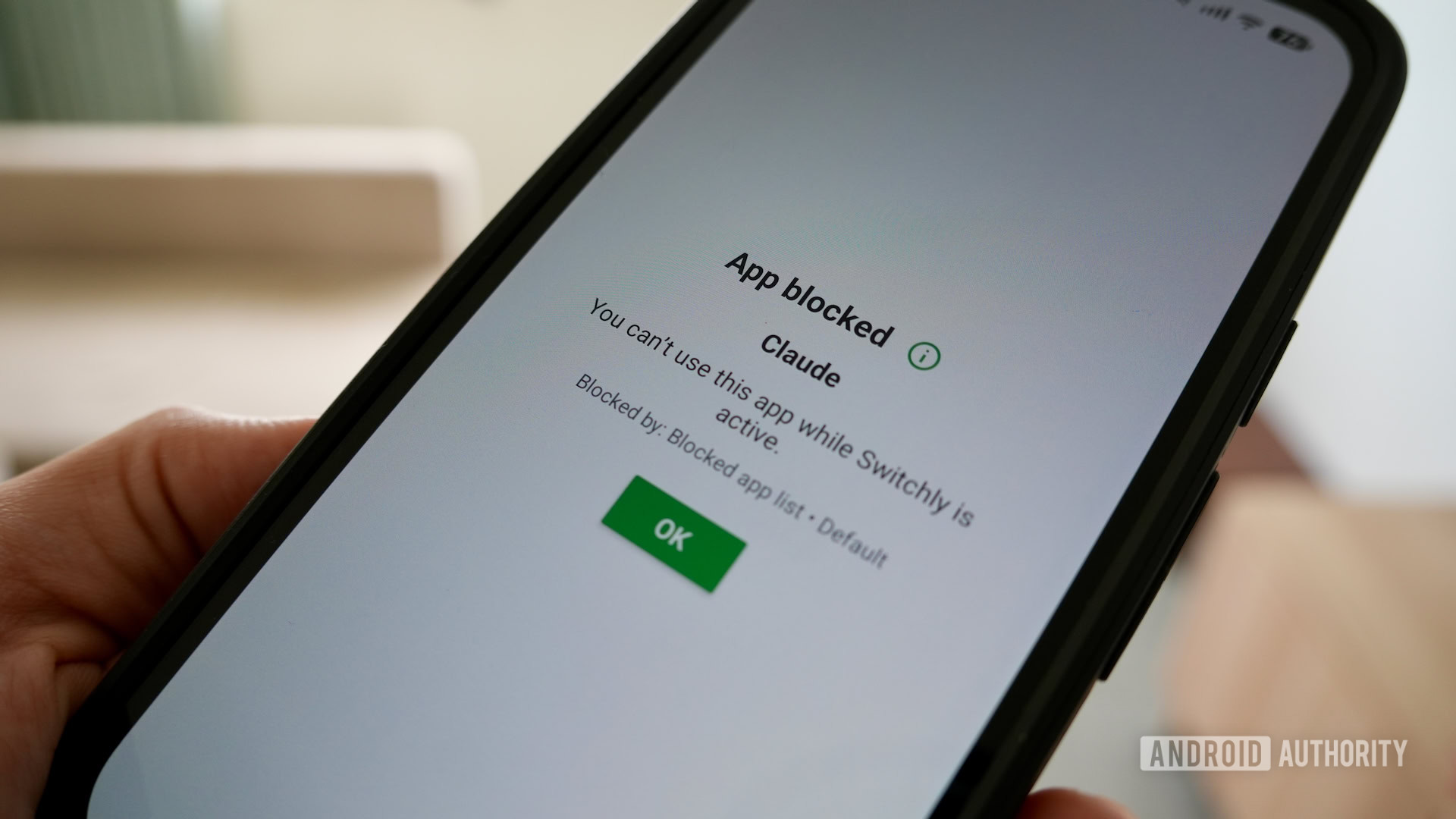
Beyond notifications, the temptation to open distracting applications remains a significant challenge. While Android’s native Digital Wellbeing suite offers some app-pausing functionalities, more advanced and flexible solutions are often required. This is where tools like Switchly emerge as invaluable assets. Switchly is a free, open-source application blocker that stands out for its extensive customizability and innovative activation methods, including NFC tags and QR codes. Unlike simpler blockers that merely restrict app access, Switchly offers the unique capability to block only specific, addictive parts of applications. For instance, a user can configure Switchly to block only the "Reels" section of Instagram or the "Shorts" feature on YouTube, allowing access to other, more utilitarian aspects of the app. This precision targeting is crucial for those who need certain apps for communication or work but wish to avoid their most engaging (and often time-consuming) features.
The open-source nature of Switchly not only ensures transparency and community-driven development but also provides a cost-effective alternative to commercial solutions like "The Brick," a physical device designed to restrict phone access, which retails for approximately $59. By printing a simple QR code, users can achieve similar friction-based access control, creating a deliberate pause before engaging with potentially distracting apps. This added step, however minor, introduces a moment of mindfulness, prompting users to reconsider whether their intended interaction is genuinely necessary or merely an impulsive reaction to boredom or habit. Configuring a profile within Switchly that automatically blocks pre-selected distracting apps and websites, activated with a single tap or a scan, provides an immediate and effective "peace button" for regaining focus.
3. System-Wide Ad Elimination with BlockAds: Uninterrupted Digital Flow
The pervasive nature of advertisements within free Android applications constitutes another significant source of digital noise and distraction. Full-screen interstitial ads, banner ads, and video ads not only disrupt the user experience but also contribute to cognitive fatigue and frustration. BlockAds, a VPN-based global ad-blocker, offers an elegant solution to this problem. Unlike browser-specific ad blockers, BlockAds operates at the network level, filtering out advertisements across all applications and websites accessed through the device. This provides a remarkably cleaner and calmer user interface, transforming the experience of interacting with numerous free apps that would otherwise be laden with intrusive advertising.
The implementation of BlockAds represents a substantial upgrade to the overall Android experience. By eliminating the constant visual clutter and interruptions caused by ads, users can navigate their applications more efficiently and with less mental friction. This contributes significantly to the minimalist ethos, where the goal is to reduce unnecessary stimuli and streamline interactions. The combined effect of diligent notification management, precise app blocking with Switchly, and system-wide ad elimination through BlockAds creates a formidable barrier against digital distractions, laying the groundwork for a truly minimalist smartphone environment.
Embracing the Ecosystem of Open-Source and Minimalist Applications
Beyond blocking distractions, a fundamental aspect of digital minimalism involves proactively replacing feature-rich, engagement-optimized proprietary applications with leaner, purpose-built alternatives. Free and Open Source Software (FOSS) applications, often developed by independent programmers and communities, are particularly well-suited for this purpose due to their inherent focus on utility, privacy, and absence of commercial imperatives like ad revenue or data harvesting.
1. The Philosophy of FOSS and its Benefits for Digital Minimalism
FOSS apps embody a philosophy that prioritizes user control, transparency, and often, simplicity. Unlike many commercial applications that are designed to maximize user engagement through complex interfaces, endless feeds, and aggressive notification strategies, FOSS alternatives frequently offer streamlined experiences. They typically lack advertisements, telemetry (data collection), and unnecessary features, focusing instead on core functionality. This design ethos naturally aligns with the goals of digital minimalism, reducing cognitive load and providing a more focused user experience. The community-driven nature of FOSS also means that these apps are often more privacy-respecting and responsive to user needs for essential features rather than feature bloat.
2. Fossify Suite for Core Functions: Rebuilding the Essentials
A prime example of this philosophy in action is the Fossify suite of minimalist applications. This collection offers ad-free, basic versions of essential Android functionalities that often come pre-installed as more complex, integrated Google apps.
- Fossify Gallery: Replaces the often-overwhelming Google Photos with a simple, local-first photo viewer and organizer. It strips away cloud sync, AI-driven suggestions, and memory features that, while sometimes useful, can add to digital clutter and privacy concerns.
- Fossify File Manager: Offers a straightforward way to navigate and manage local files, contrasting with more complex file managers that might push cloud storage integrations or advanced features beyond basic needs.
- Fossify Calendar: Provides a clean, functional calendar experience without the heavy integration of meeting links, smart suggestions, or social features found in Google Calendar, allowing users to focus solely on scheduling and events.
- Fossify Music Player: A simple, ad-free player for locally stored music, bypassing streaming service integrations and algorithmic recommendations that can draw users into endless content consumption.
- While the default Pixel Phone and Messages apps are generally well-regarded for their simplicity, Fossify also offers alternatives for these, catering to users who desire even greater control and minimalist aesthetics. By switching to these basic, ad-free versions for core functionalities, users ensure their device remains a tool, not a platform for constant digital noise.
3. Curated Content Consumption: Reclaiming the Media Experience
Even for media consumption, minimalist alternatives can profoundly impact digital well-being.
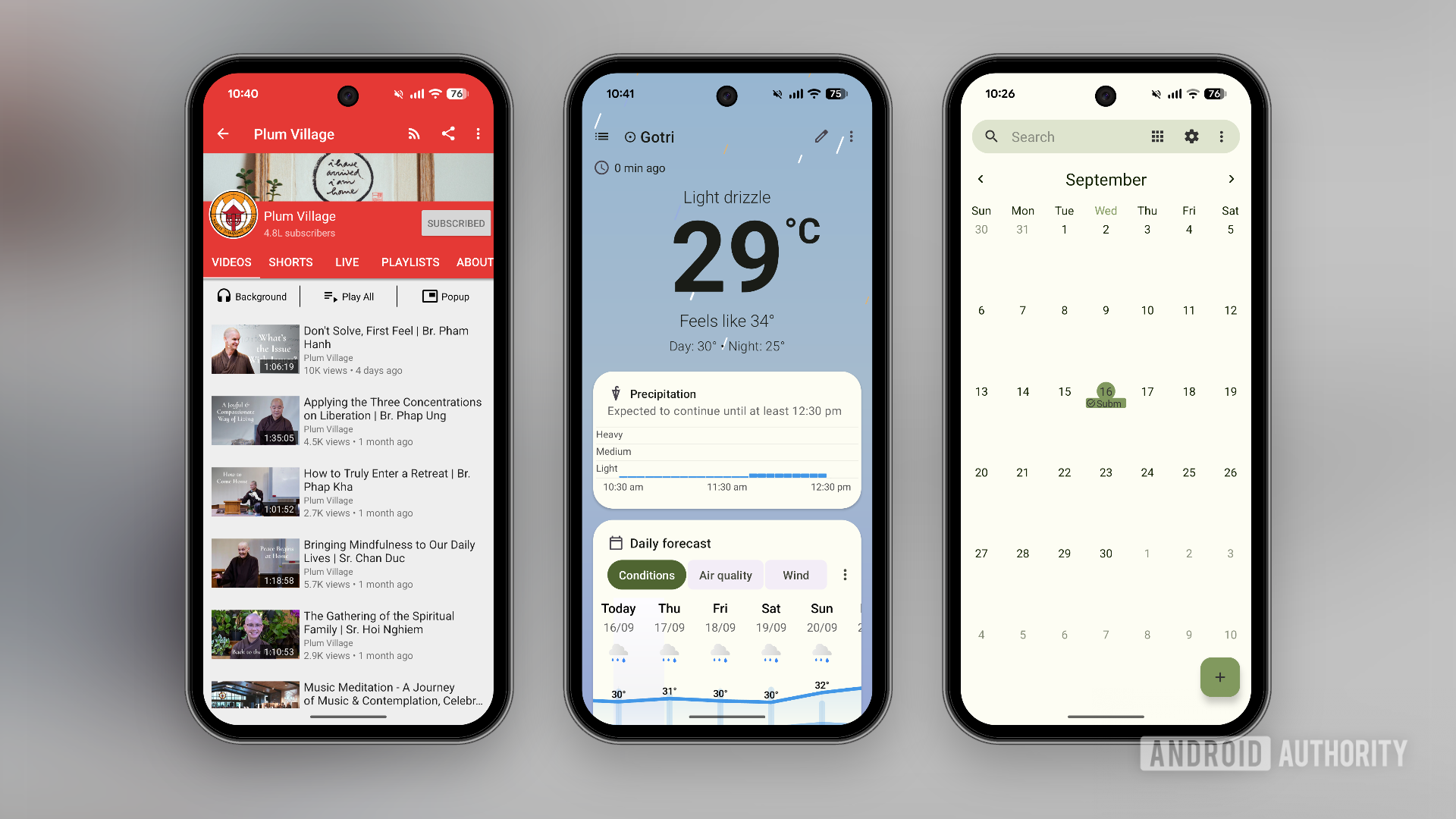
- NewPipe for YouTube: YouTube is a notorious source of algorithmic rabbit holes. NewPipe offers a powerful alternative, providing an ad-free YouTube experience without the distracting "stellar algorithmic feed." Users can curate a specific list of subscriptions, watch videos in the background, download them for offline viewing, and critically, turn off features like Live feeds and comments. This transforms YouTube from an engagement-maximizing platform into a focused video library, allowing users to consume content intentionally rather than reactively. This remains valuable even for YouTube Premium subscribers, as NewPipe still offers a cleaner, less distracting interface by default.
- Breezy Weather: For daily information like weather, opting for an open-source and customizable app like Breezy Weather allows users to get essential data without ads, superfluous news feeds, or design elements intended to keep them in the app longer. Its customizable nature means users see only the information they deem critical.
4. Enhanced Privacy and Efficiency Tools: Beyond Core Apps
The minimalist approach extends to system-level interactions and browsing.
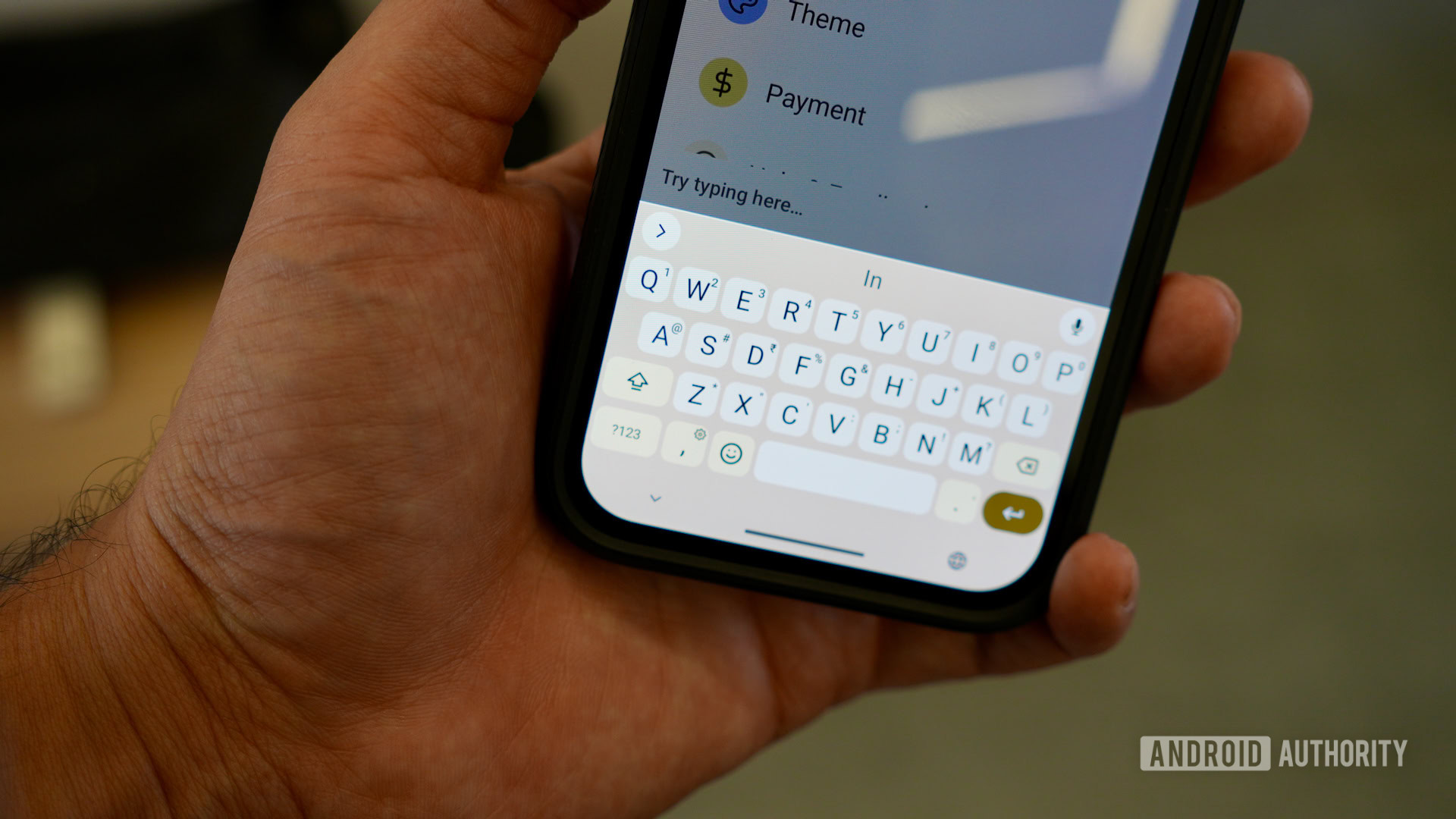
- FUTO Keyboard: The default Gboard, while feature-rich, can feel "bloated" with its extensive AI integrations, predictive text, and data collection practices. FUTO Keyboard, a free and open-source alternative, provides a lean, customizable typing experience focused on essentials. Users can strip away features they don’t need, ensuring the keyboard remains a simple input tool rather than a data-rich AI assistant. This choice also contributes to greater privacy by minimizing third-party data collection from keystrokes.
- Fennec Browser: While Chrome is often indispensable, Fennec, an open-source fork of Mozilla Firefox, offers a privacy-centric browsing alternative. It removes Mozilla’s telemetry and extra features, providing a stripped-down, faster browsing experience. Crucially, Fennec supports desktop-class browser extensions like uBlock Origin, enabling comprehensive ad blocking and tracker prevention, further reducing digital noise and improving page loading times. This makes Fennec an excellent choice for general browsing, reserving Chrome for specific compatibility needs.
By systematically replacing default, feature-heavy applications with these minimalist, often open-source alternatives, users fundamentally shift their relationship with their smartphone. The device transitions from a sprawling digital landscape designed to capture attention to a finely tuned instrument focused solely on providing necessary utilities efficiently and without distraction.
Crafting a Serene Digital Gateway: The Home Screen Transformation
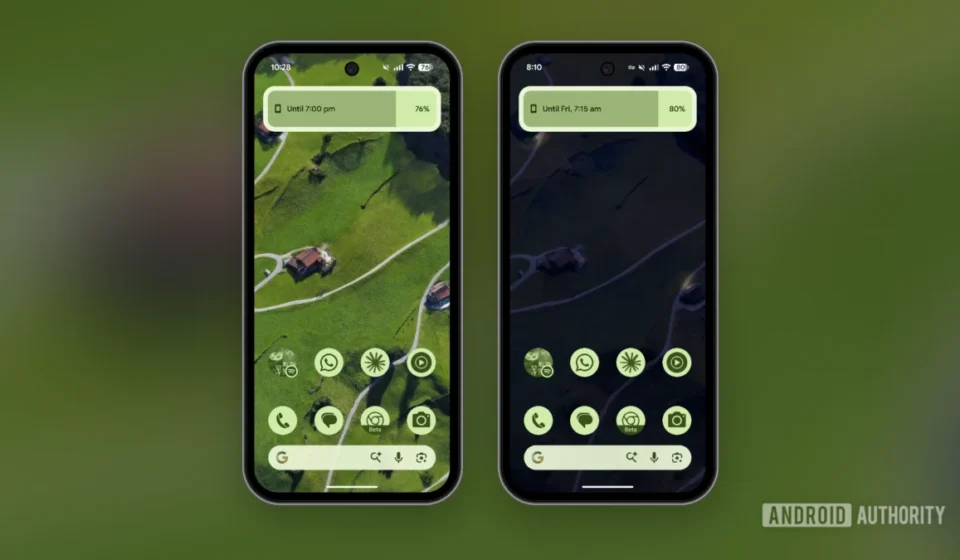
The home screen is the primary interface through which users interact with their smartphone. A cluttered, visually noisy, or feature-laden home screen can contribute significantly to decision fatigue and compulsive digital exploration. Transforming the home screen into a serene and functional gateway is a critical step in achieving digital minimalism.
1. Deconstructing the Default Launcher: Reclaiming Visual Space
When first setting up a Pixel 9a, many users, driven by the desire to leverage all available features, might populate their lock and home screens with numerous widgets and multiple pages of app icons. However, this often leads to an overwhelming visual environment.
- Disabling "At a Glance" Widget: The "At a Glance" widget, a staple of Pixel devices, provides contextual information like weather, calendar events, and commute times directly on the home screen. While seemingly convenient, its constant presence and subtle updates can act as miniature notifications, drawing the eye and attention. Google’s decision to finally allow users to disable this widget (after years of user requests) is a significant win for digital minimalists. Removing it frees up valuable visual space and eliminates a passive source of information overload.
- Removing the Discover Feed Page: The Discover feed, accessible with a swipe to the left on the home screen, is designed to present a continuous stream of personalized news articles and content. While intended for content discovery, it often becomes a prime source of "doomscrolling" and anxiety-inducing information. Disabling this feed entirely is a powerful step towards eliminating reactive content consumption and fostering a more intentional interaction with the device. Without the Discover feed, users must actively seek out news and information, rather than passively receiving it.
2. The Power of Simplicity: Single-Page Layouts and Themed Icons
After stripping away the default widgets and feeds, the next step involves simplifying the visual presentation of applications.
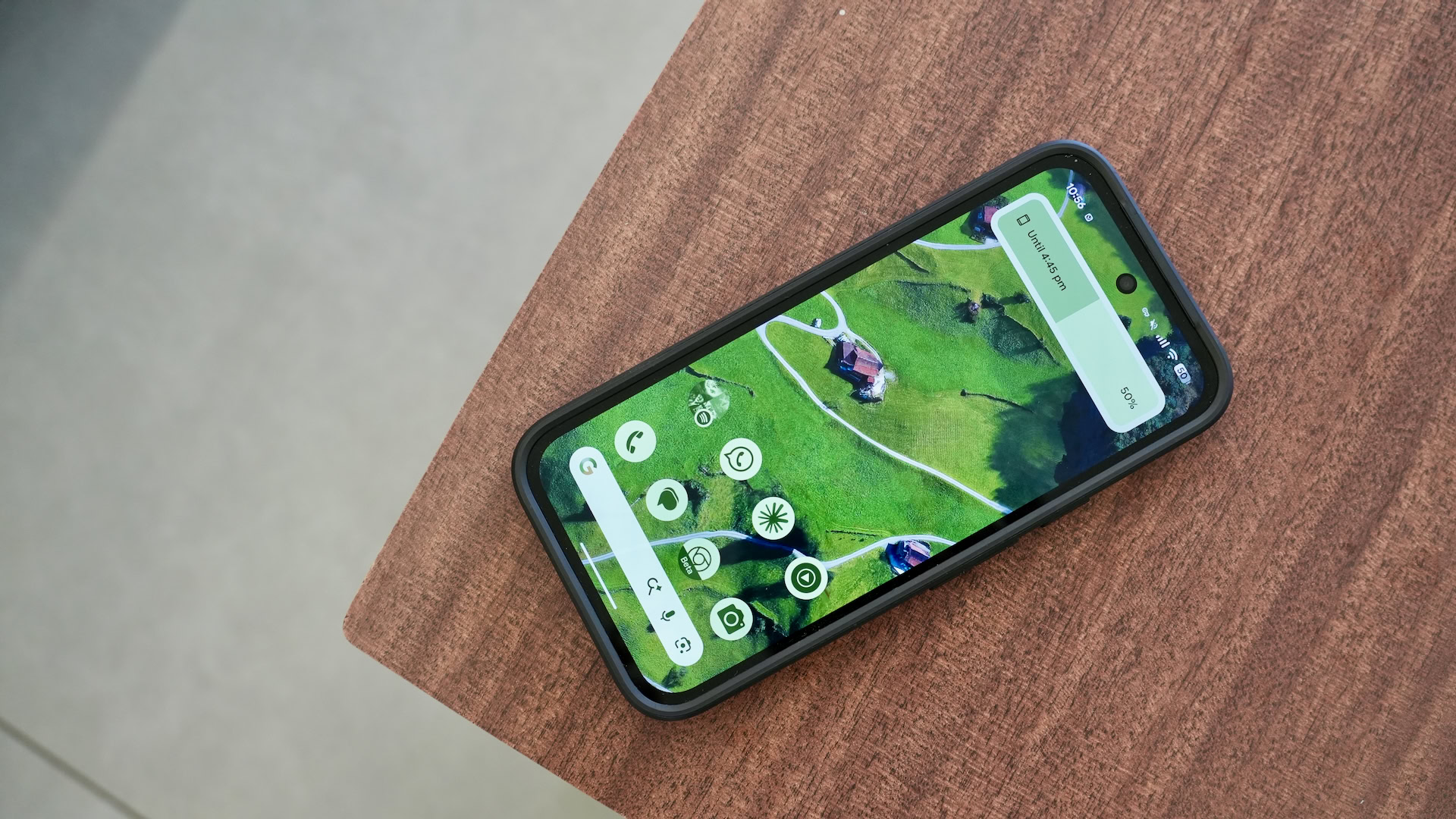
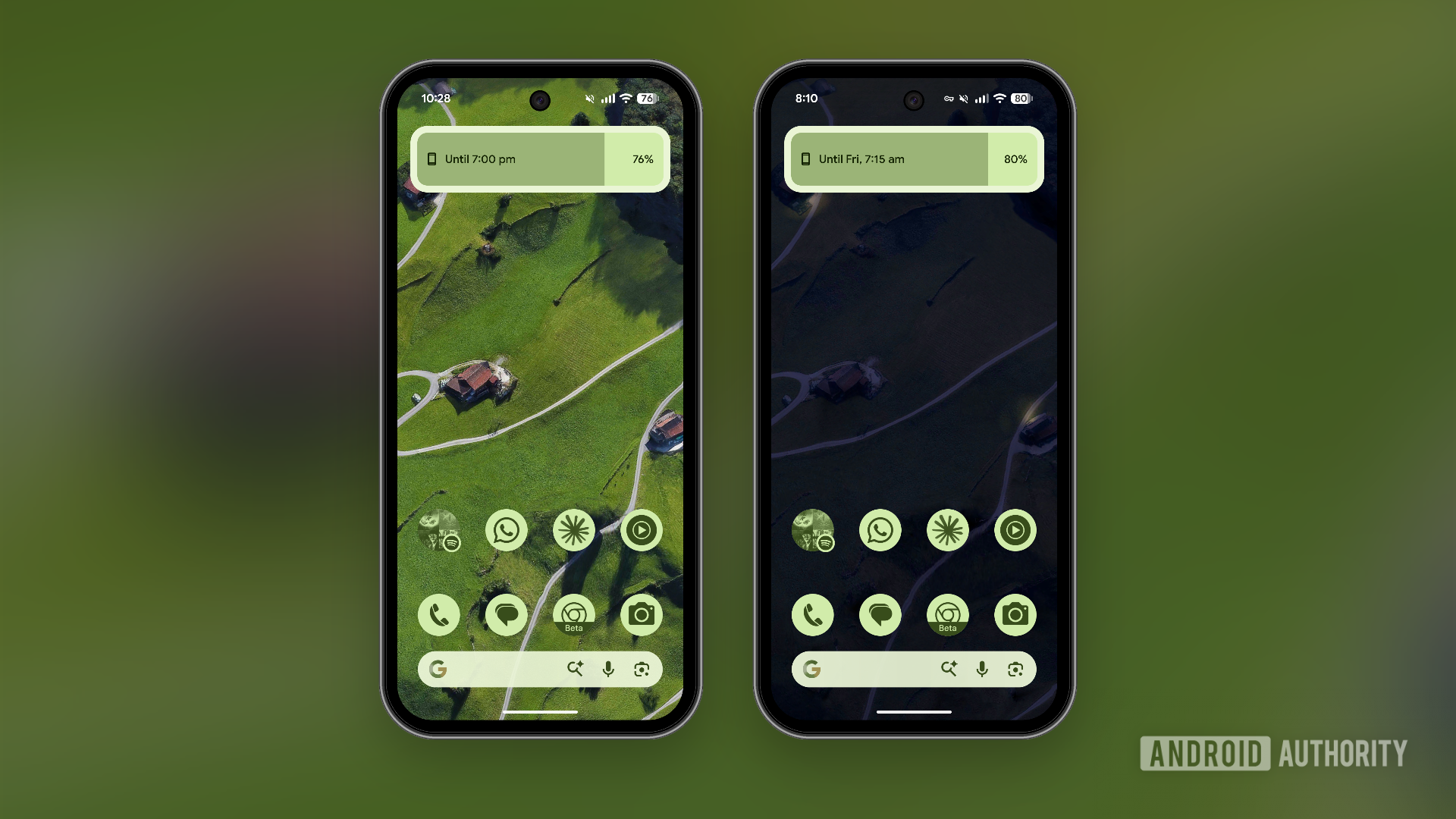
- Single-Page Setup: The most effective minimalist home screen typically consists of a single page. This eliminates the need for swiping through multiple screens, reducing decision fatigue and making app access more direct. Only the most frequently used and essential applications are placed on this page, perhaps in a carefully organized dock or a small grid.
- Themed Icons: Adopting a consistent icon pack that offers a uniform aesthetic, especially one with a minimalist or monochrome design, further reduces visual clutter. Themed icons create a harmonious look, making the home screen feel less like a jumble of disparate applications and more like a cohesive, purposeful interface.
- Reliance on App Drawer: For less frequently used apps, the standard swipe-up gesture to access the app drawer on Pixel devices remains an efficient and unobtrusive method. This ensures that the home screen remains clean while all applications are still readily accessible when needed.
3. Advanced Minimalism with Niagara Launcher: A Deeper Dive into Focus
For those seeking an even more radical transformation, third-party launchers like Niagara Launcher offer an advanced minimalist experience. Niagara Launcher rethinks the traditional grid-based home screen, presenting a clean, alphabetical list of apps with a focus on quick access to favorites.
- Streamlined Interface: It reduces visual noise to an absolute minimum, showing only essential apps and notifications in a non-intrusive manner.
- Efficiency: Users can pin a few critical applications to the top for immediate access, and a smart search function allows for rapid navigation to any other app.
- Adaptive List: Niagara learns usage patterns, subtly promoting frequently used apps.
- By switching to such a launcher, the entire interaction paradigm shifts from browsing a visual landscape to efficiently launching specific tools, further reinforcing the device’s role as a utility rather than an entertainment hub. This level of customization allows users to tailor their phone’s primary interface to perfectly match their minimalist goals, eliminating extraneous elements and promoting focused engagement.
Reclaiming Control Over Indispensable Applications
Even with a thoroughly minimalist home screen and a suite of FOSS alternatives, certain core applications remain indispensable. Google Chrome, Gmail, and Google Maps are deeply integrated into many users’ digital lives, and completely abandoning them might not be feasible or practical. However, even these feature-rich applications can be stripped down to their essential functionalities, mitigating their potential for distraction. This process requires a deliberate exploration of each app’s settings to identify and disable features designed primarily for engagement rather than utility.
1. Taming Google Chrome: From Adrenaline Junkie to Focused Browser
Google Chrome, by default, is configured to be an "adrenaline junkie" of a browser, constantly pushing content and notifications.
- Customizing the Homepage: The default Chrome homepage often displays shortcuts to frequently visited sites, suggested articles, and news feeds. While seemingly helpful, these elements can be significant sources of distraction. Users can delve into Chrome’s settings to customize the homepage, removing almost every element except the search bar. This ensures that opening the browser is a deliberate act of seeking information, not an invitation to browse an endless feed.
- Disabling Notification Pop-ups: Many websites aggressively prompt users to enable notifications. These pop-ups are not only intrusive but, if accepted, can lead to a deluge of unwanted alerts. Proactively disabling the notification prompt feature within Chrome’s site settings prevents these requests, restoring a sense of peace during web browsing. Furthermore, reviewing and disabling existing site-specific notifications is crucial.
- Leveraging Reader Mode: For content consumption, utilizing Chrome’s built-in Reader Mode (or a similar feature in Fennec) can strip away extraneous elements from web pages, presenting only the core text and images. This reduces visual clutter and allows for more focused reading.
2. Streamlining Google’s Productivity Suite: Gmail and Google Maps
Google’s ecosystem apps, while powerful, often come bundled with features that may not align with a minimalist approach.
- Customizing Gmail: Gmail, an essential communication tool, has evolved to integrate various Google services. The recent introduction of AI features like Gemini and the persistent presence of the Meet tab (for video conferencing) can add visual and functional clutter. Users can navigate Gmail settings to disable the Gemini features and hide the Meet tab, reverting Gmail to its core function as an email client. This reduces the cognitive load associated with multiple integrated services and allows for a more focused email management experience.
- Optimizing Google Maps: Google Maps is invaluable for navigation and local information. However, it has increasingly expanded its functionality beyond basic mapping, incorporating features like the "Explore page" (suggesting local businesses and activities) and "Ask Maps" (an AI-driven query tool). While these features aim to enhance discovery, they can also serve as significant distractions. Within Maps settings, users can disable suggestions, recommendations, and the Explore page to ensure that the app primarily serves its navigational purpose. This prevents the app from pulling users into serendipitous (and often time-consuming) local explorations when their primary intent is simply to get from point A to point B.
The Broader Imperative: User Empowerment Through Settings
The overarching advice for achieving digital minimalism on a feature-rich smartphone is to adopt a proactive and inquisitive mindset regarding app settings. Developers often include extensive customization options, allowing users to disable annoying notifications, irrelevant suggestions, and distracting features. The challenge lies in actively seeking out and utilizing these controls. This process of intentional configuration empowers users to regain agency over their digital devices, transforming them from demanding attention-grabbers into docile, efficient tools.
Conclusion: The Attainable Promise of Digital Serenity
The journey to transform a powerful device like the Pixel 9a into a minimalist powerhouse demonstrates that the quest for digital serenity does not necessarily require a financial investment in dedicated "dumbphones." Instead, a thoughtful, systematic approach leveraging existing Android capabilities and a carefully curated selection of open-source and customizable applications can yield profound results. By meticulously managing notifications, implementing robust app and ad blockers, embracing minimalist application alternatives, redesigning the home screen for simplicity, and diligently stripping down indispensable core applications, users can create a digital environment that prioritizes focus, productivity, and mental well-being.
This transformation is more than just a technological tweak; it represents a conscious decision to redefine one’s relationship with technology. It shifts the paradigm from being a passive recipient of digital stimuli to an active curator of one’s digital experience. The long-term implications are significant: reduced stress and anxiety, improved attention spans, greater efficiency in daily tasks, and a reclaiming of precious time previously lost to aimless scrolling and constant digital interruptions. The Pixel 9a, far from being an expensive distraction, can thus become a testament to the power of intentional design and user empowerment, proving that a calmer, more focused digital life is not just a dream, but an achievable reality for any smartphone user willing to explore their device’s full potential for minimalism.