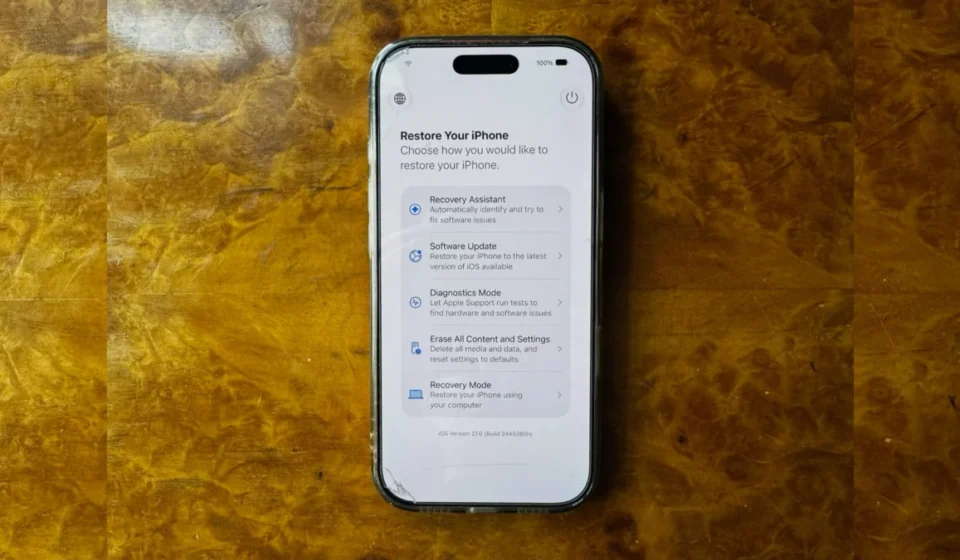

Since the introduction of iOS 26, Apple iPhones have possessed the capability to automatically boot into a Recovery Assistant mode when encountering significant operational failures, eliminating the prior necessity of a connected Mac or PC for such diagnostics. However, this self-initiated recovery process was exclusively triggered by the device’s inability to start up properly, leaving users with no direct control over entering this crucial troubleshooting environment. This limitation has now been addressed in the latest beta iteration of iOS 27, empowering iPhone users with the ability to manually initiate a Mac-style recovery screen at their convenience, a significant enhancement in user control and device management.
The evolution of the iPhone’s recovery capabilities began with iOS 26, a pivotal update that introduced a more sophisticated Recovery Assistant. This feature, detailed in Apple’s developer documentation and discussed in industry forums, marked a departure from previous recovery methods that often demanded tethering to a computer. The primary objective of this advancement was to streamline the troubleshooting process for common software glitches and boot failures, making device recovery more accessible to the average user. Yet, the automatic nature of its activation meant that users could only benefit from it after a problem had already occurred, creating a reactive rather than proactive approach to potential issues.
iOS 27, currently undergoing public beta testing, fundamentally alters this paradigm. Apple has engineered a way for users to manually access the recovery screen, mirroring the functionality long available on Apple Silicon Macs. This change represents a proactive step towards user empowerment, allowing for routine maintenance and troubleshooting without the immediate presence of a computing device. The implications of this shift are far-reaching, potentially reducing the reliance on external hardware and simplifying complex technical procedures for a broader audience.
A Leap in User-Centric Recovery: The iOS 27 Innovation
The new recovery mode in iOS 27 is designed for standalone operation. Once initiated, the iPhone can connect to a known Wi-Fi network, a critical feature that enables essential functions like software updates and data restoration without the need for a wired connection. The interface also displays the device’s current battery percentage, providing users with vital information during the recovery process. This standalone capability is a significant departure from earlier iterations where a constant connection to a Mac or PC was often a prerequisite for initiating or completing recovery procedures.
The process of entering this new recovery mode is remarkably similar to the established procedure for Apple Silicon Macs, underscoring Apple’s effort to create a consistent user experience across its product lines. For iPads running iPadOS 27, the method is identical. This cross-platform consistency is a hallmark of Apple’s design philosophy, aiming to reduce the learning curve for users who may interact with multiple Apple devices.
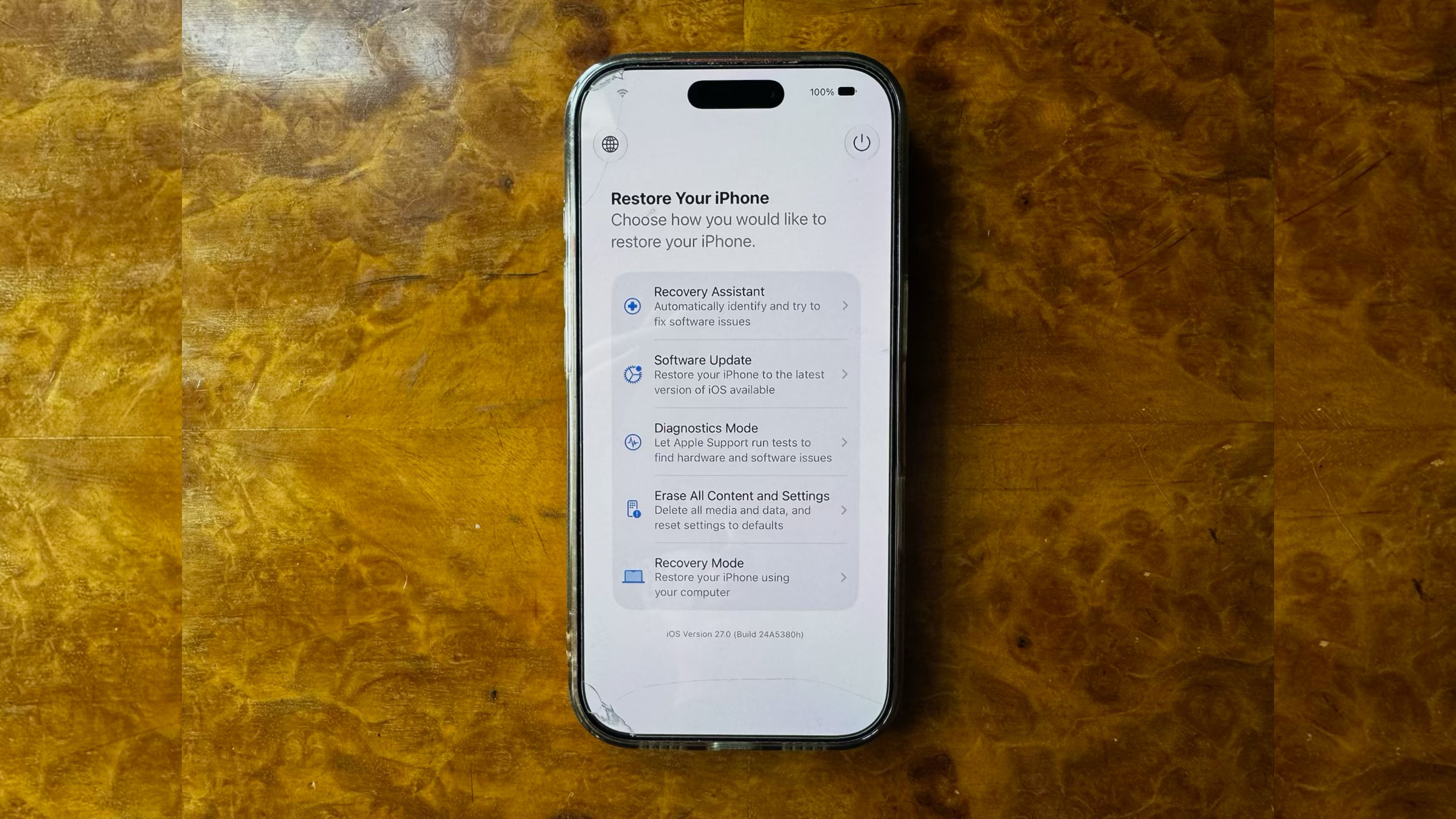
To initiate the recovery mode on an iPhone running iOS 27 beta, users must first power off their device. Then, they need to press and hold the Side button. Crucially, unlike previous methods that might involve specific timing with volume buttons, the duration for which the Side button is held is key. Once the Apple logo appears on the screen, users must continue to hold the Side button. The device will then proceed to boot into the dedicated recovery screen, bypassing the standard iOS startup sequence. This deliberate sequence ensures that the recovery mode is accessed intentionally, preventing accidental activation.
Deciphering the Recovery Toolkit: Options and Utilities
Upon successfully entering the recovery screen, users are presented with a suite of options designed to address various device issues. The primary interface offers a clear, albeit concise, set of tools that mirror the functionality found in macOS Recovery. These options are meticulously designed to facilitate a range of troubleshooting and maintenance tasks, from minor software adjustments to more comprehensive system resets.
The core recovery options include:
- Restore iPhone: This option allows users to completely reinstall iOS, effectively wiping the device and setting it up as new. This is often the most comprehensive solution for persistent software problems, malware infections, or when preparing to sell or trade in the device.
- Update iPhone: This presents an opportunity to install the latest version of iOS without erasing personal data. This is particularly useful if an over-the-air update failed or if the device is experiencing issues that might be resolved by a fresh installation of the current software. The ability to update wirelessly is a significant enhancement, as it negates the need for a computer connection, a common bottleneck in previous update processes.
- Erase All Content and Settings: Similar to the restore function, this option removes all data and settings from the iPhone, returning it to its factory default state. This is a less invasive option than a full restore if the underlying operating system is suspected to be sound but user data or settings are causing problems.
- View About: This provides essential device information, including serial number, model, and current iOS version, which can be vital for support or warranty claims.
- Cancel and Restart: This option allows the user to exit the recovery environment and attempt to boot the iPhone normally. It serves as a safe exit if the user entered recovery mode by mistake or decided against proceeding with any recovery actions.
The Hidden Power: Nearby Device Recovery
Beyond the readily visible options, iOS 27 introduces a less conspicuous yet highly significant feature: Nearby Device Recovery. This advanced functionality, accessible on newer iPhone models, requires a specific sequence of actions within the recovery screen itself. While on the recovery screen, pressing and holding the Side button again triggers a secondary popup menu. Within this menu, users will find the option for "Nearby Device Recovery."
This feature is a sophisticated extension of Apple’s existing device-to-device communication capabilities, drawing parallels to features first introduced on iPhone 16 models. It allows a user to leverage another nearby Apple device, such as another iPhone, iPad, or Mac, to facilitate the recovery process. This can be invaluable if the primary device is severely damaged or its connectivity is compromised, as it offloads some of the computational and networking tasks to a trusted secondary device. The introduction of this feature suggests a move towards a more interconnected and resilient device ecosystem, where devices can mutually support each other in times of need.

Navigating Out of Recovery: Exiting Gracefully
Exiting the recovery screen is a straightforward process designed for user convenience. Users have two primary methods to leave the recovery environment and resume normal iPhone operation. The first is to tap the power icon, typically located in the top-right corner of the recovery screen, and confirm the desire to restart the device. This is a direct, on-screen command that immediately initiates the reboot sequence.
Alternatively, users can opt for the physical button method. By pressing and holding the physical Side button, a familiar menu will appear, offering options to "Restart" or "Shut Down" the device. Selecting "Restart" will prompt the iPhone to exit recovery mode and attempt to boot into iOS as usual. This provides a familiar tactile interaction for users who prefer physical controls.
A Proactive Measure for a More Robust Ecosystem
While the new manual recovery screen in iOS 27 is not expected to be a feature used on a daily basis, its presence is a testament to Apple’s ongoing commitment to user control and device resilience. The ability to proactively enter recovery mode, rather than waiting for a critical failure, equips users with a powerful tool for maintaining the health and functionality of their iPhones. This is particularly relevant during the beta testing phase of iOS 27, where unexpected issues can arise.
The public beta program for iOS 27 offers an opportunity for users to experience these new features firsthand. Released in the lead-up to the official fall launch, the beta allows early adopters to identify potential bugs and provide valuable feedback to Apple. This collaborative approach to software development ensures that by the time iOS 27 is widely available, it will be a more stable and polished operating system, with enhanced recovery capabilities that benefit all users. The implications for device longevity and user satisfaction are significant, as a more accessible and powerful recovery system can mitigate the frustration and downtime associated with technical problems.
The introduction of manual recovery access in iOS 27 signifies a maturing of Apple’s operating system, moving beyond basic functionality to incorporate more advanced user-centric tools. This enhancement, combined with the broader advancements in iOS 27, such as context-aware Siri and new iCloud+ perks, positions the upcoming release as a substantial update focused on both innovation and user empowerment. As the public beta continues, the full impact of these changes will become clearer, but the ability to manually access the recovery screen is an undeniable step forward in making iPhone management more intuitive and accessible.