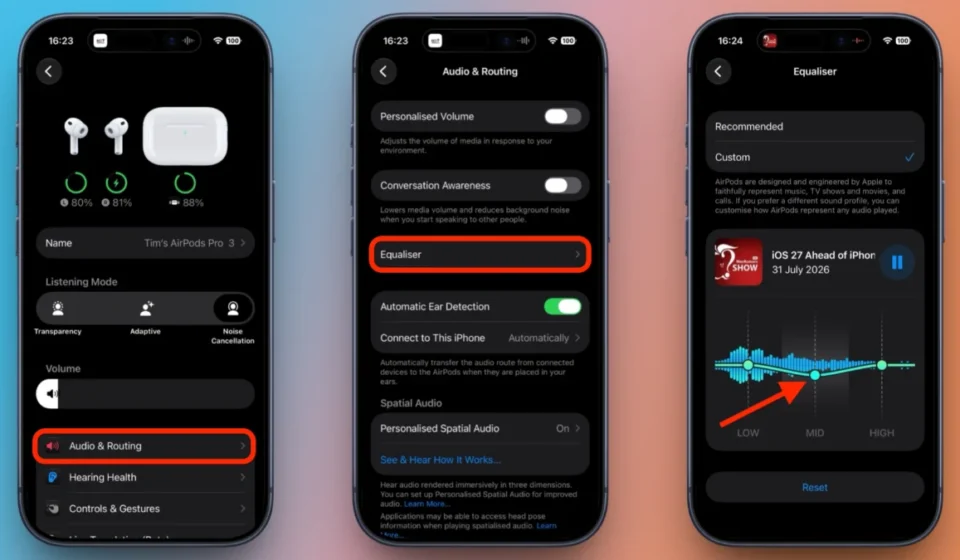

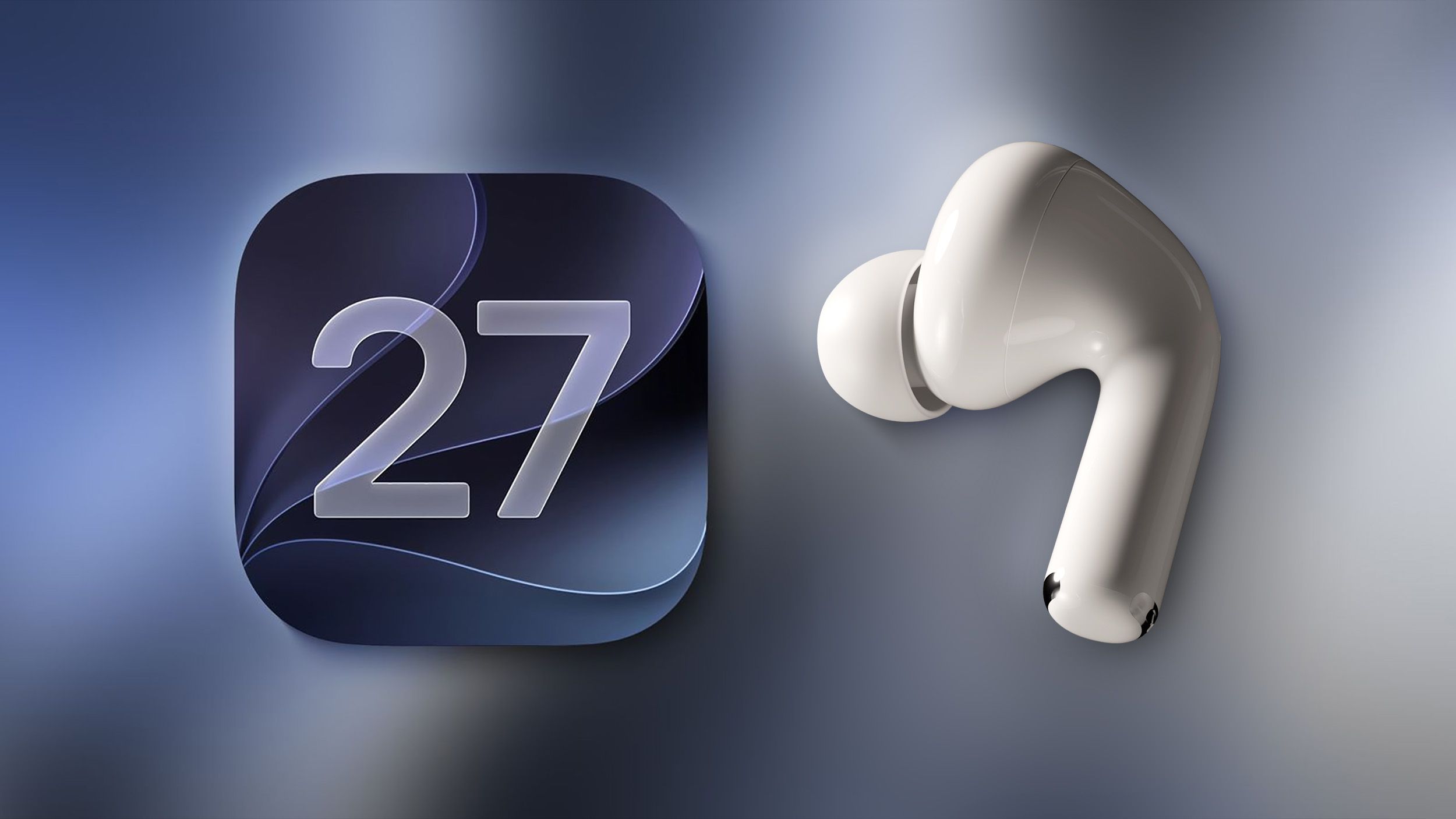
The landscape of personalized audio for Apple’s wireless earbuds has fundamentally shifted with the introduction of a three-band equalizer in iOS 27. For years, users of premium headphones from competitors like Sony, Bose, and Sennheiser have enjoyed the ability to fine-tune the audio frequency spectrum to their individual preferences. This level of granular control was notably absent for AirPods owners, who were largely limited to Apple’s default audio tuning. However, this long-standing disparity has been addressed, offering AirPods users an unprecedented degree of audio customization directly within their device settings.
The new equalizer functionality, integrated into the AirPods settings screen within iOS 27, empowers users to sculpt their listening experience. This feature allows for adjustments to the low, mid, and high frequencies, providing a tangible impact on the perceived bass, vocal clarity, instrument separation, and treble detail of audio playback. This represents a significant leap forward for Apple’s audio ecosystem, bringing AirPods into closer parity with the audiophile-centric features long offered by rival manufacturers.
It is important to distinguish this new AirPods-specific equalizer from the existing audio settings available in iOS. For a considerable time, iOS has offered a built-in equalizer, accessible through Settings > Music. However, this feature has been confined to Apple Music playback and operates universally across any headphones connected to the device. The iOS 27 enhancement is a distinct evolution, directly tying the equalizer profile to the AirPods themselves. This means that any audio played through the compatible AirPods – whether it’s from Apple Music, third-party streaming services, podcasts, videos, or system sounds – will be subject to the user’s custom EQ settings. Furthermore, this personalized audio profile seamlessly transfers across Apple’s ecosystem. Once configured on an iPhone running iOS 27, the custom EQ settings will be applied when the same AirPods are paired with an iPad running iPadOS 27 or a Mac running macOS 27 Golden Gate, ensuring a consistent listening experience across devices.
Technical Requirements for Custom EQ
The implementation of this advanced audio tuning is contingent upon Apple’s proprietary H2 chip. Consequently, the custom EQ feature is exclusively supported by the following AirPods models: AirPods Pro (2nd generation), AirPods Pro (3rd generation), AirPods (4th generation), and AirPods Max (2nd generation). Older models, including the original AirPods Max, do not possess the necessary hardware to support this functionality and will not be able to access the new equalizer settings.
Beyond hardware compatibility, users will also need to be running the current beta firmware for their AirPods. In cases where the Equalizer option does not immediately appear in the AirPods settings, users are advised to ensure their AirPods are paired with their iPhone. Within the iPhone’s Settings app, navigating to the paired AirPods and then selecting "AirPods Beta Updates" will reveal an option to enable beta updates. Once activated, users should place their AirPods in their charging case, connect the case to a power source, and keep it in close proximity to an unlocked iPhone. This process allows the latest beta firmware to be installed quietly in the background, typically within a timeframe of approximately half an hour. This proactive measure ensures that users are equipped with the necessary software foundation to leverage the new audio customization capabilities.
Navigating the New AirPods EQ Settings
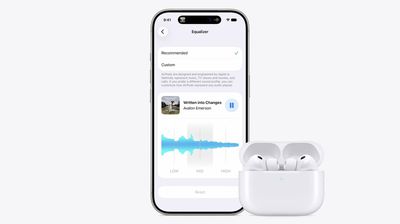
Adjusting the audio profile of your AirPods in iOS 27 is designed to be an intuitive process. Upon accessing the AirPods settings screen, users will observe a media playback control situated at the top. This control displays the last audio content that was played, providing a live reference point to assess the impact of EQ adjustments in real-time. The equalizer itself is structured around three primary bands:
- Lows: This band directly influences the bass response, controlling the depth and impact of low-frequency sounds. Users can boost this for a more resonant bass or reduce it to prevent muddiness.
- Mids: The mid-range frequencies are crucial for the clarity of vocals and the presence of most musical instruments. Adjusting this band can enhance vocal intelligibility or bring forward the nuances of instruments like guitars and pianos.
- Highs: This band governs the treble, affecting the brightness, detail, and sibilance of the audio. Users can accentuate crispness and detail or tame harshness and excessive "sss" sounds.
To revert any modifications made to the audio profile, users can simply tap the "Reset" option. Alternatively, selecting "Recommended" at the top of the EQ settings will restore Apple’s default audio profile, providing a baseline for comparison or a quick return to the original sound signature. This comprehensive suite of controls offers a user-friendly approach to audio personalization.
The integration of this feature is not exclusive to iOS 27. Identical functionality is available for users of iPadOS 27 and macOS 27 Golden Gate, accessible within the respective System Settings applications. This cross-platform consistency ensures that Apple’s commitment to personalized audio extends across its primary computing devices.
Broader Context and Industry Implications
The introduction of a dedicated, system-wide equalizer for AirPods marks a significant moment in Apple’s evolution as an audio hardware provider. For years, the company has relied on its meticulously crafted default sound signatures, which, while generally well-received, lacked the flexibility demanded by a segment of its user base. This move mirrors a broader trend within the consumer electronics industry, where personalization and user-defined experiences are increasingly becoming key differentiators.
The timing of this feature rollout, coinciding with the public beta phase of iOS 27, suggests a strategic approach by Apple to gather user feedback and refine the functionality before its general release. The public beta, which began earlier this summer, allows a wider audience to test pre-release software and identify any potential issues or areas for improvement. A general release of iOS 27, along with its associated updates for iPadOS and macOS, is anticipated in September, aligning with Apple’s typical annual software update cycle.
The inclusion of an H2 chip requirement for this feature also highlights Apple’s strategy of integrating advanced silicon to unlock sophisticated functionalities. This approach not only ensures optimal performance and efficiency but also creates a tiered system for feature availability, incentivizing users to upgrade to newer hardware to access the latest innovations.
From an industry perspective, this development could put further pressure on other headphone manufacturers to innovate in areas beyond raw sound quality, such as seamless integration and advanced software features. The ability for AirPods to adopt custom EQ settings across multiple Apple devices also reinforces the company’s ecosystem lock-in strategy, making the AirPods an even more compelling choice for existing Apple users.
The initial beta firmware for AirPods, which enables these iOS 27 features, began rolling out to developers in early July 2026, with build number 9A5314b. This timeline suggests a concerted effort by Apple to bring this feature to market in a polished state. The accompanying beta release notes for this firmware specifically mentioned the addition of a new AirPods interface, a slider for Adaptive mode, and crucially, support for custom EQ.
Furthermore, recent reports suggest Apple is exploring even more advanced interoperability features. Plans are reportedly underway to enable AirPods-like pairing for third-party accessories, including Meta’s smart glasses and Quest headsets, under the EU’s Digital Markets Act. This indicates a broader vision for how Apple devices and accessories interact, potentially extending simplified pairing and seamless integration beyond Apple’s own product lines in specific regulatory contexts.
The implications of this custom EQ feature are far-reaching for consumers. It democratizes audio tuning, moving it from the realm of professional audio engineers and dedicated audiophiles to the everyday user. Whether someone prefers a bass-heavy sound for electronic music, a clear and present vocal range for podcasts, or a balanced profile for classical compositions, iOS 27 provides the tools to achieve it. This level of user empowerment in audio playback is a significant enhancement to the AirPods experience, solidifying their position not just as convenient earbuds, but as sophisticated personal audio devices. As the general release of iOS 27 approaches, the audio landscape for AirPods users is set to become significantly more personalized and dynamic.