Google Unleashes Android Canary 2608: A Deep Dive into Advanced Customization, Multitasking Innovations, and the End of Support for Pixel 6 Series

The latest iteration of Google’s highly experimental Android Canary program, build 2608, has been officially released, marking a significant milestone in the ongoing development of the Android operating system. This August build arrives precisely one month after its predecessor, the 2607 July build, continuing Google’s rapid-fire release schedule for its earliest-stage software. While Canary builds are primarily aimed at a niche audience of developers and power users eager to experience the bleeding edge of Android, the 2608 update brings with it a mix of exciting new features and a pivotal, albeit expected, policy change regarding device support. Among the headline additions are a powerful new Quick Settings editor, offering unprecedented levels of UI customization, and an innovative app handle designed to streamline multitasking on large-screen and foldable devices. However, this release also ushers in the discontinuation of official support for the Google Pixel 6 and Pixel 6 Pro within the Canary program, a move that aligns with Google’s broader update strategy for these devices, as previously seen with Android 17 QPR2.
Understanding the Android Canary Program: The Frontier of Development
The Android Canary program represents the earliest and most experimental phase of Android’s development lifecycle. Unlike the more stable Developer Previews or Public Betas, Canary builds are often raw, unstable, and prone to significant bugs, crashes, and performance issues. They are not intended for daily drivers or general consumers. Instead, they serve as an invaluable testing ground for Google’s engineers and a select community of intrepid developers and enthusiasts. Participants in the Canary program gain exclusive, early access to foundational changes, new APIs, and conceptual user interface elements that may or may not make it into future stable Android releases. This rapid feedback loop allows Google to iterate quickly, identify critical issues, and refine features long before they are polished for a wider audience. The moniker "Canary" itself is a nod to the historical practice of using canaries in coal mines to detect dangerous gases, symbolizing the program’s role in detecting potential problems in the nascent stages of Android development. For those who absolutely "need to be first in line" to test the latest changes, the Canary program remains the undisputed choice, offering a glimpse into Google’s vision for the future of mobile computing. It embodies Google’s commitment to iterative development, where user and developer feedback from these early stages is crucial in shaping the final product, ensuring that the stable Android releases are robust, feature-rich, and optimized for a wide array of devices.
The Evolving Landscape of Pixel Device Support: A Bittersweet Farewell to the Pixel 6 Series
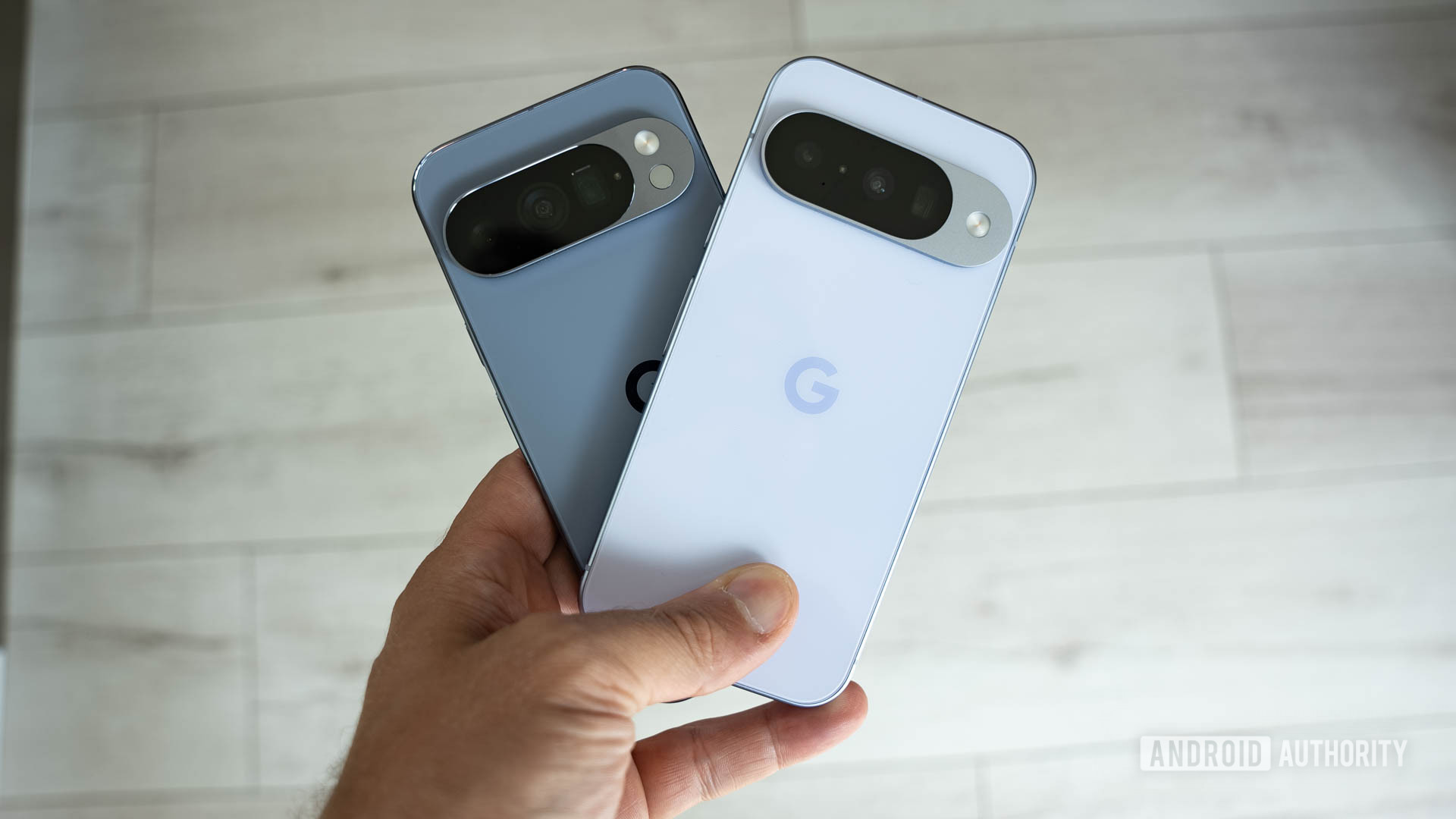
A significant, albeit anticipated, development accompanying Android Canary 2608 is the formal cessation of support for the Google Pixel 6 and Pixel 6 Pro within the experimental program. This decision means that while users currently running a Pixel 6 series device can install the 2608 build, they will not receive any subsequent Canary updates. This mirrors a similar policy shift observed with the Android 17 QPR2 beta, effectively signaling the end of life for major software feature updates for these devices within Google’s bleeding-edge programs.
The Pixel 6 and Pixel 6 Pro, launched in October 2021, were groundbreaking devices for Google, marking the debut of the company’s first-generation Tensor chip. At their launch, Google promised five years of security updates and three years of major Android OS updates for these models. As of late 2024 or early 2025 (depending on the exact timing of Android 17’s stable release), these devices are approaching or have reached their three-year mark for major OS updates. The discontinuation of Canary and QPR2 support for the Pixel 6 series is a natural progression within this established support window. While the devices will continue to receive security updates for the remainder of their promised five-year lifecycle, their journey on the cutting edge of Android feature development officially concludes with this update cycle. This strategic decision by Google allows the company to focus its resources on optimizing newer Android versions for more recent Pixel hardware, particularly those featuring subsequent generations of the Tensor chip, which often bring enhanced AI capabilities and improved performance that newer software features are designed to leverage.
The Pixel 6 series holds a notable place in Google’s hardware history, representing a pivotal moment where Google took greater control over its silicon design. Its original Tensor chip enabled features like advanced computational photography and on-device AI processing that differentiated it from competitors. However, as technology progresses, maintaining comprehensive software support for older hardware can become increasingly complex and resource-intensive, especially for highly experimental builds like Canary that push system capabilities to their limits. This move, while disappointing for some loyal Pixel 6 users who might have hoped for an extended run on the experimental track, is a standard practice in the rapidly evolving smartphone industry. It ensures that future Android innovations are optimized for the hardware that can best deliver them, allowing Google to push the boundaries of what Android can do without being tethered by the constraints of older architectures in its most experimental software branches. Google’s official statements regarding device lifecycle often emphasize a balance between long-term support and the rapid innovation cycle inherent in mobile technology, a balance that this decision reflects.
Revolutionizing User Interface: The Powerful New Quick Settings Editor
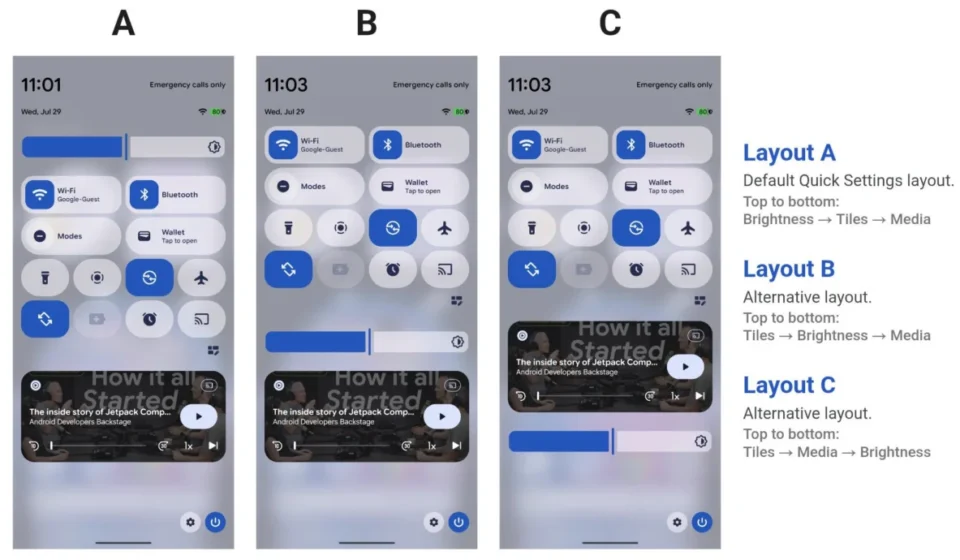
One of the standout features making its debut in Android Canary 2608 is a significantly enhanced Quick Settings layout editor. This powerful new customization tool promises to give users unprecedented control over the arrangement and functionality of their Quick Settings panel, a core component of the Android user experience. For years, Android has offered basic customization for Quick Settings, allowing users to reorder or remove existing tiles. However, the new editor, as highlighted by prominent Android expert Mishaal Rahman on X (formerly Twitter), goes far beyond these basic capabilities, signaling a major push towards deeper UI personalization.
The previous Quick Settings interface, while functional, often felt somewhat static, limiting users to a predefined set of toggles and a relatively rigid grid structure. With the 2608 update, Google appears to be moving towards a more dynamic and personalized approach. While specific details on every available option are still emerging from this experimental build, early glimpses suggest that users will be able to:
- Granular Control over Tile Placement and Size: Users may no longer be restricted to fixed-size tiles. The editor could allow for resizing individual tiles, creating larger, more prominent buttons for frequently accessed functions like Wi-Fi or Bluetooth, and smaller, less intrusive ones for settings used less often. This flexibility extends to placement, potentially allowing users to break free from strict grid alignments.
- Flexible Layouts and Grouping: The new editor is expected to enable more creative and adaptive arrangements. This could include the ability to group related settings, create multi-row tiles, or even design custom sections within the Quick Settings panel. This moves beyond simple reordering to a more architectural control over the entire interface.
- Contextual and Dynamic Elements (Speculative but probable): A "powerful new editor" could lay the groundwork for developers to create more interactive or context-aware Quick Settings tiles. For example, tiles that change based on location, time of day, or connected accessories, further enhancing the utility and smart capabilities of the panel.
- Enhanced Accessibility: A more customizable layout inherently improves accessibility. Users with specific motor skill challenges or visual impairments could arrange controls in a way that is most comfortable and efficient for them, placing essential toggles within easy reach or making them larger and easier to tap.
This increased flexibility is a significant step towards a more truly personalized Android experience, a trend that has been gaining traction across various operating systems. Users often spend a considerable amount of time interacting with their Quick Settings panel for essential tasks like toggling Wi-Fi, Bluetooth, flashlight, or adjusting screen brightness. Enabling them to tailor this interface precisely to their workflow and preferences can dramatically enhance daily usability and efficiency. The shift towards such detailed UI customization underscores Google’s ongoing commitment to user-centric design and empowering individuals to make their devices truly their own. The visual representations shared by Rahman indicate a drag-and-drop interface, making the process intuitive and accessible, even for such an advanced level of customization, ultimately aiming to reduce friction in daily smartphone interaction.
Seamless Multitasking on Large Screens: Introducing the App Handle
Beyond UI customization, Android Canary 2608 also introduces a crucial innovation aimed at improving the multitasking experience, particularly on larger displays and foldable devices: the "app handle." This seemingly small addition addresses a significant pain point for users navigating between full-screen applications and split-screen modes, a task that can often feel cumbersome on expansive screens. Mishaal Rahman’s observations on X detail the functionality of this new feature, showcasing its potential to redefine productivity on next-generation devices.
The app handle manifests as a subtle, visual indicator, likely a small bar or icon, situated at the edge or bottom of an active application window. Its primary function is to facilitate intuitive transitions between different display states. Users can:
- Effortless Split-Screen Activation: By dragging the app handle from a full-screen application, users can seamlessly transition it into a split-screen configuration, allowing them to run two applications side-by-side. This eliminates the need for often awkward gestures or navigating through recent apps menus to initiate split-screen, a process that can be particularly clunky on larger canvases.
- Quick Full-Screen Return: Conversely, dragging the handle from a split-screen app can expand it back to full-screen mode, providing a swift way to prioritize a single application without losing context or requiring multiple taps.
- Managing App Bubbles: The handle also extends its utility to app bubbles, which are floating windows for persistent notifications or chat applications. Users can drag an app bubble via its handle to open it directly into full-screen mode or even into a split-screen layout, further streamlining the workflow for managing communication and other background tasks.
This feature is particularly prescient given Google’s increasing focus on the foldable smartphone market and larger tablet form factors. The advent of devices like the Pixel Fold and the rumored "Pixel 11 Pro Fold" (as explicitly teased by Google itself, indicating future hardware development) necessitates a more fluid and intuitive multitasking paradigm. Traditional smartphone gestures often don’t scale well to larger screens, making complex interactions like initiating split-screen mode feel less natural and more laborious. The app handle represents a dedicated, visual, and tactile control point that simplifies these interactions, making large-screen productivity genuinely more efficient and enjoyable. This innovation reflects a deeper understanding of user behavior on larger displays, aiming to bridge the gap between traditional smartphone interaction and the more desktop-like multitasking capabilities demanded by premium foldable devices. It positions Android as a platform that is not just adapting to new form factors but actively innovating within them to provide a superior user experience.
Participation and Precautions: Engaging with Android Canary 2608
For those eager to dive into Android Canary 2608, Google provides a clear, albeit cautious, path forward. Participation in the Canary program is not for the faint of heart, as it involves flashing an experimental operating system build directly onto a compatible Pixel device. Google explicitly warns that the process will result in a complete wipe of all data on the device. Therefore, a comprehensive backup of all important information – including photos, contacts, apps, and documents – is an absolute prerequisite before proceeding. This critical step cannot be overstated, as data recovery from a wiped device without a backup is typically impossible.
The installation process itself is facilitated through Google’s web-based Android Flash Tool, accessible at flash.android.com. This tool provides a relatively user-friendly interface for flashing factory images, simplifying a process that traditionally required command-line expertise and a deeper technical understanding of fastboot commands. However, even with the tool, users must be comfortable with the technical aspects of flashing firmware and understand the inherent risks. Compatible Pixel devices (excluding the now unsupported Pixel 6 and 6 Pro for future updates in this program) can be connected to a computer, and the tool guides the user through selecting the appropriate Canary build and initiating the flash. Detailed instructions on Google’s developer portal further elaborate on the prerequisites, such as enabling USB debugging and OEM unlocking on the device.
It is crucial to reiterate that Canary builds are highly unstable. Users should expect encountering bugs ranging from minor glitches to significant system crashes, potential data corruption, and reduced battery life. These builds are developmental snapshots, not polished consumer-ready software. For developers, this instability is a trade-off for early access to APIs and system-level changes, allowing them to begin adapting their applications and reporting issues to Google. For enthusiasts, it offers a fascinating peek behind the curtain of Android’s evolution. However, anyone considering installing Android Canary 2608 should do so with a full understanding of these caveats and ideally on a secondary device rather than their primary smartphone. The commitment to such early testing contributes significantly to the robustness and quality of future stable Android releases, making the contributions of Canary testers invaluable to the continuous improvement of the Android ecosystem.
Broader Implications and the Future of Android
The release of Android Canary 2608, with its blend of innovative features and significant policy shifts, offers a compelling snapshot of Google’s strategic direction for Android. The enhanced Quick Settings editor signals a renewed emphasis on user customization and personalization, moving away from a one-size-fits-all interface towards an experience that truly adapts to individual preferences. This aligns with broader trends in software design, where user empowerment through customization is increasingly valued, and users expect their devices to reflect their unique needs and aesthetic choices. This focus on UI flexibility suggests that future stable Android releases will likely offer a much richer canvas for personalization, potentially challenging the traditionally more rigid UI approaches of competitors.
The introduction of the app handle, in particular, highlights Google’s accelerating commitment to optimizing Android for large-screen and foldable devices. As the smartphone market matures, growth is increasingly coming from these innovative form factors, which offer new paradigms for productivity and content consumption. Google’s explicit teasers of devices like a "Pixel 11 Pro Fold" underscore its ambition to be a leader in this segment. By developing intuitive multitasking features at the earliest stages of Android’s development, Google is laying the groundwork for a more seamless and productive experience on these advanced devices, aiming to establish Android as the premier operating system for the next generation of mobile hardware. This also positions Android to better compete with other platforms, such as Apple’s iPadOS and Samsung’s One UI on its foldables, which have historically offered robust multitasking environments. Google’s efforts here are critical to ensuring Android’s continued dominance and adaptability across the evolving hardware landscape.
Conversely, the decision to cease Canary support for the Pixel 6 and Pixel 6 Pro, while disappointing for some users, reflects the pragmatic realities of hardware and software development. Maintaining bleeding-edge software on older hardware, especially when new features are designed to leverage newer chip capabilities, can be inefficient and lead to a suboptimal user experience. This policy ensures that Google can focus its engineering efforts on delivering the best possible performance and features for its current and upcoming devices, driven by the latest Tensor silicon. While it means a shorter lifespan for experimental software for the Pixel 6 series, it reinforces Google’s commitment to its promised support windows for stable builds and allows the company to push the boundaries of innovation without being constrained by legacy hardware limitations in its most experimental programs. This decision is a standard industry practice, balancing user expectations for long-term support with the necessity of forward-looking development.
In essence, Android Canary 2608 is more than just another update; it’s a statement. It communicates Google’s vision for an Android that is more customizable, more adaptable to diverse form factors, and relentlessly innovative. For developers, it provides new tools and APIs to explore, enabling them to build richer applications for the future. For users of newer Pixel devices, it offers a glimpse into a future of enhanced productivity and personalization that will soon be mainstream. And for the broader Android ecosystem, it signifies Google’s continued drive to evolve the platform, ensuring its relevance and competitiveness in an ever-changing technological landscape. The features introduced in this Canary build are likely to mature through subsequent Developer Previews and Betas, eventually finding their way into a stable Android release, shaping the user experience for millions worldwide in the coming year and defining the user experience for the next generation of Android devices.