
In the ever-evolving landscape of consumer electronics, the purchase of a new monitor, whether for a desktop setup, a laptop upgrade, or a specialized creative workstation, often represents a significant investment. While manufacturers strive for quality control, the reality is that even brand-new devices can harbor subtle, or sometimes glaring, imperfections. These defects, if undetected, can diminish the user experience, impact productivity, and ultimately lead to frustration. Fortunately, for Mac users, a discreet yet powerful utility called Screen Test has emerged as an essential tool for scrutinizing display quality before the return window slams shut.
Screen Test, now in its 1.1 iteration, is a native macOS application meticulously designed to unearth a wide spectrum of visual anomalies that might escape the casual observer. The software offers a comprehensive suite of over 25 diagnostic patterns and testing tools, engineered to rigorously evaluate both the built-in displays of MacBooks and iMacs, as well as external monitors connected to these machines. Its core strength lies in its ability to illuminate issues such as dead or stuck pixels, backlight bleeding, uneven brightness distribution, and other subtle panel defects that can plague even high-end displays. A significant advantage of Screen Test is its complete offline functionality, eliminating any reliance on internet connectivity or browser-based tools, which can sometimes introduce their own variables or limitations. This offline capability ensures a consistent and reliable diagnostic environment, crucial for objective assessment.
Unveiling Imperfections: The Diagnostic Power of Screen Test
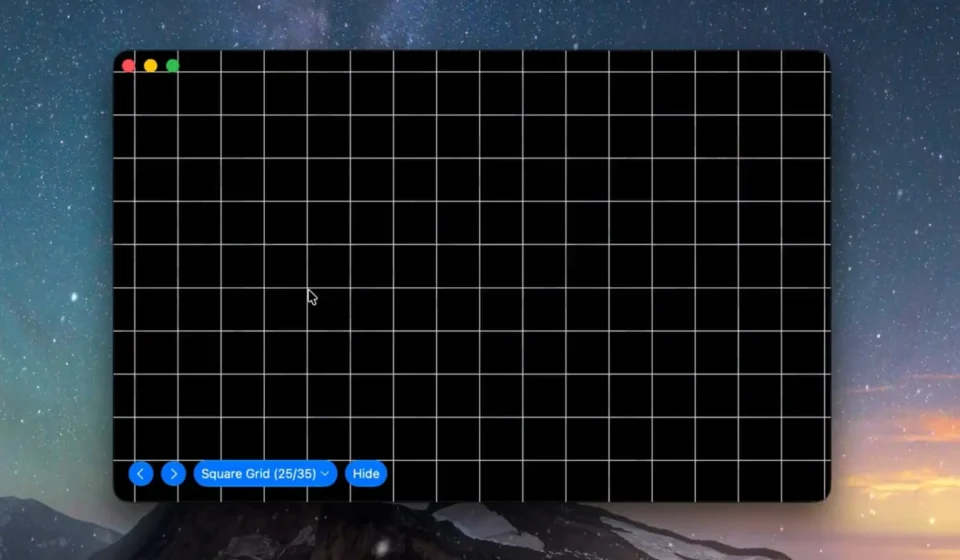
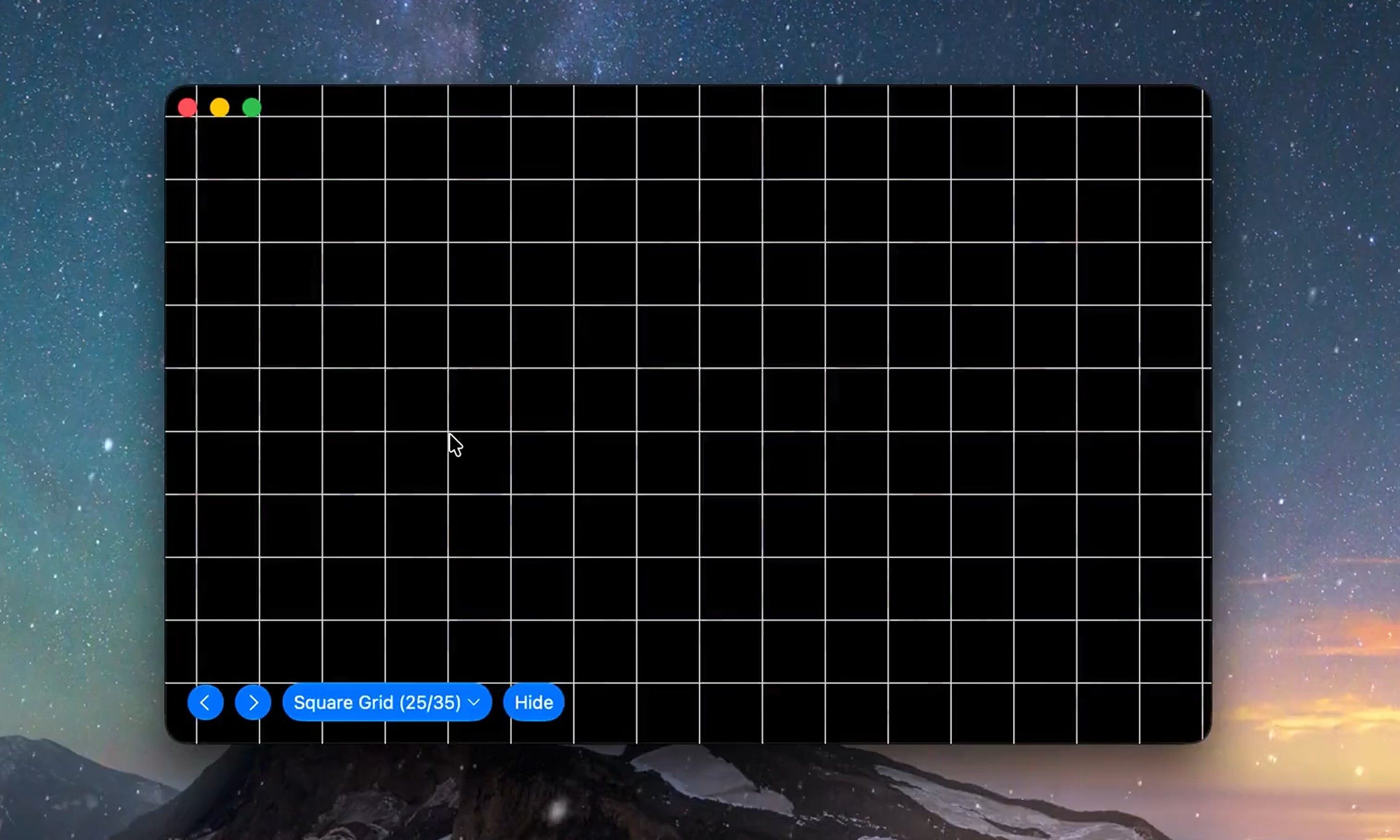
The fundamental principle behind Screen Test’s effectiveness is its strategic use of carefully curated visual patterns. By systematically filling the entire display area with specific colors, intricate grids, nuanced grayscale gradients, and other precisely engineered visuals, the app amplifies the visibility of even the most minor panel flaws. For instance, the application cycles through solid blocks of primary and secondary colors. This simple yet effective technique is instrumental in identifying dead pixels, which remain stubbornly dark regardless of the color displayed, and stuck pixels, which are permanently fixed on a single color, disrupting the intended visual output.
Furthermore, the app employs uniform screens of pure black and white, as well as a spectrum of grays. These monochromatic displays are particularly adept at revealing the insidious issue of backlight bleeding. This phenomenon occurs when light from the monitor’s backlight leaks around the edges of the screen, creating brighter patches that can be distracting, especially in dark scenes or when viewing content with high contrast ratios. Inconsistent brightness across the panel, another common manufacturing blemish, is also readily apparent under these uniform color conditions. The stark contrast between the displayed color and any deviations from perfect uniformity makes these defects stand out clearly.
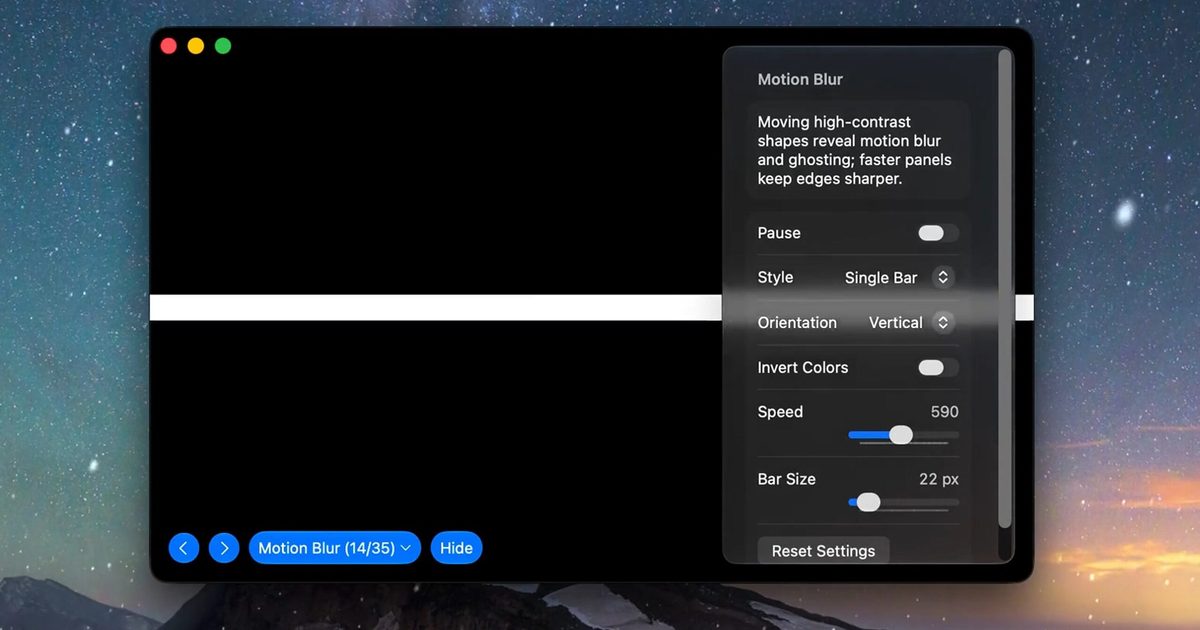
Version 1.1 of Screen Test builds upon its already robust feature set by introducing seven new diagnostic tools, further enhancing its diagnostic capabilities. While the original article does not detail these specific additions, their inclusion suggests a continuous effort by the developer to refine and expand the app’s utility. These enhancements likely address emerging display technologies or offer more nuanced testing methodologies for existing ones. For example, the inclusion of a motion test is particularly noteworthy, especially for users evaluating gaming monitors. In fast-paced gaming scenarios, slow pixel transitions can lead to noticeable motion blur or "ghosting," where trails of previous images linger behind moving objects. The motion test within Screen Test is designed to make these sluggish pixel responses readily visible, allowing gamers to assess a monitor’s suitability for their needs.
Moreover, the introduction of specialized text patterns is another significant enhancement. These patterns are crucial for identifying issues related to subpixel rendering and sharpness. Subpixel rendering is the technique by which displays use individual red, green, and blue subpixels to create the illusion of a wider range of colors and sharper text. Problems in this area can lead to text appearing fuzzy, color fringing, or other visual artifacts that can be particularly detrimental to productivity-focused tasks like coding, writing, or detailed graphic design. These text patterns ensure that even if games and videos appear acceptable, everyday work applications will also be rendered with the clarity and precision expected from a high-quality display.
Strategic Investment: The Value Proposition of Screen Test
The financial outlay for Screen Test is remarkably modest, especially when juxtaposed against the cost of modern displays. The application operates on a freemium model, with a substantial portion of its core diagnostic features available at no cost. This allows users to perform a preliminary assessment of their monitor’s health without any financial commitment. For those seeking the full suite of advanced testing capabilities, a one-time purchase of just $3.99 unlocks all premium features. This lifetime license model eliminates the recurring subscription fees often associated with software utilities, making it an exceptionally cost-effective solution. The developer has explicitly stated that there are no hidden subscription costs, reinforcing the transparent and user-centric approach of the application.
The download size of Screen Test is a testament to its efficient design, weighing in at a mere 1.5MB. This minimal footprint ensures rapid download and installation, even on systems with limited storage or slower internet connections. The application requires macOS 14 or later, aligning with Apple’s commitment to providing a modern and secure operating system environment. Crucially, Apple’s privacy label for Screen Test indicates that the developer does not collect any user data through the app. This commitment to user privacy is a significant consideration in today’s digital climate, offering users peace of mind that their diagnostic activities remain confidential.

It is important to note that Screen Test is a visual diagnostic tool and does not replace professional calibration equipment like colorimeters. The developer candidly acknowledges this limitation, describing the results as a "visual reference" rather than a definitive certification of display accuracy. Professional colorimeters provide precise numerical measurements of color accuracy, gamma, white point, and other critical display metrics. However, for the average consumer or even a professional seeking a quick pre-purchase or post-purchase check, Screen Test offers an invaluable first line of defense. It can help identify obvious hardware defects that would render a display unsuitable for purchase, saving users the hassle of returns and exchanges. Whether it’s a new MacBook, an external 4K monitor for creative work, or even a pre-owned display, Screen Test provides a practical and affordable way to ensure the display meets acceptable quality standards.
Broader Context: The Evolving Display Market and Consumer Protection
The introduction of tools like Screen Test comes at a time when display technology is more diverse and complex than ever before. From high-refresh-rate gaming panels with advanced variable refresh rate technologies to professional-grade monitors offering exceptional color gamut coverage and peak brightness, the market caters to a wide array of needs and budgets. However, with this complexity comes a greater potential for manufacturing variances.
The rise of OLED and Mini-LED technologies, while offering significant improvements in contrast and brightness, also introduces new potential failure points, such as burn-in in OLED panels or localized dimming issues in Mini-LED backlights. Screen Test’s comprehensive suite of patterns can help users identify some of these emerging issues. For example, static image tests can reveal potential burn-in on OLED displays, while uniform color gradients can highlight uneven dimming zones in Mini-LED panels.

The availability of such diagnostic tools also empowers consumers in an increasingly globalized market. With many electronics being manufactured overseas, the return process can be time-consuming and expensive. Having a readily accessible tool that can identify defects early in the ownership cycle can significantly mitigate these logistical challenges. The ability to quickly confirm a defect allows users to initiate a return or exchange promptly, often within the manufacturer’s or retailer’s specified return window, which can range from 14 to 30 days for most consumer electronics.
Developer’s Perspective and Future Implications
While the developer of Screen Test is not quoted directly in the provided text, their creation speaks volumes about their understanding of consumer needs and their commitment to providing accessible solutions. The decision to offer a robust free tier and a very affordable one-time purchase for advanced features suggests a user-first philosophy. In a market often dominated by subscription models and expensive professional software, Screen Test stands out as a refreshing example of a utility designed for practical problem-solving.
The continued development of Screen Test, as evidenced by the update to version 1.1, indicates a commitment to staying current with display technology and user feedback. As display resolutions increase and pixel densities become even higher, the need for sophisticated diagnostic tools will only grow. Future iterations of Screen Test might incorporate more advanced pattern generation, AI-assisted defect detection, or compatibility with emerging display standards.
The broader implication of tools like Screen Test is the democratization of display quality assurance. What was once the domain of specialized technicians and expensive equipment is now accessible to any Mac user with a few dollars and a desire for a perfect visual experience. This empowers consumers to make more informed purchasing decisions and to hold manufacturers accountable for the quality of their products. In essence, Screen Test serves as a digital magnifying glass, allowing users to peer into the intricate workings of their displays and ensure that their investment delivers the visual fidelity they expect and deserve. The $3.99 price tag is not merely the cost of an app; it’s an insurance policy against potential display disappointment, a small investment that can safeguard a much larger purchase.