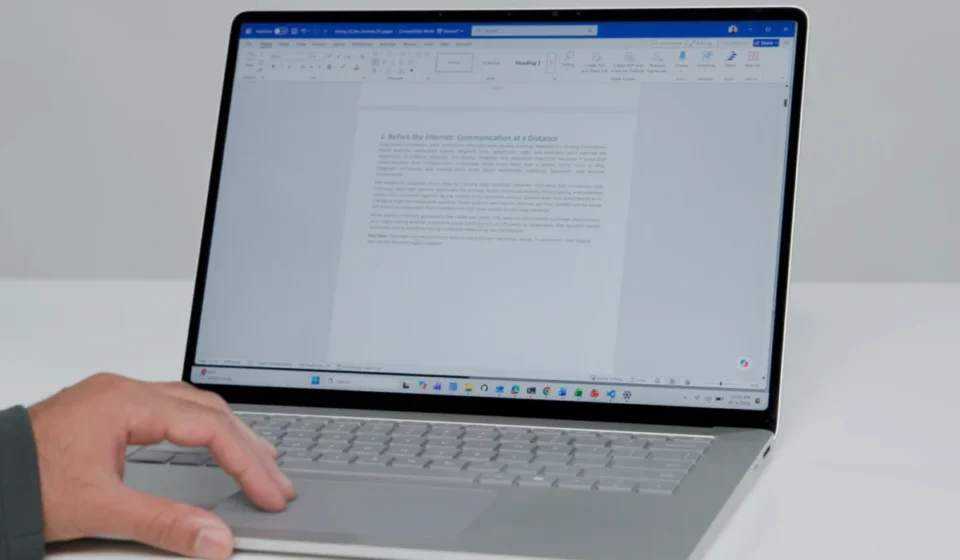

Microsoft is enhancing the scrolling experience on Windows laptops with a trio of new touchpad features designed to make navigating long documents, webpages, and code significantly less cumbersome. The company, through its "Friday Windows tip of the day" initiative, has unveiled enhancements that aim to streamline user interaction and reduce repetitive motions. These updates, particularly accelerated scrolling, edge scrolling, and single-finger scrolling, represent a significant step towards parity with the intuitive gestures long enjoyed by users of other operating systems, notably macOS.
Accelerated Scrolling: A Familiar Speed Boost
The first of these enhancements, accelerated scrolling, is already live for Windows users. This feature allows for faster scrolling through content by simply increasing the speed of the swipe gesture on the touchpad. The underlying principle is that a more vigorous swipe translates to a quicker scroll, enabling users to traverse lengthy pages much more rapidly than with traditional, slower swipes. This functionality mirrors features commonly found on macOS devices, where a quick flick of the fingers on a trackpad can send content flying up or down the screen. For users who frequently engage with extensive digital content, this immediate speed increase can translate into substantial time savings and a less fatiguing user experience. The implementation of accelerated scrolling signifies Microsoft’s ongoing commitment to refining the core user interactions on its Windows platform, ensuring that fundamental tasks are as efficient as possible.
Edge Scrolling: Continuous Momentum for Seamless Navigation

Perhaps the most anticipated of the new features is edge scrolling. This innovation promises to revolutionize how users interact with long content by allowing the scrolling action to continue even after the user’s fingers have reached the edge of the touchpad. Currently, navigating extensive documents or webpages often requires a series of repeated swipes and finger repositioning. Edge scrolling aims to eliminate this friction. Once a scrolling gesture is initiated and the user’s fingers reach the touchpad’s boundary, the page will continue to scroll at a steady pace, much like holding down the scrollbar on a desktop interface. This persistent scrolling allows users to maintain their focus on the content rather than on the mechanics of the input device. This feature is particularly beneficial for tasks that demand sustained attention, such as reading lengthy articles, reviewing dense reports, or meticulously examining lines of code. The ability to initiate and sustain a scroll without constant re-engagement with the touchpad’s active area is a significant ergonomic improvement.
Single-Finger Scrolling: Personalizing the Interaction
The third notable addition is single-finger scrolling. Recognizing that user preferences can vary, Microsoft is introducing the option to perform scrolling actions using just one finger, as opposed to the traditional two-finger gesture. This caters to users who may find single-finger scrolling to be a more natural or comfortable method of navigation. The company’s inclusion of this option underscores a user-centric design philosophy, acknowledging that a one-size-fits-all approach to user interface design may not always be optimal. For individuals who have historically preferred or are accustomed to single-finger scrolling from other contexts, this feature offers a welcome return to a familiar interaction model within the Windows ecosystem. The availability of choice in such a fundamental interaction can contribute to a more personalized and less intrusive computing experience.
Timeline and Availability: A Phased Rollout
Microsoft’s strategic rollout of these touchpad enhancements is designed to gather feedback and ensure a smooth transition for users. Accelerated scrolling is the first to be widely deployed, making it available to the general Windows user base immediately. The other two features, edge scrolling and single-finger scrolling, are slated for release to Windows Insiders in the upcoming week. This phased approach allows Microsoft to test these new functionalities in a more controlled environment, identify any potential issues, and refine their performance before a broader public release. The Windows Insider Program, a long-standing Microsoft initiative, provides a critical testing ground for new features, enabling the company to incorporate user feedback and address bugs proactively. This iterative development process is crucial for ensuring that the final product is polished and meets user expectations.

Underlying Research and Design Philosophy
Microsoft has emphasized that these touchpad improvements are not merely incremental updates but are the result of extensive human factors research. This commitment to understanding user behavior and ergonomics suggests that the new scrolling mechanisms have been meticulously designed to feel intuitive and natural from the outset. Human factors research in user interface design involves studying how humans interact with systems and applying that knowledge to create more effective, efficient, and satisfying user experiences. By grounding these touchpad enhancements in such research, Microsoft aims to ensure that the features are not only functional but also seamlessly integrated into the user’s workflow, minimizing the learning curve and maximizing user adoption. This scientific approach to design aims to reduce cognitive load and physical strain, leading to a more productive and enjoyable computing experience.
Broader Context: The Evolution of Laptop Interaction
The introduction of these advanced touchpad features places Windows laptops in closer alignment with the sophisticated gesture-based control systems that have become standard on many other computing devices. For years, users of premium laptops, particularly those running macOS, have benefited from highly responsive and versatile trackpads that enable fluid navigation through complex interfaces and vast amounts of data. The inclusion of accelerated scrolling, edge scrolling, and single-finger scrolling by Microsoft signals a deliberate effort to close this perceived gap and provide Windows users with a comparable, and potentially superior, touchpad experience.
The evolution of the touchpad from a simple pointing device to a sophisticated input surface capable of interpreting complex gestures has been a significant trend in personal computing. As screens have grown larger and the volume of digital information has exploded, the ability to navigate efficiently has become paramount. Traditional methods, such as using scroll wheels or on-screen scrollbars, can be slow and interrupt the flow of work. Touchpads, with their direct manipulation capabilities, offer a more immediate and integrated way to interact with digital content.

Microsoft’s investment in this area reflects a broader industry trend towards more intuitive and gestural interfaces. The company has previously introduced a range of touchpad gestures for Windows, such as pinch-to-zoom and multi-finger swipes for switching applications. These new scrolling enhancements build upon that foundation, demonstrating a continued commitment to optimizing the laptop user experience.
Potential Impact on Productivity and User Satisfaction
The implications of these enhanced scrolling features extend beyond mere convenience. For professionals who spend hours a day working with long documents, such as researchers, legal professionals, writers, and software developers, the ability to scroll more efficiently can lead to significant productivity gains. Reducing the time spent on repetitive scrolling actions frees up mental energy and allows users to focus more intently on the content itself. This can lead to fewer errors, faster task completion, and an overall improvement in work quality.
Furthermore, for students and educators who frequently interact with digital textbooks, research papers, and online learning materials, these features can make the learning process more engaging and less physically taxing. The reduction in repetitive strain injuries associated with prolonged computer use is also a potential benefit.
The introduction of these features also serves to enhance the overall perception of Windows laptops. By offering a more refined and user-friendly touchpad experience, Microsoft can attract users who may have previously favored competing operating systems due to their perceived advantage in trackpad functionality. This can contribute to increased customer satisfaction and loyalty within the Windows ecosystem.

Looking Ahead: Continued Refinement and Integration
While the immediate focus is on these three scrolling enhancements, the underlying research and development efforts by Microsoft’s human factors team suggest a broader vision for touchpad interaction on Windows. It is plausible that future updates will introduce further refinements or entirely new gestures that leverage the full capabilities of modern touchpads. The integration of these features within the Windows operating system, coupled with the continued evolution of hardware designs for laptops, will likely lead to an even more seamless and intuitive computing experience in the years to come. The ongoing dialogue between hardware manufacturers, software developers, and user experience researchers is crucial for driving innovation in this dynamic field. As technology continues to advance, the way we interact with our devices will undoubtedly continue to evolve, and these new touchpad features represent a significant step in that ongoing evolution.