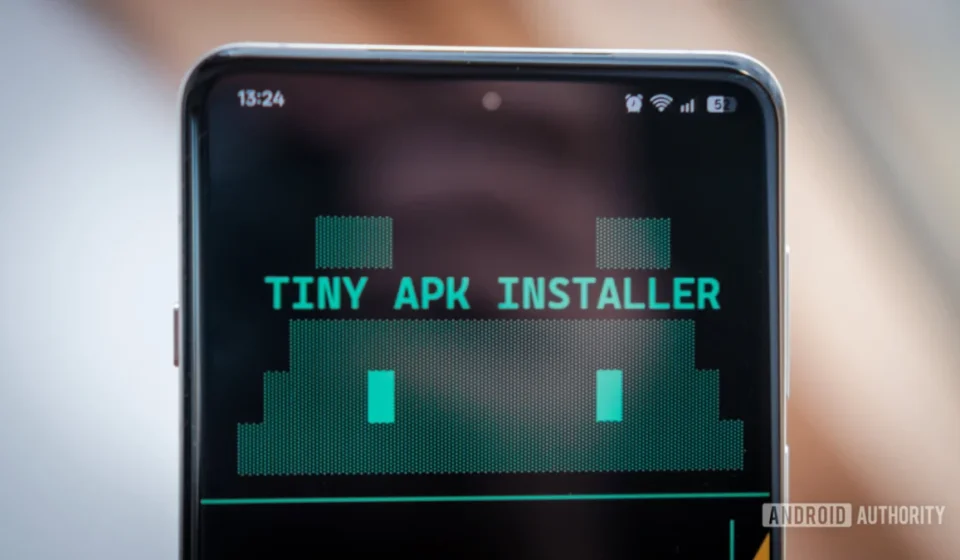
Developer Leverages AI to Streamline Android Sideloading Amidst Google’s New Restrictions, Unveils ‘Tiny APK Installer’

In a significant development reflecting the ongoing tension between platform security and user autonomy, a developer has successfully utilized AI-assisted coding to create a user-friendly tool designed to simplify Android application sideloading. This innovation comes as Google prepares to implement new restrictions on installing unverified applications, changes that have sparked considerable debate within the Android community, particularly among power users and developers. The newly developed "Tiny APK Installer" aims to mitigate the inconvenience posed by these upcoming policy shifts, offering a streamlined alternative to the more cumbersome official methods.
The Evolving Landscape of Android Sideloading and Google’s Security Mandate
Google’s forthcoming adjustments to Android’s sideloading protocols are poised to reshape how users install applications outside of the official Google Play Store. While the company maintains that these changes are primarily driven by a commitment to enhance user security and reduce exposure to malicious apps, the specifics of the new rules have drawn criticism for their potential to impede user freedom and workflow efficiency. Historically, Android has been lauded for its open ecosystem, allowing users to download and install Application Package Kits (APKs) from various sources, a practice known as sideloading. This flexibility has fostered innovation and provided users with greater control over their devices.
However, the rise of sophisticated malware and phishing attempts has prompted Google to re-evaluate its approach. Malicious actors frequently exploit sideloading mechanisms to distribute harmful software, compromising user data and device integrity. Google’s new framework introduces an "Advanced flow" for installing unverified applications, which reportedly includes a mandatory 24-hour waiting period before an app can be installed. This delay, while intended as a safeguard, is seen by many as an unnecessary hurdle for legitimate power users, developers, and those in regions where access to the Play Store might be limited or restricted. The alternative, and arguably more complex, method involves using the Android Debug Bridge (ADB) tool, a powerful command-line utility primarily designed for developers.
The Challenge for Power Users and Developers: Navigating ADB’s Complexity
For many Android enthusiasts and professional developers, ADB has long been an indispensable tool. It provides a versatile interface for communicating with Android devices, enabling a wide array of functions from debugging and logging to installing applications and flashing custom ROMs. Its power, however, is often matched by its complexity. Operating ADB typically requires navigating command-line interfaces, managing executable paths, connecting devices, and meticulously typing out commands—a process that can be daunting and error-prone for those not intimately familiar with terminal environments.
The existing landscape of ADB tools, while functional, often falls short of providing a truly intuitive user experience. While options like ADB AppControl, EasyADB, and QuickADB exist, they often come as comprehensive suites, offering a broad range of functionalities that may extend beyond the specific needs of simply installing an APK. This broadness can sometimes lead to feature bloat or a steeper learning curve for users seeking a quick, focused solution. The increasing reliance on ADB due to Google’s new sideloading rules amplifies the need for more streamlined, accessible tools that can bridge the gap between technical complexity and user convenience. A recent poll conducted by Android Authority, garnering 806 votes, underscored the community’s engagement with and reliance on ADB, indicating a significant user base that would benefit from an improved experience.
A Developer’s Innovative Response: The Genesis of Tiny APK Installer
Motivated by these impending changes and the inherent frustrations of using ADB for routine tasks, Robert Triggs, a developer at Android Authority, embarked on a project to create a simplified, focused tool. His goal was clear: to develop an application that specifically addresses the core APK installation workflow, integrating features like wireless debugging pairing, intuitive file/directory browsing, and efficient bundle unpacking, all within a user-friendly interface. This initiative was not merely a personal endeavor but a response to a growing need within the Android community for practical solutions to evolving platform policies.
Triggs, despite being a moderately capable programmer, faced common constraints: limited time due to work and family commitments. This practical reality steered him towards an increasingly popular development paradigm: AI-assisted coding, or "vibe coding." This approach promised to accelerate development by offloading repetitive or structurally complex tasks to artificial intelligence, allowing the human developer to focus on design, logic, and integration.
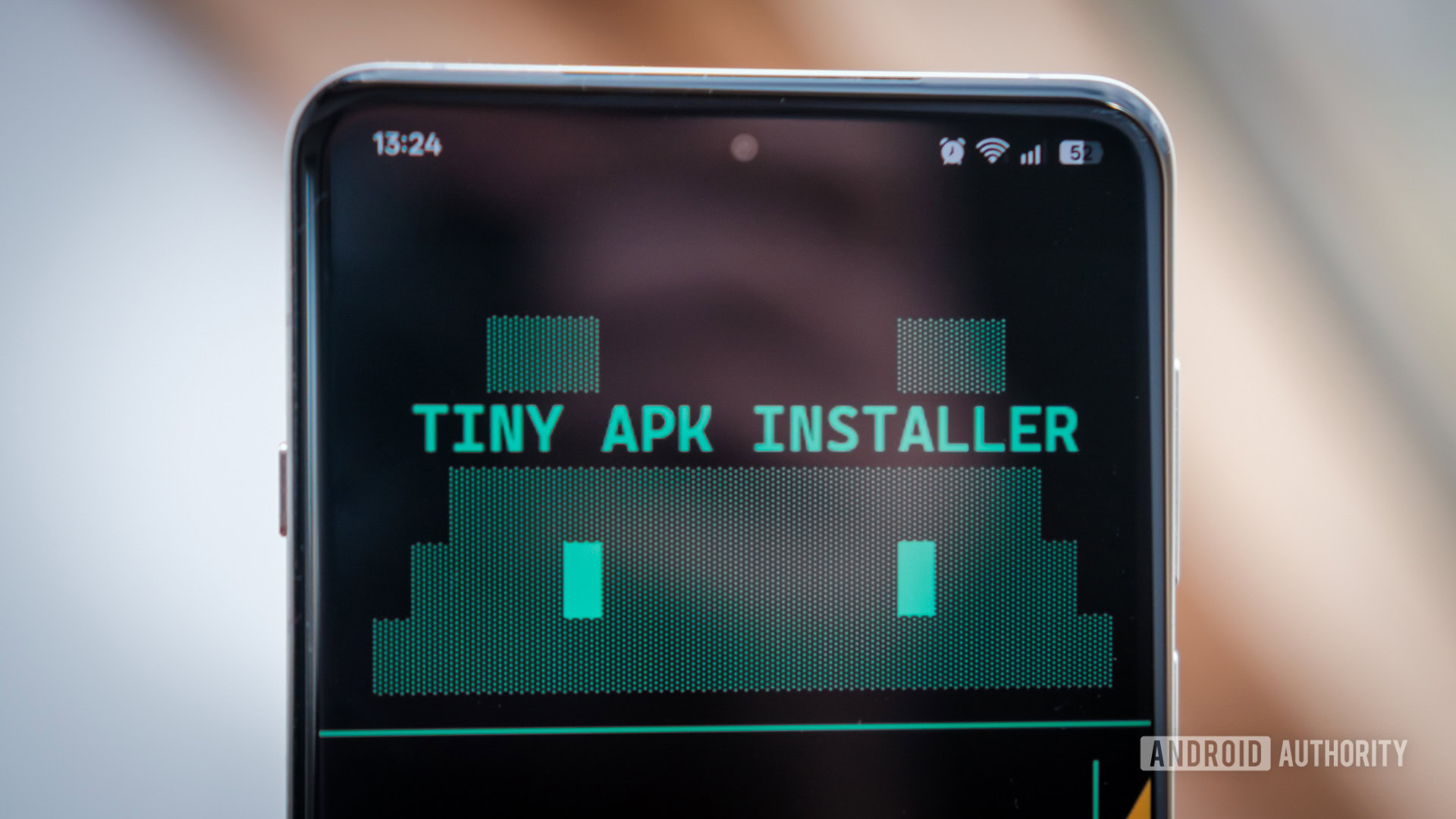
Strategic Technology Choices: Go and Bubble Tea for a Compact Solution
The selection of programming language and framework was critical for this project. Triggs opted for Go (Golang), Google’s statically typed, compiled language known for its simplicity, efficiency, and robust concurrency features. Go was deemed an ideal fit for a compact utility due to its ability to compile into small, cross-platform executables without the overhead often associated with languages like Python, which typically require a runtime environment. While more performance-intensive languages like Rust were considered, Go struck a perfect balance between development speed and runtime efficiency for this specific application.
For the user interface, Triggs chose the Bubble Tea TUI (Terminal User Interface) framework. Bubble Tea, part of the Charmbracelet open-source project, allows developers to build aesthetically pleasing and interactive terminal applications. This choice reflected a desire to move beyond rudimentary command-line interactions, offering a more engaging and visually appealing experience directly within the terminal, a familiar environment for many power users. The combination of Go’s performance and Bubble Tea’s elegance promised a powerful yet lightweight tool.
Embracing "Vibe Coding": A Hybrid Development Approach
Triggs’s approach to AI-assisted development was pragmatic and strategic, eschewing the notion of simply "asking AI to build an app." Recognizing the limitations and potential pitfalls of fully autonomous AI development—such as costly build loops, unresolvable bugs, and the generation of inefficient or insecure code—he adopted a "human-in-the-loop" methodology. This "vibe coding" involved a collaborative effort between the human developer and AI agents, focusing on iterative development, meticulous oversight, and targeted problem-solving.
For this project, Triggs leveraged OpenCode, an AI coding platform, subscribing to its affordable $10 Go plan. This provided access to models like MiniMax M2.7 and the advanced GLM 5, which he integrated with his preferred Integrated Development Environment (IDE), VSCode. His process began with laying out the foundational structure of the application himself, including folder hierarchies, placeholder functions, and version control configurations (like .gitignore). He then crafted a detailed AGENTS.md file, outlining the project’s requirements, overarching goals, and specific coding conventions.
Rather than delegating the entire development to AI, Triggs adopted a phased approach:
- Planning: Defining the project scope, technical requirements, and user experience goals.
- Building Core Functionality: Initially, the AI was tasked with assisting in developing a basic ADB wrapper in Go, enabling fundamental commands like
adb devicesfor device discovery andadb installfor pushing APKs. This foundational step ensured reliable communication with Android devices. - Iterative UI Development: Expanding on the core commands, Triggs worked with the AI to build a rudimentary terminal interface, gradually enhancing its interactivity and user-friendliness.
- Refining the User Interface: The most challenging phase involved developing the intricate UI flow using the Bubble Tea framework. This required a constant back-and-forth with the AI, where Triggs would provide specific instructions, review the generated code, and make manual adjustments. A key strategy here was to instruct the AI to expose theming options through a configuration file, allowing Triggs to fine-tune visual elements without incurring additional AI credits for every minor aesthetic change.
Throughout this process, the use of version control, specifically Git, proved invaluable. It allowed Triggs to track changes, revert to previous stable states in case of AI-generated errors or dead ends, and maintain a clear history of the project’s evolution. This meticulous, human-guided approach underscored the philosophy that AI should serve as an accelerator and assistant, rather than an autonomous creator, especially in projects where understanding and control are paramount.
The "Tiny APK Installer": Features and Functionality
The result of this hybrid development approach was the "Tiny APK Installer," a robust yet compact application that addresses the core need for simplified APK management. Developed in just three days of off-duty work, the application showcases the potential of intelligent AI integration in boosting developer productivity. Triggs noted that writing the approximate 3,000 lines of code independently would have been a significantly more time-consuming undertaking.
Key features and functionalities of the Tiny APK Installer include:
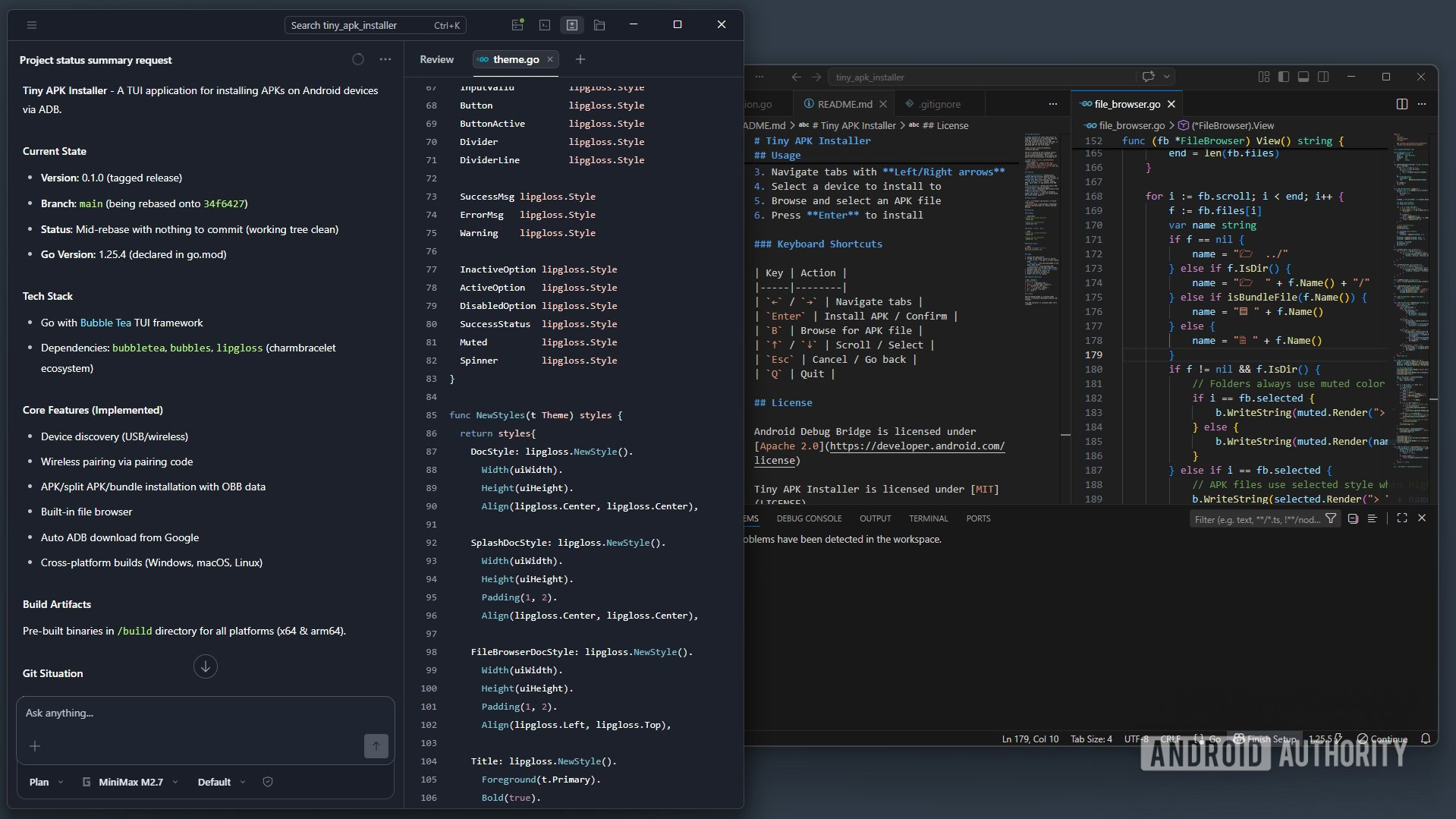
- Compact Executable: A lightweight 7MB executable, requiring no formal installation process, enhancing portability and ease of use.
- Automated ADB Management: The app can automatically download and configure ADB from Google if it’s not present on the system, or leverage an existing PATH installation. It intelligently launches ADB when needed and gracefully shuts it down upon exit.
- Flexible Device Pairing: Supports pairing with debuggable Android devices via both USB and Wi-Fi, offering convenience for various user setups.
- Integrated File Explorer: Features a built-in file explorer, allowing users to intuitively browse local directories to locate and select APK files for installation.
- Direct APK Installation: Facilitates straightforward installation of standard APK files.
- App Bundle Support: Crucially, the installer supports the unpacking and installation of complex app bundles, including APKM, XAPK, and APKS formats, which are increasingly common for modern Android applications.
The successful creation of this genuinely useful tool in such a short timeframe underscores the efficiency gains possible with a carefully managed AI-assisted workflow. The project also highlights the accessibility of advanced development techniques to individual developers through platforms like OpenCode, offering powerful AI models at an affordable cost.
The Productivity Paradox: AI’s Benefits and Drawbacks in Learning and Security
While the Tiny APK Installer stands as a testament to AI’s power in accelerating software development, Triggs’s experience also illuminated a critical drawback: the impact on personal learning. By relying on AI to solve complex coding problems and generate significant portions of the codebase, he observed that his deep understanding of the Go language’s syntax, idioms, and design patterns was not as profound as it would have been through purely manual development. While reviewing the AI-generated code provided some insight, the lack of firsthand problem-solving diminished the immersive learning experience. This "productivity paradox" suggests that while AI can drastically increase output, it may inadvertently bypass opportunities for deeper skill acquisition in new programming languages or frameworks.
Furthermore, the project brought to light crucial security considerations inherent in AI-generated code. Triggs, during his review process, identified several "harmless bugs" and, more significantly, a "zip slip vulnerability" within the AI-generated code. This discovery underscores a fundamental risk: without a thorough understanding of the underlying logic and potential security implications, developers using AI might unknowingly introduce vulnerabilities into their applications. This risk is amplified in projects involving sensitive data, encryption, API keys, or critical credentials, where even minor flaws can have severe consequences.
Triggs’s experience serves as a vital cautionary tale and offers practical advice for those venturing into AI-assisted development. He emphasizes the paramount importance of comprehensive planning, not only for the application’s functionality but also for understanding the tools, project management strategies, and common pitfalls. This proactive approach enables developers to critically verify AI output, identify discrepancies, and mitigate risks when the AI inevitably "misses the mark" or introduces unintended consequences.
Broader Implications for the Android Ecosystem and the Future of Development
The "Tiny APK Installer" and its development methodology carry broader implications for the Android ecosystem and the future of software development:
- Adapting to Policy Shifts: The project demonstrates how developer ingenuity can respond to evolving platform policies. As Google continues to refine its security measures, tools like Tiny APK Installer could become essential for maintaining a balance between platform security and user/developer flexibility.
- Democratization of Development: Affordable AI coding platforms like OpenCode are lowering the barrier to entry for complex development projects, enabling individual developers with limited time or resources to build sophisticated applications.
- The Hybrid Developer Model: Triggs’s "vibe coding" approach could serve as a blueprint for a new hybrid developer model, where human creativity, strategic planning, and critical oversight are augmented by AI’s speed and code generation capabilities. This model promises increased productivity without fully relinquishing human control and understanding.
- Security by Design in AI-Assisted Tools: The discovery of vulnerabilities in AI-generated code highlights the urgent need for robust security frameworks within AI development tools. Future AI models might need to be trained with a stronger emphasis on secure coding practices, and integrated security scanning tools will become even more critical for projects leveraging AI.
- Open Source Contribution: By releasing the Tiny APK Installer on GitHub, Triggs contributes to the open-source community, allowing other developers to inspect the code, suggest improvements, and potentially build upon his work. This collaborative spirit is vital for addressing shared challenges within the development landscape.
In conclusion, Robert Triggs’s journey in creating the "Tiny APK Installer" stands as a compelling case study in modern software development. It successfully addresses a practical challenge posed by Google’s evolving Android policies, offering a user-centric solution through innovative application of AI. While showcasing the immense productivity benefits of "vibe coding," it simultaneously underscores the enduring necessity of human oversight, critical thinking, and a deep understanding of code, particularly concerning security. The project not only provides a valuable tool for the Android community but also offers significant insights into the evolving partnership between human developers and artificial intelligence.
The source code and releases for the Tiny APK Installer are available on the Tiny APK Installer GitHub repo. Developers are encouraged to test the application, particularly on Mac and Linux builds, and contribute to its ongoing development by reporting any bugs or suggesting enhancements.