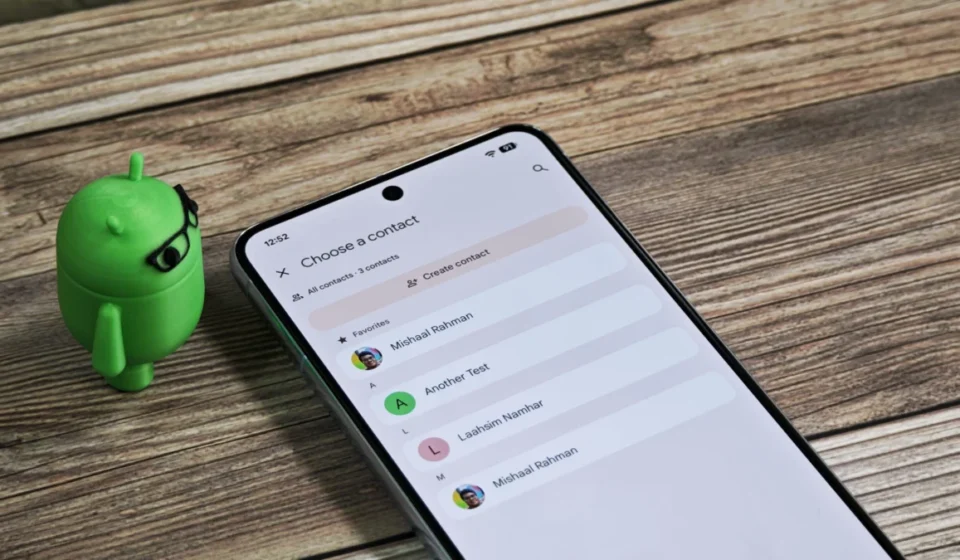
Google Contacts Undergoes Significant Profile Page Redesign, Enhancing Information Architecture and User Experience

Google Contacts, a fundamental yet often overlooked application within the Android ecosystem, is set to receive a substantial overhaul to its contact profile pages, according to recent discoveries within an upcoming version of the app. This redesign signifies Google’s ongoing commitment to refining core utilities, aiming to address existing "information bloat" and optimize user interaction with increasingly data-rich contact entries. The changes, identified in Google Contacts version 4.75.27.882333999, focus on a more logical grouping and prominent display of key information, promising a more efficient and intuitive user experience.
The evolution of digital contact management has presented a unique challenge for developers. What began as simple repositories for names and phone numbers has transformed into comprehensive digital dossiers, encompassing email addresses, physical addresses, social media profiles, company affiliations, birthdays, notes, and even contextual data like local weather forecasts. This proliferation of data, while enriching, can lead to cluttered interfaces that impede quick information retrieval. Google’s latest initiative appears to be a direct response to this challenge, seeking to maintain the richness of data while enhancing its accessibility.
Addressing the "Information Bloat" Challenge
For years, the standard contact profile in Google Contacts, while functional, has been criticized by some users for its sprawling layout. Essential details often felt buried amidst less frequently accessed information, requiring users to scroll extensively to find specific data points. This layout, while adequate for simpler contact entries, struggled to scale efficiently with the demands of modern digital communication, where a single contact might have multiple phone numbers, email addresses, and professional affiliations. The current design, as depicted in the existing application, aggregates various fields in a somewhat linear fashion, making it less than optimal for rapid glanceability.
The newly uncovered layout proposes a departure from this linear structure, introducing a more hierarchical and contextually aware organization. This strategic reorganization is poised to elevate the user experience by minimizing visual clutter and presenting information in a more digestible format.
Key Design Changes and Their Implications
Several distinct modifications have been observed, each contributing to a more streamlined and intelligent contact profile:
1. Elevated Prominence for Labels:
One of the most significant changes involves the repositioning of "Labels." In the current iteration, labels—which allow users to categorize contacts into groups like "Family," "Work," or "Friends"—are often found lower down the profile page, sometimes requiring a scroll to access. The new design moves this crucial organizational tool prominently to the top of the profile.
This shift is more than just a cosmetic change; it reflects a fundamental understanding of how users interact with their contacts. Labels serve as immediate contextual cues, indicating the nature of one’s relationship with a contact and often influencing how one might choose to communicate with them. By placing labels at the forefront, Google is acknowledging their importance in efficient contact management, allowing users to quickly ascertain a contact’s categorization without unnecessary navigation. This aligns with principles of information architecture that advocate for placing high-utility information in easily discoverable locations. For users managing hundreds or even thousands of contacts, quick identification through labels can drastically reduce the time spent searching or contextualizing interactions.
2. Intelligent Integration of Weather and Location:
Another notable enhancement is the integration of local weather forecasts directly alongside a contact’s location information. Previously, if available, weather data might have been presented as a separate, distinct block, detached from the geographical data it pertains to. The new layout smartly combines these two pieces of information, creating a unified and more logical display.
This contextual grouping exemplifies a move towards "smart" information presentation. Knowing the weather at a contact’s location can be surprisingly useful, particularly for those with international contacts or those coordinating travel plans. It removes the cognitive burden of having to connect disparate pieces of information, presenting them instead as a cohesive unit. This also suggests Google’s broader strategy of leveraging its extensive data services (like Google Weather and Google Maps) to enrich core application functionalities, making Contacts not just a directory but a more intelligent assistant for managing relationships. Such integrations align with modern UI/UX trends that prioritize contextual relevance and anticipatory information delivery.
3. Refined "About" Section and Information Segmentation:
The "About" section, a general-purpose area for miscellaneous contact details, also undergoes a significant re-evaluation. In the current layout, this section can become a catch-all, sometimes leading to a jumble of unrelated data. The proposed changes suggest a move away from this generalized approach towards more specific segmentation.
Specifically, contact birthdays, which are often considered a critical piece of personal information, are being moved out of the "About" section and integrated into the main information block. This elevates their visibility, making it easier for users to spot and remember important dates, potentially reducing the reliance on separate calendar entries for birthday reminders. This change acknowledges the high utility of birthday information for personal connections and places it where it can be most readily seen.
Furthermore, any notes associated with a contact will now be displayed separately underneath the main information block. This dedicated space for notes is crucial. Notes often contain unique, unstructured information vital for recalling specific details about a person or past interactions. By giving notes their own distinct area, Google ensures they are easily discoverable without cluttering the primary contact details, making the profile more effective as a personal CRM (Customer Relationship Management) tool. This structured approach helps users quickly distinguish between factual contact data and personalized anecdotes or reminders.
Chronology and Context of Google’s Investment in Contacts
These UI enhancements are not isolated changes but fit into a broader pattern of continuous development Google has been applying to its Contacts application over the past year. The company has demonstrably invested in improving the utility and features of Google Contacts, recognizing its foundational role in the Android experience.
A prime example of this ongoing commitment is the introduction and subsequent refinement of "Calling Cards." Launched relatively recently, Calling Cards allow users to create a digital business card within Google Contacts, enabling easier sharing of contact information. Initially, these cards provided a standardized way to exchange details. However, work is actively underway to make these even better, with reports suggesting custom Calling Cards for users, allowing for greater personalization and utility. This continuous iteration on Calling Cards underscores Google’s strategy to evolve Contacts beyond a mere directory into a more dynamic and interactive communication hub.
The current UI redesign can be seen as a parallel effort to improve the internal structure and presentation of the data that Calling Cards (and other features) help to populate and manage. It’s a two-pronged approach: enhancing how information is entered and shared, and simultaneously improving how that information is viewed and utilized within the app itself. This holistic development strategy aims to ensure that Google Contacts remains a robust and modern solution for personal and professional networking.
Inferred Perspectives and Industry Implications
While Google has not yet officially commented on these unreleased features, industry observers and user experience specialists would likely view these changes as a positive and necessary evolution. "The modern smartphone user is inundated with information, and the most effective applications are those that can present complex data in a simple, intuitive manner," suggests one UX consultant. "Google’s move to de-clutter and re-architect the Contacts profile pages indicates a mature understanding of user needs, prioritizing glanceability and contextual relevance. This isn’t just about aesthetics; it’s about reducing cognitive load and improving efficiency in daily interactions."
From a competitive standpoint, continuous improvement in core applications like Contacts is vital for Google. While often taken for granted, the quality and functionality of such apps contribute significantly to the overall user satisfaction with the Android platform. By ensuring Contacts remains a highly usable and feature-rich application, Google reinforces the strength of its ecosystem against competitors, particularly Apple’s iOS, which also emphasizes seamless integration and user-friendly design across its native apps.
These updates also align with Google’s broader Material Design principles, which advocate for clarity, intuitiveness, and hierarchy in user interfaces. Material Design, Google’s design language, has consistently pushed for adaptive layouts and intelligent organization of information to ensure a consistent and delightful experience across various devices and screen sizes. The changes observed in Contacts version 4.75.27.882333999 are a direct manifestation of these principles being applied to an application that handles a high volume of diverse personal data.
The Development Process: From Teardown to Public Release
It is important to reiterate that these observations stem from an APK teardown. An APK teardown involves examining the code within an Android application package (APK) file before it is officially released to the public. This process often reveals work-in-progress features, experimental UIs, and potential functionalities that developers are actively testing or preparing for future updates. While highly indicative of Google’s intentions, features uncovered through teardowns are not guaranteed to make it into a public release. Google reserves the right to modify, delay, or even scrap features based on internal testing, user feedback, or shifting strategic priorities.
However, the level of detail and the cohesive nature of these UI changes suggest a well-thought-out redesign rather than a fleeting experiment. It is common for Google to gradually roll out new features to a subset of users before a wider release, allowing for real-world testing and feedback collection. Users should therefore keep an eye out for these changes appearing in their Google Contacts app in the coming weeks or months, likely as part of a server-side update that activates the new UI for specific versions of the application.
Broader Impact and Future Outlook
The potential impact of these changes extends beyond mere aesthetic improvements. A more organized and intuitive Contacts app can significantly enhance user productivity and reduce frustration. When critical information is easily accessible, tasks like initiating calls, sending emails, or finding addresses become quicker and more seamless. This, in turn, contributes to a more fluid overall smartphone experience.
Furthermore, an optimized contact profile page could pave the way for deeper integration with other Google services. For instance, clearer birthday visibility could enhance Google Calendar reminders, or improved notes functionality could sync more effectively with Google Keep. The contextual weather information could potentially link to Google Maps for travel planning or even Google Assistant for voice queries about a contact’s location. By refining the core data presentation in Contacts, Google lays a stronger foundation for a more interconnected and intelligent ecosystem.
In conclusion, the impending redesign of Google Contacts’ profile pages represents a strategic move by Google to modernize a critical, yet often understated, component of its Android suite. By meticulously addressing issues of information overload and prioritizing user-centric design principles, Google aims to ensure that Contacts remains a powerful, efficient, and increasingly intelligent tool for managing the complexities of our digital relationships. As these changes move from the developmental stage to public release, they are expected to significantly enhance the daily interactions of millions of Android users worldwide.