




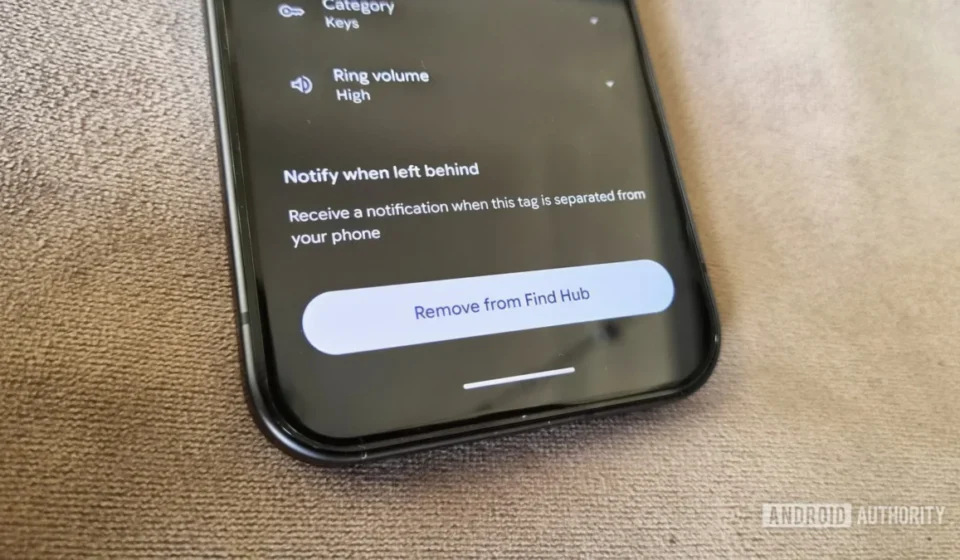

Google has finally introduced a highly anticipated feature to its Find Hub platform: "Notify when left behind" alerts. This update means that users will now receive immediate notifications if they inadvertently leave behind items equipped with compatible Bluetooth trackers, such as keys, wallets, or bags. While seemingly a fundamental capability for any modern item-tracking service, its inclusion marks a significant enhancement to Google’s ecosystem, bringing it in line with long-standing offerings from competitors like Apple and Samsung. The functionality, which users have actively sought, promises to deliver an increased sense of security and convenience, minimizing the stress associated with misplaced personal belongings.
A Long-Awaited Feature: Bridging the Gap in Item Tracking
The introduction of left-behind alerts into Google’s Find Hub addresses a critical gap that has existed since the platform’s broader expansion into item tracking. For years, users of Apple’s Find My network and Samsung’s SmartThings Find have benefited from similar "separation alerts," which notify them the moment they move out of Bluetooth range from their tagged items. This proactive notification system has become a cornerstone of the modern item tracker experience, offering peace of mind by preventing items from being truly lost rather than merely misplaced. Google’s delay in implementing such a feature had been a point of contention for many Android users, who often looked to third-party solutions or envied the seamless integration offered by rival platforms.
The core principle behind these alerts is straightforward yet powerful: your phone, acting as the central hub, continuously monitors the Bluetooth connection to your trackers. When this connection is lost due to distance, the system triggers an alert. This immediate feedback mechanism can be invaluable in various scenarios, from leaving a wallet at a coffee shop to forgetting keys on a restaurant table. The notification isn’t just a simple chime; it also provides the last known location of the tracker, offering a precise starting point for retrieval. This blend of real-time alerts and geographical data forms a robust defense against everyday forgetfulness.
The Mechanics of Proximity: How "Notify When Left Behind" Functions
At its heart, the "Notify when left behind" feature relies on the continuous monitoring of Bluetooth Low Energy (BLE) signals between a user’s Android device and their paired Find Hub-compatible trackers. When the signal strength diminishes to a certain threshold, indicating that the tracker is moving out of range, the Find Hub app interprets this as a potential separation event. The system is designed to intelligently differentiate between intentional and unintentional separations. For instance, if a user leaves a tagged item at a designated "safe location" like their home or office, the system can be configured to suppress alerts, avoiding unnecessary notifications.
The process involves several key technical components working in concert. Firstly, the Bluetooth module in the user’s phone maintains a constant, low-power connection with all registered trackers. This connection is fundamental for determining proximity. Secondly, the Find Hub application, running in the background, continuously analyzes the status of these connections. When a tracker’s signal drops below a predefined threshold, signaling a loss of connection, the app initiates the alert protocol. This includes generating a notification on the user’s device and logging the last known GPS coordinates of where the separation occurred. The integration with Google Maps further enhances this by providing visual context for retrieval. The efficiency of BLE ensures that this continuous monitoring does not significantly drain the phone’s battery, making it a practical always-on feature.
Evolution of Google’s Tracking Ecosystem: From Devices to Everyday Items
Google’s journey into comprehensive item tracking began with its "Find My Device" service, primarily designed to locate lost or stolen Android smartphones, tablets, and Wear OS devices. This service leveraged GPS, Wi-Fi, and cellular data to pinpoint devices on a map, offering remote locking, wiping, and ringing functionalities. However, it was limited to Google’s own devices and a select few accessories, lacking the expansive network capability seen in competitors for tracking everyday objects.
The transition to "Find Hub" represents Google’s strategic pivot towards a more encompassing tracking ecosystem, mirroring the successful models established by Apple and Samsung. This expansion allows a vast network of Android devices globally to anonymously detect and relay the location of lost trackers, even if they are not actively connected to their owner’s phone. This crowdsourced location data significantly increases the chances of finding items far from their last known location, transforming millions of Android phones into a silent search party. The recent launch of Google’s own first-party tracker, the Pixel Tag, underscores this commitment. The Pixel Tag, designed as a direct competitor to Apple’s AirTag, would have been incomplete without a robust "left-behind" alert system, hence the timely rollout of this Find Hub feature. This timing suggests a coordinated effort by Google to establish a competitive and fully functional item-tracking solution for the Android ecosystem.
The support for third-party Bluetooth trackers from manufacturers like Motorola (Moto Tag) and Chipolo (known for its diverse range of trackers like the Chipolo Card and Clip) further solidifies Find Hub’s position as an open and inclusive platform. This interoperability is crucial for broader adoption and offers consumers more choice in compatible hardware, fostering a healthier competitive environment in the Bluetooth tracker market.

Setting Up Peace of Mind: A User’s Guide to Find Hub Alerts
Activating the "Notify when left behind" alerts in Google Find Hub is designed to be a straightforward process, ensuring accessibility for all users. The feature was initially observed rolling out with Find Hub version 3.1.787-06, making it imperative for users to ensure their application is updated to the latest version for full functionality.
Here’s a simplified guide to setting up these critical alerts:
- Update Find Hub: First, navigate to the Google Play Store and ensure your Find Hub app is updated to version 3.1.787-06 or newer.
- Open Find Hub: Launch the Find Hub application on your Android smartphone or tablet.
- Select Your Tracker: From the list of connected devices, tap on the specific Bluetooth tracker for which you wish to enable left-behind alerts. If you have multiple trackers, this process needs to be repeated for each one individually, as there is currently no bulk activation option.
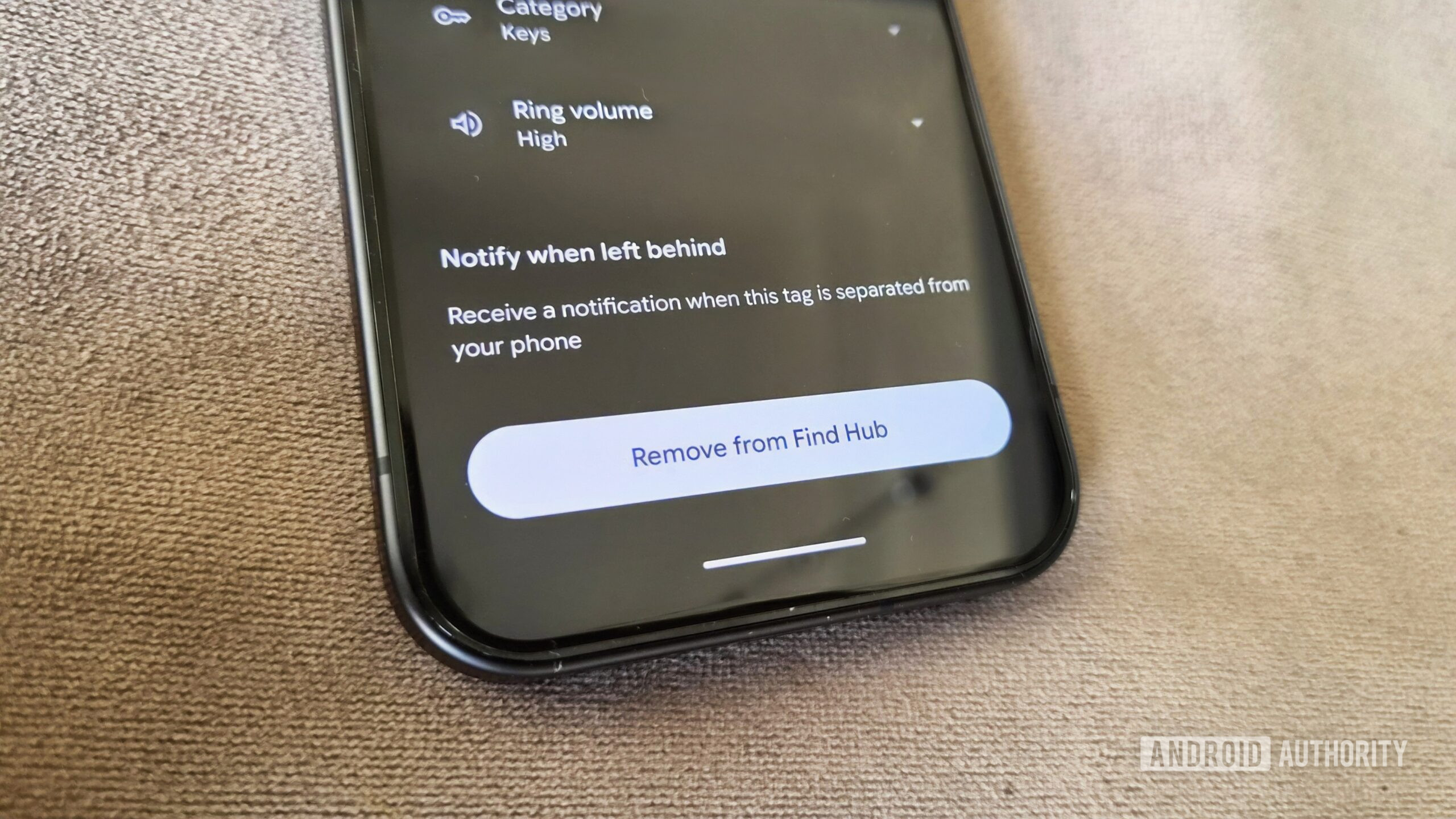
- Access Tracker Settings: Within the selected tracker’s details, look for an option typically labeled "Notify when left behind" or similar.
- Toggle On: Tap to enable this feature. A confirmation or brief explanation of its function may appear.
Beyond these steps, several system-level prerequisites must be met for the alerts to function reliably:
- App Notifications: Ensure that the Find Hub app is permitted to send notifications. This can usually be verified by going to Settings > Apps > See all apps > Find Hub and confirming that the "All Find Hub notifications" toggle is enabled. Without this, the alerts will not appear on your device.
- Bluetooth and Location Services: Both Bluetooth and location services must be continuously active on your Android device. Bluetooth is essential for maintaining the connection with the tracker, while location services are crucial for logging the last known whereabouts of the item when separation occurs.
- Battery Saver Mode: Users should be aware that "Notify when left behind" alerts may not function correctly, or at all, if their phone is operating in battery saver mode. This power-saving feature often restricts background app activities and notifications to conserve energy, which can interfere with the continuous monitoring required for these alerts. It is advisable to disable battery saver when relying on this feature.
Beyond the Home: Customizing Safe Zones and Managing Notifications
One of the intelligent aspects of Google’s implementation of left-behind alerts is the ability to define "safe zones" or trusted locations where separation alerts are automatically suppressed. By default, if your home address is saved in your Google account, Find Hub will recognize this as a safe zone and will not send an alert if a tagged item is left there. This prevents unnecessary notifications when you intentionally leave your keys or wallet at home.
Users have the flexibility to customize these safe zones further. Through the "Notify when left behind" settings for each tracker, there is an option to "Add location." This allows you to designate other frequently visited places, such as your workplace, a friend’s house, or a gym, as locations where alerts are not required. This granular control ensures that the alerts remain useful and do not become a source of "notification fatigue," enhancing the overall user experience.
This level of customization is crucial for the practical utility of item trackers. Imagine a scenario where you commute to work daily. You might want an alert if you leave your laptop bag on the train, but not if you leave your gym bag in your office locker. The ability to tailor alert behavior to specific locations makes the Find Hub system highly adaptable to individual routines and preferences.
The Broader Implications: Reshaping the Bluetooth Tracker Market
The integration of left-behind alerts into Google Find Hub is poised to significantly impact the competitive landscape of the Bluetooth tracker market. For years, Apple’s AirTag, backed by the expansive Find My network and its robust separation alerts, has dominated mindshare in this segment. Samsung’s SmartTags also offered a compelling alternative for Galaxy users. Google’s late entry with a fully featured platform and its own Pixel Tag now levels the playing field, offering Android users a native, integrated solution that rivals the best in class.
This move is likely to intensify competition, potentially driving innovation and affordability across the board. Independent tracker manufacturers like Tile, which initially pioneered the market but faced challenges from tech giants, will need to further differentiate their offerings or ensure seamless compatibility with Google’s network to remain competitive. For consumers, this translates to more choice, better features, and potentially more competitive pricing. The sheer scale of the Android ecosystem, with billions of active devices, means that Google’s Find Hub network has the potential to become the largest and most pervasive item-tracking network globally, offering unparalleled reach for locating lost items.
Strengthening the Android Network: A Collaborative Future
Google’s strategy with Find Hub extends beyond its own hardware, embracing a collaborative approach by supporting third-party Bluetooth trackers. This openness is a significant advantage, as it allows a wide array of manufacturers to integrate their products into the Android tracking network. Brands like Motorola and Chipolo are already on board, and more are expected to follow. This creates a powerful network effect: the more devices and trackers that are part of Find Hub, the more robust and effective the network becomes at locating lost items.
For users, this means they are not locked into a single brand of tracker. They can choose devices that best fit their specific needs, whether it’s a slim card for a wallet, a durable tag for luggage, or a small loop for keys, all while benefiting from Google’s comprehensive tracking capabilities. This collaborative model strengthens the entire Android ecosystem, making it a more attractive and functional environment for users and accessory makers alike. It underscores Google’s commitment to building a platform that is both powerful and open, fostering innovation and enhancing user value.
Addressing Privacy and Security in a Connected World
As Bluetooth trackers become increasingly ubiquitous, concerns around privacy and security, particularly the potential for unwanted tracking, have grown. Google, like its competitors, has acknowledged these challenges and built safeguards into its Find Hub network. The system is designed to alert users if an unknown tracker is detected traveling with them over time, regardless of whether it’s a Google, Apple, or other compatible tracker. This cross-platform detection for unwanted tracking is a crucial step towards preventing misuse and protecting individual privacy.
Furthermore, Google emphasizes end-to-end encryption for location data within the Find Hub network, ensuring that only the owner of a tracker can view its location. The data collected by the network from other Android devices is anonymized and aggregated, preventing individual devices from being identified or tracked without consent. These measures are vital for building user trust and ensuring that the convenience of item tracking does not come at the expense of personal security.
The Road Ahead: Expanding Find Hub’s Reach to More Devices
While the current rollout of "Notify when left behind" alerts is specifically for Bluetooth trackers, the logical next step for Google Find Hub is to extend this invaluable functionality to other types of connected devices. A prime candidate for such an expansion would be headphones and earbuds. These accessories are just as prone to being misplaced as wallets or keys, and their loss can be equally frustrating and costly. Apple’s Find My network already provides separation alerts for AirPods, a feature that has proven genuinely useful for users.
Extending left-behind alerts to headphones, smartwatches, and potentially even smaller smart home devices would significantly enhance the utility and comprehensiveness of the Find Hub ecosystem. It would solidify Google’s platform as a holistic solution for managing all personal belongings, digital or physical. Such an expansion would further integrate these devices into the broader Android experience, providing an additional layer of protection and convenience for users in an increasingly connected world.
Conclusion: A Significant Step Towards Comprehensive Item Management
The arrival of "Notify when left behind" alerts in Google Find Hub is more than just a new feature; it represents a significant maturation of Google’s item-tracking capabilities. It addresses a long-standing user demand, closes a competitive gap, and strengthens the overall Android ecosystem. By offering proactive notifications, smart location exemptions, and broad compatibility with third-party trackers, Google has delivered a robust solution that promises to reduce the anxiety of losing personal items. This update firmly positions Find Hub as a formidable player in the item-tracking market, offering Android users a comprehensive and reliable tool for managing their most cherished belongings.