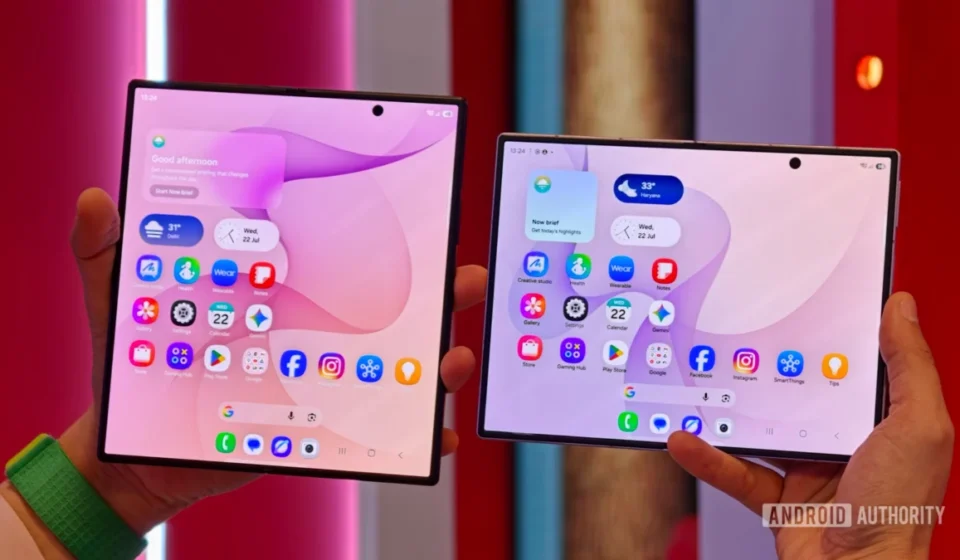
One UI 9 on Samsung’s new foldables brings anti-distraction feature, and much more

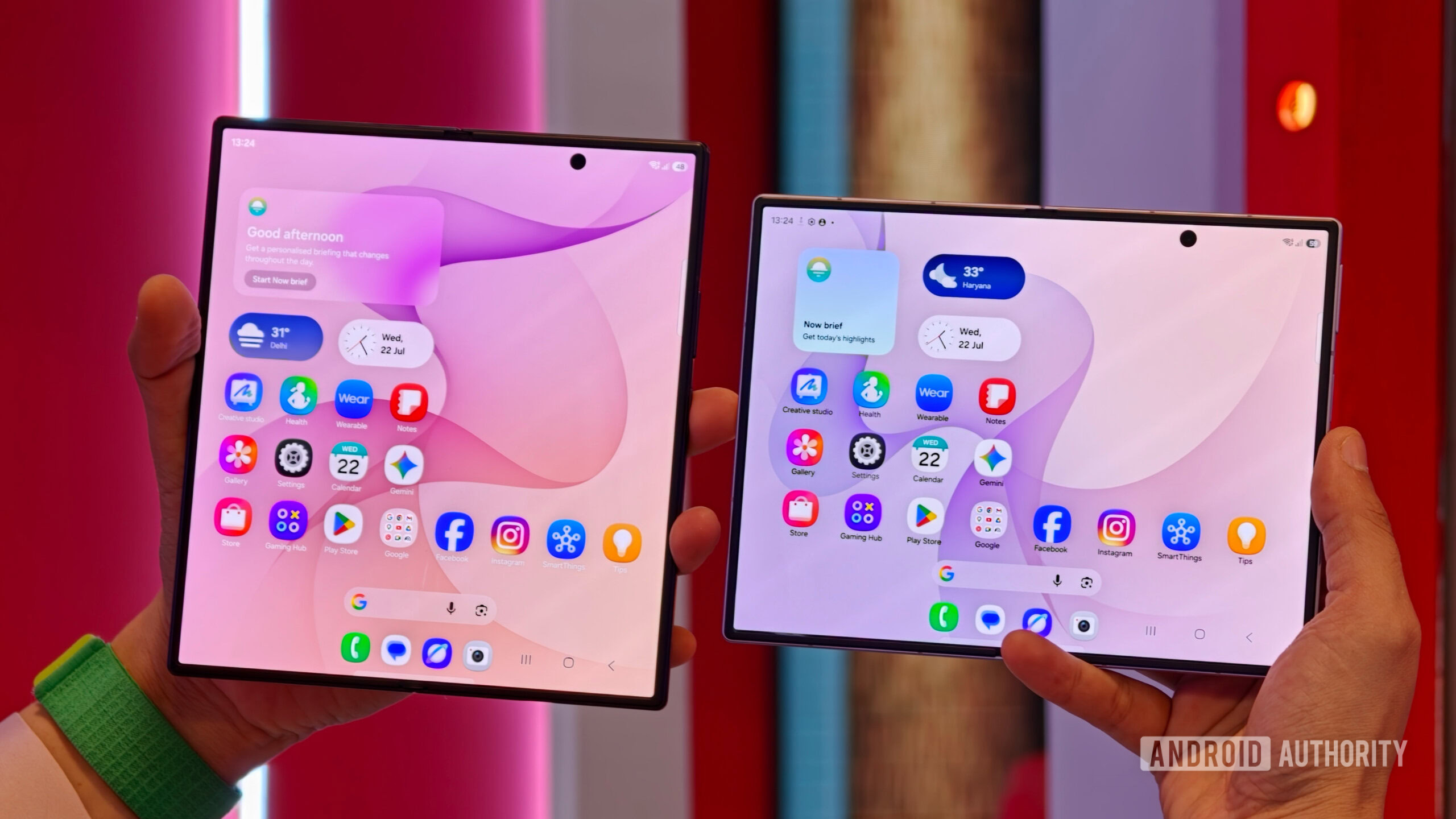
Samsung has officially launched its latest iteration of its custom Android skin, One UI 9, integrated directly into its newest foldable lineup: the Galaxy Z Fold 8, Z Fold 8 Ultra, and the Z Flip 8. These devices, now available for pre-order with shipments commencing next week, serve as the initial platform for the stable release of the software, showcasing a suite of previously rumored features that emphasize user control, privacy, and convenience. Among the confirmed additions are granular network access restrictions for applications, advanced controls for Background Audio Hardening introduced with Android 17, and a novel gesture-based activation method for the Bixby voice assistant.
The Evolution of One UI and its Flagship Debut
One UI represents Samsung’s distinctive overlay atop the Android operating system, designed to enhance user experience, particularly on its expansive device portfolio. Since its inception, One UI has focused on making large-screen devices more manageable with one-handed use, improving visual clarity, and integrating Samsung’s proprietary services and hardware capabilities. Each new version typically refines existing features and introduces innovations that align with the latest Android release while adding Samsung’s unique flair. The rollout of One UI 9 on the Z8 series foldables is particularly significant as these devices often represent the pinnacle of Samsung’s mobile technology, making them ideal showcases for its most advanced software.
The Z Fold 8, Z Fold 8 Ultra, and Z Flip 8 are not just new hardware; they are critical components in Samsung’s strategy to solidify its leadership in the nascent but rapidly growing foldable smartphone market. By launching One UI 9 first on these premium devices, Samsung ensures that its most dedicated and early-adopting customers receive the most refined and feature-rich software experience from day one. This also allows for real-world testing and feedback before the broader rollout to other flagship series like the upcoming Galaxy S26 and last year’s foldable models.
Granular Network Access Restrictions: A New Era of App Control
One of the most anticipated features making its debut in stable One UI 9 is the enhanced ability to restrict network access for specific applications. Early glimpses of this functionality emerged during beta releases, hinting at a new level of user control over data consumption and privacy. Now confirmed, this feature is implemented through two distinct toggles within the "Network restrictions" section of "Advanced settings": "Restrict browsers" and "Restrict games."
This new capability addresses a long-standing user desire for more precise control over how applications interact with the internet. In an era where data privacy and digital well-being are paramount, giving users the power to prevent certain apps from accessing network resources is a significant step forward. For instance, parents can now more easily manage their children’s device usage by restricting internet access for gaming applications during study hours or for web browsers at bedtime, without needing to completely disable Wi-Fi or mobile data for the entire device.
Beyond parental controls, this feature offers substantial benefits for individual users concerned with data usage, background activity, and privacy. Many applications, especially those in the social media or gaming categories, often consume data in the background, send notifications, or track user activity even when not actively in use. By restricting their network access, users can:
- Conserve Mobile Data: Prevent data-hungry apps from consuming valuable mobile data allowance when on the go.
- Enhance Privacy: Limit the ability of certain applications to transmit data or track user behavior when not explicitly permitted.
- Improve Focus and Productivity: Temporarily disable internet access for distracting apps like social media or games, creating a more focused environment without completely disconnecting the device.
- Extend Battery Life: Reduce background network activity, which can be a significant drain on battery resources.
The implementation of "Restrict browsers" and "Restrict games" suggests a targeted approach, acknowledging that these categories often present the most common challenges regarding data consumption, distraction, and potential exposure to unwanted content. While Android has offered basic per-app data usage controls for some time, this new feature in One UI 9 appears to function more like an integrated, user-friendly firewall, offering an immediate on/off switch for network connectivity for specific app types. This move by Samsung indicates a deeper commitment to providing users with tools to manage their digital lives more effectively, aligning with broader industry trends towards digital wellness.
Background Audio Hardening: Bolstering Security and User Control
Another critical security enhancement integrated into One UI 9, and stemming from the underlying Android 17 platform, is the advanced control over "Background Audio Hardening." This feature, first introduced at the Android 17 level, aims to fortify the operating system against potential vulnerabilities related to background audio processing. While the concept was initially presented as a simple on/off toggle, Samsung’s stable One UI 9 implementation offers granular control, allowing users to select from various hardening levels: Off, Low, Medium, and High. This nuanced approach provides users with the flexibility to balance security with potential compatibility needs.
Background Audio Hardening is primarily designed to prevent malicious applications or system exploits from manipulating audio processes in the background. This could include preventing unauthorized recording, injecting silent audio commands, or exploiting audio processing vulnerabilities to gain broader system access. In an increasingly complex threat landscape, such hardening measures are crucial for maintaining device integrity and user privacy.
The introduction of granular controls (Off, Low, Medium, High) is particularly insightful.
- Off: This setting would effectively disable the hardening, potentially for users who experience compatibility issues with specific legacy audio applications or who prioritize raw performance over the highest level of audio-specific security. It allows for maximum backward compatibility.
- Low: A basic level of hardening that might address common or less intrusive audio-related threats, with minimal impact on application performance or compatibility.
- Medium: A balanced approach, offering significant security enhancements while striving to maintain broad application compatibility. This could be the default setting for most users.
- High: The most stringent level of hardening, designed to provide maximum protection against sophisticated audio-related exploits. This setting might be chosen by users with extremely high-security requirements or those who frequently deal with sensitive information, though it carries the highest potential for compatibility challenges with certain niche audio applications or services.
Users can access these options by navigating to Settings > Developer options > More settings. The fact that it resides within Developer options suggests that Samsung views this as a powerful, yet potentially intricate, feature that advanced users might leverage. However, its presence underscores a commitment to robust security measures, giving users the agency to tailor their device’s protection profile to their specific needs and risk tolerance. This move aligns with Google’s broader efforts in Android to continuously enhance security and privacy, providing robust safeguards against evolving cyber threats.
Bixby Gesture Wake-up: Enhancing Voice Assistant Accessibility
Samsung’s commitment to its proprietary voice assistant, Bixby, continues with the introduction of "Gesture wake-up" in One UI 9. This innovative feature allows users to activate Bixby without needing to utter the traditional "Hi Bixby" hotword or press a dedicated button. As revealed in early leaks, this option will be found within the Bixby settings page, offering a more intuitive and potentially faster way to interact with the assistant.
The mechanism for Gesture wake-up involves holding the phone within approximately two inches of the user’s mouth. This physical gesture, combined with proximity detection, is designed to minimize accidental activations while providing a quick, hands-free method for summoning Bixby. This is a significant enhancement for users who frequently rely on voice commands but may find hotword activation sometimes inconvenient or socially awkward in certain situations.
Bixby, while often overshadowed by Google Assistant in some markets, remains a cornerstone of Samsung’s integrated ecosystem, controlling smart home devices, executing complex routines, and interacting deeply with Samsung’s hardware features. The Gesture wake-up feature aims to make Bixby even more accessible and seamless to integrate into daily routines. Potential benefits include:
- Enhanced Convenience: Quickly activate Bixby for quick queries, setting alarms, or controlling smart devices without needing to speak a hotword.
- Improved Accessibility: Offers an alternative activation method that might be preferred by users in noisy environments or those who find hotword detection inconsistent.
- Discreet Interaction: In situations where speaking "Hi Bixby" might feel intrusive or draw unwanted attention, a subtle gesture can be a more private way to engage the assistant.
However, the real-world performance of Gesture wake-up will be critical. Samsung states that the feature won’t be available if Bixby is already processing a request or when media is playing on the device, which are sensible limitations to prevent conflicts and ensure a smooth user experience. The precision of the two-inch proximity requirement will also play a key role in preventing unintentional activations. If implemented reliably, this feature could significantly enhance the utility and user satisfaction with Bixby, making it a more integral part of the Samsung user experience. It underscores Samsung’s continued investment in Bixby as a differentiator, even as Google Assistant remains a prevalent option on Android devices.
Chronology and Broader Implications
The journey to stable One UI 9 began with the public beta releases, where features like network access restrictions and Bixby’s new gesture activation were first hinted at and tested by developers and early adopters. These beta phases are crucial for identifying bugs, refining user interfaces, and gathering feedback that ultimately shapes the stable release. The underlying Android 17 platform, which provides the foundation for features like Background Audio Hardening, also underwent its own rigorous development and testing cycle.
With the Galaxy Z Fold 8, Z Fold 8 Ultra, and Z Flip 8 now available for pre-order and scheduled for shipment next week, these devices mark the official public debut of One UI 9. This staggered rollout strategy is typical for major software updates, allowing the manufacturer to iron out any initial issues on a smaller, high-end user base before expanding.
Looking ahead, other Samsung flagship devices are expected to receive the One UI 9 update in the coming months. This includes older foldable models like the Z Fold 7 and Z Flip 7 series, as well as the immensely popular Galaxy S26 series, which is anticipated to launch later this year or early next. The widespread availability of these new features across a broader range of devices will further amplify their impact, standardizing new levels of user control and security across Samsung’s premium smartphone ecosystem.
The introduction of these features in One UI 9 reflects several broader trends in the mobile technology landscape:
- Emphasis on Privacy and Security: The network access restrictions and Background Audio Hardening directly address growing user concerns about data privacy, app permissions, and device security. As smartphones become increasingly central to our lives, robust safeguards are non-negotiable.
- Digital Well-being: Features that allow users to manage app distractions and internet access contribute to a healthier digital lifestyle, empowering individuals to take control of their device usage.
- AI Integration and Accessibility: Bixby’s Gesture wake-up signifies an ongoing effort to make AI assistants more natural and accessible, reducing friction in human-device interaction.
- Differentiation in a Competitive Market: While Android provides the core, Samsung’s One UI customizations, particularly features like these, help differentiate its devices in a crowded market, offering unique value propositions to its users.
These advancements in One UI 9, debuted on Samsung’s latest foldable innovations, underscore the company’s continuous commitment to evolving the smartphone experience. By focusing on user empowerment through enhanced control, robust security, and intuitive interactions, Samsung aims to maintain its competitive edge and cater to the sophisticated demands of modern smartphone users. The widespread adoption of these features across its flagship portfolio will be closely watched as they redefine the standard for mobile software in the coming year.