




Google TV Ambient Mode Glitch Plagues Users with Repetitive Photo Displays and Freezing Issues

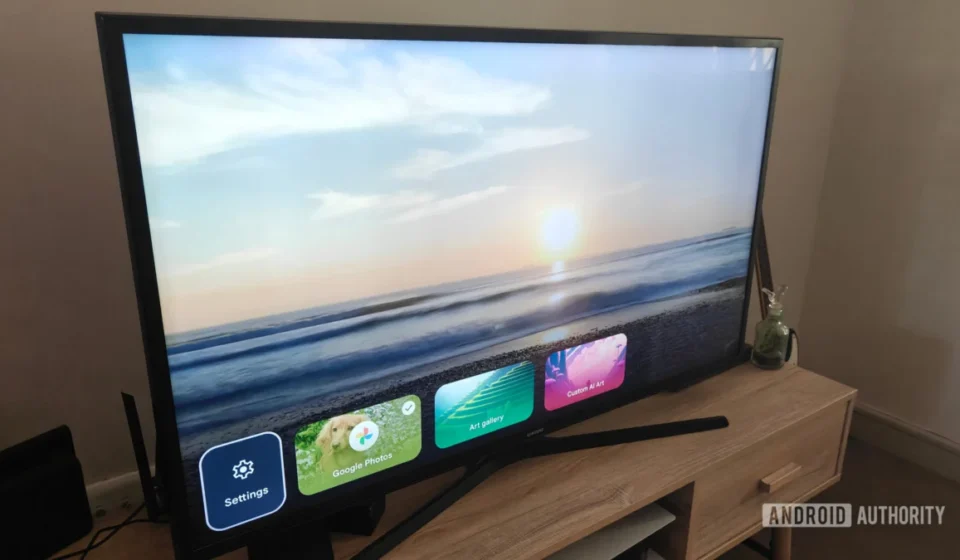
Google TV, a platform designed to centralize entertainment and elevate the home viewing experience, is currently facing a significant software anomaly within its Ambient Mode feature. Users across various Google TV devices, including Chromecast with Google TV and dedicated Google TV Streamers, are reporting persistent issues where the digital photo frame function, powered by Google Photos, exhibits repetitive image cycling and frequent freezing. This widespread frustration undermines a key personalization feature that transforms idle television screens into dynamic showcases of cherished memories, a functionality Google itself has recently sought to enhance.
The Promise of a Personalized Canvas: Google TV’s Ambient Mode
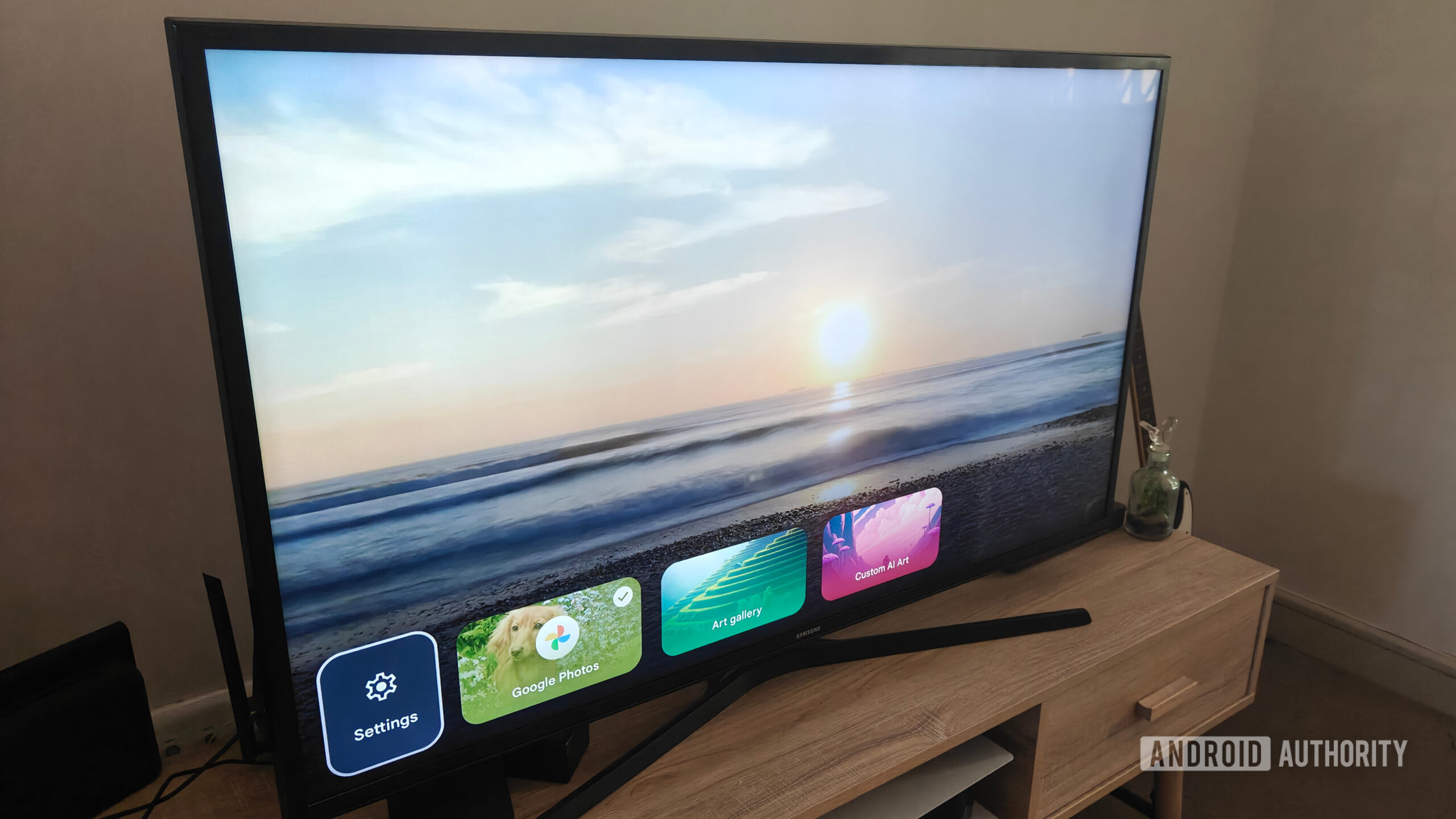
At its core, Google TV’s Ambient Mode is designed to be more than just a power-saving screensaver; it’s an integral part of the smart home ecosystem, offering a personalized and informative display when the television is not actively being used for content consumption. This feature allows users to select from a variety of curated art galleries, weather updates, news headlines, and, most popularly, their personal Google Photos libraries. The integration of Google Photos is particularly compelling, promising to turn the largest screen in the house into a rotating gallery of family vacations, celebrations, and everyday moments. This vision aligns with the broader trend of smart displays and ambient computing, where digital screens seamlessly blend into the home environment, providing utility and aesthetic appeal.
Earlier this year, Google indeed "spruced up the experience" with the introduction of dynamic slideshows, an enhancement intended to elevate the visual appeal by transforming static images into more engaging, colorful collages. This update was met with anticipation, promising a richer and more fluid presentation of personal photographs. The expectation was a seamless, ever-changing tapestry of visual memories, drawn from potentially thousands of high-resolution images stored within a user’s Google Photos account. The ability to relive these moments without active interaction, simply by having the TV idle, represents a significant value proposition for many users who have embraced Google’s ecosystem. For a device like Chromecast with Google TV, which often serves as the central hub for media streaming, Ambient Mode is a differentiating factor, adding a layer of personal connection that distinguishes it from more utilitarian streaming sticks.
A Growing Chorus of Dissatisfaction: The Onset of Technical Glitches
However, what was intended to be an enriching experience has, for a growing number of users, devolved into a source of considerable frustration. Reports have begun to surface and accumulate across various online forums, most notably on Reddit and Google’s own support communities. The central complaints revolve around two primary issues: the repetitive display of a limited selection of photos and the outright freezing of the screensaver. Users with extensive Google Photos libraries, often numbering in the thousands, are finding their Ambient Mode cycling through the same handful of 40 to 90 pictures, creating a monotonous loop that quickly loses its appeal. This is a stark contrast to the expected behavior of a feature designed to showcase a diverse range of personal memories.
The problem is not isolated to a single device type. Owners of both Chromecast with Google TV and the standalone Google TV Streamer are reporting these identical symptoms. The repetitiveness is often followed by the screensaver freezing entirely, sometimes remaining stuck on a single photo indefinitely, or even displaying a black screen, effectively negating the purpose of Ambient Mode altogether. This behavior requires manual intervention, such as clearing the Ambient Mode’s cache, which users have discovered offers only a temporary reprieve, restarting the cycle of repetition and eventual freezing. The temporary nature of this workaround underscores the systemic nature of the underlying bug, rather than a simple caching error.
Unraveling the Timeline and User Observations
The timeline of these issues appears to coincide with, or closely follow, recent software updates to the Google TV platform and its Ambient Mode application. While the exact date of the problematic update is not universally pinpointed, the "spruced up experience" with dynamic slideshows was rolled out earlier this year, and user complaints began to escalate in recent weeks and months. This correlation suggests a potential link between the introduction of new features and the degradation of existing functionality, a common challenge in software development.
Detailed user reports on platforms like Reddit and the Google Home Community provide critical insights into the observed behavior. One particular report from the Google Home Community offers a compelling hypothesis: the recent Ambient Mode interface changes might have inadvertently disrupted the mechanism by which Google TV retrieves photos from Google Photos. According to this user, previous versions of the Ambient Mode application were capable of gracefully handling and displaying over 1,000 unique images from a linked Google Photos album. However, following recent updates, the application now reportedly struggles to process more than 40 to 90 images before succumbing to repetition or freezing. This drastic reduction in photo handling capacity points to a fundamental change in how the application interacts with the Google Photos API or manages its local cache.
Furthermore, users have noted that even attempting to manage their photo selection—such as adding or removing a linked album—triggers an undesirable reset. This action not only disrupts the current photo curation but also automatically reverts the slideshow mode back to "Dynamic," requiring manual adjustments each time. This added layer of inconvenience further detracts from the user experience, transforming a once seamless feature into a cumbersome one that demands constant oversight. The fact that clearing the cache merely delays the inevitable repetition also suggests that the core issue lies deeper than just temporary data storage.
Technical Speculation and Potential Causes
While Google has yet to provide an official technical explanation, the pattern of complaints and observed behavior strongly suggests a software regression. The hypothesis put forth by users regarding interface changes affecting photo retrieval is highly plausible. Modern software development often involves continuous integration and deployment, where new features are added and existing codebases are modified. In such environments, regressions—where new code inadvertently breaks older, working functionality—are a known risk.
Several technical factors could contribute to this specific problem:
- API Changes or Mismanagement: The way Ambient Mode interacts with the Google Photos API might have been altered. If the new interface or underlying code is making inefficient or limited calls to retrieve photos, it could explain why only a small subset of the library is ever displayed.
- Memory Management Issues: Handling a large number of high-resolution images, especially with dynamic transitions and collages, can be memory-intensive. It’s possible that recent updates have introduced memory leaks or inefficient resource allocation, causing the application to crash or freeze when attempting to process a larger photo set. Devices with varying RAM capacities (e.g., different Chromecast generations or Google TV models) might experience this differently, explaining why not all users are affected.
- Caching Mechanism Failure: While clearing the cache provides temporary relief, it’s possible the long-term caching mechanism for Ambient Mode is flawed. Instead of intelligently rotating through the entire library, it might be perpetually re-caching the same limited set of images, leading to the observed repetition.
- Hardware-Software Interaction: The issue might also be exacerbated by specific hardware configurations or chipsets within certain Google TV devices. This could explain why the problem doesn’t manifest universally across all Google TV installations, as the article’s author noted their own devices were unaffected.
- Concurrency or Threading Issues: Dynamic slideshows involve complex animations and transitions. If there are bugs in how these visual effects are rendered concurrently with photo retrieval and display, it could lead to freezing or a failure to load new images.
The fact that uninstalling Ambient Mode updates appears to resolve the issue for some users provides strong evidence for a software regression. Reverting to an older version of the application bypasses the problematic code introduced in recent updates, restoring the previous, functional photo display behavior. This workaround, while effective, underscores the need for Google to address the root cause in a future patch.
Official Acknowledgment and Awaited Response
The growing volume of user complaints has not gone unnoticed by Google. Reports indicate that Google support has been contacted by affected users, and at least one instance involving a Google TV Streamer experiencing freezing issues has been remotely reviewed and subsequently escalated to Google’s engineering team. This internal escalation signifies that Google is aware of the problem and that its technical teams are likely investigating the underlying cause.
As of now, Google has not released an official public statement addressing the Ambient Mode glitch. This is not uncommon for software bugs, as companies often prefer to thoroughly diagnose an issue and prepare a fix before making a public announcement. The lack of a public statement, however, leaves affected users in a state of uncertainty, relying on community forums for shared experiences and potential workarounds. Our inquiries to Google regarding the issue and any ongoing investigations or expected timelines for a fix remain unanswered at the time of this publication. An official response is crucial for reassuring the user base and providing transparency regarding the steps being taken to restore full functionality.
Temporary Workaround and Its Caveats
For users currently plagued by the repetitive and freezing Ambient Mode, a temporary workaround has emerged from community discussions. This involves reverting the Ambient Mode application to an older, presumably more stable, version by uninstalling its recent updates. The steps to perform this workaround are as follows:
- Navigate to your Google TV’s Settings.
- Select Apps.
- Choose See all apps.
- Scroll down and select Show system apps.
- Find and select Ambient Mode.
- Choose Uninstall updates.
Executing these steps will roll back the Ambient Mode application to its factory version, which reportedly restores normal slideshow functionality for many affected users. However, this workaround comes with notable trade-offs. Users will lose any newer interface features or improvements that were introduced in the more recent updates, including potentially the dynamic slideshows that were meant to enhance the experience. Furthermore, to prevent the system from automatically reinstalling the problematic updates, users must also disable automatic app updates in the Google Play Store. This global setting, while necessary for this workaround, can prevent other important applications from receiving security patches and new features, potentially compromising the overall device experience and security. It is a temporary measure that highlights the urgency for an official, permanent fix from Google.
Broader Implications for User Experience and Brand Trust
This Ambient Mode glitch, alongside other recent software anomalies like the "bouncing glitch" affecting the Google TV home screen in apps-only mode, points to broader concerns regarding software stability and quality assurance within the Google TV ecosystem. While individual bugs are inevitable in complex software, persistent issues in core functionalities can significantly erode user trust and diminish the perceived value of the platform.
The implications extend beyond mere inconvenience:
- Diminished User Experience: A feature intended to delight and personalize becomes a source of frustration. This directly impacts user satisfaction and engagement with the Google TV platform.
- Erosion of Brand Trust: When core features fail, especially those that are integral to the smart home experience, it can lead to questions about Google’s commitment to reliability and quality control for its ecosystem products. In a competitive market with alternatives like Roku, Amazon Fire TV, and Apple TV, a seamless user experience is paramount.
- Impact on the Smart Home Ecosystem: Ambient Mode is a component of Google’s larger vision for an interconnected smart home. When one part of this ecosystem falters, it can affect the perception of the entire integrated experience, potentially deterring users from investing further in Google’s hardware and software solutions.
- Developer Challenges: The incident highlights the inherent challenges in maintaining stability while simultaneously pushing for innovation and new features across a diverse range of hardware. Rigorous testing and robust regression management are critical to prevent new releases from introducing unforeseen problems.
Ultimately, the resolution of this Ambient Mode glitch is crucial for Google to restore confidence in its Google TV platform. Users expect their devices to perform reliably, especially when showcasing personal and sentimental content. A swift diagnosis, transparent communication, and a comprehensive software update are essential steps to ensure that Google TV continues to deliver on its promise of a rich, personalized, and stable entertainment and smart home experience. The ongoing silence from Google, while understandable during an investigation, places the onus squarely on them to deliver a timely and effective solution to a problem that is increasingly affecting a significant portion of its user base.