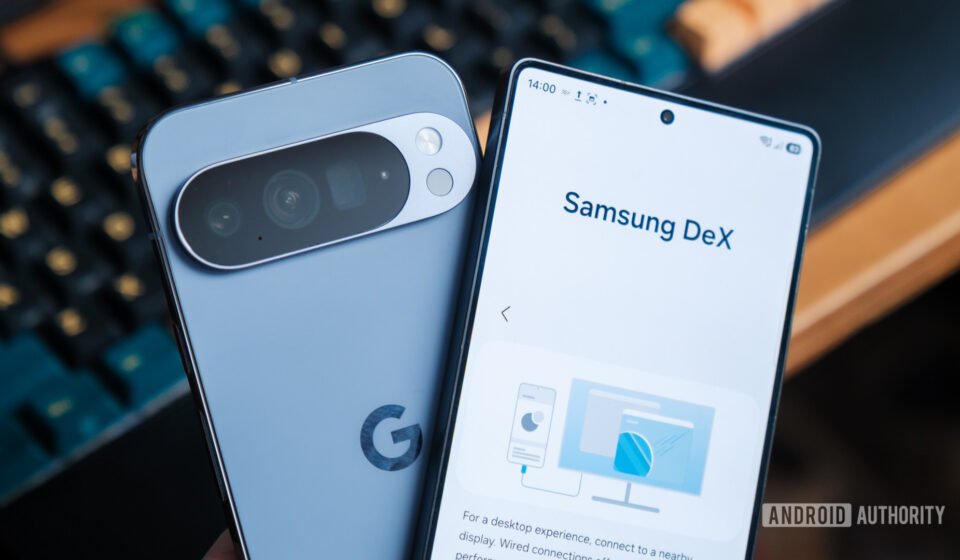
Pixel Desktop Mode vs. Samsung DeX: A Comprehensive Comparison of Android’s Convergent Computing Futures

The landscape of personal computing is undergoing a profound transformation, driven by the ever-increasing power and versatility of smartphones. What was once solely a mobile communication device is now frequently envisioned as the central hub for a complete computing experience, capable of extending its functionality to larger displays and desktop peripherals. This vision of "convergent computing" has seen two major players in the Android ecosystem, Samsung and Google, champion distinct approaches: Samsung DeX, a veteran in the field, and Google’s nascent Pixel Desktop Mode. While both aim to bridge the gap between phone and PC, their underlying philosophies, implementation, and user experiences present a compelling study in the evolution of mobile operating systems.
The Genesis of Convergent Computing: A Brief History
The concept of a smartphone powering a desktop experience is not entirely new. Early attempts at this convergence can be traced back over a decade. In 2011, Motorola introduced the Atrix 4G, which could dock into a "Laptop Dock" or "Webtop" accessory, offering a Linux-based desktop environment. While innovative, it was ahead of its time, limited by hardware capabilities and software maturity. Microsoft followed suit with Continuum for Windows 10 Mobile in 2015, enabling Windows phones to project a desktop-like interface, but its fate was tied to the declining fortunes of the Windows Phone platform. Even Ubuntu explored "Ubuntu Touch" with similar desktop convergence aspirations. These pioneering efforts laid the groundwork, demonstrating the potential while also highlighting the significant technical and user experience hurdles that needed to be overcome.
Samsung, however, proved to be the most persistent and successful advocate for this paradigm. Launching DeX (Desktop Experience) in 2017 with the Galaxy S8, the company committed to a long-term vision of empowering its flagship smartphones to serve as portable PCs. Over the years, DeX has evolved from requiring a dedicated hardware dock to supporting direct USB-C to HDMI connections, and even wireless screen mirroring, steadily refining its user interface and expanding its capabilities. This sustained investment positioned DeX as the undisputed leader in Android-based desktop convergence for several years.
Google, the steward of Android itself, has taken a more measured, and arguably slower, path. While Android has had a rudimentary freeform window mode for developers for some time, a fully integrated, user-friendly desktop experience has been conspicuously absent from its core offerings. This changed significantly with the recent introduction of Pixel Desktop Mode, making its debut with the Pixel 10 series in 2025. This move signals Google’s intent to bring a native, standardized desktop experience directly into the Android framework, potentially democratizing the feature across a wider range of Android devices beyond Samsung’s ecosystem.
Samsung DeX: A Refined Pioneer
Samsung DeX has had nearly eight years to mature, a significant advantage in the rapidly evolving tech world. Its journey began as a hardware-dependent solution, requiring users to purchase a dedicated DeX Station or Pad. However, recognizing the need for greater flexibility, Samsung swiftly moved towards more accessible connection methods. Current Samsung flagship devices, such as the Galaxy S25 Ultra, can activate DeX simply by connecting a USB-C to HDMI cable to an external monitor, or even wirelessly to compatible displays. This adaptability has been crucial to its sustained relevance.
From a user perspective, DeX offers a remarkably PC-like experience. Upon connecting, users are greeted with a familiar desktop layout, complete with a taskbar at the bottom, an app drawer, and system tray icons for quick settings and notifications. A key differentiator for DeX is its robust customization options. Users can populate the desktop with app shortcuts and widgets, much like a traditional Windows or macOS environment. Importantly, these desktop customizations are independent of the phone’s home screen, allowing for a distinct work environment that doesn’t clutter the mobile interface.
DeX’s strength lies in its ability to manage multiple applications in resizable, floating windows. While early versions of DeX sometimes struggled with older Android apps, often forcing them into fixed-size windows, Samsung has made significant strides in improving app compatibility. Modern DeX iterations generally allow most Android applications to scale dynamically, adapting their UI to larger screen real estate. For productivity, applications like Microsoft Office Suite, Google Workspace apps, and various creative tools perform admirably, offering a comfortable desktop-like workflow. Samsung has also optimized its own applications, such as Samsung Internet, to provide a superior desktop browsing experience within DeX, addressing the limitations often found in mobile browser versions on large screens.
Beyond basic functionality, DeX integrates several quality-of-life enhancements. These include dedicated settings for the external display, allowing for independent screen timeout, and the ability to set unique wallpapers for the DeX environment. Some Samsung devices even offer a "touchpad mode" on the phone screen itself, enabling users to control the external display cursor without needing a physical mouse. These granular controls underscore Samsung’s commitment to refining the desktop experience, often based on direct user feedback and a deep understanding of desktop user expectations.
Pixel Desktop Mode: Google’s Native Vision
In contrast to Samsung’s long-standing proprietary solution, Google’s Pixel Desktop Mode represents a more recent, and crucially, a native integration within the core Android operating system. Debuting with the Pixel 10 series in 2025, it leverages Android’s built-in windowing capabilities, which have been gradually enhanced over several Android iterations. This approach means that Pixel Desktop Mode isn’t a separate shell layered on top of Android, but rather an extension of the same OS instance that powers the phone. When an external display is connected via USB-C DisplayPort, the system simply renders a second, windowed environment.
The primary appeal of Google’s native approach is its potential for broad adoption across the Android ecosystem. By making desktop functionality a core Android feature, Google aims to encourage all Android device manufacturers to implement similar capabilities and, more importantly, to incentivize developers to design apps that scale seamlessly from phone to tablet to desktop. This aligns with Google’s broader strategy for a unified, adaptive Android experience, a vision further emphasized by hints of a future "Aluminium OS" designed to unify various computing platforms.
Upon activation, Pixel Desktop Mode presents a clean, minimalist desktop. It features a customizable dock of apps along the bottom, an app drawer, and Android’s familiar navigation buttons. However, its current iteration is noticeably more spartan than DeX. The desktop itself is essentially a glorified wallpaper; users cannot place app icons, folders, or widgets directly on it. This reflects Google’s focus on a "clean slate" approach, prioritizing simplicity and direct access to applications via the dock or app drawer.
In terms of app compatibility, Pixel Desktop Mode benefits from Google’s recent push for adaptive UIs, especially with the rise of foldables and tablets. Apps designed with these larger form factors in mind generally scale well, automatically adjusting their layout when resized. However, the experience with older, less optimized applications can be inconsistent. The article notes instances where some older apps defaulted to full-screen or became unresponsive, indicating that while the native windowing framework is robust, developer adoption of adaptive layouts is still a work in progress.
A significant distinction lies in how Pixel Desktop Mode handles system notifications and quick settings. Unlike DeX’s PC-like system tray, Pixel opts for a top-down, phone-inspired notification panel. While familiar to Android users, this approach can feel out of place and cumbersome on a large monitor, often obscuring the entire screen to access basic controls. This design choice highlights the "phone-first" philosophy that still permeates some aspects of Google’s desktop implementation, suggesting a learning curve for users accustomed to traditional desktop operating systems.
Architectural Foundations: DeX’s Shell vs. Native Android Windowing
The core difference between Samsung DeX and Pixel Desktop Mode lies in their architectural implementation.
Samsung DeX: Operates as a "desktop shell" layered on top of the Android operating system, specifically within Samsung’s One UI. While apps still run within the same Android OS instance, Samsung has replaced much of Android’s default window management and UI behavior with its own proprietary desktop environment. This allows Samsung a high degree of control over the user experience, enabling extensive customization, PC-like system tray elements, and specific optimizations for peripherals and display settings. This "forked" approach gives DeX its distinct identity and allows Samsung to iterate on desktop features independently of core Android updates.
Pixel Desktop Mode: Leverages Android’s native desktop-style windowing capabilities. This means it uses the same underlying Android system that powers the phone’s interface, simply rendering a second windowing environment on the external display. Apps run in the exact same OS instance, and Android’s native window manager handles their appearance in resizable windows. This approach is intrinsically tied to the evolution of Android itself, relying on Google’s advancements in multi-window and adaptive UI support. The benefit is consistency with the core Android experience and a potentially easier path for developers, as they are targeting a native Android feature rather than a specific OEM’s overlay.
These architectural differences lead to the subtle but significant user experience variations observed. DeX’s shell allows for a more traditional desktop feel with dedicated system tray elements and extensive desktop customization, reflecting its bespoke nature. Pixel Desktop Mode, being closer to stock Android, currently offers a simpler, more phone-like interaction for elements such as notifications, underscoring its foundation as an extension of the mobile OS.
User Experience: A Head-to-Head Comparison
A practical comparison reveals both shared strengths and unique divergences.
Connectivity and Peripherals: Both platforms excel in ease of connectivity. DisplayPort output via USB-C is standard, and HDMI adapters work seamlessly. Both support power pass-through and hassle-free plug-and-play for Bluetooth and USB keyboards and mice. External storage devices like microSD cards, USB sticks, and SSDs are instantly recognized. However, DeX has historically offered more diverse connection options, including dedicated DeX cables and Wireless DeX, which the Pixel Desktop Mode currently lacks. This gives DeX an edge in flexibility, particularly for those who prefer a completely cable-free setup.
Interface and Customization: This is where DeX truly shines. Its desktop is a fully customizable canvas, allowing users to drag and drop app icons, create folders, and even embed Android widgets directly onto the background. These changes are isolated from the phone’s home screen, fostering a dedicated work environment. Pixel Desktop Mode, by contrast, treats its desktop as a mere wallpaper, with no direct icon or widget placement, limiting personalization. Its dock is functional but less feature-rich.
Notifications and Quick Settings: DeX adopts a familiar PC-like "system tray" for notifications, quick settings, and system information (clock, calendar). Clicking these icons opens compact, contextual menus, allowing for efficient multitasking. Google’s Pixel Desktop Mode, however, mirrors the phone’s notification shade, pulling down a full-screen panel that can obstruct ongoing work. This design choice, while consistent with the phone experience, feels less optimized for a desktop environment and can disrupt workflow.
App Compatibility and Responsiveness: Both platforms leverage Android’s advancements in adaptive UIs. Modern applications generally scale well, dynamically adjusting their layouts when windows are resized. DeX has a longer history of dealing with app scaling, and its optimizations have largely eliminated the fixed-window issues of its past. Pixel Desktop Mode also performs well with well-behaved apps. However, the original article notes that Pixel struggled with a couple of older, non-widescreen apps, defaulting them to full screen and rendering them unresponsive – an issue DeX seemed to handle more gracefully by allowing some degree of resizing even for less optimized applications.
Browser Experience: Samsung DeX heavily favors its own "Samsung Internet" browser, which is optimized for the desktop environment, offering a superior experience with proper scaling and formatting for web pages. While Chrome is available, it can sometimes scale aggressively, trapping it in a mobile-centric view, necessitating frequent "request desktop site" actions. Google, recognizing this, has made efforts to ensure a more desktop-like Chrome experience within Pixel Desktop Mode, though it still lacks browser extensions, a common desktop expectation.
Power Management and Personalization: DeX provides specific settings for the external display, such as an independent screen timeout for "PC mode," and allows for PC-only wallpapers. This separation of settings between phone and desktop modes enhances the overall desktop utility. Pixel Desktop Mode currently shares customization settings with the phone, and its screen timeout is uniform across both modes, indicating a less granular approach to desktop-specific management. These minor differences contribute to DeX feeling like a more complete and independent desktop environment.
Developer Perspective: Adapting to a New Paradigm
The rise of convergent computing places new demands on Android app developers. The traditional phone-portrait UI is no longer sufficient. Developers are increasingly encouraged, and soon will be required, to design applications that are truly adaptive and responsive across a multitude of screen sizes, aspect ratios, and input methods (touch, mouse, keyboard).
Google’s native desktop mode is a significant step in standardizing this requirement. By baking desktop windowing directly into Android, Google provides a unified framework for developers to target. Industry analysts suggest that this standardization will accelerate the adoption of adaptive layouts, as developers will no longer need to consider OEM-specific implementations like DeX. "The future of Android is fluidity across devices," remarked a Google spokesperson at a recent developer conference, emphasizing the importance of scalable UIs.
Samsung, for its part, has long provided developer guidelines for DeX, encouraging optimizations for its platform. The maturity of DeX means many popular productivity apps already offer good support. However, Google’s move could shift the focus towards native Android guidelines, potentially simplifying the development process in the long run by removing the need for specialized DeX considerations. This competition for developer mindshare will ultimately benefit users through more polished and adaptable applications.
Market Dynamics and User Adoption
The target audience for convergent computing solutions remains somewhat niche but is steadily growing. Mobile professionals, students, and users seeking a minimalist computing setup are prime candidates. The increasing power efficiency of smartphone chipsets, coupled with advancements in external display technology, makes the idea of a phone-as-PC more viable than ever.
Samsung’s early and consistent investment in DeX has cultivated a loyal user base, particularly among business users who appreciate its reliability and comprehensive features. Its enterprise-grade security and management capabilities also make it attractive for corporate deployments. Samsung’s market share, particularly in the premium segment, provides a substantial installed base for DeX.
Google’s entry with Pixel Desktop Mode, while late, carries the weight of the Android brand. Its native integration has the potential to democratize the feature, making it accessible on any Android device that implements Google’s desktop framework. This could significantly expand the market for convergent solutions beyond Samsung’s ecosystem. However, Google faces the challenge of catching up to DeX’s years of refinement and extensive feature set. User adoption will depend heavily on the perceived value, ease of use, and the seamlessness of the experience.
Future Outlook: The Road Ahead for Android Convergence
The competition between Pixel Desktop Mode and Samsung DeX is more than just a feature comparison; it represents a philosophical divide in the future of Android. Samsung’s approach, while highly refined, remains proprietary. Google’s native approach, conversely, aims for ubiquity and standardization.
Google’s public statements regarding "Aluminium OS," an ambitious project to unify its various operating systems (Android, ChromeOS, and possibly others), suggest a future where the distinction between mobile and desktop computing might largely dissolve. Pixel Desktop Mode is likely a foundational step towards this vision, showcasing how Android can natively scale to desktop form factors. If Google succeeds in creating a truly seamless, adaptive experience across all its platforms, it could fundamentally alter the personal computing landscape.
Samsung, meanwhile, is unlikely to cede its ground easily. DeX is a significant differentiator for its premium Galaxy devices and a testament to its commitment to innovation. It will continue to refine DeX, potentially incorporating even more advanced features, leveraging its deep hardware-software integration. The ongoing evolution of both platforms promises an exciting future for Android users, offering increasingly flexible and powerful ways to utilize their smartphones.
Conclusion: The Current State of Play
As of its current iteration, Samsung DeX retains its crown as the more mature and feature-rich Android desktop environment. Its years of refinement are evident in its robust customization options, PC-like notification management, and comprehensive display settings. For power users seeking a truly desktop-grade experience with their smartphone, DeX offers a compelling and well-rounded solution. Its consistent evolution since 2017 has set a high bar for any newcomer.
Google’s Pixel Desktop Mode, while a commendable first step, currently feels more like an extension of the phone experience rather than a distinct desktop OS. Its reliance on native Android windowing is a strong foundation for future growth and standardization across the ecosystem. However, its current limitations in customization and its phone-centric approach to elements like notifications highlight its nascent stage. The Pixel’s approach signals Google’s long-term vision for a unified Android, where the OS scales effortlessly from pocket to monitor.
The gap between the two is not insurmountable. Google’s rapid iteration on Android features suggests that Pixel Desktop Mode could quickly close the functionality gap with DeX. As developers increasingly adopt adaptive UI guidelines and Google refines its desktop-specific user experience, the native Android desktop mode will become more formidable. Ultimately, this healthy competition benefits consumers, pushing both Samsung and Google to deliver increasingly sophisticated and seamless convergent computing experiences, bringing us closer to a future where the smartphone truly is the only computer you need.