
Android 17’s Pause Point Delay: Exploring Immediate Solutions to Combat Digital Overload and Doomscrolling

The stable version of Android 17 officially rolled out to Pixel phones in June 2026, introducing a suite of innovative features aimed at enhancing user experience and device functionality. However, a significant component of Google’s announced digital wellness strategy, the "Pause Point" feature, was conspicuously absent from this initial release. This new Digital Wellbeing tool, prominently highlighted during Google I/O, is designed to interrupt autopilot app usage and mitigate the pervasive issue of doomscrolling, promising a more mindful approach to smartphone interaction. Its delay leaves users eager for enhanced digital control to explore existing alternatives.
The Genesis of Pause Point and Its Unique Approach
Google I/O 2026, held earlier in the year, served as the platform for unveiling Android 17 and its ambitious new features. Among them, Pause Point garnered considerable attention for its novel approach to digital wellness. Unlike conventional app timers or lockout mechanisms that restrict access outright, Pause Point interjects a mandatory 10-second pause when a user attempts to open a designated "distracting" application. This brief interlude is intended to provide a critical window for reflection, prompting users to consider their true intention for opening the app and whether it aligns with their immediate goals. Beyond this introspective pause, the feature allows users to set specific usage timers for apps and, innovatively, suggests alternative, more productive applications to better utilize their time. The most compelling aspect of Pause Point, and a testament to its intended efficacy, is that disabling it requires a complete restart of the smartphone, making it significantly harder to bypass and revert to ingrained habits compared to existing Digital Wellbeing tools. This design choice underscores Google’s commitment to creating a more robust and friction-filled barrier against compulsive app engagement.
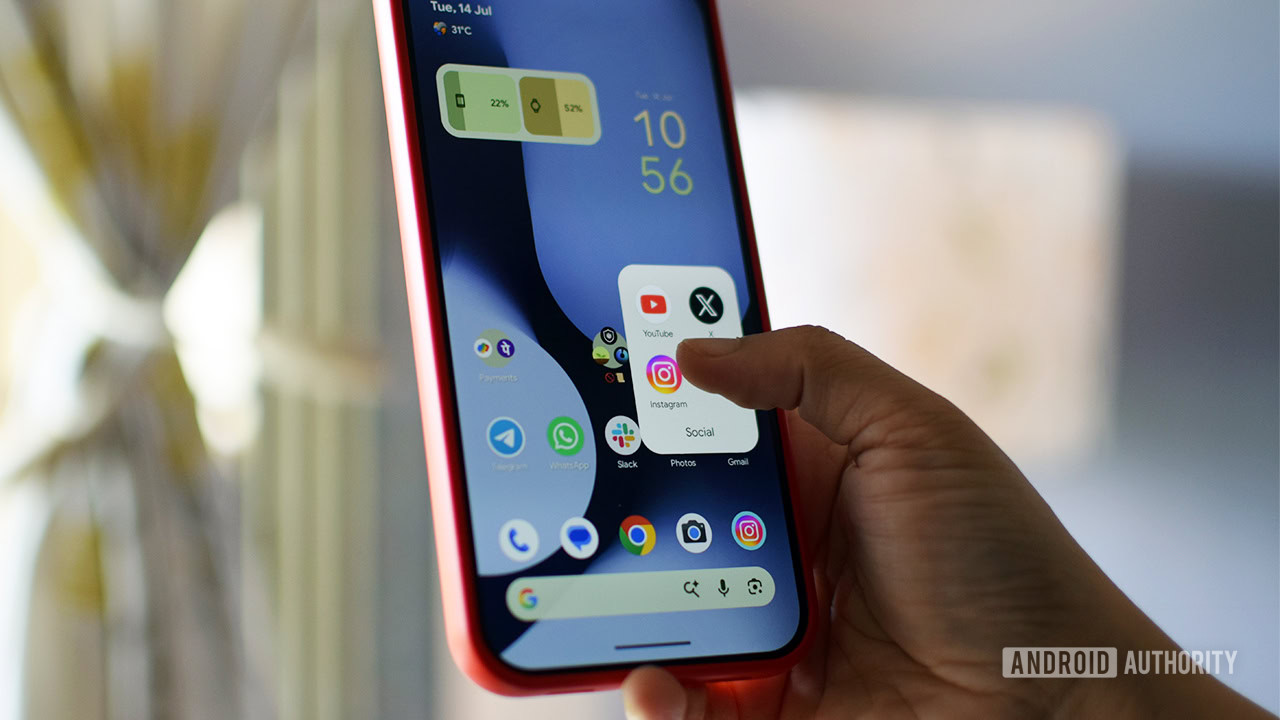
The announcement of Pause Point comes amidst growing global concerns regarding smartphone addiction and its detrimental effects on mental health, productivity, and sleep patterns. Studies consistently highlight the increasing screen time across all demographics, driven by the addictive design of social media platforms, news feeds, and entertainment applications. Google’s Digital Wellbeing suite, first introduced with Android 9 Pie in 2018, has been a continuous effort to provide users with tools to manage their device usage. Initial features included dashboards to track app usage, app timers, and Wind Down mode. Each iteration of Android has seen refinements and additions, reflecting an evolving understanding of user needs and the psychological complexities of digital engagement. Pause Point represents a significant leap forward in this evolution, moving beyond passive monitoring and gentle reminders to a more active, interruptive, and difficult-to-circumvent intervention. Its delayed rollout, anticipated "later this year" via a Pixel Drop update or potentially by year-end, suggests that Google is meticulously refining its integration and ensuring a seamless, yet impactful, user experience.
Understanding the Pervasiveness of Digital Addiction
The need for tools like Pause Point is underscored by alarming statistics on smartphone dependency. A recent survey conducted by the American Academy of Sleep Medicine (AASM) revealed that over one-third of adults, particularly younger demographics, confess that "doomscrolling" before bedtime has negatively impacted their sleep quality. This phenomenon, characterized by the compulsive consumption of negative news or social media content, perpetuates anxiety and disrupts natural sleep cycles. The AASM’s findings indicate a worrying trend where screen time is increasingly prioritized over essential rest. Furthermore, the survey highlighted that the issue is not confined to younger generations; even older adults are reportedly succumbing to the allure of their smartphone screens, demonstrating the broad societal impact of digital engagement.
Beyond sleep disruption, excessive smartphone use has been linked to decreased attention spans, increased rates of anxiety and depression, and reduced face-to-face social interaction. The constant influx of notifications and the endless scroll of content are meticulously designed by app developers to maximize user engagement, often at the expense of user wellbeing. This creates a challenging environment for individuals attempting to moderate their usage. The economic implications are also substantial, with studies pointing to decreased workplace productivity due to digital distractions. The collective weight of this data provides a compelling rationale for the development of more sophisticated digital wellbeing tools, reinforcing the urgency behind features like Pause Point.
Immediate Strategies to Reclaim Digital Control
While users await the official deployment of Pause Point, there are several actionable strategies that can be implemented immediately to curb habitual smartphone use and mitigate doomscrolling tendencies. These methods, ranging from simple behavioral adjustments to leveraging existing Android features and adopting third-party applications, empower users to take proactive control of their digital habits.
1. Creating Friction: Managing App Shortcuts and Notifications
The fundamental principle behind reducing autopilot app use is to introduce "friction" into the access pathway. Many addictive applications, particularly social media platforms like TikTok, Instagram, and X (formerly Twitter), are often placed as prominent shortcuts on a user’s home screen or within easy reach in the app drawer. The path of least resistance encourages instantaneous, thoughtless engagement.
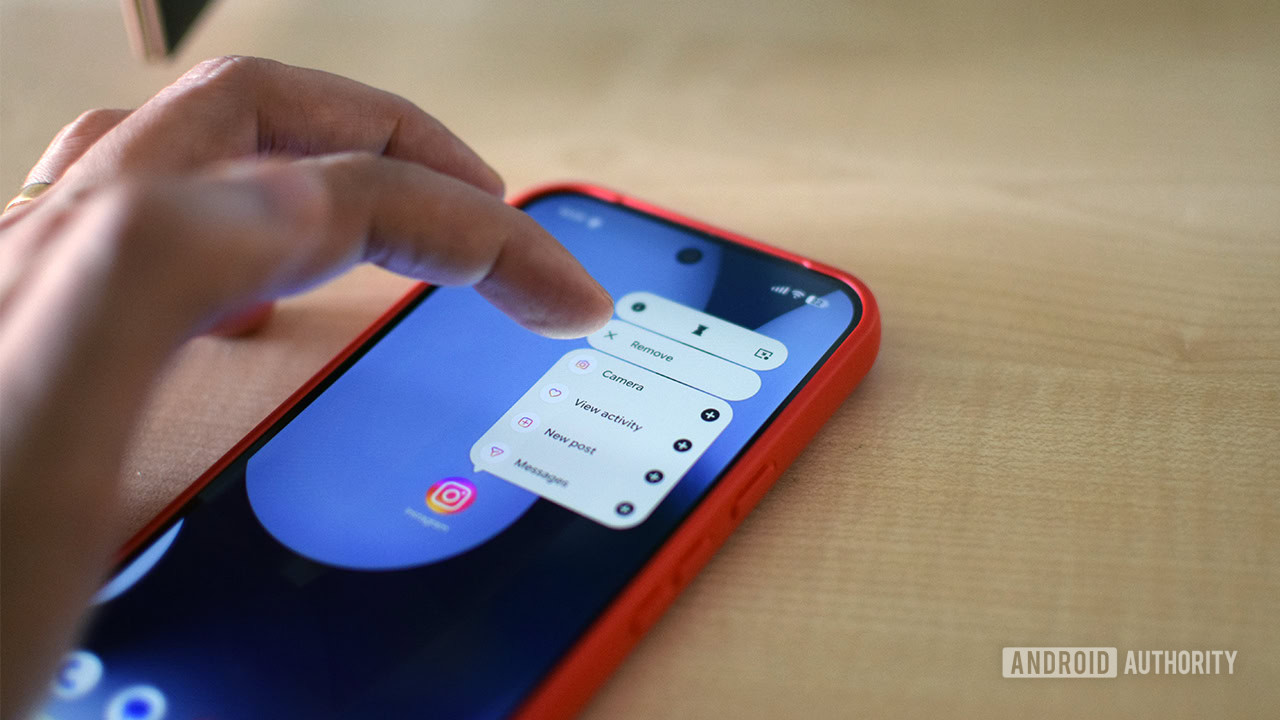
- Delete or Relocate App Shortcuts: The first and most straightforward step is to remove these distracting app shortcuts from the home screen. Instead of deleting the app entirely (which might be impractical for necessary communication or work functions), users can move them into less accessible folders or rely solely on searching for them in the app drawer. This extra step, however minor, forces a momentary pause and conscious decision, breaking the automatic reflex to tap and scroll. Scientific research has actually supported the efficacy of this approach, demonstrating that increasing the effort required to access an undesirable activity can significantly reduce its occurrence. For instance, a personal experiment by many has shown a noticeable reduction in ordering food delivery simply by removing those app shortcuts from the home screen. The slight inconvenience acts as a powerful deterrent.
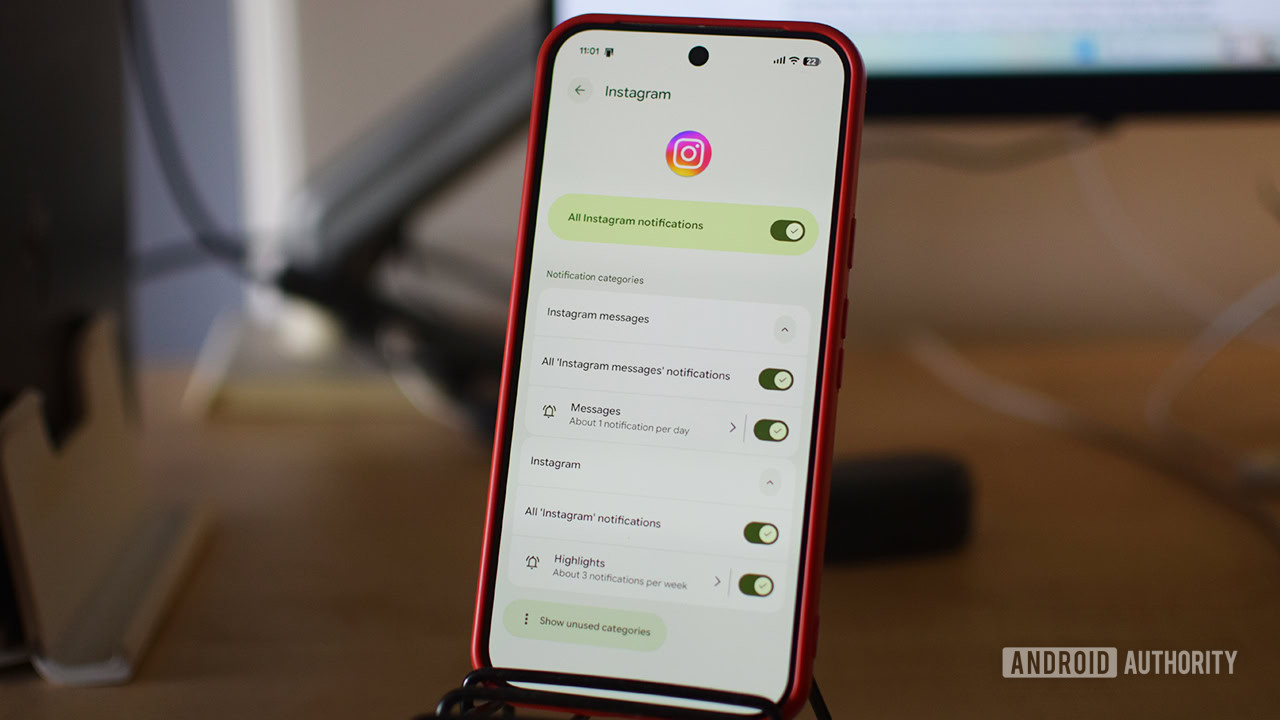
- Limit and Fine-Tune Notifications: App notifications are potent triggers for engagement, often pulling users back into applications even when they had no initial intention to open them. Social media apps, in particular, are notorious for their incessant notifications, designed to create a sense of urgency or FOMO (Fear Of Missing Out).
- Access Notification Settings: On Android, users have granular control over notifications. By long-pressing an app icon and tapping the "i" symbol (for App info), navigate to the "Notifications" section.
- Disable or Customize: Here, users can choose to disable all notifications for a specific app or delve into "Notification categories" to mute specific types of alerts. For example, one might choose to receive direct message notifications but silence likes, comments, or promotional content from social media platforms. Unlike essential communication apps like Gmail or messaging services where immediate alerts are often necessary, notifications from time-wasting apps can almost always be delayed or suppressed entirely without adverse consequences. Reducing these external cues helps diminish the subconscious urge to check the phone.
2. Harnessing Android’s Built-in Digital Wellbeing Tools
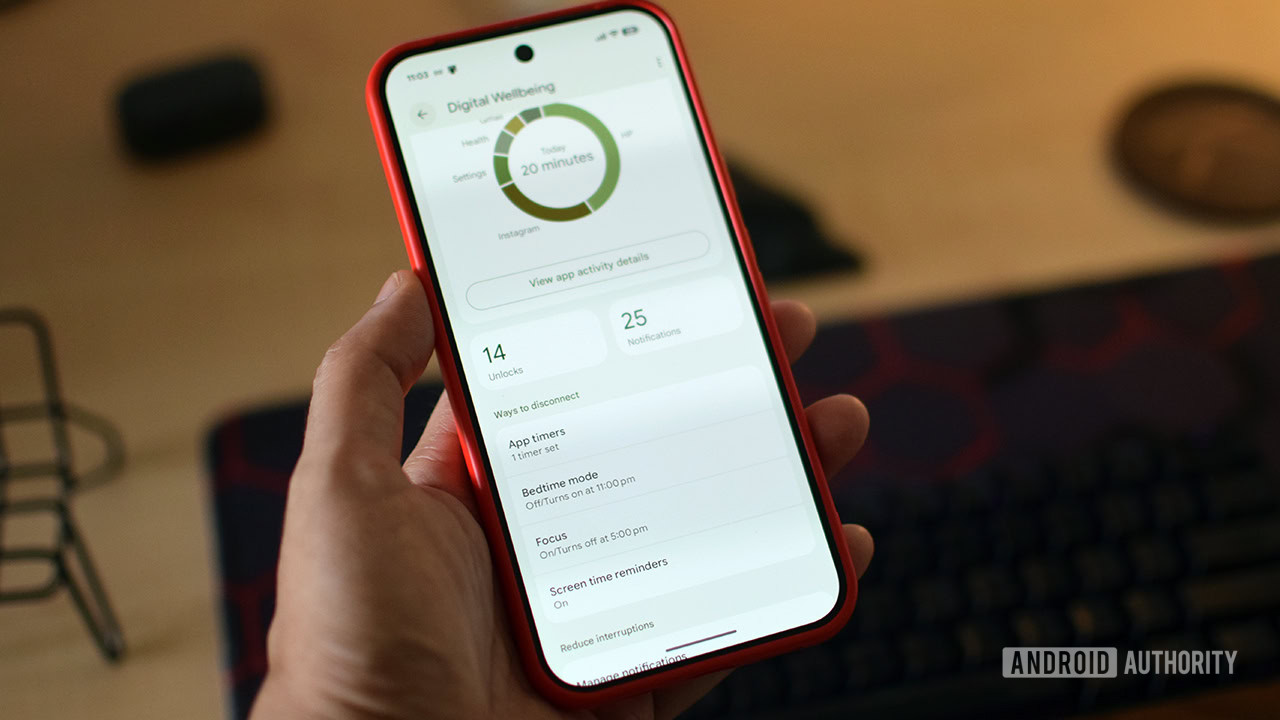
Android’s Digital Wellbeing suite, accessible through the device’s Settings, offers a range of tools designed to provide insight into usage patterns and impose self-governed limits. While these tools may lack the "restart to disable" rigidity of Pause Point, they can still be highly effective when combined with user commitment.
- App Timers: This feature allows users to set daily time limits for individual applications. Once the allocated time expires, the app icon grays out, visually signaling that the limit has been reached. While the app technically becomes "paused," a simple tap on "Unpause app" can easily override this restriction. This ease of bypass is a notable limitation compared to Pause Point but still serves as a valuable visual reminder and requires a conscious decision to continue usage, fostering greater awareness.
- Focus Mode: Designed for periods requiring concentrated effort, Focus Mode enables users to select multiple distracting apps and establish a schedule for their temporary suspension. Users can customize this schedule, opting to restrict app access during work hours but allowing free use on weekends, for instance. When Focus Mode is active, opening a paused app typically grants a brief five-minute grace period before locking access again, providing a quick check without full commitment. Disabling Focus Mode permanently requires navigating back to the main Digital Wellbeing settings, adding a minor layer of friction.
- Screen Time Reminders: For those seeking a less intrusive approach, Screen Time Reminders offer a gentle nudge rather than a hard lockout. This feature, enabled by default for all apps, periodically displays a pop-up bubble indicating the cumulative time spent in the current application. It doesn’t prevent usage but serves as a constant, subtle reminder of engagement duration, encouraging mindfulness without imposing strict limits.
3. Exploring Specialized Third-Party Applications
For users who find native Android tools insufficient or desire more specialized interventions, a robust ecosystem of third-party apps offers tailored solutions to combat digital addiction.
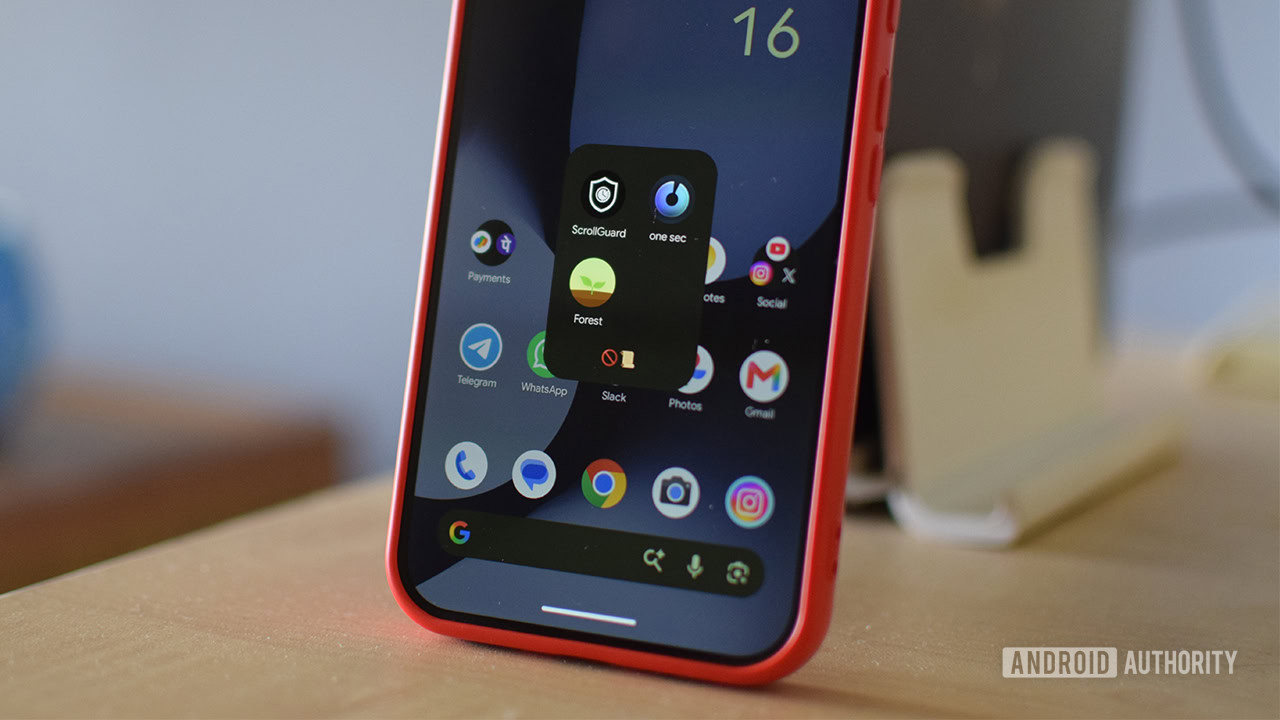
- One sec: This ingenious app mirrors some of Pause Point’s core functionality by introducing a mandatory pause. When a user attempts to open a monitored app, One sec prompts them to take a deep breath before presenting the option to either proceed or close the application. It also provides insightful statistics, such as the number of times the app has been opened in the last 24 hours, offering a stark reality check. The free version allows monitoring of a single app, while a premium annual subscription (approximately $20) unlocks unlimited app monitoring, detailed time tracking, and additional features, making it a powerful behavioral intervention tool.
- ScrollGuard: Specifically designed to combat the endless scroll of short-form video content, ScrollGuard targets platforms like Instagram Reels and YouTube Shorts. The free version actively prevents users from accessing these addictive tabs within their respective apps. Its "anti-scroll" feature is particularly clever, displaying a large black box over sections of infinite scroll, physically obstructing content consumption. A lifetime license for ScrollGuard Pro (under $20) offers enhanced controls, including per-app Shorts management, custom threshold settings for the anti-scroll blocker, and the ability to view Reels from friends without triggering the block, providing a highly targeted solution for video-based doomscrolling.
- Forest: This app gamifies the concept of focus and digital detox. Users plant a virtual tree at the start of a focus session. The tree grows as long as the user refrains from switching apps or getting distracted. If the user exits the app prematurely, the tree withers and dies. This creative approach leverages positive reinforcement and a sense of responsibility to encourage sustained focus. Forest acts more as a mindfulness and productivity aid rather than a strict blocker, featuring a well-designed interface and engaging challenges that make the process of staying focused enjoyable and rewarding.
Broader Industry Trends and the Future of Digital Wellbeing
The introduction of Pause Point and the proliferation of both native and third-party digital wellbeing tools reflect a significant shift in the tech industry’s approach to user engagement. Smartphone manufacturers are increasingly recognizing their responsibility in addressing the potential negative impacts of their products. OnePlus, for example, pioneered "Zen Mode" (now Zen Space) several years ago, offering a distraction-free environment for a set period. Samsung is also reportedly doubling down on this trend with its upcoming "Concentration" feature in One UI 9 beta, signaling a collective industry effort to empower users with greater control.
This ongoing development of digital wellness features has profound implications. It suggests a future where operating systems are not just about maximizing connectivity and information access, but also about fostering healthier, more balanced digital lifestyles. The ethical considerations of designing addictive technologies are slowly giving way to a more holistic approach that prioritizes user mental health and productivity. As technology becomes even more integrated into daily life, these tools will become increasingly crucial for maintaining a healthy relationship with our devices.
Conclusion: Commitment as the Ultimate Enabler
The arrival of Android 17’s Pause Point feature promises a more integrated and forceful mechanism to combat the pervasive issue of autopilot app use and doomscrolling. Its unique design, featuring a reflective pause and a restart requirement for deactivation, positions it as a potentially powerful deterrent against ingrained digital habits. However, until this eagerly anticipated feature becomes widely available, users are not without recourse. The combination of proactive behavioral adjustments—such as strategically managing app shortcuts and meticulously fine-tuning notifications—alongside the intelligent utilization of existing Android Digital Wellbeing tools and innovative third-party applications, offers a comprehensive toolkit for reclaiming digital control. Ultimately, while technology can provide the scaffolding, the cornerstone of breaking these habits remains individual commitment and the unwavering resolve to foster a more mindful and balanced digital existence.