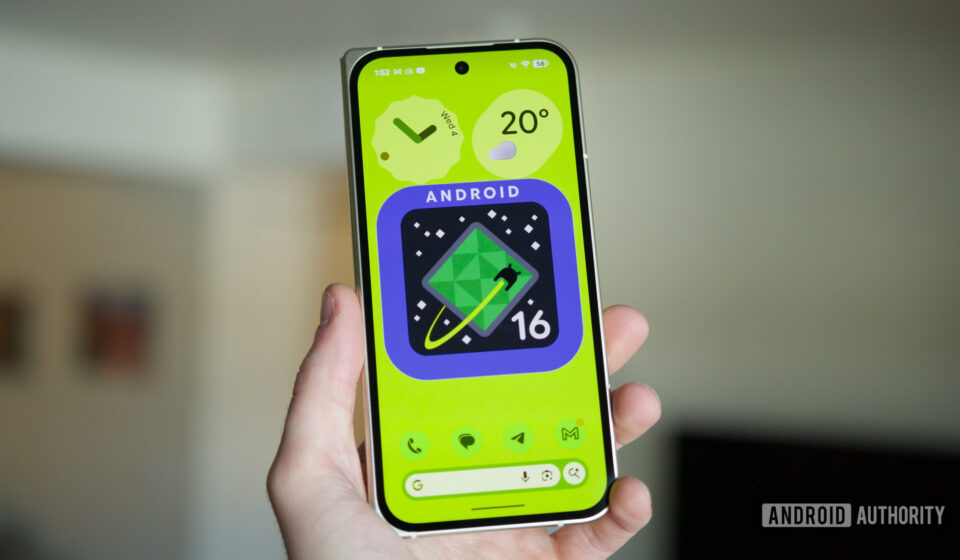
Google’s Android 16 QPR3 Update Removes Direct Image Saving from Recents Screen, Sparking User Concerns.

The recent rollout of the stable Android 16 QPR3 update, often recognized by Pixel users as the March 2026 Pixel update, has introduced a notable change to the operating system’s Recent apps screen functionality, drawing attention from the user community. While seemingly minor, the alteration impacts a widely appreciated productivity feature: the ability to directly save images from app previews. This modification, which removes the immediate "Save" option for images selected within the Recents interface, has prompted discussions among Pixel owners regarding user experience and workflow efficiency.
The Disappearance of a Key Productivity Shortcut
For many Android power users, the Recent apps screen has evolved beyond a mere task switcher. It has become a dynamic hub for quick interactions, allowing users to seamlessly navigate between applications, manage background processes, and, crucially, interact with content displayed within app previews. A particularly favored capability involved the direct selection and manipulation of text and images from these previews. Previously, users could long-press an image or utilize the "Select" tool within the Recents screen to bring up a contextual menu offering several actions: saving the image, sharing it, or opening it with Google Lens for immediate visual search. This streamlined process was a testament to Android’s commitment to intelligent user interfaces, offering a shortcut that bypassed the need for opening the original application or resorting to taking screenshots.
However, with the deployment of Android 16 QPR3, this functionality has been significantly curtailed. Users who attempt to select an image from an app preview in the Recents screen will now find a truncated list of options. The prominent "Save" button, which allowed for direct storage of the image to the device’s photo gallery (typically Google Photos on Pixel devices), is conspicuously absent. The remaining options are limited to "Copy," "Share," and "Edit." This change effectively adds friction to a previously seamless workflow, requiring users to employ lengthier workarounds to achieve the same outcome.
Tracing the Timeline: From Beta to Stable Release
The genesis of this alteration can be traced back to earlier beta releases of Android 16 QPR3. Reports from January indicated that this change was already present in testing versions of the update. Early adopters and beta testers observed and documented the reduced functionality, raising initial concerns within developer and enthusiast communities. Despite this feedback during the beta phase, Google proceeded with incorporating the change into the stable public release in March 2026. This progression from beta observation to widespread stable deployment confirms that the modification was an intentional design decision, rather than an unforeseen bug. The consistent appearance of this revised interface across beta iterations and the final stable build suggests a deliberate re-evaluation of the Recents screen’s interactive capabilities by Google’s development teams.
Navigating the New Landscape: Clunkier Workarounds
The removal of the direct "Save" option necessitates new, less intuitive methods for users wishing to store images from the Recents screen. One primary workaround involves utilizing the "Share" option. Upon selecting an image and tapping "Share," users are presented with the Android share sheet, a common interface for distributing content across various applications and services. Within this extensive list, users must now locate and select an option such as "Upload to Photos" (or a similar designation depending on the installed applications). While this eventually achieves the goal of saving the image to Google Photos, it introduces an additional layer of interaction and navigation that was previously unnecessary. The direct "Save" button offered immediate, single-tap access, whereas the share sheet often requires scrolling through multiple apps and actions, adding precious seconds and mental overhead to a routine task.
Another method, albeit more niche, involves sharing the selected image with "Files by Google." While this action does save the image, it typically places it within the device’s "Downloads" folder rather than directly integrating it into the main photo gallery. This further complicates photo management, as users might then need to manually move the image or navigate to a less conventional location to access it.
Similarly, the quick access to Google Lens from the Recents screen has been altered. Previously, a dedicated Lens button facilitated instant visual search based on the selected image. Now, users must again rely on the share sheet, looking for a "Google Search Image" option, which essentially triggers a Lens search. Alternatively, Google’s newer "Circle to Search" feature, while powerful, represents a different interaction paradigm and may not be as immediate for content already highlighted in the Recents screen. The common thread in these workarounds is a shift from direct, context-specific buttons to a more generalized, multi-step sharing mechanism, diminishing the "quick capture" aspect of the feature.
The Utility of a "Lesser-Known" Feature
While Google’s decision might suggest that the direct "Save" feature was underutilized, anecdotal evidence and community discussions point to its significant value for a segment of the user base. This functionality was particularly useful in scenarios where a user encountered an image in an application that lacked a native "save" option, or when they wanted to quickly grab a specific visual element from a complex screen without capturing the entire screenshot. For instance, a user browsing a news article might want to save a particular infographic, or a student might need to extract an image from a lecture slide displayed in a document viewer. In these cases, the Recents screen’s intelligent content recognition and direct saving capability offered unparalleled efficiency. It served as a bridge between the transient nature of app previews and the desire for permanent content capture, eliminating intermediate steps like taking a full screenshot, cropping it, and then saving it. The absence of this direct method impacts users who had integrated this shortcut into their daily mobile routines, relying on muscle memory for quick content extraction.
Google’s UI/UX Philosophy and Quarterly Platform Releases
Google’s Android ecosystem is characterized by continuous evolution, driven by annual major version updates and incremental Quarterly Platform Releases (QPRs). QPRs are designed to deliver new features, performance enhancements, and bug fixes outside the major yearly cycle, ensuring that Pixel devices, in particular, receive regular infusions of innovation and refinement. These updates often bring subtle but impactful changes to the user interface and experience (UI/UX). While many changes are positively received, aimed at streamlining operations or introducing new capabilities, others, like the current alteration to the Recents screen, can disrupt established user habits and workflows.
The rationale behind such changes can be multifaceted. Google might be aiming to simplify the Recents screen, reduce perceived clutter, or re-prioritize other features like "Circle to Search" as the primary method for content interaction. It’s also possible that the previous "Save" option was considered redundant with other existing functionalities (e.g., within apps themselves or through traditional screenshot methods), leading to its deprecation in favor of a more unified approach through the share sheet. Alternatively, performance optimizations or security considerations, though less apparent in this specific context, sometimes drive UI adjustments. However, without an official statement from Google regarding this particular change, the exact motivations remain open to interpretation within the community.
Community Reactions and Broader Implications
The response from the Pixel user community, particularly on platforms like Reddit and other tech forums, has been one of noticeable frustration. Users who relied on the feature have expressed disappointment at its removal, characterizing it as a "downgrade" rather than an improvement. Many have highlighted the added inconvenience and the disruption to their established workflows. The sentiment underscores a broader challenge in UI/UX design: balancing innovation and simplification with the preservation of useful, albeit potentially "niche," features that have become integral to some users’ productivity.
This incident also highlights the phenomenon of feature discoverability and the impact of changes on user muscle memory. Features like the direct image saving in the Recents screen, while not always overtly advertised, became highly valued by those who discovered them. Once ingrained in a user’s routine, their removal can lead to significant friction and a perception of a less capable system, even if alternative methods exist. For a company like Google, which strives for a seamless and intuitive user experience, such negative feedback, even from a vocal minority, can be an important signal regarding user preferences and the unintended consequences of UI refinements.
The broader implications extend to the perceived consistency of the Android platform. Users expect a certain level of stability in core interaction paradigms, especially in productivity-enhancing features. Frequent changes to these fundamental elements can lead to user fatigue and a sense that their established ways of working are not consistently supported. While Android’s flexibility and customization are strengths, sudden removals of convenient shortcuts can erode user confidence in the predictability of the OS’s core functionalities.
Conclusion: A Small Change with a Disproportionate Impact
The removal of the direct "Save" option for images in the Android Recents screen, introduced with the stable Android 16 QPR3 update, serves as a compelling example of how a seemingly minor UI adjustment can have a disproportionately large impact on user experience and productivity. For a segment of Pixel users, a quick, single-tap action has been replaced by a multi-step workaround, adding friction to a previously efficient workflow. While Google’s intentions may stem from a desire to streamline the interface or re-prioritize features, the immediate effect has been one of inconvenience and a perceived loss of functionality.
As the Android ecosystem continues its rapid evolution, the balance between innovation, simplification, and maintaining established, valued user interactions remains a critical challenge for platform developers. The feedback from the Pixel community on this specific change may well serve as a data point for future UI/UX decisions, potentially influencing whether such productivity shortcuts are reconsidered or restored in subsequent updates. For now, Pixel users adapting to the Android 16 QPR3 update must navigate a slightly more circuitous path to save images, a testament to the enduring impact of even the smallest changes in a highly integrated mobile operating system.