





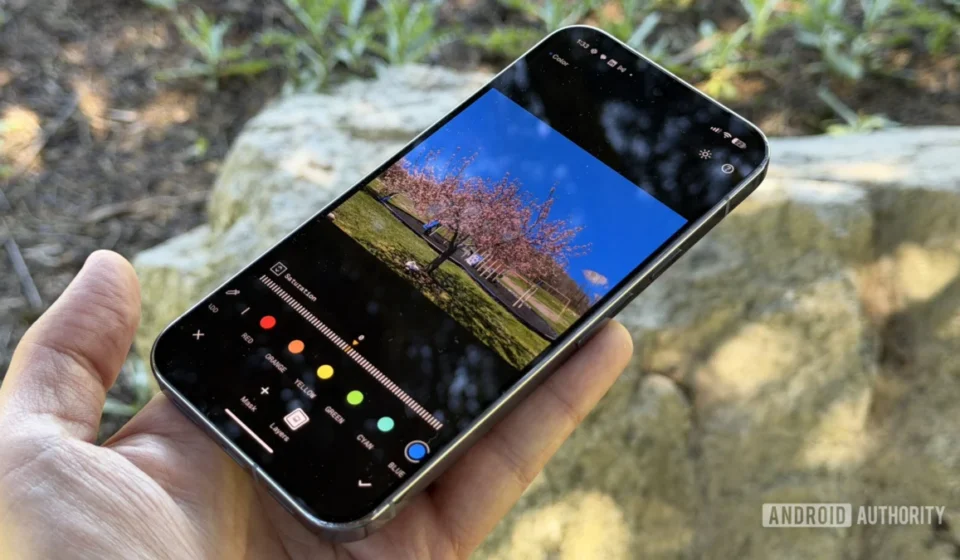
Google’s Snapseed Set to Revolutionize Mobile Photo Editing Workflow with Intuitive Swipe-to-Switch Navigation

Google is poised to significantly enhance the user experience of its popular Snapseed photo editing application with the impending introduction of a highly anticipated swipe-to-switch navigation feature. This quality-of-life improvement, discovered through an in-depth APK teardown of Snapseed v4.2.2.1018431449, promises to streamline the editing process by allowing users to effortlessly transition between multiple images directly within the editor interface, eliminating the current necessity of repeatedly exiting to the gallery. This development underscores Google’s continued commitment to refining Snapseed, following a series of substantial updates this year aimed at bolstering its functionality and efficiency.
The Evolution of Efficiency: Addressing a Key Workflow Challenge
For years, Snapseed users have navigated a somewhat cumbersome process when editing a batch of photos. The prevailing workflow dictates that after completing edits on a single image, users must revert to the application’s home screen or gallery view to select the subsequent photograph for modification. This repetitive action, while minor for occasional use, accumulates into a significant time sink for professional photographers, content creators, and enthusiasts who routinely process multiple images. The friction introduced by these extra steps often disrupts creative flow and can deter users from leveraging Snapseed for larger projects.
The newly uncovered swipe-to-switch gesture directly addresses this long-standing operational bottleneck. With this feature enabled, users will be able to fluidly swipe left or right on the screen to move between preceding and succeeding images within their selected photo set, all without ever departing the active editing environment. This seamless transition is designed to mimic the intuitive gallery browsing experience, integrating it directly into the robust editing suite. The functionality extends to images sourced from both the device’s local storage and those captured directly using Snapseed’s integrated camera, ensuring universal applicability across various user habits.
Intelligent Saving: A New Layer of Control
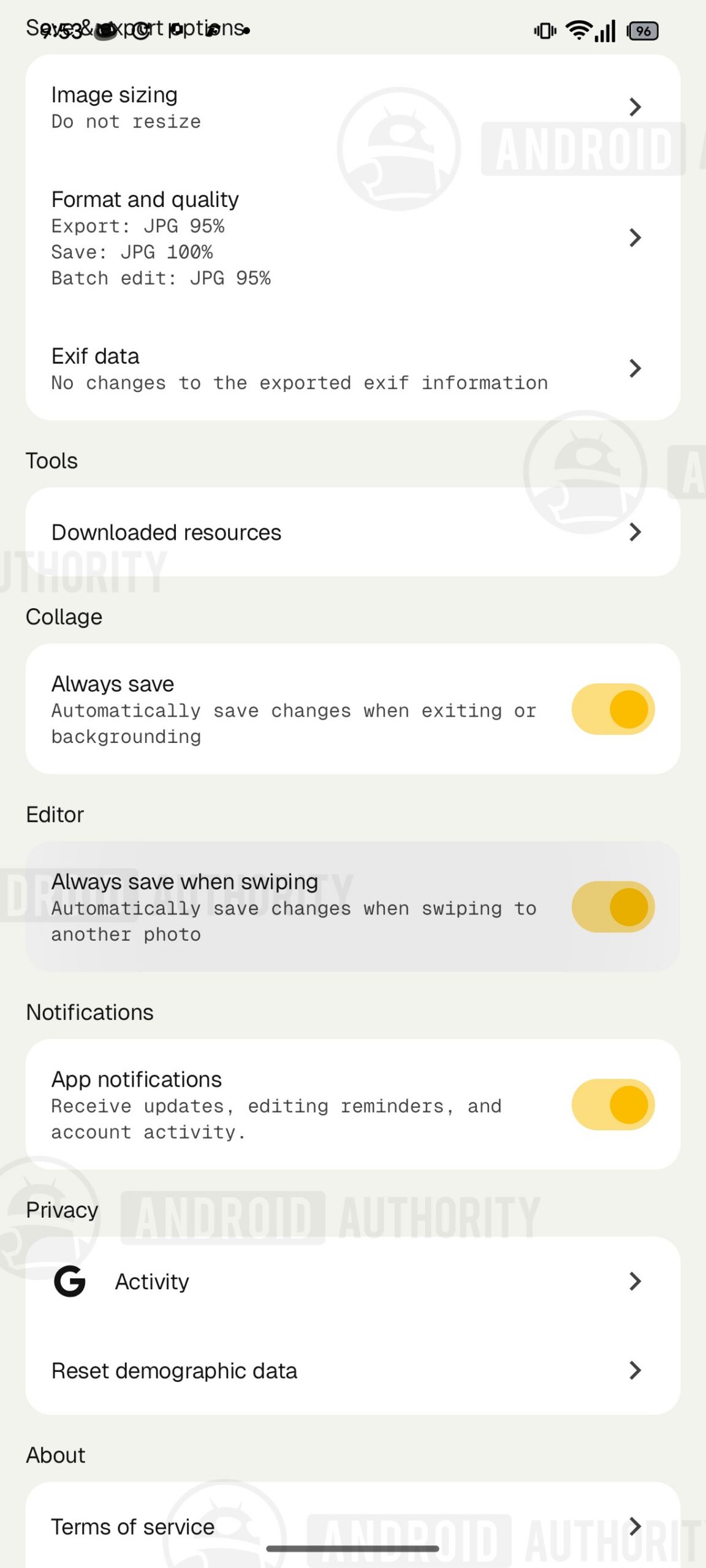
Complementing the enhanced navigation, Google is also implementing a thoughtful addition to Snapseed’s saving mechanisms. Code analysis reveals a new toggle within the app’s settings, specifically under "Settings > Save & export options > Editor," titled "Always save when swiping." This option introduces a crucial element of control over how edits are handled during rapid navigation.
When "Always save when swiping" is activated, any modifications made to the current photo will be automatically saved the instant the user swipes to the next image. This feature caters to users who prioritize speed and wish to maintain an uninterrupted workflow, ensuring that progress is preserved without manual intervention. It builds upon Google’s recent efforts to provide users with more granular control over saving and export parameters, such as the finer save and export quality settings that have been under testing. This automated saving capability is particularly beneficial for high-volume editing tasks, where the cumulative time saved by not having to manually confirm each save can be substantial.
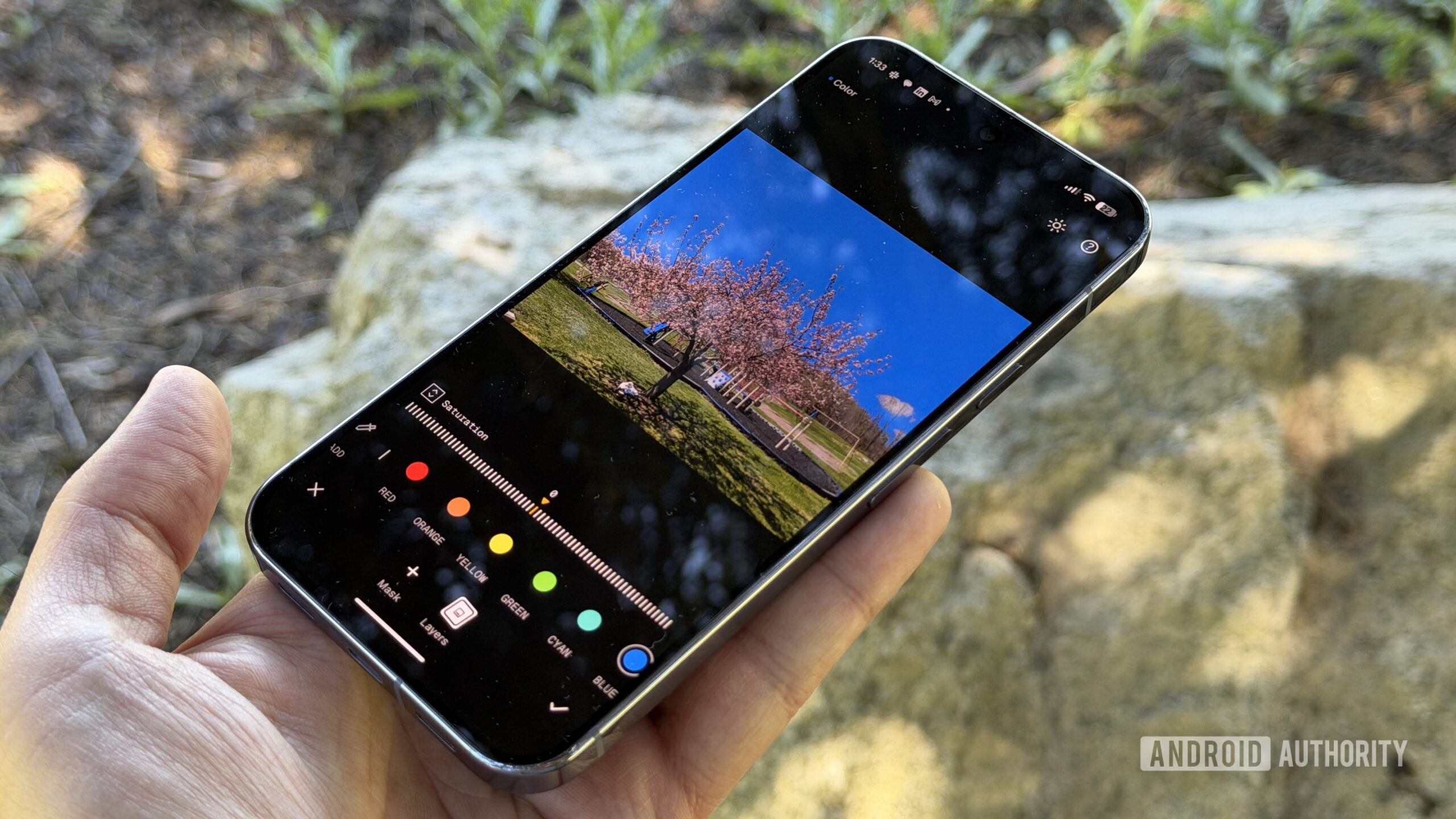
Conversely, for users who prefer a more deliberate approach or wish to experiment with edits before committing, keeping the "Always save when swiping" toggle deactivated offers a safeguard against unintended saves. In this scenario, swiping away from an edited image will trigger a confirmation prompt. This dialog, intelligently designed to prevent accidental loss of progress, will ask, "Save changes made to this photo?" It also reassuringly reminds users of Snapseed’s non-destructive editing system, emphasizing that changes can always be undone later. Users are presented with three clear choices: "Cancel" to remain on the current image, "Discard changes" to abandon the modifications, or "Save" to apply them. An additional "Don’t show again" checkbox within this prompt serves as a convenient shortcut, effectively toggling on the "Always save when swiping" setting for all subsequent edits. This intelligent design allows users to customize their saving preference on the fly, adapting to different editing scenarios and personal preferences.
Snapseed’s Resurgence: A Broader Context of Innovation
The introduction of swipe-to-switch navigation is not an isolated update but rather the latest in a series of strategic enhancements indicating Google’s renewed focus on Snapseed. For a period, following its acquisition from Nik Software in 2012, Snapseed, despite its powerful capabilities and dedicated user base, appeared to experience a lull in significant new feature development. Its reputation as a professional-grade mobile editor, revered for its precise control and non-destructive editing workflow, remained, but many users yearned for more frequent updates.
This year, however, has marked a noticeable shift. Major releases like the Snapseed 4.2 update introduced significant new functionalities such as LUT support and motion blur effects, broadening the app’s creative toolkit. These substantial additions have been complemented by a steady stream of "under-the-hood" improvements, focusing on performance, stability, and subtle user experience refinements. The recent testing of long-exposure camera controls further solidifies the perception that Google views Snapseed not merely as a standalone editor but as an increasingly integrated and comprehensive end-to-end photography solution. This trajectory suggests a strategic effort to cement Snapseed’s position as a robust and indispensable tool in the competitive landscape of mobile photography.
A Brief History and Google’s Strategic Vision
Snapseed’s journey began with Nik Software, a German company renowned for its suite of professional desktop photo editing plugins. Its mobile app quickly gained acclaim for bringing advanced editing capabilities, previously confined to desktop software, to smartphones and tablets. Google’s acquisition of Nik Software in 2012 was a strategic move, integrating Snapseed into its burgeoning mobile ecosystem and leveraging Nik’s imaging expertise. For a time, Snapseed flourished under Google, receiving updates that kept it competitive. However, as Google shifted focus towards Google Photos as a primary consumer-facing photography platform, Snapseed’s updates became less frequent, leading some to speculate about its long-term viability.
The recent flurry of updates, including the sophisticated swipe-to-switch feature, signals a recalibration of Google’s strategy. It suggests that Google recognizes the enduring value of a dedicated, powerful mobile editor like Snapseed, especially for users who demand more granular control and a professional-grade experience beyond what typical consumer-oriented apps offer. This renewed investment positions Snapseed as a complementary, rather than competing, entity within Google’s broader mobile photography ecosystem, which includes the AI-powered capabilities of Google Photos and the advanced computational photography features of Pixel smartphones.
The Technical Edge: Non-Destructive Editing
One of Snapseed’s foundational strengths, and a key reason for its professional appeal, is its non-destructive editing system. Unlike many simpler mobile editors that apply changes directly to the image file, Snapseed operates by recording all edits as a series of instructions or layers. This means the original image file remains untouched, and users can revisit any previous edit, modify it, or completely remove it at any point without degrading the original photo quality. This flexibility is paramount for serious photographers who often iterate on their edits or need to revert to an earlier state.
The "Always save when swiping" feature and the confirmation prompt are meticulously designed to integrate seamlessly with this non-destructive workflow. Even when edits are "saved," Snapseed is essentially saving the recipe of changes, not overwriting the original pixel data. This underlying technical architecture provides users with both the convenience of quick saves and the peace of mind that their original files are always safe, a critical factor for maintaining image integrity and creative freedom.
Implications for Users and Workflow Efficiency
The immediate and most tangible implication of the swipe-to-switch feature is a dramatic improvement in workflow efficiency. Imagine a photographer returning from an event with hundreds of images. Instead of the current laborious cycle of edit-save-exit-select-edit, they can now flow from one image to the next with a simple gesture, maintaining focus on the creative task rather than the mechanics of navigation. This continuity reduces cognitive load and allows for a more immersive and productive editing session.
For casual users, the enhanced fluidity translates to a more enjoyable and less frustrating experience. Batch editing photos from a family vacation or a social gathering becomes significantly less daunting. The option to auto-save or be prompted for saving provides a tailored experience for every user’s preference, catering to both speed demons and meticulous perfectionists. This level of user-centric design is what distinguishes a good app from a truly exceptional one.
Snapseed in the Competitive Landscape
In the rapidly evolving landscape of mobile photo editing, Snapseed faces stiff competition from a variety of powerful applications, including Adobe Lightroom Mobile, VSCO, PicsArt, and countless others. Each app offers a unique blend of features, catering to different segments of users. Lightroom Mobile, for instance, offers robust cloud synchronization and integration with Adobe’s desktop ecosystem, appealing to professional photographers already invested in the Adobe suite. VSCO is known for its curated film-like filters and community features.
Snapseed has historically carved out its niche by offering a comprehensive, professional-grade toolkit without a subscription model, coupled with Google’s powerful image processing capabilities. The addition of swipe-to-switch and other recent updates serves to bolster its competitive standing by addressing key user experience pain points and expanding its functional repertoire. By focusing on core workflow improvements and advanced editing tools, Google is signaling that Snapseed remains a serious contender for users seeking powerful, free, and intuitive mobile photo editing. This renewed focus could attract new users who are looking for an efficient standalone solution without the complexities or costs associated with cloud-based ecosystems.
Google’s Mobile Photography Ecosystem: A Synergistic Approach
Snapseed’s development also fits into Google’s broader strategy for mobile photography. Google Photos serves as the primary cloud storage, organization, and basic editing platform, leveraging AI for intelligent categorization and automated enhancements. Pixel smartphones, with their cutting-edge computational photography, push the boundaries of what a phone camera can achieve. Snapseed, then, acts as the bridge for advanced on-device editing, offering the fine-tuned control that discerning users often require beyond the automated magic of Google Photos.
This synergistic approach ensures that Google covers the entire spectrum of mobile photography needs: from capture (Pixel cameras), to organization and basic AI-powered edits (Google Photos), to professional-grade manual adjustments and creative effects (Snapseed). The improved efficiency of Snapseed’s workflow further strengthens this ecosystem, making it more appealing for users to remain within Google’s suite of tools for all their photographic endeavors.
Looking Ahead: Future Prospects and Release Speculation
As with any feature uncovered through an APK teardown, it is crucial to reiterate that these developments are based on work-in-progress code. While the swipe-to-switch functionality appears quite polished in testing, there is no absolute guarantee regarding its official public release or the precise timeline. Google maintains the prerogative to alter, delay, or even scrap features discovered in beta or experimental code.
However, the level of refinement and the logical integration with existing and recently introduced features suggest that this is a high-priority update. Given Google’s recent pattern of breathing new life into Snapseed, it is highly probable that this user experience enhancement will see a public rollout in the near future. When it does arrive, it will undoubtedly be a welcome addition for Snapseed’s dedicated user base, further solidifying its reputation as a powerful, efficient, and user-friendly mobile photo editor. This update, alongside other ongoing improvements, paints a promising picture for Snapseed’s continued evolution as a cornerstone of mobile photography for years to come.
In conclusion, Google’s impending introduction of swipe-to-switch navigation in Snapseed represents a significant leap forward in mobile photo editing efficiency. By addressing a long-standing workflow inefficiency and pairing it with intelligent saving options, Google is not only enhancing the user experience but also reaffirming Snapseed’s critical role within its broader mobile photography strategy. This commitment to continuous improvement ensures that Snapseed remains a powerful and relevant tool for photographers of all skill levels.