Google Pixel’s "Phone to Watch Unlock" Feature Poised to Revolutionize Wear OS Convenience and Ecosystem Integration.

A significant development in Google’s ongoing efforts to enhance its Pixel ecosystem has come to light, revealing an upcoming feature that promises to streamline the user experience for Pixel Watch owners. Dubbed "Phone to Watch Unlock," this innovative functionality, uncovered through an in-depth analysis of code strings within Google’s Connected Phone & Watch services app, will enable a paired Pixel phone to automatically unlock a Pixel Watch when the phone itself is authenticated. This represents a strategic reversal and complementary addition to the existing "Watch Unlock" feature, where the smartwatch can unlock the smartphone, marking a notable step towards a more cohesive and user-friendly device interaction model within the Google hardware family. The discovery, an exclusive insight from Android Authority‘s Authority Insights team, suggests Google is actively building out a richer, more integrated experience for its dedicated hardware users, addressing a long-standing point of friction in smartwatch usability.
The Genesis of Seamless Device Interaction: Google’s Ecosystem Vision
Google has consistently pursued a vision of seamless interoperability across its device ecosystem, aiming to create a fluid digital experience for its users. This overarching strategy manifests in various features, from the instantaneous pairing capabilities of Fast Pair for accessories like Pixel Buds, to the robust file sharing of Nearby Share, and the expansive network of Find My Device for locating misplaced gadgets. At the heart of this ambition lies the desire to minimize friction and maximize convenience, allowing users to move effortlessly between their devices without constant interruptions for authentication or setup.
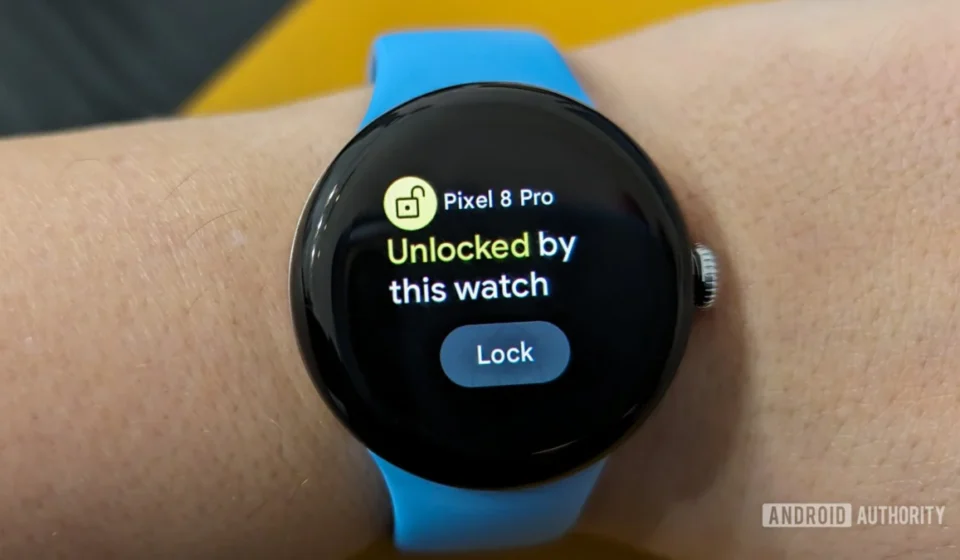
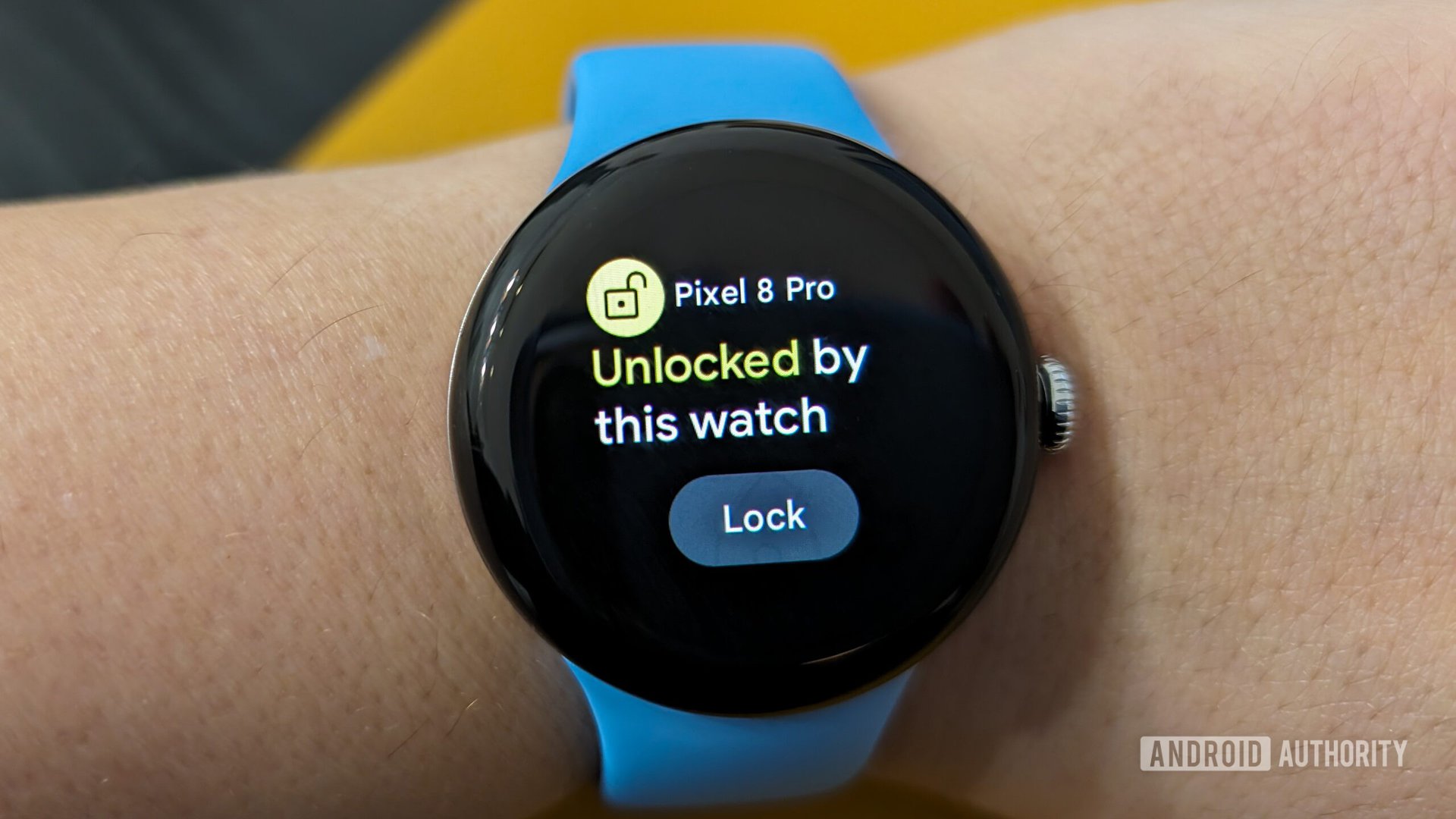
The existing "Watch Unlock" feature, introduced to compatible Pixel Watches, exemplifies this commitment. It allows a user’s Android phone to remain unlocked as long as the paired Pixel Watch is on their wrist and unlocked, bypassing the need for frequent PIN or biometric authentication on the phone. This was a welcome addition for many, particularly those who found themselves unlocking their phone dozens of times a day. However, a parallel challenge persisted on the smartwatch side. Wear OS devices, including the Pixel Watch, typically require a PIN or pattern entry whenever the watch is removed from the wrist and then put back on. This security measure, while essential for protecting personal data and enabling features like Google Wallet payments, often becomes an annoyance, forcing users to interact with a tiny screen for authentication multiple times a day. It is precisely this usability gap that "Phone to Watch Unlock" aims to bridge, offering a symmetrical solution to the existing "Watch Unlock" functionality.
Unpacking the Code: A Glimpse into "Phone to Watch Unlock"
The evidentiary foundation for "Phone to Watch Unlock" lies in several key code strings found within the Connected Phone & Watch services application, an exclusive component of the Pixel ecosystem. These strings provide a detailed blueprint of the feature’s intended operation, user interaction flows, and promotional messaging.
Among the most revealing strings is <string name="cross_device_unlock_title">Unlock your watch with this phone</string>. This directly names the feature and clearly states its primary purpose from the user’s perspective. Further promotional notifications, designed to inform and entice users, explicitly describe the convenience offered: <string name="cross_device_unlock_discovery_notification_message">Skip entering a PIN or pattern. Simply unlock your phone to use your watch.</string> and <string name="cross_device_unlock_discovery_notification_title">Unlocking your watch just got easier</string>. These indicate Google’s intention to actively promote the feature upon its release, highlighting its ability to simplify daily interactions with the Pixel Watch. Another promotional string, <string name="cross_device_unlock_promo_notification_title">Automatically unlock your watch?</string>, suggests an opt-in prompt will guide users through enabling the functionality.
The setup process also appears to be clearly defined. The string <string name="cross_device_unlock_auth_prompt_title">Enter current PIN/Pattern on your watch</string> (with specific variations for PIN and pattern) reveals that a one-time verification step will be required. Users will need to input their watch’s existing security credentials, ensuring that only the legitimate owner can establish this trusted connection between their phone and watch. This is a crucial security measure, preventing unauthorized phones from gaining control over a watch’s unlock status. Once enabled, users will see confirmation messages like <string name="cross_device_unlock_message_unlocking">Unlocking your watch</string> and <string name="cross_device_unlock_message_unlocked">Watch unlocked</string>, providing clear feedback on the feature’s operation.
A forward-thinking aspect of the discovery is a string related to device transitions: <string name="cross_device_unlock_discovery_notification_message_old_to_new_device">Unlocking your phone will now unlock %1$s instead of %2$s</string>. This suggests that Google has considered the user journey when upgrading or switching Pixel Watches. The trusted relationship established between the phone and a previous watch might be seamlessly transferred to a new device, preventing the need for a full re-setup and further enhancing user convenience. This attention to detail underscores Google’s commitment to long-term user satisfaction within its hardware ecosystem.
The Pixel Ecosystem Advantage: A Strategic Differentiator
The context of these code strings within the Connected Phone & Watch services app is critical. This application is known to power several Pixel-exclusive features, such as "Left Behind notifications," which alerts users if they leave their watch behind, and "Lock phone when left behind," which automatically secures the phone if the watch is separated from it. This strong precedent suggests that "Phone to Watch Unlock" will similarly be exclusive to Pixel phones and Pixel Watches, rather than a generic Wear OS feature available to all Android phones paired with any Wear OS smartwatch.
This exclusivity is a strategic move for Google. In a competitive smartphone and smartwatch market, proprietary features that enhance the user experience within a specific ecosystem can be powerful differentiators. Apple has long leveraged its tightly integrated ecosystem to foster user loyalty, offering seamless handoff features and cross-device authentication that are often cited as reasons for staying within the Apple fold. Samsung, with its Galaxy ecosystem, also offers various continuity features between its phones, watches, and tablets. By offering unique, convenience-driven features like "Phone to Watch Unlock," Google reinforces the value proposition of owning both a Pixel phone and a Pixel Watch, potentially driving adoption of its hardware lineup. It transforms the individual devices from mere standalone gadgets into integral components of a cohesive, intelligent personal computing environment.
Elevating the User Experience: Convenience Meets Security
The primary benefit of "Phone to Watch Unlock" is undoubtedly the significant boost in daily convenience. For many smartwatch users, the need to enter a PIN or pattern on a small screen every time they put their watch back on, even after a brief removal, is a minor but persistent annoyance. Whether it’s taking the watch off to shower, charge, wash hands, or simply try on a different outfit, the subsequent re-authentication step can be tedious. This new feature effectively eliminates that friction.
Imagine a typical scenario: a user removes their Pixel Watch to charge it overnight. In the morning, they put it back on. Instead of having to meticulously tap out a PIN on the watch’s diminutive display, they simply unlock their Pixel phone (using its generally more robust and convenient biometric authentication like fingerprint or face unlock), and the watch automatically unlocks. This seamless process integrates the watch more deeply into the user’s daily flow, making it feel less like a separate device requiring its own constant attention and more like an extension of their phone.
From a security standpoint, the feature appears well-conceived. By requiring the phone to be unlocked, Google leverages the phone’s established security protocols, which are typically more sophisticated (e.g., advanced biometric sensors, larger screen for PIN/pattern entry) than those on a smartwatch. The initial one-time watch PIN verification ensures that the trusted link is established by the legitimate owner. Furthermore, it’s highly probable that this feature will rely on proximity and secure Bluetooth connections, meaning the watch will only unlock automatically if it’s within a secure range of the authenticated Pixel phone. This prevents a scenario where unlocking your phone at home could inadvertently unlock your watch left somewhere else. It strikes a pragmatic balance between enhanced security and unparalleled user convenience, addressing a long-standing challenge in wearable technology.
The Rollout and Broader Implications for Wear OS
While the code strings clearly indicate the feature’s development, "Phone to Watch Unlock" is not yet live. Google typically rolls out new functionalities through system updates, app updates, or its seasonal Pixel Feature Drops. Given the feature’s integration with the Connected Phone & Watch services app, a Pixel-exclusive component, it is reasonable to expect its debut alongside a future Pixel Feature Drop or a major Android system update. Google’s release cycles often involve internal testing and gradual rollouts, so an exact timeline remains speculative. However, the advanced state of these code strings suggests that the feature is well into development and could be released relatively soon.
The introduction of "Phone to Watch Unlock" carries broader implications for the Wear OS ecosystem and the smartwatch market as a whole. For Wear OS, it signifies Google’s continued investment in making its platform more competitive and user-friendly, particularly in conjunction with its own hardware. By offering such a compelling convenience feature, Google elevates the appeal of the Pixel Watch and Wear OS devices, especially when paired with a Pixel phone. This could encourage more users to consider the Pixel Watch over alternatives, or to migrate to the Pixel ecosystem if they are already using Wear OS.
In the larger context of personal technology, this feature is another step towards the ideal of "ambient computing," where devices seamlessly work together in the background to serve user needs without requiring constant direct interaction. The goal is to make technology disappear into the environment, becoming an intuitive extension of the user. "Phone to Watch Unlock" is a microcosm of this vision, removing a small but persistent barrier to a truly frictionless experience. While currently confined to the Pixel ecosystem, the success of such a feature could inspire similar cross-device authentication mechanisms across the broader Android and Wear OS landscape in the future, potentially raising the bar for convenience across the entire industry. However, for now, it remains a potent symbol of Google’s commitment to its Pixel hardware line and the interconnected future it envisions. The ongoing evolution of these cross-device functionalities solidifies Google’s position in the premium hardware market, demonstrating a mature approach to integrating its software and hardware offerings into a compelling, coherent user experience.